
Welcome to TimexSinclair.com, your definitive resource for everything related to the Sinclair and Timex/Sinclair computers in the United States. From the groundbreaking Sinclair ZX81 that brought affordable computing to American homes in 1982, to the Timex/Sinclair 2068, we celebrate these remarkable machines that introduced a generation to the world of programming and digital innovation.
Timex/Sinclair
The American chapter—Timex brought Sinclair’s vision to U.S. homes.

1982
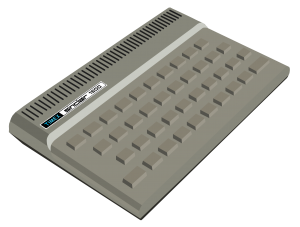
Timex/Sinclair 1000
The U.S. version of the ZX81, available for under $100 at retail stores across America. This machine democratized computing in the United States.
1983
Timex/Sinclair 1500
Enhanced version of the Timex/Sinclair 1000 with 16K RAM built in, ZX Spectrum style case and keyboard.
1983
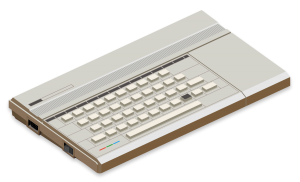
Timex/Sinclair 2068
Color graphics, sound capabilities, and a cartridge port made the 2068 the ultimate U.S. Sinclair experience with serious computing power.
Sinclair
The pioneering machines from Clive Sinclair that revolutionized home computing.
1980
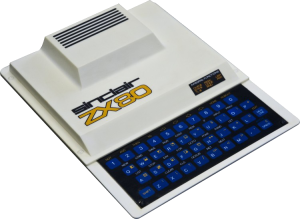
Sinclair ZX80
The machine that started it all—revolutionary for its price point and brought computing to everyday people.
1982
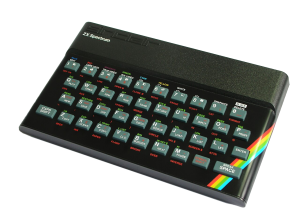
Sinclair ZX Spectrum
The ZX Spectrum brought vibrant color graphics and sound to the home computer market, selling over 5 million units worldwide.
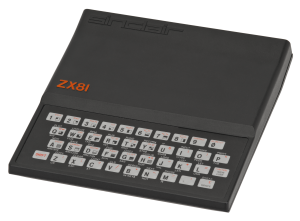
1981
Sinclair ZX81
The machine that brought computing to the masses. Sold over 1.5 million units worldwide—legendary affordability and hackability made it an icon.
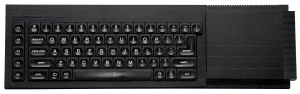
1984
Sinclair QL
Sinclair’s ambitious 32-bit business computer. Multitasking OS, built-in Microdrives—ahead of its time with professional aspirations.
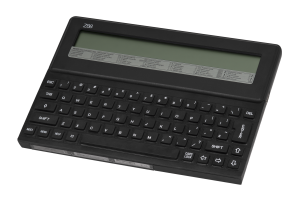
1987
Cambridge Z88
Sinclair’s ambitious 32-bit business computer. Multitasking OS, built-in Microdrives—ahead of its time with professional aspirations.
Join Us Online
We have a YouTube channel, active email list and more! We meet via Zoom on the first Monday and third Sunday of each month to chat about our favorite computers, projects and more. Each meeting is recorded and posted to YouTube. You can watch some of our most recent meetings below.
Recent Blog Posts
-
Pro/File +5: The Machine-Code Module
READ MORE: Pro/File +5: The Machine-Code ModulePro/File +5 is Tom Woods‘ database for the TS2068, with later modifications by Robert Fischer. The BASIC program carries the interface — menus, editing, print formatting — and hands the slow work to a 2,046-byte machine-code module loaded at 63488 ($F800). That module does three things that cannot be done quickly in BASIC: search, pack…
-
Two Decades of Timex/Sinclair Wisdom
READ MORE: Two Decades of Timex/Sinclair WisdomIf you’ve ever had a ZX81/TS1000, TS1500, or TS2068 question and thought “I’m sure somebody on the list solved this years ago…”, you were probably right. The trouble was finding it. Mailing-list archives are a haystack: thousands of messages, no real structure, and in the case of the old Yahoo Group, a haystack that effectively disappeared…
-
Minesweeper for the Timex/Sinclair 2068
READ MORE: Minesweeper for the Timex/Sinclair 2068In 2003, Alvin Albrecht wrote a Minesweeper for the TS2068 in C, built with z88dk. Porting the Windows game to a Z80 was the easy half. The half he cared about was getting the computer to play it well, and to play it honestly: every move reasoned from the numbers on the board, never from…