
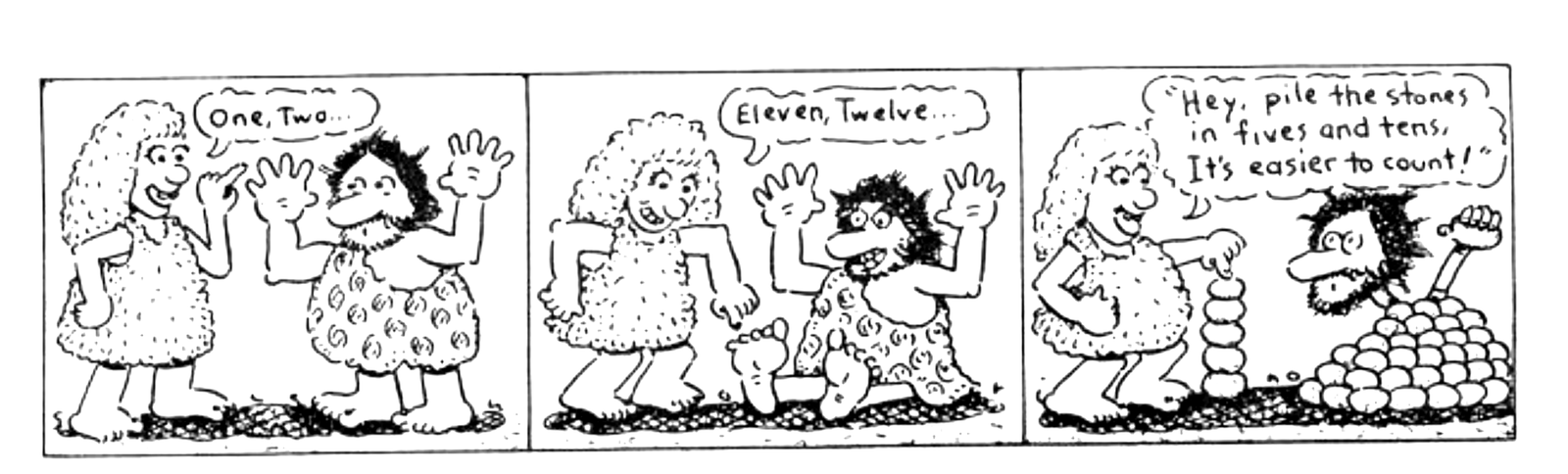
Why would we want to study numbers? Because, our computers only understand numbers. You may saying, “My computer knows Basic” or any of several other languages but, the truth of the matter is that it does not know or understand any language other than the assembly language of the Central Processing Unit (CPU). All languages and hence, all programs are stored in the computer memory as numbers. Look, for a moment, at your Sinclair character tables. The Basic command PRINT is really the number 245. Since all programs are numbers, it behooves us to know a little bit about them. I don’t know about you but, I hate machines that are smarter than I am!
All languages used by any computer, except assembly, are referred to as ‘high level’ languages. High level languages come in two varieties, compiled and interpreted. Compiled languages are converted (compiled) into the CPU’s assembly language and run as machine code and therefore run quicker than interpreted languages. Interpreted languages are interpreted into assembly language at the time of execution. They still run as machine code but, much slower due to the interpreter processing time which uses a library of routines, which are slower by their very nature.
We do not need to learn assembly programming to use our computers however, understanding the numbers and why different bases are used will help us be more efficient programmers in the language of our choice. Of course, many of you may have desired to know more about machine code and been afraid to tackle it. After all, those long Hex (whatever that is) dumps in the magazines seldom make sense. Or maybe you have seen those Hexidecimal numbers and wondered why anyone would resort to such mutterings! If this discribes you, then perhaps the following study can be of help.
We are going to attempt to thoroughly understand three number systems or bases as they are properly called. There is a fourth base, Octal, which I will not discuss here as you will seldom encounter it. Octal will be found in the programming guides published by chip manufactures and can be useful however, we can do quite well without it for this study. Each base will be discussed separately however, I will make references back to Decimal, as that is the one we all use dailey.
Decimal (Base 10)
The first is Decimal (dec), or base 10 numbers. We are all familiar with decimal as we use it every day to count our bags of money and for various other tasks. Most of us learned in school that the columns of digits represent ones, tens, hundreds, etc. For example:
t
 h h
  o u
   u n
    s d
     a r t o
      n e e n
       d d n e
        s s s s

        1 2 3 4
What you may not recall is, each column represents 10 (the base)raised to the power of the number of the column as counted from right to left, starting at zero. Hows that for doubletalk?
Follow through this example, to see that 1234 decimal really means:
10^0 =    1*4 =    4
10^1 =   10*3 =   30
10^2 =  100*2 =  200
10^3 = 1000*1 = 1000
                -----
Total=           1234
Study this carefully as it is the easiest example we will have and it must be understood or the rest will really seem like Greek to you.
Before continuing, it bears mentioning that all bases are represented by the digits 0 to Base-1. Base 10 is therefore represented by the digits 0 to 9. It is these digits which then represent a mutiple of a power of the base, as above (10^0*4). No digit can be greater than Base-1 because at the point it equals the Base there is a carry to the next column. For instance, in base 10, 9+1=0 and carry 1 to next column. All of this should be familiar to you but if you are like me, you haven’t given it much thought since school. No,I wont say how long ago that was!
Binary (Base 2)
Now for the hard stuff, Binary (bin), or base 2. Following our discussion of the last paragraph, we can only represent binary numbers with the digits 0 and 1 (remember base-1). This means our columns also must have meanings other than ones, tens, etc. They now become ones, twos, fours, eights, sixteens, etc., which are the powers of 2 (our base) instead of powers of 10. For example:
e
 i f
  g o t o
   h u w n
    t r o e
     s s s s

     1 0 1 1
As in our previous example, 1011 really means:
2^0 = 1*1 = 1
2^1 = 2*1 = 2
2^2 = 4*0 = 0
2^3 = 8*1 = 8
            ---
Total=      11 decimal
Now you know why we count in decimal! You thought it was because we have ten fingers. Imagine having hands with two fingers on each hand. Binary would then seem as easy as decimal. If you have any difficulty with this, go back to the discussion on decimal and compare it with this one. Only the base is different.
What you have just learned is how to convert binary to decimal. The procedure for converting decimal to binary is similar. Briefly, divide your number by the largest power of two not larger than your number. You continue this process with successively smaller powers of two until you have reached 2^0, at which time there should not be a remainder. Write down (left to right) a 1 when the division is possible and a 0 when not possible. Using our example of 11:
Step         Do                                 Result
 1.  2^4=16 and 2^3=8 therefore,
     2^3 or 8 is the number we want.
 2.  2^3=8 and 11/8=1 remainder 3                 1
 3.  2^2=4 and  3/4=0 remainder 3                 10
 4.  2^1=2 and  3/2=1 remainder 1                 101
 5.  2^0=1 and  1/1=1 remainder 0                 1011
 6.  We have now converted 11 decimal to 1011 binary
Some of you may be wondering what the point of all this is. After all I barely passed math in school, why bother with this now? The point is, while decimal is more comfortable for us humans, binary better represents how our computer ‘thinks’.
An explanation of the CPU is in order. This is background only to give you some understanding why the ‘smart’ computer doesn’t understand decimal. The CPU (which is the Z80 in our Sinclairs) is merely a collection of transisters and transisters are simply electronic switches. For those of you who know better, please bear with me, my end will justify the extreme over simplification. We all know that a switch can either be on or off. Binary allows us to represent the on/off states with one and zero, respectively. Not quite perfect but it works.
Most binary numbers you will see, will have eight digits or some multiple thereof. This is accomplished by padding out the number with leading zeros. For instance, 1011 binary would normally be written as 00001011b. The reason for eight Binary digITS (bits) is that eight bits make one byte.
A byte is not what your neighbors’ dog puts on you. A byte is the ‘wordsize’ of your CPU. A word is the number of bits handled as a complete unit by the CPU and is commonly referred to as a byte. The Z80 is an eight bit CPU, therefore one byte=eight bits. Words and bytes are not exactly the same, but will suffice here. You do not need to understand the internal workings of the CPU in order to understand binary numbers.
Binary is most useful for graphics in Basic or masks in assembly. Unless you decide to learn assembly, you will seldom work directly in binary due to the difficulty keeping the digits correct, which leads us to the next base…
Hexadecimal (Base 16)
Now that we have mastered binary we can dig into the last of the three number systems. Hexidecimal (hex) or base 16 is used because it works very well as a shorthand for that awful binary. I have provided several charts for easy conversion from hex to decimal and hex to binary or vice versa. So don’t leave now, things are about to make sense.
One challenge we have with hex is that there are not enough digits for 0 to base-1. We have only 0 to 9 which will work fine for the first ten digits. We need to improvise for the last six digits and someone far wiser than me (us?) has already solved our dilemna. The digits needed to represent 10 to 15 are A to F. The sixteen hex digits are now 0, 1, 2, 3, 4, 5, 6, 7, 8, 9, A, B, C, D, E & F.
Now that we have the digits, we need to recognize the form taken by hex numbers. Just as binary are usually eight digits long, hex numbers are always two (or some multiple of two) digits long. This makes counting in hex as follows:
00,01,02,03,...,0A,0B,0C,0D,0E,0F,
10,11,12,...............,1D,1E,1F,
20,21,.......................,2F,
30,.............................,
...............................FF
A close look at the hex to decimal conversion chart will make this much clearer.
You may occasionally see hex numbers that have an odd number of digits. The first digit will be a zero and the second a letter, such as 0FFh. I do not use a leading zero however, be aware some assemblers require it, therefore you may see it.
There is no need to go into the math needed to convert between hex and decimal as the chart provided will serve the purpose much better, easier and faster. Those of you interested in working out the details need only follow the examples for decimal and binary. Keep in mind the base is now 16 therefore,the columns of digits will represent ones, sixteens, two hundredfifty-sixes, etc.
All this brings us to what I mean by hex being a shorthand for binary and the reason we are even interested in hex. A close look at the hex to binary conversion chart will make this more obvious. You can readily see that four bits can be represented by one hex digit. For those of you who understood my ramblings about bytes, four bits is a small byte (also known in some circles as a nybble). Could I make this up? Therefore, we can represent any eight bit byte with only two hex digits.
You may recognize that this is not that much better than decimal however, decimal cannot be converted to binary with the same ease as hex. Also, numbers larger than 255 will really create some headaches that hex helps solve (more on this in a minute).
We now know how to write numbers in three bases, decimal,binary, and hex. In order to avoid confusion we need to make a proper designation of each. You should always suffix all binary numbers with a ‘b’ (10000100b) and all hex numbers with a ‘h’ (25h). Occasionally, you may see a ‘d’ suffix on decimal numbers however, it is not needed as decimal is the default. We will do this even though some numbers can obviously only be hex (FFh). You must always be careful to follow this notation or you will create unneccessary confusion for all.
You should take some time to practice using all the charts. Also, practice simple arithmetic in each base (add, sub, mult & div). You can use the charts to check your answers. Before long you will be thinking in hex and binary as easily as you now do in decimal.
Ok, let’s look at how numbers larger than 255 are stored and handled by the CPU.
That’s twice I mentioned 255 without an explanation. The reason 255 is a magic number is because it is base-1 for base 256 numbers. I am not going to boggle your mind with this number system as it is not needed by us, only the CPU uses it. Why in the world does the silly CPU use base 256? Let’s go back to our discusion of binary, bytes and related whatevers. Remember, we padded out our binary numbers to eight digits as one byte for the Z80 is eight bits? The reason the CPU uses base 256 is 2^8 = 256. Voila! On your own, figure out what 11111111b means in decimal.
We can actually store numbers between 0 and 65535 by tieing two bytes together. This is done by the CPU automatically to generate addresses. The second byte is increased by a factor of 256 as this is the number that generates a carry out of the first byte. For example:
  1 1 1 1 1 1 1 1
+               1
-----------------
1 0 0 0 0 0 0 0 0
Remember, 1+1 binary = 0 and carry 1 just as 9+1 does in decimal. Work out the above problem yourself to see how the result is achieved. You will notice we now have a number which is nine digits long. In truth, the actual number is 0000000100000000b because we are tieing two bytes together and each byte is padded out to eight digits. Since our number is now sixteen bits long, the largest number we can store is 2^16-1 or 65535.
You can now see why we need a shorthand for binary. Today, we rarely work with large binary numbers as it is too easy to err. We will not discuss binary numbers larger than eight digits either. If you decide to learn an assembly language, you will probably only use binary when working with the logic instructions. You may find it interesting that early programmers had to use only binary numbers and they were entered from a panel of switches instead of a keyboard. Today, using machine code is duck soup and hex is much easier to work with.
What did I mean, ‘tie two bytes together and increase one of them by a factor of 256?’ Let’s assume our number is stored in byte 1 and byte 2. The formula to recover our number is:
Peek byte 1 + Peek byte 2 * 256
Looks a little familiar? You probably have seen something similiar before and did not know what was happening. The byte we increase by the factor of 256 is called the high byte which makes the other byte the low byte. Using high/low nomeclature our formula becomes:
Peek low byte + Peek high byte * 256
One pecularity designed into the CPU is that contrary to the number systems we have discussed, the CPU stores the low byte first. This must be kept in mind or you will not at all get the results you were trying to achieve. Scan the list of system variables in your Sinclair manual and use this formula on some of the 2 byte variables. The results are the address at which that area of memory begins.
Review some of the areas of your Sinclair manual that did not make sense before. Especially the chapters on number systems, machine code, system variables, memory, and the appendices. There is a wealth of information there however, it is presented so poorly that it may not have made sense before. Then compare notes with this study and you will be well on the way to understanding machine code.
Hex/Bin Conversions
 Hex  !  Bin       Hex  !  Bin
------!------    ------!------
  0   !  0000       8   !  1000
  1   !  0001       9   !  1001
  2   !  0010       A   !  1010
  3   !  0011       B   !  1011
  4   !  0100       C   !  1100
  5   !  0101       D   !  1101
  6   !  0110       E   !  1110
  7   !  0111       F   !  1111
To use: any four bits can be represented by a single hex digit. For example, 10100100b = A4h.
Hex/Dec Conversions
    !   0 !   1 !   2 !   3 !   4 !   5 !   6 !   7 !   8 !   9 !   A !   B !   C !   D !   E !   F !
----!-----!-----!-----!-----!-----!-----!-----!-----!-----!-----!-----!-----!-----!-----!-----!-----!
 0  !   0 !   1 !   2 !   3 !   4 !   5 !   6 !   7 !   8 !   9 !  10 !  11 !  12 !  13 !  14 !  15 !
----!-----!-----!-----!-----!-----!-----!-----!-----!-----!-----!-----!-----!-----!-----!-----!-----!
 1  !  16 !  17 !  18 !  19 !  20 !  21 !  22 !  23 !  24 !  25 !  26 !  27 !  28 !  29 !  30 !  31 !
----!-----!-----!-----!-----!-----!-----!-----!-----!-----!-----!-----!-----!-----!-----!-----!-----!
 2  !  32 !  33 !  34 !  35 !  36 !  37 !  38 !  39 !  40 !  41 !  42 !  43 !  44 !  45 !  46 !  47 !
----!-----!-----!-----!-----!-----!-----!-----!-----!-----!-----!-----!-----!-----!-----!-----!-----!
 3  !  48 !  49 !  50 !  51 !  52 !  53 !  54 !  55 !  56 !  57 !  58 !  59 !  60 !  61 !  62 !  63 !
----!-----!-----!-----!-----!-----!-----!-----!-----!-----!-----!-----!-----!-----!-----!-----!-----!
 4  !  64 !  65 !  66 !  67 !  68 !  69 !  70 !  71 !  72 !  73 !  74 !  75 !  76 !  77 !  78 !  79 !
----!-----!-----!-----!-----!-----!-----!-----!-----!-----!-----!-----!-----!-----!-----!-----!-----!
 5  !  80 !  81 !  82 !  83 !  84 !  85 !  86 !  87 !  88 !  89 !  90 !  91 !  92 !  93 !  94 !  95 !
----!-----!-----!-----!-----!-----!-----!-----!-----!-----!-----!-----!-----!-----!-----!-----!-----!
 6  !  96 !  97 !  98 !  99 ! 100 ! 101 ! 102 ! 103 ! 104 ! 105 ! 106 ! 107 ! 108 ! 109 ! 110 ! 111 !
----!-----!-----!-----!-----!-----!-----!-----!-----!-----!-----!-----!-----!-----!-----!-----!-----!
 7  ! 112 ! 113 ! 114 ! 115 ! 116 ! 117 ! 118 ! 119 ! 120 ! 121 ! 122 ! 123 ! 124 ! 125 ! 126 ! 127 !
----!-----!-----!-----!-----!-----!-----!-----!-----!-----!-----!-----!-----!-----!-----!-----!-----!
 8  ! 128 ! 129 ! 130 ! 131 ! 132 ! 133 ! 134 ! 135 ! 136 ! 137 ! 138 ! 139 ! 140 ! 141 ! 142 ! 143 !
----!-----!-----!-----!-----!-----!-----!-----!-----!-----!-----!-----!-----!-----!-----!-----!-----!
 9  ! 144 ! 145 ! 146 ! 147 ! 148 ! 149 ! 150 ! 151 ! 152 ! 153 ! 154 ! 155 ! 156 ! 157 ! 158 ! 159 !
----!-----!-----!-----!-----!-----!-----!-----!-----!-----!-----!-----!-----!-----!-----!-----!-----!
 A  ! 160 ! 161 ! 162 ! 163 ! 164 ! 165 ! 166 ! 167 ! 168 ! 169 ! 170 ! 171 ! 172 ! 173 ! 174 ! 175 !
----!-----!-----!-----!-----!-----!-----!-----!-----!-----!-----!-----!-----!-----!-----!-----!-----!
 B  ! 176 ! 177 ! 178 ! 179 ! 180 ! 181 ! 182 ! 183 ! 184 ! 185 ! 186 ! 187 ! 188 ! 189 ! 190 ! 191 !
----!-----!-----!-----!-----!-----!-----!-----!-----!-----!-----!-----!-----!-----!-----!-----!-----!
 C  ! 192 ! 193 ! 194 ! 195 ! 196 ! 197 ! 198 ! 199 ! 200 ! 201 ! 202 ! 203 ! 204 ! 205 ! 206 ! 207 !
----!-----!-----!-----!-----!-----!-----!-----!-----!-----!-----!-----!-----!-----!-----!-----!-----!
 D  ! 208 ! 209 ! 210 ! 211 ! 212 ! 213 ! 214 ! 215 ! 216 ! 217 ! 218 ! 219 ! 220 ! 221 ! 222 ! 223 !
----!-----!-----!-----!-----!-----!-----!-----!-----!-----!-----!-----!-----!-----!-----!-----!-----!
 E  ! 224 ! 225 ! 226 ! 227 ! 228 ! 229 ! 230 ! 231 ! 232 ! 233 ! 234 ! 235 ! 236 ! 237 ! 238 ! 239 !
----!-----!-----!-----!-----!-----!-----!-----!-----!-----!-----!-----!-----!-----!-----!-----!-----!
 F  ! 240 ! 241 ! 242 ! 243 ! 244 ! 245 ! 246 ! 247 ! 248 ! 249 ! 250 ! 251 ! 252 ! 253 ! 254 ! 255 !
----!-----!-----!-----!-----!-----!-----!-----!-----!-----!-----!-----!-----!-----!-----!-----!-----!
To use: find your decimal number, follow to left edge for first hex digit and up for second hex digit. For example, 237 = EDh.