Having converted your 2068 to Spectrum mode of operation, you will find that most British software can be operated successfully from the keyboard, but a joystick might make life a little easier. While the joystick ports may be successfully accessed by the appropriate IN commands, this is of little use for commercial software.
A variety of joystick conventions are used with the Spectrum, and many programs offer the choice of several. The cursor key interface uses the cursor key lines + 0 for fire. The Sinclair Interface uses 6, 7, 8, 9 and 0. However, the most common interface encountered is the Kempston style interface (Kempston is the trademark of Kempston Electronics).
The Kempston protocol interface is addressed to port 31 and may be accessed from BASIC via IN 31. The following simple program
10 PRINT IN 31;: GO TO 10will return the following values for the appropriate joystick direction:
RIGHT = 1
UP/RIGHT = 9
LEFT - 2
UP/LEFT = 10
DOWN = 4
DOWN/RIGHT = 5
UP = 8
DOWN/LEFT = 6
FIRE ADDS 16 TO ALL VALUES
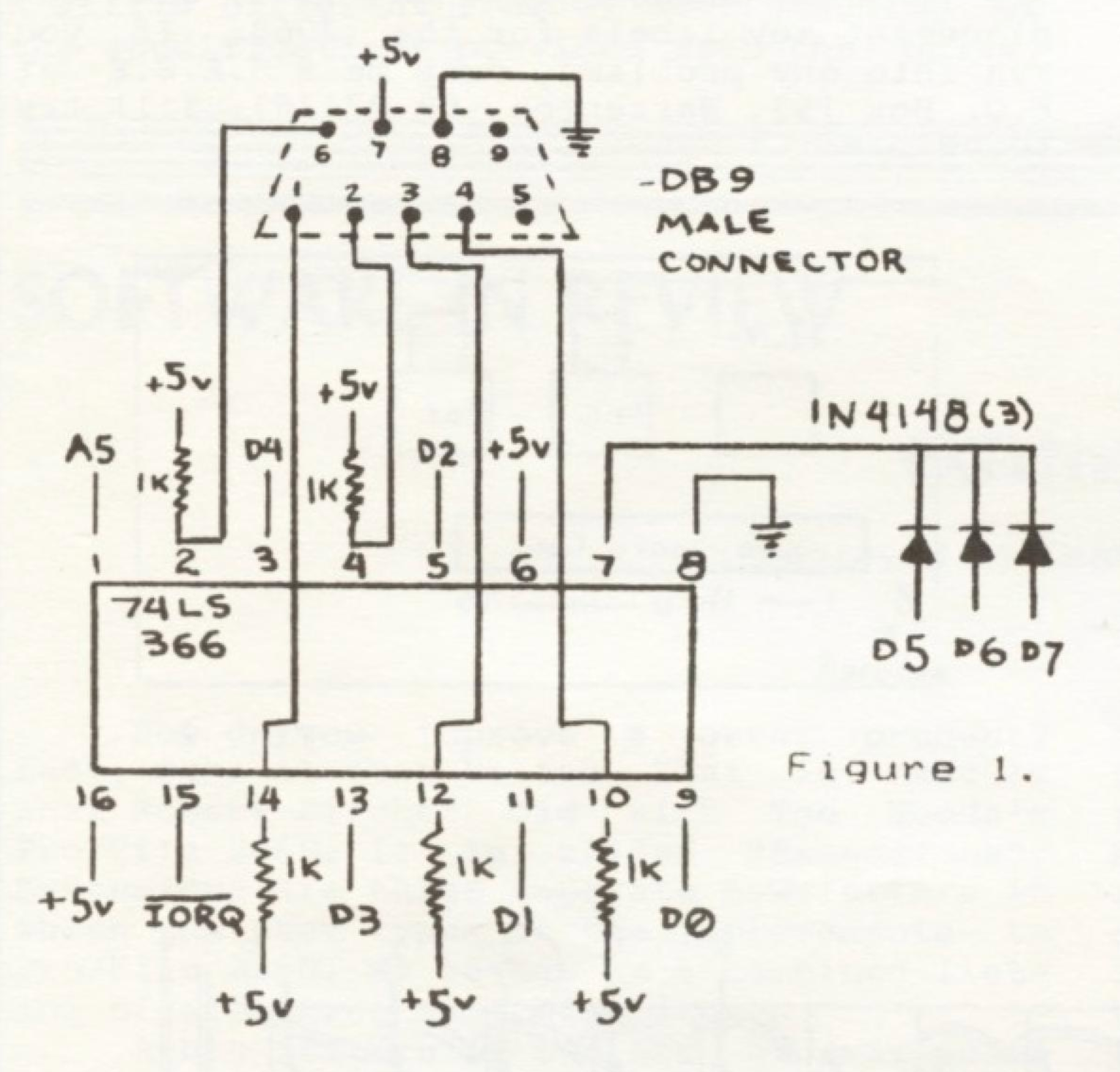
This type interface may be constructed with a simple one chip circuit to plug in at the rear expansion connector, the cartridge port, or even wired in directly. Due to simplistic decoding (A5 and /IORQ), this device will respond to more than port 31. However, this works well with most other peripheral devices.
If you are so inclined, the schematic in Fig. 1 illustrates the interface from the wiring side view with the appropriate connection to the expansion connector labeled. An expansion connector layout for the 2068 is included for your reference.