
Probably the most common complaint I hear about the 2068 is about the keyboard. Although it does work well, it lacks the feel of a full sized keyboard as found on Commodore, Atari, and others, not to mention some of the missing (single dedicated) keys such as the period, comma, semi-colon, and slash keys. In fact, a leading computing magazine recently named it “turkey of the year” because of its powerful features while lacking a decent keyboard!
We decided to gather some of the popular Spectrum replacement keyboards and try to adapt them to the 2068 and _ report on how they work and feel. The keyboards we tested were the AMS Lo-Profile, Saga 1 Emperor, Lazer 62, and the English Micro Connection 2000 Keyboard (EMC 2000). This last one is available now for the Spectrum, and soon for the 2068.
Each one had its own pros and cons, and as it turned out, the less attractive it was, the more user-friendly it was! All required removing the Spectrum printed circuit board and installing it in the new keyboard housing. Installation was quick and easy for all and provided easy access to the rear connections. All the keyboards we tried came with Sinclair legends on the keys.
In judging these keyboards, I was looking for proper layout–meaning one that has keys in the same general location aS on a standard typewriter. As it turned out, none did this exactly, but some did come close. You learn how to type on a “standard” keyboard; why change it? Of course if you don’t know how to type, it doesn’t make any difference how it’s laid out. I was also looking for one that feels comfortable to use.
THE SAGA 1 EMPEROR
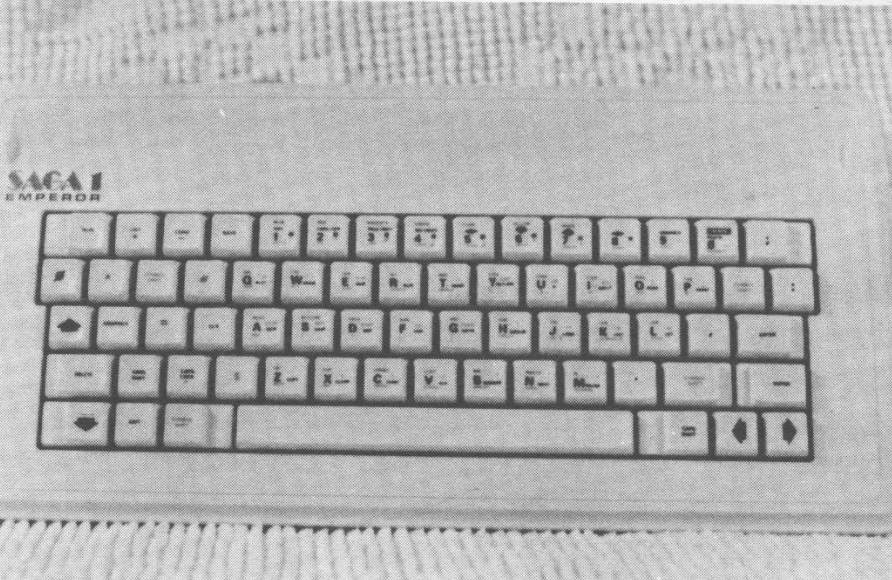
The Saga 1 is in an off-white plastic housing and is the same size as the 2068. There are 67 keys in all, but none of the “extra” keys are dedicated–meaning that you still have to press either the SYMBOL or CAPS SHIFT to get the character you want. The “extra” keys are: four arrows, RUN, LIST, LOAD, SAVE, 0, *, #, four symbol shifts, Graphics, =, CLS, DELETE, CAPS LOCK, $, EDIT, ;, :, comma, period, and an extra ENTER key. The left caps shift is two keys away from the Z and the right cap shift is below and to the right of the space bar–A very user un-friendly keyboard.
The keys are a little hard to press but have a good overall “feel”. All the keys are labeled in three colors, but you have to peel and stick on the labels yourself! This keyboard looks the nicest of them all, but is difficult to use. The keyboard tails are the samme as used in the ZX81/TS1000, so problems could crop up from there as well. On a scale of one to ten, I give this one a 2. Priced at #49.95
AMS LO-PROFILE
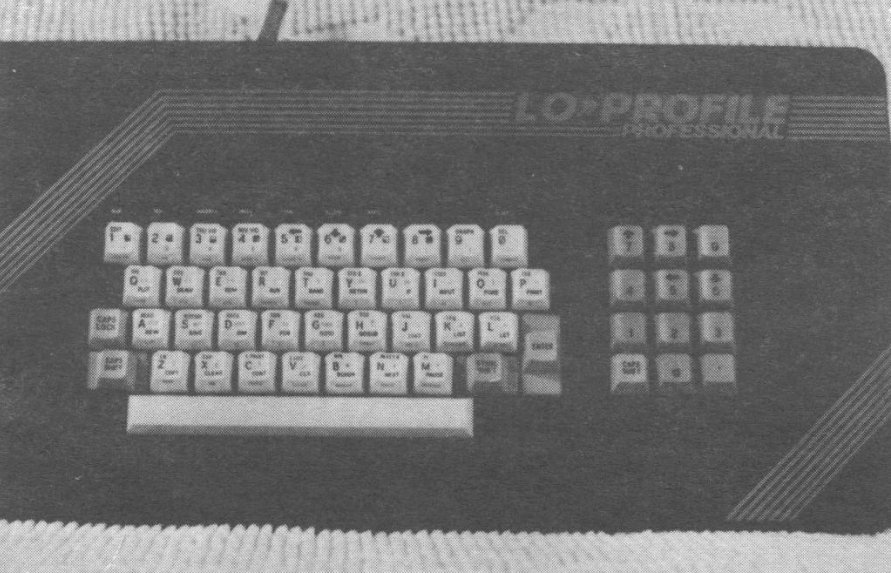
This one is in an attractice black plastic housing with red graphics. There are 41 keys with three color graphics made into the key (like on a typewriter), and a 12 key numeric keypad to the right of the main keyboard. It is much the same depth as the 2068, but much wider due to the keypad.
Extra keys include a caps lock and a period (both require either caps or symbol shift). There is no caps shift on the right side, but there is an extra one on the numeric pad that you could use instead.
The keys are a little stiff, but easier than the Saga. Again, the keyboard looks great, but is lacking dedicated keys. It is easy to use. It’s basically a _ replica of the Spectrum key layout with the addition of a spacebar and numeric keypad. I give it a 6. Price is #49.95 ($65 from EMC).
LAZER 62
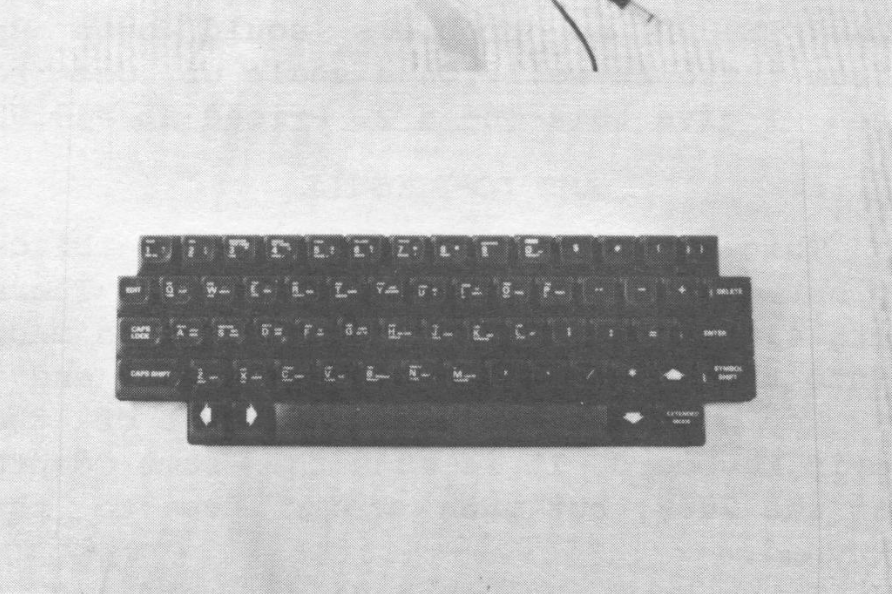
The Lazer comes in a cream colored plastic housing with a sheet metal bottom. (I understand that new models have a plastic bottom.) It is a little wider and deeper than the 2068, it actually has a lower profile than the AMS LO-Profile. A power switch on the rear keeps you from having to always un-plug your Spectrum.
It sports 62 keys and has true dedicated keys which means when you press the key labeled DELETE, you get the delete function with only one key press. This keyboard is buffered which makes sure that it doesn’t load down the data and address lines more than is necessary. The printed circuit board is easy to get to, so it is possible to move some of the keys around to your liking.
The dedicated extra keys are: the four arrows, $, #, (, ), EDIT, DELETE, CAPS LOCK, #?, %, =, comma, period, /, *, and extended mode. This keyboard comes’ the closest to imitating a typewriter keyboard that most typists are used to. The only drawback here is that there is no right side caps shift. The labels are the peel and stick kind in one color (white) on charcoal colored keys. You have to stick on the labels yourself.
The keys feel very good but are a little noisier than the others. On the one that I tried, the space bar was a little dead. Also the space bar is not centered below the main keys but offset to the right which throws your perspective off when positioning your hands and fingers. A little more expensive with the added electronics: #65 ($89 from EMC) I give this one a 9.
EMC 2000 KEYBOARD
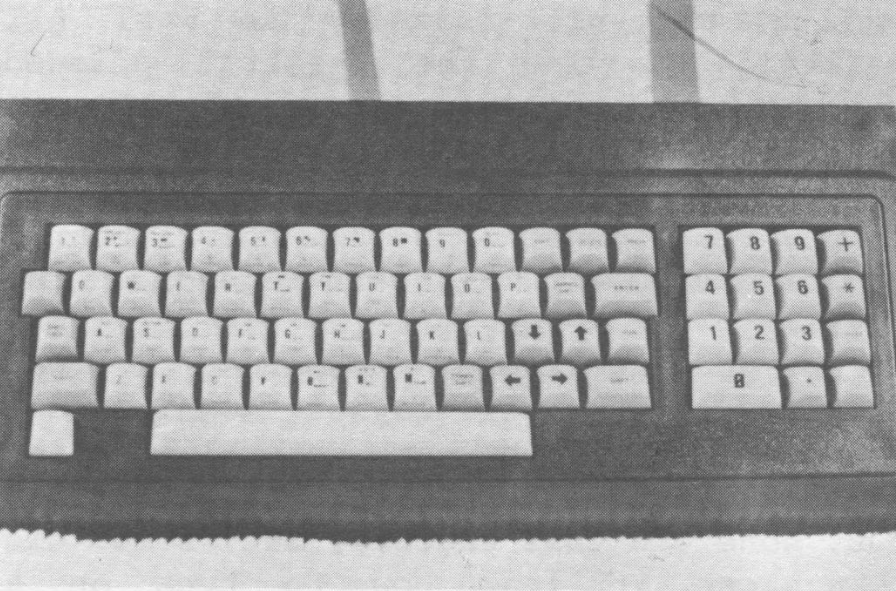
This keyboard is in a black plastic housing and about the same size as the 2068. It has 53 keys and a 15 key numeric pad. This one also has dedicated keys: the four arrows, EDIT, DELETE, break, graphics, caps lock, +, *, period; three user dedicated keys (will be dedicated on subsequent models), and RUN. The RUN key is interesting in that it actually RUNs the program with one keystroke! The labels come in two colors and are part of the keys like the Lo-Profile.
This keyboard uses diode and transistor switching to obtain the extra keys and seems to work as well as the Lazer. The keyboard has a great feel with a lot of spring to the keys. The Enter key is one row too high which takes a little getting used to and I would like to see dedicated period and comma keys where they belong. It is easy to get to the printed circuit board for changing keys more to your liking.
English Micro Connection sells these for $69. I give this one a 9 also with the slight advantages of it having a numeric keypad, legends permanently attached, and smaller size over the Lazer 62. The rest of the keyboards are also available from EMC and from England. Check current issues of ZX Computing, Your Spectrum, etc.
After I had tried all of these on the Spectrum, I set out to try them on the 2068. As it turned out, the keyboards could easily be connected to the 2068 as long as the “tails” could be unsoldered and twisted – possible only on the Lazer 62, the Lo-Profile, and the EMC 2000. The Spectrum has two tails. One tail has eight connections and the other has five. The 2068 uses one tail of 13 connections to one connector.
In the 2068, they used the same pin-out as the Spectrum, but all in a row. The tail with eight “pins” plugged into the right side of the 2068 connector (facing from the front of the computer) and the tail with 5 “pins” must be rotated (so that pin one is now five and vice-versa) and is plugged into the 2068 connector immediately to the left of the eight pin connector. The 2068 socket has 14 positions and the final unused connection on the far left is a ground.
Connected in this way I could use all the extra dedicated keys, and at last, had a full sized keyboard for my 2068! All the keyboards we tried had plenty of room inside for the 2068 board to fit without too much modification to the base of the new keyboard. I saw no easy way to utilize the cartridge port once the 2068 was fitted. However, a hinge arrangement where the front would lift up looked like a good possibility.
One last bit of info: the TS 1500 will fit into any of these cases and work just fine with the connections being the same as the Spectrum!