
SCROLL subroutines in the Sinclair 8K ROM run disappointingly slow with BASIC arcade-type graphics games, especially those using full graphic backgrounds. Several programming techniques can speed up SCROLLing functions to an acceptable level.
Type in listing one and RUN it. You’ll see the inverse numbers and letters PRINTed slowly across the bottom of your screen.
  10 REM LISTING ONE
  20 REM SLOW SCROLL
  30 SCROLL
  40 FOR I=0 TO 31
  50 PRINT CHR$ (156+I);
  60 NEXT I
  80 GOTO 30
Improve this by filling in the bottom row with a 32-character string (B$) as shown in listing two. Even so, the characters still visibly creep across the bottom, because the 8K ROM SCROLL routine collapses the last non-empty row down to a single ENTER character (118d) every time SCROLL executes. When you PRINT this collapsed bottom row, ROM subroutines rebuild it slowly, one character at a time.
  10 REM LISTING TWO
  20 REM BETTER SCROLL
  30 LET B$="0123456789ABCDEFGHIJKLMNOPQRSTUV"
  40 SCROLL
  50 PRINT B$
  60 GOTO 40
Listing three demonstrates an elegant solution to this problem (first described by John Oliger, SYNTAX, Apr.82 p.6). Line 50 PRINTs AT 21,31; this effectively rebuilds the collapsed bottom row to its full state almost instantly, rather than a character at a time. This line continues by PRINTing AT 21,0;B$ to to properly place the long string (B$) on the bottom row. Now RUN listing three–you’ll note that it runs significantly faster; the bottom row appears more quickly than the eye can follow.
  10 REM LISTING THREE
  20 REM FASTER SCROLL
  30 LET B$="0123456789ABCDEFGHIJKLMNOPQRSTUV"
  40 SCROLL
  50 PRINT AT 21,31;AT 21,0;B$
  60 GOTO 40
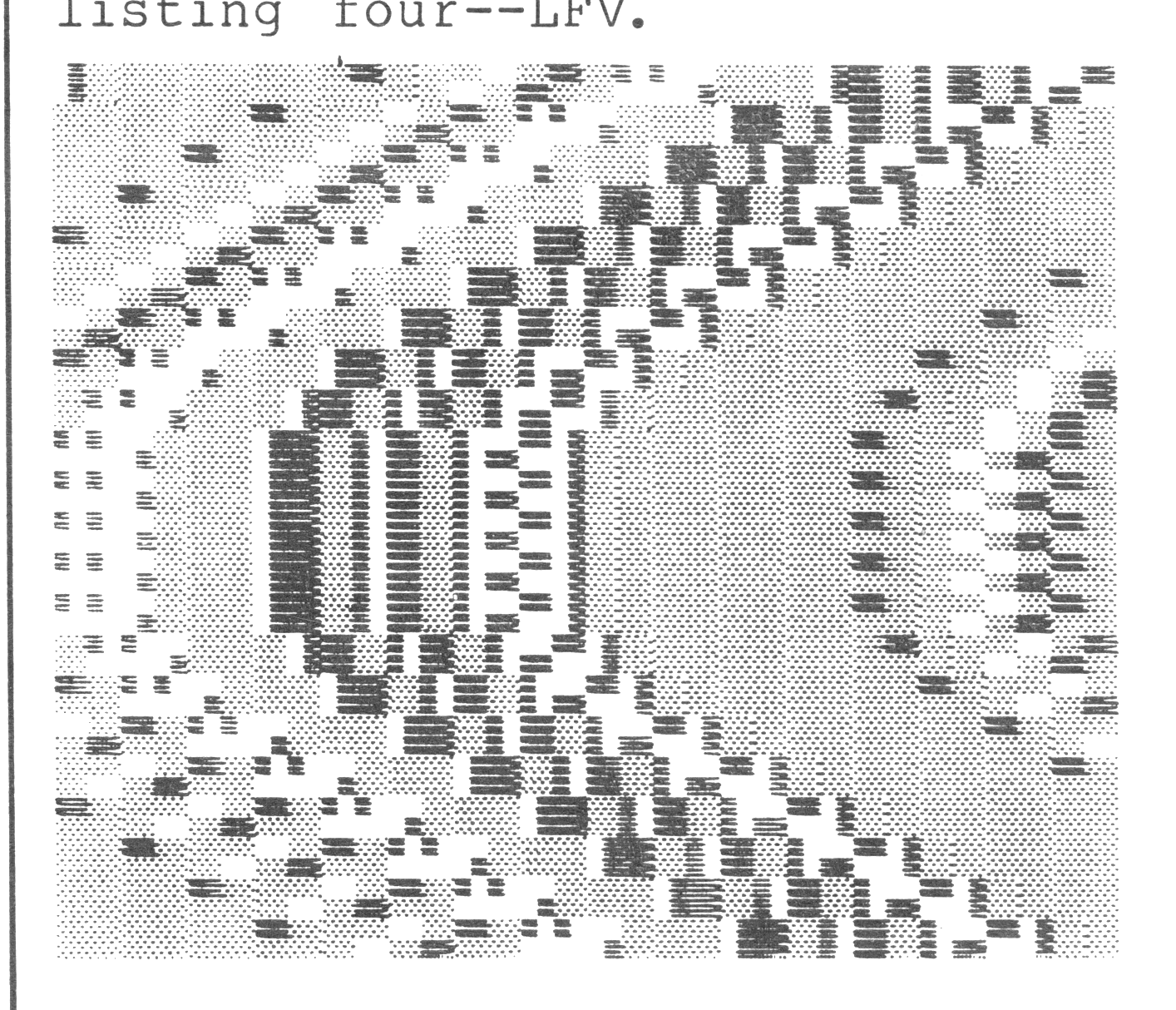
Listing four demonstrates a way that the bottom of the screen can fill rapidly with a changing pattern of characters. Lines 30-50 initialize variables B$, T, and A. Line 70 calculates a displacement (D) which varies with the sine of T and ranges from 1 to 31. Line 80 fools row 21 into the filled state (as above), then slices B$ into two smaller strings of length D-1 and 32-D. This same line then PRINTs these smaller strings in reverse order for an amusing sine wave graphics display. (For variety, alter line 30 so that B$ contains 32 graphics characters of your choice.) Experiment by using any function to alter the displacement. (I chose sine arbitrarily.)
  10 REM LISTING FOUR
  20 REM SINE SCROLL
  30 LET B$="0123456789ABCDEFGHIJKLMNOPQRSTUV"
  40 LET T=0
  50 LET A=PI/20
  60 SCROLL
  70 LET D=16+INT (15*SIN T)
  80 PRINT AT 21,31;AT 21,0;B$(D TO 32)+B$(1 TO D-1)
  90 LET T=T+A
 100 GOTO 60
This sine wave display uses random graphics characters in line 30, listing four–LFV.
Listing five shows how to nearly double the speed of listing four. Lines 40-70 calculate all displacements ahead of time and store them in an array. When the slicing, PRINTing and SCROLLing execute in lines 100-130, the computer wastes no display time on the calculation of the trig (or other function). This technique, however, eats up quite a bit of memory in some applications.
  10 REM LISTING FIVE
  20 REM FASTER SINE SCROLL
  30 FAST
  40 DIM D(40)
  50 FOR T=1 TO 40
  60 LET D(T)=16+INT (15*SIN ((T-1)/20*PI))
  70 NEXT T
  80 LET B$="0123456789ABCDEFGHIJKLMNOPQRSTUV"
  90 SLOW
 100 FOR T=1 TO 40
 110 SCROLL
 120 PRINT AT 21,31;AT 21,0;B$(D(T) TO 32)+B$(1 TO D(T)-1)
 130 NEXT T
 140 GOTO 100
These methods come in handy for speeding up any BASIC software that uses SCROLL. Try them in your graphics game programs.
Note: Type-in program listings on this website use ZMAKEBAS notation for graphics characters.