
FOR LARKEN DOS USERS!
For any of you who like to stick a copy of the disk directory on your diskette covers and also would like to be able to show the date and disk number on the directory, have I got a program for you!
Type it in and give it a whirl.
 100 REM [illegible]
 105 REM ▒▒▒▒▒▒▒▒▒▒▒▒▒▒▒▒▒▒▒▒
 110 OUT 84,64: RANDOMIZE USR 63488: REM save "dire.B1"
 120 RANDOMIZE USR 63488: REM load "LDOS48.C5"
 130 CLS
 132 LET copy=0
 135 INPUT "make dupes? y/n "' LINE i$
 136 IF i$="y" THEN LET dupe=1
 137 IF i$<>"y" THEN LET dupe=0
 140 INPUT "screen/printer? s/p "' LINE s$
 142 IF s$="s" THEN LET dupe=0
 150 BEEP .1,10: INPUT "date (yymmdd)"' LINE d$
 152 PRINT : BEEP .1,10: INPUT "disk # "; LINE n$
 155 OPEN #2,s$
 160 PRINT d$
 165 IF s$="p" THEN PRINT
 170 LET trac=50501
 180 LET loadtrac=48053
 190 LET prdir=48518
 200 PRINT AT 3,0;: POKE trac,0
 210 RANDOMIZE USR 48302
 220 RANDOMIZE USR loadtrac
 230 RANDOMIZE USR 81
 240 RANDOMIZE USR prdir
 245 IF copy THEN GO TO 280
 250 LET tot=0: FOR i=50589 TO 50667
 255 IF PEEK i<128 THEN LET tot=tot+1
 260 NEXT i
 270 LET file=0: FOR i=50679 TO 52527 STEP 34
 275 IF PEEK i<>249 THEN LET file=file+1
 277 NEXT i
 280 PRINT ''"NUM OF FILES: ";file
 285 PRINT '"TRACKS OPEN: ";tot
 295 IF copy THEN LET copy=0
 320 PRINT ' INVERSE 1;"disk# ";n$
 330 IF s$="p" THEN PRINT '"▒▒▒▒▒▒▒▒▒▒▒▒▒▒▒▒▒▒▒▒▒▒▒▒▒▒▒▒▒▒▒▒"
 340 IF s$="p" THEN PRINT '''"▒▒▒▒▒▒▒▒▒▒▒▒▒▒▒▒▒▒▒▒▒▒▒▒▒▒▒▒▒▒▒▒▒"
 350 IF dupe THEN LET dupe=0: LET copy=1: GO TO 160
 360 PRINT #0;"Press break or insert a new disk"
 370 CLOSE #2: PAUSE 0: GO TO 130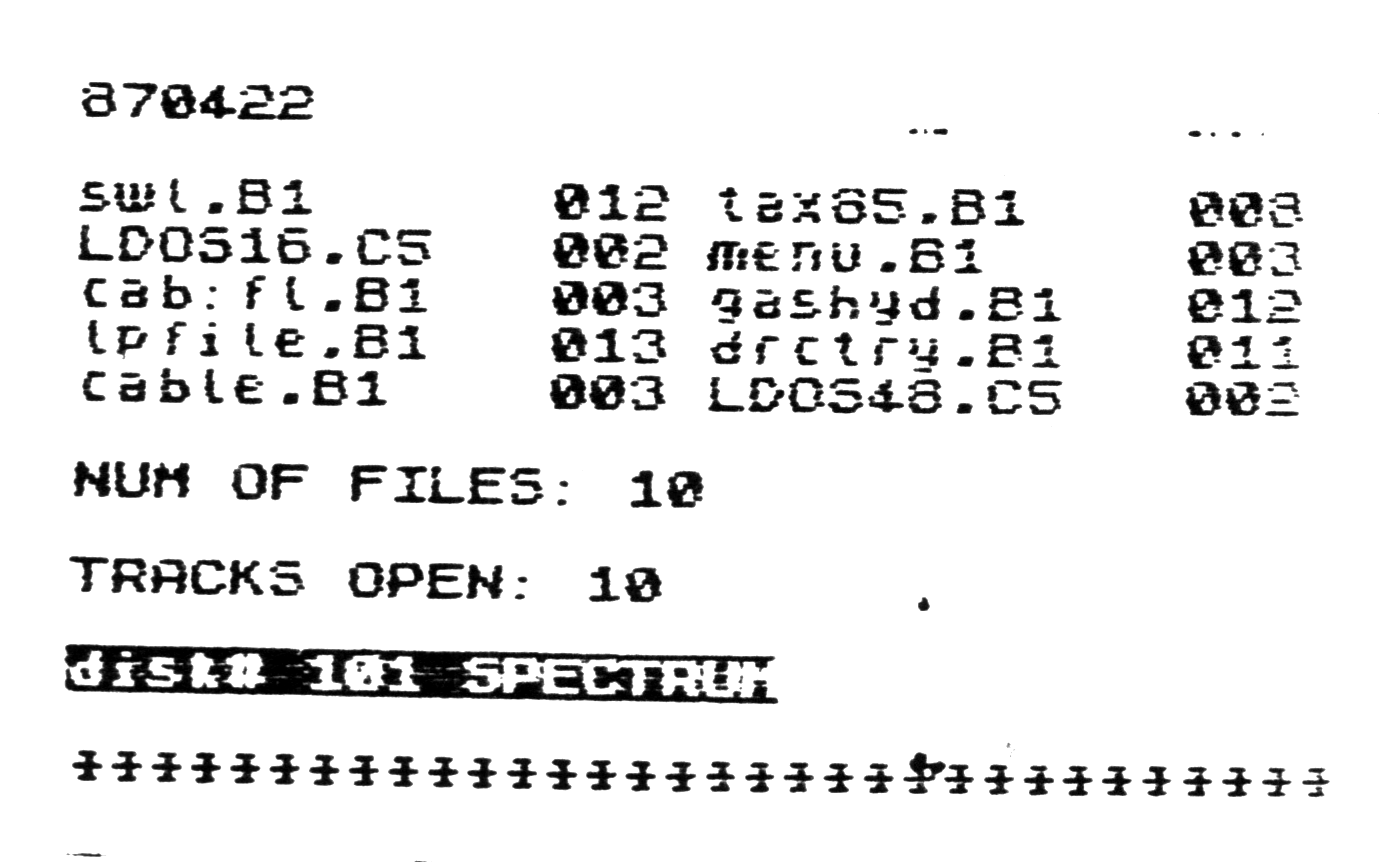
Things to note:
1. You can make an extra copy of each directory if you need it (I keep a notebook with the extras for back-up purposes).
2. The unnecessary data which you get when you print the directory using one of the disk versions of LDOS has been left out (LDOS+ etc.).
3. You can add more than the disk number at the bottom: e.g. SPECTRUM.
4. The term “TRACKS OPEN” has been used instead of “FREE BLOCKS” which sounds like a misnomer to me.
5. Lines 250 to 260 get the number of Tracks Open from the data on track 0 while lines 270 to 277 get the number of files. This basic procedure is slow but is adequate for the job it does. The whole program could be compiled into machine code but I leave that to the reader.
6. Note the use of flags ‘copy’ and ‘dupe’ to control the output flow depending on whether you want duplicates or not. The flags take effect at line 350. ‘IF dupe’ of course is the same as ‘IF dupe=1’. The value of ‘copy’ is toggled back to zero at line 295.
Bob Mitchell May 87
P.S. For Timachine Users:
If you ever use OPEN# 2,”p” in your BASIC programs, follow it with CLS or copying may not go right in the compiled version.
RHM
Note: Type-in program listings on this website use ZMAKEBAS notation for graphics characters.