
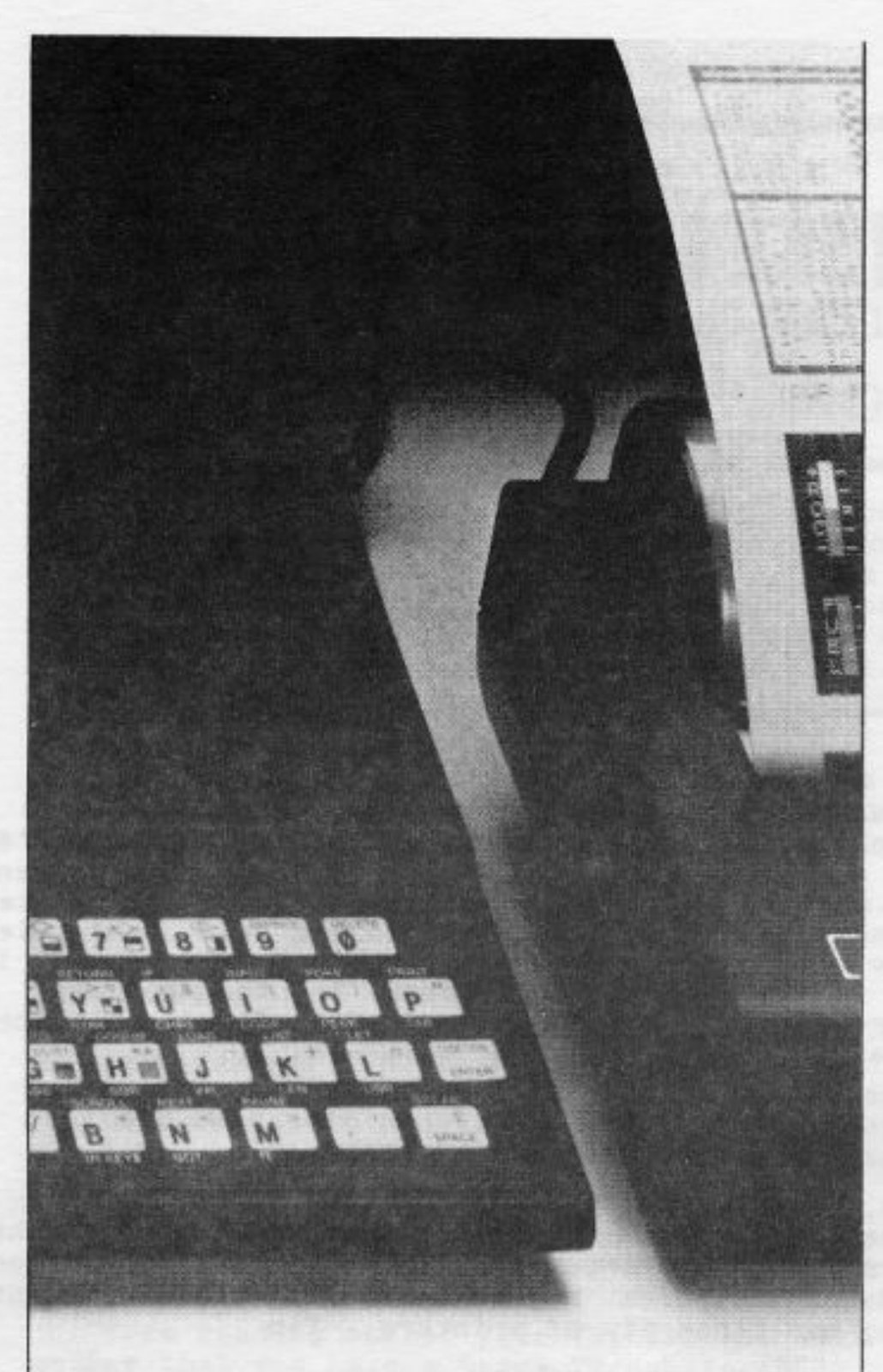
In the December 1983 issue of BYTE Magazine an article entitled “A Tiger Meets A Dragon” by Dan Rollins appeared. This article contained a program listing, written for a TRS-80 computer, which plotted “dragon curves” on an IDS PAPER TIGER printer. I have converted the program to plot dragon curves on a TS1000/ZX81 equipped with 8K static RAM, a 16K (or more) RAMpack, and the SCRAM HI*RES EXTENDED BASIC program. However, since there are not too many SHREB specific lines in the listing, it should be easy to convert to a TS2068, considering the similar resolution and screen formatting.
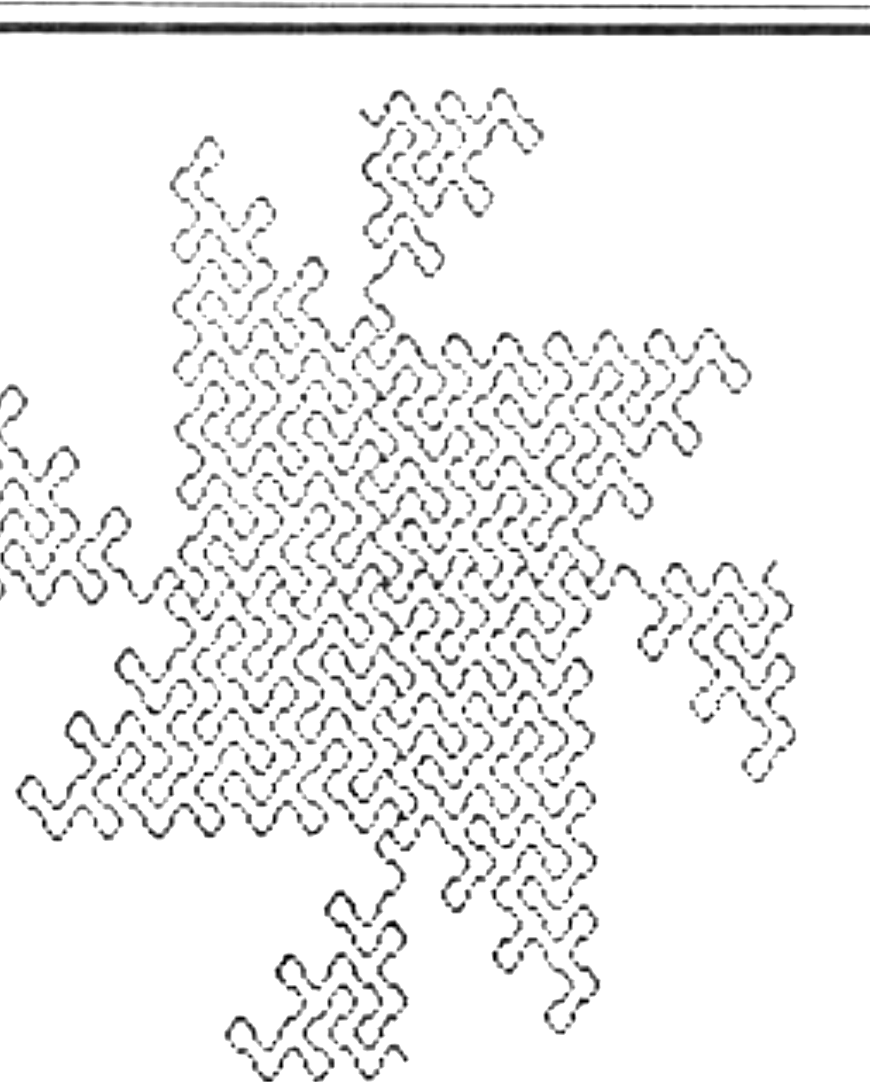
So what is a “dragon curve” anyway? A dragon curve is a regular fractal which forms from an infinitely repeated construction process. To quote from D. Rollins’ article: “A method to generate simple low order dragons is to fold and refold a narrow strip of paper. Visualize a flat strip of cash register tape, as an order-0 dragon curve. Fold it once in the center, and you have an order-1 dragon. Bi-secting the tape by folding it “n” times, always in the same direction, will create an order-n dragon curve. Now unfold the tape so that the creases form 90-degree angles. The unfolded tape will have a pattern of left and right turns that wind around in seemingly random directions, a dragon curve.”
Luckily, we don’t have to understand the mathematics behind the process in order to enjoy the beauty of these curves. Incidentally, the dragon curve got its name from the resemblance some people see to a classic oriental dragon.
LOAD your SHREB program into your computer, then delete line two as we will not need the 64 character print routines. Be sure to POKE 18080,208 and POKE 18081,75. Enter Listing 1 and you have the completed dragon curve generator ready to RUN. Enable your SCRAM board before running.
The program will ask for several inputs before plotting the dragon, most of these are self-explanatory. SIZE is the order (number of folds) for the dragon curve. DIRECTION-REVERSAL-SEQUENCE is the direction of the folds (i.e., left or right). If you choose you can have the dragon automatically centered on the screen, if it will fit.
Once the dragon is finished, you will be taken to a menu of options. These again are self-explanatory. One interesting option is to run a new dragon without erasing the previous one. This will allow you to connect dragons together and create even more intricate patterns.
If you want to run the program on a TS2068, omit the IF USR HR THEN sequence, and all references to SLOW and FAST mode, etc. Also, change YM at Line 5070 to 176.
DRAGON GENERATOR SHREB VERSION
   0 REM [illegible] SMC
   1 REM FAST
   2 GOTO VAL "5E3"
   5 REM PLOT
  10 IF USR HR THEN PLOT X,Y
  20 FOR J=I TO LT
  30 FOR K=I TO SC
  40 LET X=X+X(D)
  50 LET Y=Y+Y(D)
  60 IF Y>=0 AND Y<=YM AND X>=0 AND X<=XM THEN IF USR HR THEN PLOT X,Y
  65 IF INKEY$<>"" AND F THEN GOSUB VAL "1E3"
  70 NEXT K
  80 LET D1=D
  90 LET D=D+(B$(J)="R")-(B$(J)="L")
 100 IF D<I THEN LET D=N4
 110 IF D>N4 THEN LET D=I
 120 FOR K=I TO N2
 130 LET X=X+X(D1)+X(D)
 140 LET Y=Y+Y(D1)+Y(D)
 150 IF Y>=0 AND Y<=YM AND X>=0 AND X<=XM THEN IF USR HR THEN PLOT X,Y
 160 NEXT K
 170 NEXT J
 180 SLOW
 190 GOTO VAL "8E3"
 495 REM SEQUENCE
 500 FOR J=I TO N
 510 LET IP=IP+I
 520 IF IP>L THEN LET IP=I
 530 LET B$(SP+I)=D$(IP)
 540 FOR K=I TO SP
 550 LET B$(N2*SP+N2-K)=("L" AND B$(K)="R")+("R" AND B$(K)="L")
 560 NEXT K
 570 LET SP=SP+N2+I
 580 NEXT J
 590 RETURN
 695 REM CENTER
 700 FOR J=I TO LT
 710 LET SX=SX+X(D)
 720 LET SY=SY+Y(D)
 730 IF SX<XL THEN LET XL=SX
 740 IF SX>XH THEN LET XH=SX
 750 IF SY<YL THEN LET YL=SY
 760 IF SY>YH THEN LET YH=SY
 770 LET D=D+(B$(J)="R")-(B$(J)="L")
 780 IF D<I THEN LET D=N4
 790 IF D>N4 THEN LET D=I
 800 NEXT J
 810 LET XH=XH*(N4+SC)
 820 LET XL=XL*(N4+SC)
 830 LET YL=YL*(N4+SC)
 840 LET YH=YH*(N4+SC)
 850 LET XD=XH-XL
 860 LET YD=YH-YL
 870 SLOW
 880 RETURN
 995 REM TAKE A LOOK
1000 IF USR HR THEN RUN
1010 IF USR HR THEN PAUSE XM
1020 FAST
1030 RETURN
4995 REM START
5000 IF USR VAL "19400" THEN CLS
5010 LET O=NOT PI
5020 LET I=PI/PI
5030 LET N2=I+I
5040 LET N4=VAL "4"
5050 LET HR=VAL "19400"
5070 LET YM=VAL "191"
5080 LET XM=VAL "255"
5090 SLOW
5100 PRINT "     DRAGON CURVE GENERATOR     ",,,,"SIZE OF DRAGON-UP TO 13 FOR 16K?"
5110 INPUT N
5120 PRINT ,,,,"DIRECTION-REVERSAL-SEQUENCE?",,,"STR$ OF L""S AND R""S... FOR EX-  AMPLE: LLRRLRRR.",,," INPUT ""G"" TO GENERATE A RANDOM  SEQUENCE.",,,,"DEFAULT=""L"", THE CLASSIC DRAGON CURVE."
5130 INPUT D$
5140 IF D$="" THEN LET D$="L"
5150 FOR P=I TO LEN D$
5160 IF D$(P)="L" OR D$(P)="R" OR D$(P)="G" THEN NEXT P
5170 IF P=LEN D$+I THEN GOTO VAL "5210"
5180 CLS
5190 PRINT "IMPROPER INPUT TRY AGAIN.",
5200 GOTO VAL "5120"
5210 IF D$<>"G" THEN GOTO VAL "5270"
5220 LET D$=""
5230 FOR J=I TO N
5240 LET P=VAL "INT (RND+.5)"
5250 LET D$=D$+("L" AND P)+("R" AND NOT P)
5260 NEXT J
5270 CLS
5280 PRINT "DIRECTION-REVERSAL-SEQUENCE:",,,D$
5290 LET L=LEN D$
5300 LET LT=N2**N-I
5310 DIM B$(LT+I)
5320 PRINT
5330 PRINT "SCALE (1 TO ?)"
5340 INPUT SC
5350 LET SC=ABS SC
5360 CLS
5370 PRINT "AUTO-CENTER DRAGON CURVE (Y/N)?"
5380 INPUT Q$
5390 CLS
5400 PRINT "STANDBYE...",,,," GENERATING THE DRAGON SEQUENCE "
5410 LET SP=0
5420 LET IP=0
5430 PAUSE YM
5440 FAST
5450 GOSUB VAL "5E2"
5460 CLS
5470 IF Q$="Y" THEN GOTO VAL "5550"
5475 SLOW
5480 PRINT " INPUT STARTING X COORD.:  ";
5490 INPUT X
5495 PRINT X
5500 PRINT ,," INPUT STARTING Y CO[illegible]."
5510 INPUT Y
5515 PRINT Y
5520 PRINT ,," INPUT STARTING DIRECTION...",,,"1=UP  2=LEFT  3=DOWN  4=RIGHT"
5530 INPUT SD
5540 IF X<0 OR X>XM OR Y<0 OR Y>YM OR SD<I OR SD>N4 THEN GOTO VAL "5460"
5550 DIM X(N4)
5560 DIM Y(N4)
5570 LET X(N2)=I
5580 LET X(N4)=-I
5590 LET Y(I)=-I
5600 LET Y(INT PI)=I
5610 IF Q$<>"Y" THEN GOTO VAL "5820"
5620 LET SX=0
5630 LET SY=0
5640 LET D=I
5650 LET SD=I
5660 LET XH=-I
5670 LET XL=I
5680 LET YH=-I
5690 LET YL=I
5700 PRINT ,,"STANDBYE...CENTERING"
5710 PAUSE YM
5720 GOSUB VAL "7E2"
5730 IF YD<=YM AND XD<=XM THEN GOTO VAL "5780"
5740 PRINT ,," PLOT WON""T FIT.",,,," INPUT (S)TARTING X,Y COORD. OR  (N)EW DRAGON."
5750 INPUT Q$
5760 IF Q$<>"N" THEN GOTO VAL "5460"
5770 GOTO VAL "8200"
5780 LET SX=(XM-XD)/N2-XL
5790 LET SY=(YM-YD)/N2-YL
5800 LET X=SX
5810 LET Y=SY
5820 LET D=SD
5830 PRINT ,," SLOW OR FAST MODE (S/F)?"
5840 INPUT Q$
5850 LET F=Q$="F"
5860 IF F THEN PRINT ,,"PEEK AT CURVE BY HOLDING DOWN A KEY."
5870 PRINT ,,"REVERSED DISPLAY (Y/N)?"
5880 INPUT Q$
5890 LET DP=Q$="Y"
5900 IF USR HR THEN RUN
5910 IF DP THEN IF USR HR THEN RAND VAL "31"
5920 IF F THEN FAST
5930 CLS
7000 GOTO VAL "10"
7995 REM MENU
8000 PAUSE I
8010 CLS
8020 PRINT "MENU",,,,"1. START NEW DRAGON","2. SAVE SCREEN",,"3. DISPLAY",,"4. REVERSE DISPLAY","5. COPY ",,"6. STOP "
8030 PRINT ,,"SEQUENCE= ";D$
8040 PRINT
8050 PRINT "SCALE= ";SC;TAB 0,,"DIRECTION= ";SD
8060 LET Q$=INKEY$
8070 IF Q$="" THEN GOTO VAL "8060"
8080 IF CODE Q$<CODE "1" OR CODE Q$>CODE "6" THEN GOTO VAL "8060"
8090 IF Q$<>"5" THEN GOTO VAL "8100"+VAL "1E2"*(VAL Q$)
8100 IF USR HR THEN COPY
8110 PAUSE I
8120 GOTO VAL "8060"
8200 CLS
8210 PRINT "ERASE PREVIOUS DRAGON (Y/N)?"
8220 INPUT Q$
8230 CLS
8240 IF Q$="Y" THEN RUN
8250 CLEAR
8260 GOTO VAL "5010"
8300 CLS
8310 PRINT " SAVE NAME?"
8320 INPUT Q$
8330 IF USR HR THEN SAVE Q$,S
8340 GOTO VAL "8010"
8400 IF USR HR THEN RUN
8410 IF INKEY$<>"" THEN GOTO VAL "8410"
8420 IF INKEY$="" THEN GOTO VAL "8420"
8430 GOTO VAL "8110"
8500 IF USR HR THEN RUN
8510 IF USR HR THEN RAND VAL "31"
8520 GOTO VAL "8110"
8700 STOP
9000 SAVE "DRAGON[illegible]"
9010 RUN
G000 REM
Note: Type-in program listings on this website use ZMAKEBAS notation for graphics characters.