
By looking at the title of this article, you might well think, “Well, ol’ Fred’s finally found the CLS command on his ZX81/TS1000!” Actually, I’ve known about it for a while now. The purpose of this article is to present some alternatives to this command, and in this process maybe show some ways of handling your display file. Also, it might get the ball rolling on our dislay contest (details later).
How a computer handles its screen functions is a major factor in the overall “look” that its programs have. The “down-wipe” CLS that is on the ZX81 family is somewhat non-typical, and is almost a signature for this machine. More common are the “zap” (as on the 2068) and the “scroll-away” (some other machines). The “zap” is particularly useful for animated games, where you want to get screens cleared in a hurry. The “scroll-away” is a somewhat more aesthetic approach, especially for screens of text or numeric data, giving the impression of screens being rolled up (or down) out of view. For other applications you might consider wipes, such as the “up-wipe” or “center-wipe” demonstrated later on. Side or diagonal wipes and scroll-aways are also possible; I’ll leave implementation of these up to you enterprising readers.
If you are “Basic-bound,” you can easily implement the up scroll-away using the SCROLL command, as in the following subroutine:
1000 FOR I=1 TO 22
1010 SCROLL
1020 NEXT I
1030 RETURN
You can significantly improve this by adding
1015 PRINT AT 21,31;" ";AT 21,0;This fix, first suggested by John Oliger, helps smooth out the erratic behavior of the SCROLL command by padding each line after scrolling. Your manual says that “… SCROLL … can upset this [the display file format] by introducing short lines at the bottom.” That comment is a candidate for the “understatement of the decade” award – the SCROLL command is easily the worst routine in the ROM. If you get Tom Bent‘s improved “super-ROM,” you will have a SCROLL command which is actually useful. If not, use the routine presented in this article, and avoid the SCROLL command entirely; you will thereby avoid a lot of display-file headaches.
If you’re into machine-code, you shouldn’t have much trouble understanding how the various CLS routines work, and might have fun writing others. If you’re not, don’t worry; I’ll try to give enough information so you can implement the routines even if you don’t know how they work. A great way (the best way?) to learn machine code is to study how other peoples’ programs work – the annotations should help.
Start with the usual line 1 REM, at least 289 characters long. Then, enter the machine-code portion of the demo program using an assembler, such as Hot Z. If you’re using Hot Z, save the REM to tape, then load Hot Z and use it to load the REM into high memory; enter the hexcode (left column) into the REM, then save it back to tape. Exit Hot Z and load back the REM (now filled with machine code) and add the BASIC. Or, you can use the “Big REM” option to write/save the machine code. Alternately, enter lines 9000-9120 and feed in the decimal values from Table 1. When you’ve added the rest of the BASIC, save to tape for back-up and RUN. Most of the routines are fully relocatable to other areas of memory, and you can use just the one or ones you need for a particular application. The only exceptions are the UPCL and DNCL routines, in which you only have to change the single CALL to the appropriate scroll routine.
Zap
Before you expanded your machine to 16K, this is how the CLS looked. On adding more memory, the ROM pads out each line to a full 32 spaces, and the CLS changes into a down-wipe. The “zap” routine is actually a down-wipe too, but it is much quicker so the screen simply seems to vanish. It just goes through and fills each location in the display file with a zero (space). You can use other fill characters for a fast screen-fill; just POKE 16525 with the desired character code. For a “flash-zap,” POKE it with 128 (inverse space), call the routine, POKE it back to zero, and call it again. You can also change how many lines are cleared by POKEing 16518 with one greater than the number of lines to clear. Unlike the rest of the routines here, the “zap” doesn’t reset the PRINT position, though you can have it do this by adding a LD BC,llcc to specify line (ll; from the bottom up, including 2 for lines 22 and 23, which are line 0 and line 1 in the PRINT AT routine) and column (cc), then calling 08F5 in the ROM (set PRINT AT) before RETurning.
Scroll Away
Many machines use the upward scroll-away for clearing the screen. It is also possible to have a downward scroll-away. For this purpose, two subroutines are provided: UPSC functionally replaces the existing SCROLL command; and DNSC, which is similar, but it scrolls down and resets the print position to the top instead of the bottom line. The UPCL and DNCL routines simply call the appropriate scroll routine 22 times for scroll-away CLS. UPSC actually transfers the contents of line 23 into line 21, so if you PRINT something at line 23 after POKEing 16418 with zero, and then call UPSC, this line will become your new bottom line. You might want to modify the end routine to set PRINT AT to line 23. You can then print the most recent data here, and have a stationary message in line 22. Similarly, UPCL can be used for a fast screen-fill of copyright notices and the like. The down-scroll uses a slighly different approach, and lets you choose the fill character with a POKE to 16613.
Up & Down Wipes
There is no point in writing a down-wipe routine, since the normal CLS does that admirably; however, an up-wipe is an interesting alternative, as the UPWP routine demonstrates. To keep things from going too fast and being just another “zap” routine, this one uses two nested loops to pause briefly between lines. Again, the fill character need not be a space (zero), so you can up-wipe a black screen or any other character you like.
Center Wipes
This one is the most complex of the routines. It clears the screen from the edges toward the center. It is a prime candidate for games and graphics programs, especially if the fill character is an inverse space. It works by spiralling around the screen 16 times, each time making a smaller square. It actually “clears” a square screen four lines larger at the top and bottom, keeping it symmetrical as it approaches the center, and the conditional jumps to SKP1, SKP2, etc., check to make sure it’s actually on-screen, otherwise it skips the load step to avoid overwriting program or variables. Register A is used as a step counter, for comparisons and to hold the upper limit of the vertical legs; B is the loop (spiral) counter and C holds the fill character. D holds the lower limit of the vertical legs, and DE is also used for the line offset (33 decimal). HL is the address pointer.
Table 1. CLS decimal listing    032:000:209:237:176:  205:245:008:201:061:  001:000:016:017:131:  001:113:241:061:040:
Enter each line of numbers      001:000:021:205:245:  062:022:245:205:203:  000:042:012:064:175:  003:043:024:242:062:
working down. Ex: 42, 12, 64,   008:201:000:062:022:  064:241:061:200:024:  237:082:017:033:000:  017:144:087:120:198:
6, 24, 126, 254, 118, 40, etc.  245:205:149:064:241:  247:061:042:012:064:  120:128:245:120:254:  016:254:030:048:005:
                                061:040:002:024:246:  017:248:002:025:062:  013:048:001:113:241:  254:006:056:001:113:
042:012:064:006:024:            001:000:000:205:245:  024:245:054:000:001:  061:040:003:035:024:  061:186:040:011:245:
126:254:118:040:005:            008:201:061:042:012:  031:000:084:093:019:  242:062:017:144:087:  175:213:022:000:237:
054:000:035:024:246:            064:035:229:017:179:  237:176:062:003:006:  120:198:016:254:029:  082:209:241:024:232:
016:251:201:061:042:            002:025:229:017:033:  255:016:254:061:032:  048:005:254:005:056:  017:034:000:025:016:
012:064:035:229:017:            000:025:229:209:225:  249:017:064:000:237:  001:113:061:186:040:  157:001:000:000:205:
033:000:025:209:001:            001:181:002:237:184:  082:241:061:040:002:  007:213:022:000:025:
181:002:237:176:213:            225:006:032:054:000:  024:225:001:000:000:  209:024:236:120:128:
017:033:000:025:001:            035:016:251:014:000:  205:245:008:201:000:  245:120:254:014:048:
BASIC Listing
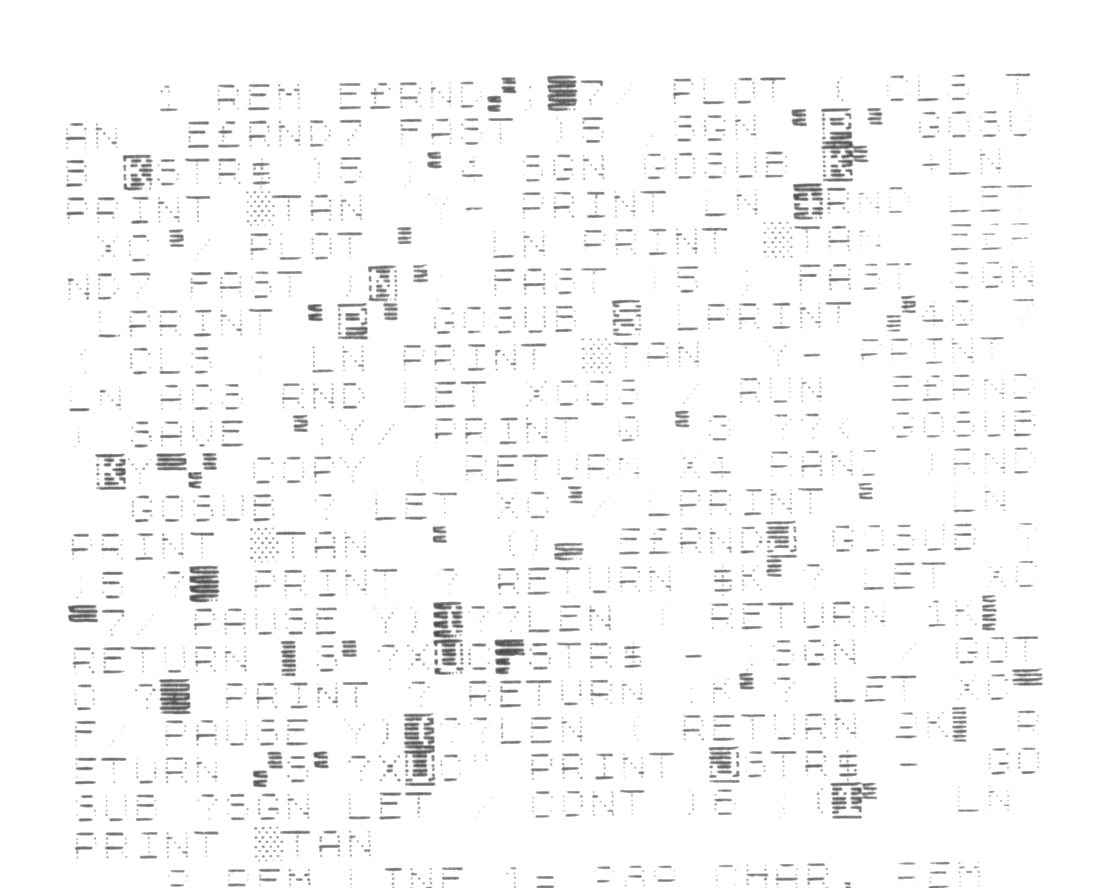
   2 REM LINE 1= 289 CHAR. REM
   5 SLOW
  10 PRINT AT 0,0;"▒▒▒CLEAR-SCREEN DEMONSTRATION▒▒▒"
  20 PRINT ,,"1. ZAP",,"2. FLASH ZAP",,"3. UP SCROLL",,"4. DOWN SCROLL",,"5. UP WIPE",,"6. DOWN WIPE",,"7. CENTER WIPE",,"8. FLASH WIPE",,"9. STAR WARS",,,,"0. STOP "
  30 LET E$="                                "
  35 LET Z$=INKEY$
  40 IF Z$="0" THEN STOP
  45 IF Z$<"1" OR Z$>"9" THEN GO TO 35
  60 GOSUB 1000
  80 GOSUB 100*VAL Z$
  90 RUN
 100 REM ZAP        = USR  16514
 105 REM FILL CHAR. = POKE 16525
 110 REM NO.LINES+1 = POKE 16518
 120 POKE 16525,0
 130 LET L=USR 16514
 140 RETURN
 200 REM FLASH-ZAP
 210 POKE 16525,128
 220 LET L=USR 16514
 230 GOTO 120
 300 REM UPSCROLL
 310 REM SCROLL COMAND=USR 16533
 320 REM UP SCROLL CLS=USR 16567
 330 POKE 16418,0
 340 PRINT AT 23,0;"▒NOT COPYRIGHT BY FRED NACHBAUR▒"
 345 LET L=USR 16567
 350 PRINT AT 23,0;E$
 355 IF INKEY$="" THEN GOTO 355
 360 PRINT AT 22,0;E$
 370 POKE 16418,2
 380 LET L=USR 16567
 390 RETURN
 400 REM DOWNSCROLL
 405 REM DN SCROLL COMMAND=16587
 406 REM FILL CHAR. = POKE 16613
 407 REM DN SCROLL CLS=USR 16624
 410 LET L=USR 16624
 500 REM UP-WIPE      =USR 16636
 505 REM FILL CHAR. = POKE 16647
 510 LET L=USR 16636
 520 RETURN
 600 REM DOWN-WIPE (NORMAL CLS )
 610 CLS
 620 RETURN
 700 REM CENTER-WIPE  =USR 16684
 705 REM FILL CHAR. = POKE 16685
 710 POKE 16685,0
 720 LET L=USR 16684
 730 RETURN
 800 REM FLASH-WIPE
 810 POKE 16685,128
 820 LET L=USR 16684
 830 GOTO 710
 900 REM STAR WARS
 905 LET A$="▒▒▒▒▒*."
 906 REM INV.SPACE:INV.PERIOD:  GR.ON T:GR.ON G:INV.ASTERISK:   ASTERISK:PERIOD - OR ANY OTHER  PRINTABLE CHARACTERS
 910 FOR A=1 TO LEN A$
 920 POKE 16685,CODE A$(A)
 930 LET L=USR 16684
 940 POKE 16525,CODE A$(LEN A$-A+1)
 950 LET L=USR 16514
 960 POKE 16685,0
 970 LET L=USR 16684
 980 NEXT A
 985 GOSUB 300
 990 RETURN
1000 PRINT AT 0,0;
1010 LET F$="SCREEN FILL****SCREEN FILL*** "
1020 FOR A=1 TO 23
1030 PRINT F$;
1040 NEXT A
1045 POKE 16418,0
1050 RRINT F$( TO 14);TAB 5;"ANY KEY TO CLEAR SCREEN"
1055 POKE 16418,2
1060 IF INKEY$="" THEN GOTO 1060
1070 RETURN
9000 REM DECIMAL LOADER
9005 FAST
9010 FOR A=16514 TO 16802
9020 IF A<>16690 THEN GOTO 9090
9030 POKE 16418,0
9040 PRINT AT 23,0;"ANY KEY, ENTER 9999 TO CONTINUE."
9050 POKE 16418,2
9055 PAUSE 4E4
9060 INPUT C
9070 IF C<>9999 THEN GOTO 9030
9080 CLS
9090 INPUT B
9100 POKE A,B
9110 PRINT (STR$ (1000+PEEK A))(2 TO );":";
9120 NEXT A
Clear Screen Machine Code
ADDR HEXCODE   NAME MNEMONIC
==========================
4082 2A0C40   ZAPP LD HL,(DFIL)  *-ZAP ROUTINE-*
4085 0619          LD B,19 ;     :get display file start address
4087 7E       NXCH LD A,(HL)     :Number of lines + 1
4088 FE76          CP 76         :is it end of line?
408A 2805          JR Z NEXL     :
408C 3680          LD (HL),80    :yes- go on to next line
408E 23       INCR INC HL        :no- fill location with fill character
408F 18F6          JR NXCH       :increment location
4091 10FB     NEXL DJNZ INCR     :next character
4093 C9            RET           :decrement line, loop back if not zero
4094 00            NOP           :if done
4095 2A0C40   UPSC LD HL,(DFIL)  *-UPSCROLL ROUTINE-*
4098 23            INC HL        :get display file start
4099 E5            PUSH HL       :first character on top line
409A 112100        LD DE,0021    :save it
409D 19            ADD HL,DE     :line displacement = 33 decimal
409E D1            POP DE        :line 2 start address in HL
409F 01B502        LD BC,02B5    :get line 1 start address in DE
40A2 EDB0          LDIR          :number of bytes in BC = 21 lines
40A4 D5            PUSH DE       :transfer 21 lines upward
40A5 112100        LD DE,0021    :DE at end of line 20 - save it
40A8 19            ADD HL,DE     :line displacement
40A9▒012000        LD BC,0020    :HL had end of line 21; add a line
40AC D1            POP DE        :number of bytes = 32 decimal
40AD EDB0          LDIR          :destination = line 21
40AF 010015        LD BC,1500    :transfer line 23 to line 21
40B2 CDF508        CALL PRAT     :print position at line 21, col. 0
40B5 C9            RET           :set print position
40B6 00            NOP           :return
40B7 3E16     UPCL LD A,16 -     *-UP-SCROLL CLEAR SCREEN ROUTINE-*
40B9 F5       NEXT PUSH AF       :initialize counter at 22
40BA CD9540        CALL UPSC     :save it
40BD F1            POP AF        :scroll up one line
40BE 3D            DEC A         :get counter
40BF 2802          JR Z END0     :decrement it
40C1 18F6          JR NEXT       :done? exit if so
40C3 010000   END0 LD BC,0000    :no - loop back
40C6 CDF508        CALL PRAT     :print position at top of screen
40C9 C9            RET           :set it
40CA 00            NOP           :return
40CB 2A0C40   DNSC LD HL,(DFIL)  *-DOWN-SCROLL ROUTINE-*
40CE 23            INC HL        :display file start
40CF E5            PUSH HL       :line 0, column 0
40D0 11B302        LD DE,02B3    :save it
40D3 19            ADD HL,DE     :distance to end of line 20
40D4 E5            PUSH HL       :get end line 20 into HL
40D5 112100        LD DE,0021    :save it
40D8 19            ADD HL,DE     :line displacement
40D9 E5            PUSH HL       :HL now has end of line 21
40DA D1            POP DE        :save it
40DB E1            POP HL        :and get it back in DE
40DC 01B502        LD BC,02B5    :end of line 20 in HL
40DF EDB8          LDDR          :number of bytes = 20 lines
40E1 E1            POP HL        :transfer downward
40E2 0620          LD B,20 4     :get line 0, col. 0 address
40E4 3600     FILL LD (HL),00    :B is our space counter =32 dec.
40E6 23            INC HL        :fill it with fill character
40E7 10FB          DJNZ FILL     :next location on line 0
40E9 0E00          LD C,00       :loop back until line 0 filled
40EB CDF508        CALL PRAT     :reset column to 0
40EE C9            RET           :and set print position before
40EF 00            NOP           :returning
40F0 3E16     DNCL LD A,16 -     *-DOWN-SCROLL CLEAR SCREEN ROUTINE-*
40F2 F5       NXLN PUSH AF       :initialize counter
40F3 CDCB40        CALL DNSC     :save it
40F6 F1            POP AF        :down scroll one line
40F7 3D            DEC A         :get counter
40F8 C8            RET Z         :decrement it
40F9 18F7          JR NXLN       :done? return if so
40FB 00            NOP           :no - loop back
40FC 2A0C40   UPWP LD HL,(DFIL)  *-UP-WIPE ROUTINE-*
40FF 11F802        LD DE,02F8    :display file start in HL
4102 19            ADD HL,DE     :distance to start of line 23
4103 3E18          LD A,18 /     :start line 23 in HL
4105 F5       NXLI PUSH AF       :initialize line counter
4106 3600          LD (HL),00     and save it
4108 011F00        LD BC,001F    :put fill character into column 0
410B 54            LD D,H        :number of bytes still left to clear=31
410C 5D            LD E,L        :start of line address
410D 13            INC DE         gets moved into DE
410E EDB0          LDIR          :increment to column 1
4110 3E03     PAUS LD A,03 ▒     :and clear the line
4112 06FF     LP01 LD B,FF       :initialize counter pause loop 1
4114 10FE     LP02 DJNZ LP02     :initialize counter pause loop 2
4116 3D            DEC A         :loop 2
4117 20F9          JR NZ LP01    :next loop 1
4119 114000        LD DE,0040    :done pausing? loop back if not
411C ED52          SBC HL,DE     :displacement to start of previous line
411E F1            POP AF        :back up
411F 3D            DEC A         :get counter
4120 2802          JR Z END1      and decrement it
4122 18E1          JR NXLI       :exit if done
4124 010000   END1 LD BC,0000    :otherwise loop back
4127 CDF508        CALL PRAT     :print position at line 0, column 0
412A C9            RET           :and set it
412B 00            NOP           :then return
412C 010010   CTWP LD BC,1000    *-CENTER-WIPE ROUTINE-*
412F 118300        LD DE,0083    :B=spiral counter, C=fill character
4132 2A0C40        LD HL,(DFIL)  :displacement four lines back
4135 AF            XOR A         :display file start
4136 ED52          SBC HL,DE     :clear carry
4138 112100   TOPL LD DE,0021    :get HL four lines before DFILE start
413B 78            LD A,B        :line displacement = 33 decimal
413C 80            ADD A,B       :counter in A, then double it
413D F5       NXC1 PUSH AF        for number of spaces to fill
413E 78            LD A,B        :save counter
413F FE0D          CP 0D $       :off-screen?
4141 3001          JR NC SKP1
4143 71            LD (HL),C     :skip it if so
4144 F1       SKP1 POP AF        :otherwise fill it with fill character
4145 3D            DEC A         :get counter
4146 2803          JR Z RITE      and decrement it
4148 23            INC HL        :continue if done with top leg
4149 18F2          JR NXC1       :else increment address
414B 3E11     RITE LD A,11)       and loop back.
414D 90            SUB B         :put 17 decimal into A
414E 57            LD D,A         and subtract spiral counter
414F 78            LD A,B         for lower limit in D
4150 C610          ADD A,10 (    :then, put spiral counter in A
4152 FE1D     NXC2 CP 1D 1        and add 16 dec. for upper limit.
4154 3005          JR NC SKP2    :over the top of the screen?
4156 FE05          CP 05 ▒       :if so, skip it.
4158 3801          JR C SKP2     :off the bottom?
415A 71            LD (HL),C      skip it if so.
415B 3D       SKP2 DEC A         :fill the location with character
415C BA            CP D          :decrement counter
415D 2807          JR Z BOTL     :is it at lower limit?
415F D5            PUSH DE        go on to bottom leg if so.
4160 1600          LD D,00       :else save lower limit,
4162 19            ADD HL,DE      and set displacement
4163 D1            POP DE         and move pointer to next line.
4164 18EC          JR NXC2       :get lower limit,
4166 78       BOTL LD A,B         and loop back.
4167 80            ADD A,B       :number of spaces = two times
4168 F5       NXC3 PUSH AF        contents of spiral counter.
4169 78            LD A,B        :save space counter.
416A FE0E          CP 0E :       :off the screen?
416C 3001          JR NC SKP3
416E 71            LD (HL),C      skip it if so.
416F F1       SKP3 POP AF         else fill the location.
4170 3D            DEC A         :get space counter
4171 2803          JR Z LEFT      and decrement it.
4173 2B            DEC HL        :all done? go on to left leg if so
4174 18F2          JR NXC3        else decrement pointer
4176 3E11     LEFT LD A,11 )      and loop back.
4178 90            SUB B         :Calculate
4179 57            LD D,A         lower limit
417A 78            LD A,B         and put it into D.
417B C610          ADD A,10 (    :upper limit
417D FE1E     NXC4 CP 1E 2        into A.
417F 3005          JR NC SKP4    :off the top?
4181 FE06          CP 06 ▒        skip it if so.
4183 3801          JR C SKP4     :out the bottom?
4185 71            LD (HL),C      skip it if so.
4186 3D       SKP4 DEC A         :else load with fill character.
4187 BA            CP D          :decrement space counter
4188 280B          JR Z NXLP      and compare with lower limit.
418A F5            PUSH AF       :go on to next loop if done.
418B AF            XOR A         :save the space counter
418C D5            PUSH DE         so we can clear carry
418D 1600          LD D,00        and save lower limit
418F ED52          SBC HL,DE      so we can put line disp. in DE.
4191 D1            POP DE        :back up one line,
4192 F1            POP AF         then reclaim lower limit
4193 18E8          JR NXC4        and space counter before
4195 112200   NXLP LD DE,0022     looping back.
4198 19            ADD HL,DE     :34 decimal = 1 space over, 1 line down
4199 109D          DJNZ TOPL      for start of new spiral
419B 010000        LD BC,0000    :decrement spiral counter, loop back
419E CDF508        CALL PRAT      unless finished;restore print
41A1 C9            RET            position, set it,
41A2 00            NOP            and return.
41A3 00            NOP
41A4 00            NOP
There. Wasn’t that fun?
Note: Type-in program listings on this website use ZMAKEBAS notation for graphics characters.