
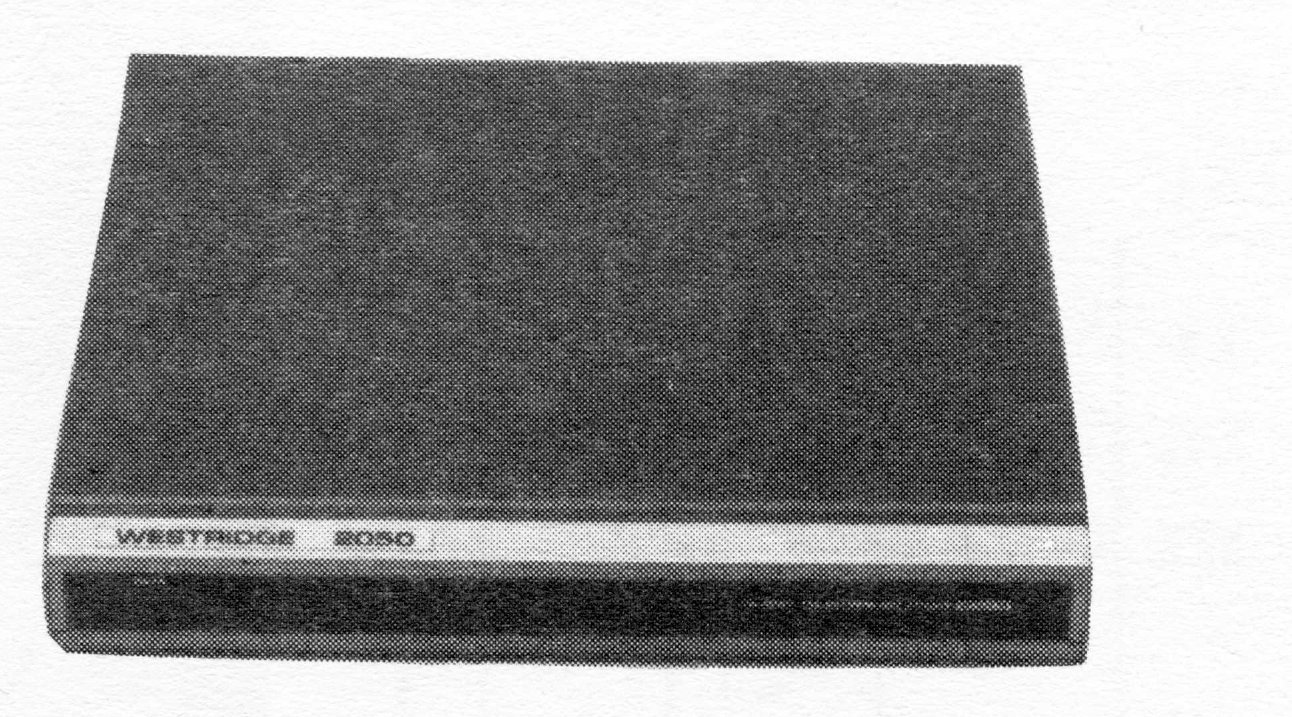
One of the questions most frequently asked of me is: “How do I log onto your BBS?” This article is (hopefully) a simple primer on that subject. First a definition. BBS (Bulletin Board System): a computer programmed to receive, save and display messages to and from its users. The BBS is usually accessable from remote computers via telephone lines. The hardware required for this “tele-communication” is a computer (T/S 2068, 1000/1500), a modem (Westridge TS 2050, Byte-Back), and the proper software (Mterm II, Smart I, Z-Comm) for the computer/modem combination that you are using.
Once the hardware is connected and the software is loaded (check your manuals for instructions) you are ready to begin. There are several “parameters” that you should be aware of, to help you connect with a BBS. They are “word length” (usually 7 or 8), “stop bits” (1 or 2), “parity” (odd, even or none) and “duplex” (half or full). Your software parameters must be the same as those of the host computer or you may not be able to exchange data. The two most common configurations are 7/1/even and 8/1/none for word length/stop bits/parity, respectively. The duplex controls your screen display (more on that later).
You are now ready to call a BBS. Note: My unbiased recommendation of a “friendly” BBS to call is YOUR AVERAGE REMOTE BBS (213) 325-0213. I just happen to be “SysOp” (System Operator) of a Timex/Sinclair sub-board (1 of 2 or more message bases on a BBS) called THE “ORIGINAL” TIME[x] CHANGE on this BBS. Parameters: 8/1/none. If you know the parameters of the BBS you are about to call, set your software now. There may be a menu to use for this (check your software manual). Dial the BBS number. The BBS, if not busy and online, will answer with a high-pitched tone. The TS 2050, with Mterm II or Smart I s/w will “connect” automatically. Other modems and/or software may require you to connect manually. Either way, once connected you are accessing another computer remotely.
Now the fun begins. The host computer may need prompting to begin sending. One to 4 [CR]’s (ENTER) are usually enough to get the system started. Your Average Remote BBS will ask you, “How Many Nulls Do You Need (0-9)?”. Answer 0, then [CR]. (Nulls are for printers, always 0 for CRT.) Next the Average will ask you, “Can your terminal display lowercase?”. Answer “y” or “n” depending on your computer. (A word about “duplex” is now in order. If your terminal displays double characters when you type, then toggle your duplex setting. Likewise if your terminal doesn’t display anything when you type, toggle your duplex. If it looks okay, it is okay.) Now the BBS will tell you its name, phone number, parameters and other pertinent information.
You are now ready to “log on” the BBS. My personal preference is that only real names be used, but there are many BBS’s that allow and encourage “handles” (aliases). In any case, the next prompt is, Enter First Name. Type it in followed by a [CR]. Then enter last name at prompt, [CR]. The system will re-print what you have entered and ask, “Is that correct?”. Answer “y” or “n” accordingly. After checking its memory, the system will ask, “Are you a new user?”, if indeed you have not called before. New users are asked to answer a few questions…these vary at the discretion of the Sysop. These questions help a Sysop separate BBS users from system abusers, and the answers may determine who is “validated”. (On a closed BBS, validation is required before access is possible. YARBBS is an open system.) “Enter a password”, types the computer. A password is a series of letters, numbers and special characters known only to you. This password will be used by the system to identify who you are, so that no one else can access the system by using your name or read your “private” messages. There are 3 criteria for a good password. It should be unique, difficult to guess, and memorable. Keeping that in mind, now enter a password. Remember your PW because you will need to use it the next time that you call this BBS. The system will check to see if anyone else is using the same PW. If not, the password will be yours, and you have completed the “log on” procedures.
If the BBS that you have chosen to call is a closed system, one of several things may happen. You may have only limited access, you may have only a limited time online, or you may have to log off now and wait (usually 24-48 hours) for validation before you can use the system. If the BBS is open, than you can examine and fully utilize the system now. After the possible scrolling of some bulletins, the system should stop at the “main menu”. Save yourself some time and make a printout of this menu if you can. This menu is the heart of most BBS’s. It is from this point that most functions begin. In time, you will remember the cues, but in the beginning this hardcopy will be most useful. There may be several sub-menus also. You may or may not want copies of these. Usually a “?” at the command prompt will cause the BBS to display the full menu (with explanations).
It is at this point that the differences between BBS’s come into play. There are many BBS programs that run on many different computer types. On most (not all), if you enter “R” at the main menu, you can read the messages. An “S” usually scans the message headers. An “E, L, or P” may let you write a message. On the Average BBS, enter a “W” to change sub-boards. Some BBS’s have an area where it saves information about your computer set up. Setting these “defaults” correctly can make using the BBS easier in the future. On the Average you enter “M” to set defaults. The best advice at this point is to feel your way around the BBS. Most Sysops are very understanding of “new users” and will attempt to assist you if they have time. Don’t hesitate to leave open messages on the boards requesting help. Most modemers are eager to help. We were all “new users” once. Above all, participate on the BBS. Don’t be a LOOKY LOU…leave a message, say “Hi!”.
There are all kinds of BBS’s around. Some are mainly message boards, others specialize in exchanging free public domain programs. On some you can find a mate, and on others you find out how to better operate your computer. On most, the only charges are for the phone call (beware…phone charges can add up). Try out your modem on a local BBS, or contact me on the Average BBS. I would be very glad to hear from you online. Did you say that you “Don’t have a modem?”. Just send a SASE to: Ed Grey, P.O. Box #2186, Inglewood, CA 90305. I will send you info on a modem deal you can’t refuse. Take care and I’ll see you on the boards (bulletin boards, that is).