
Generally SYNC prefers articles in some depth to help you get more out of your computer. However, we receive many short programs that illustrate a point, demonstrate a technique, or show something the reader has found interesting. “Just for Fun” shares these programs with you. If you learn something, great. If you have some fun, great. If you have some that you want to share, send them to: Just for Fun, SYNC, 39 E. Hanover Ave., Morris Plains, NJ 07950.
Zap
M. Hampson
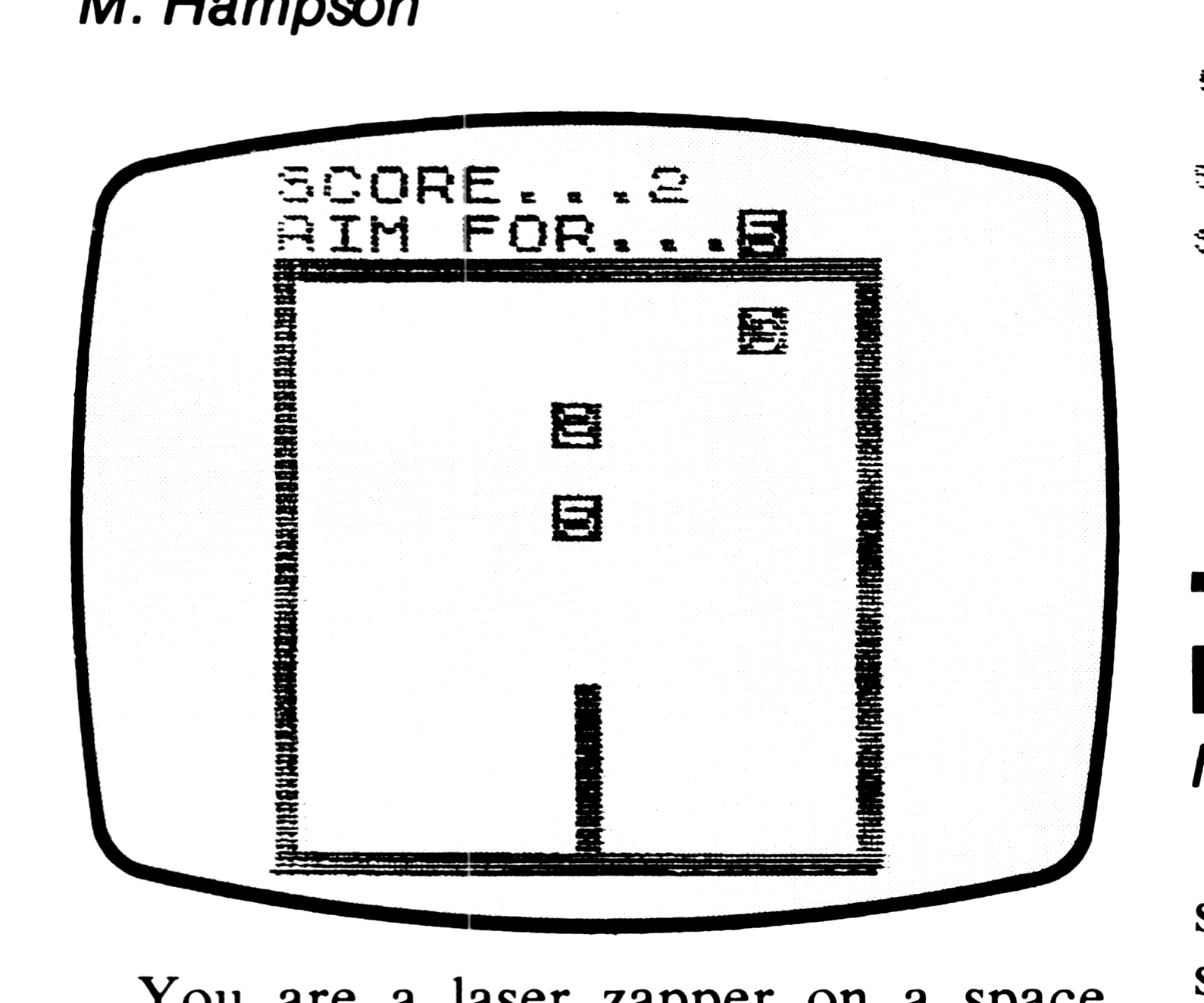
You are a laser zapper on a space cruiser on routine patrol when suddenly your ship is under attack. Each of the attackers is assigned a number, and each zapper is assigned a target. A target number appears on your screen, and you must destroy that target and only that one. Your performance as a zapper is measured by the score you achieve. Each assigned target hit is worth one point. Your rating as a zapper is the score you achieve. The higher the score, the higher your rating will be. If you shoot at a target you have not been assigned, you get no points. Furthermore, you will have wasted a shot and the next assigned target appears.
You control your laser movement with the 5 key for left and the 8 key for right. Press 0 to fire.
Enter the program, put the computer in SLOW mode, and hit RUN and ENTER.
  10 FOR Z=VAL "0" TO VAL "25"
  11 PLOT Z,VAL "0"
  12 PLOT Z,VAL "25"
  13 PLOT VAL "25",Z
  14 PLOT VAL "0",Z
  15 NEXT Z
  20 LET P=VAL "1"
  30 LET S=VAL "0"
  40 PRINT AT VAL "7",P-P;"SCORE
..";TAB P-P;"AIM FOR..."
 100 FOR N=157 TO 165
 101 LET Q=INT (RND*11)*2+1
 102 UNPLOT Q,INT (RND*20)+3
 103 PRINT CHR$ N
 104 PRINT AT 8,10;CHR$ N
 105 FOR Z=0 TO 25
 110 UNPLOT P,1
 120 LET P=P+(INKEY$="8")-(INKEY
$="5")
 130 PLOT P,1
 140 IF INKEY$<>"0" THEN GOTO 15
5
 145 IF P=Q+1 OR P=Q+2 THEN LET
S=S+1
 150 FOR Z=2 TO 24
 151 PLOT P,Z
 152 NEXT Z
 153 FOR Z=2 TO 24
 154 UNPLOT P,Z
 155 NEXT Z
 156 PRINT AT 7,8;S
 160 NEXT N
Blaster
M. Hampson
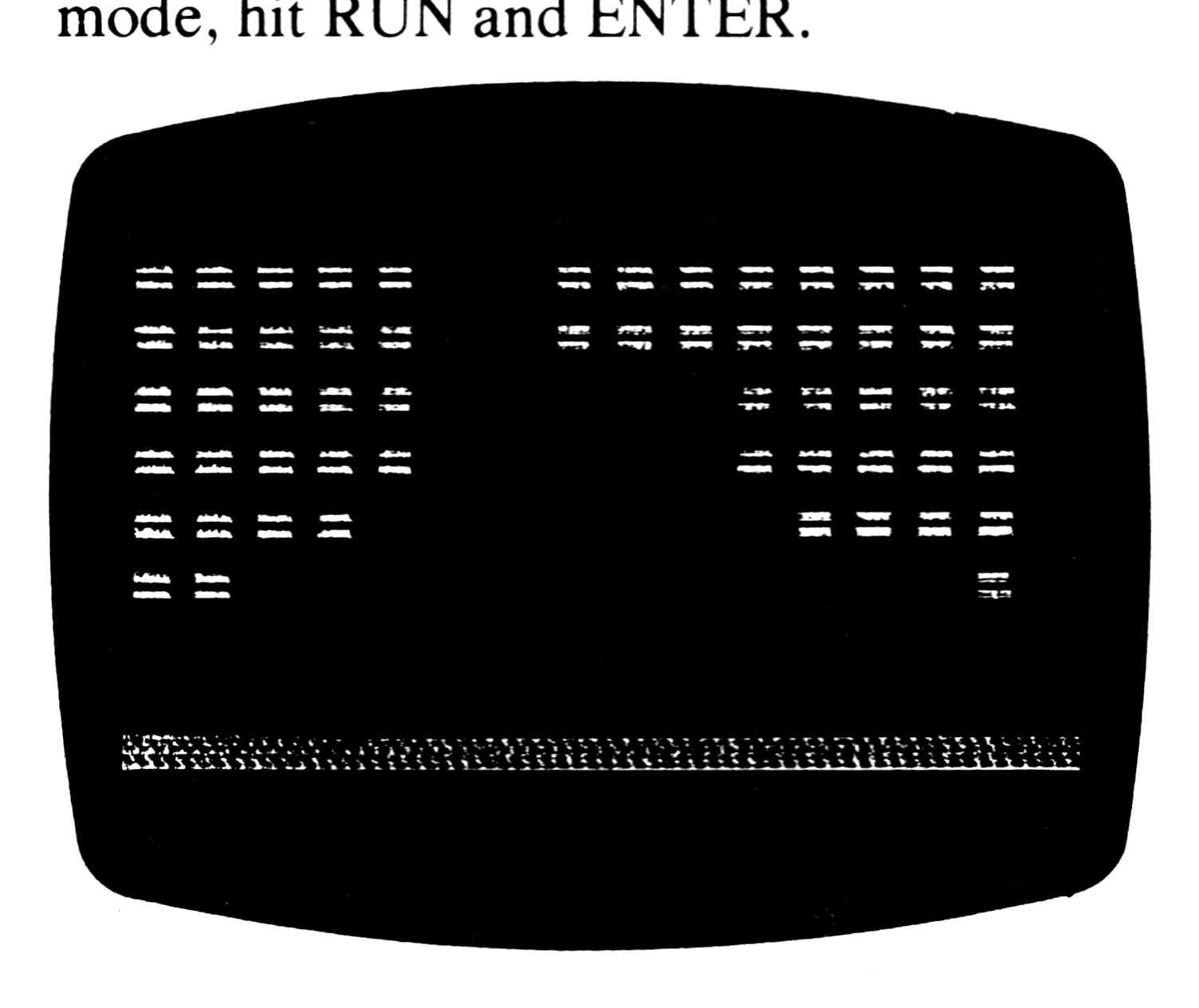
In Blaster the screen displays a field showing a wall of 7 courses of equals signs. Your blaster, which is on continuous fire, is indicated by an asterisk. You have 200 shots to clear away the wall. The movement of your blaster is automatically to the right; to move it to the left you must press the 1 key. The score, showing the total number of hits, is displayed at the end.
Type in the program without using your RAM pack. Put the computer in SLOW mode, hit RUN and ENTER.
Graphics notes:
Line 4: Inverse equals sign (16).
Line 6: Inverse space (16); S (16).
   1 LET N=0
   2 LET B=501
   3 FOR Z=0 TO 6
   4 PRINT AT Z,0;"[inv = x16]"
   5 NEXT Z
   6 PRINT "[inv space x16]","[gS x16]"
   7 LET P=8
   8 LET V=PEEK 16396+256*PEEK 1
6397
  10 LET B=B-1
  20 IF B=0 THEN GOTO 200
  30 LET P=P-1+(INKEY$="")*2-(P=
15)+(P=0)
  40 POKE 120+V+P,151
  60 FOR Z=120+V+P TO V STEP -17
  70 IF PEEK Z=148 THEN GOTO 110
  80 POKE Z,151
  81 POKE Z,128
  90 NEXT Z
 100 GOTO 10
 110 POKE Z,128
 120 LET N=N+1
 130 IF INT (N/112)<>N/112 THEN
GOTO 10
 140 GOTO 3
 200 PRINT "YOUR SCORE ";N
 205 PAUSE 50000
 210 CLS
 215 RUN
Catch 25, or Playing Left Field
M. Hampson
Your catching glove (or cup or whatever you want to catch with) appears as a U. The ball comes down and you must move to catch it in your glove. You move into catching position by using all the arrow keys so this requires simultaneous four finger coordination. When you catch the ball, a shift in graphics to the asterisk indicates a successful catch. Your score, which is the total of successful catches, is displayed in the top center of your screen throughout the game.
Type in the program. Put your computer in SLOW mode, hit RUN and ENTER.
Graphics notes:
Line 120: a period.
Line 150: the letter U.
Line 200: an asterisk.
  20 LET Q=VAL "10"
  30 LET R=Q
  40 LET S=Q-Q
 100 FOR Z=Q/Q TO VAL "25"
 105 LET P=INT (RND*VAL "10")
 110 FOR L=Z/Z TO VAL "17"
 120 PRINT AT L,L+P;" ";AT L+Z/Z
L+P+Z/Z;"."
 130 PRINT AT Q,R;" "
 140 LET Q=Q+(INKEY$="6")-(INKEY
$="7")
 141 LET R=R+(INKEY$="8")-(INKEY
$="5")
 150 PRINT AT Q,R;"U"
 160 IF L+Z/Z=Q AND L+P+Z/Z=R TH
EN GOTO VAL "200"
 170 NEXT L
 180 NEXT Z
 190 STOP
 200 PRINT AT Q,R;"*"
 210 LET S=S+Z/Z
 220 PRINT AT Z/Z,VAL "11";S
 230 GOTO VAL "180"
Bombs Away!
Neil Dewhurst
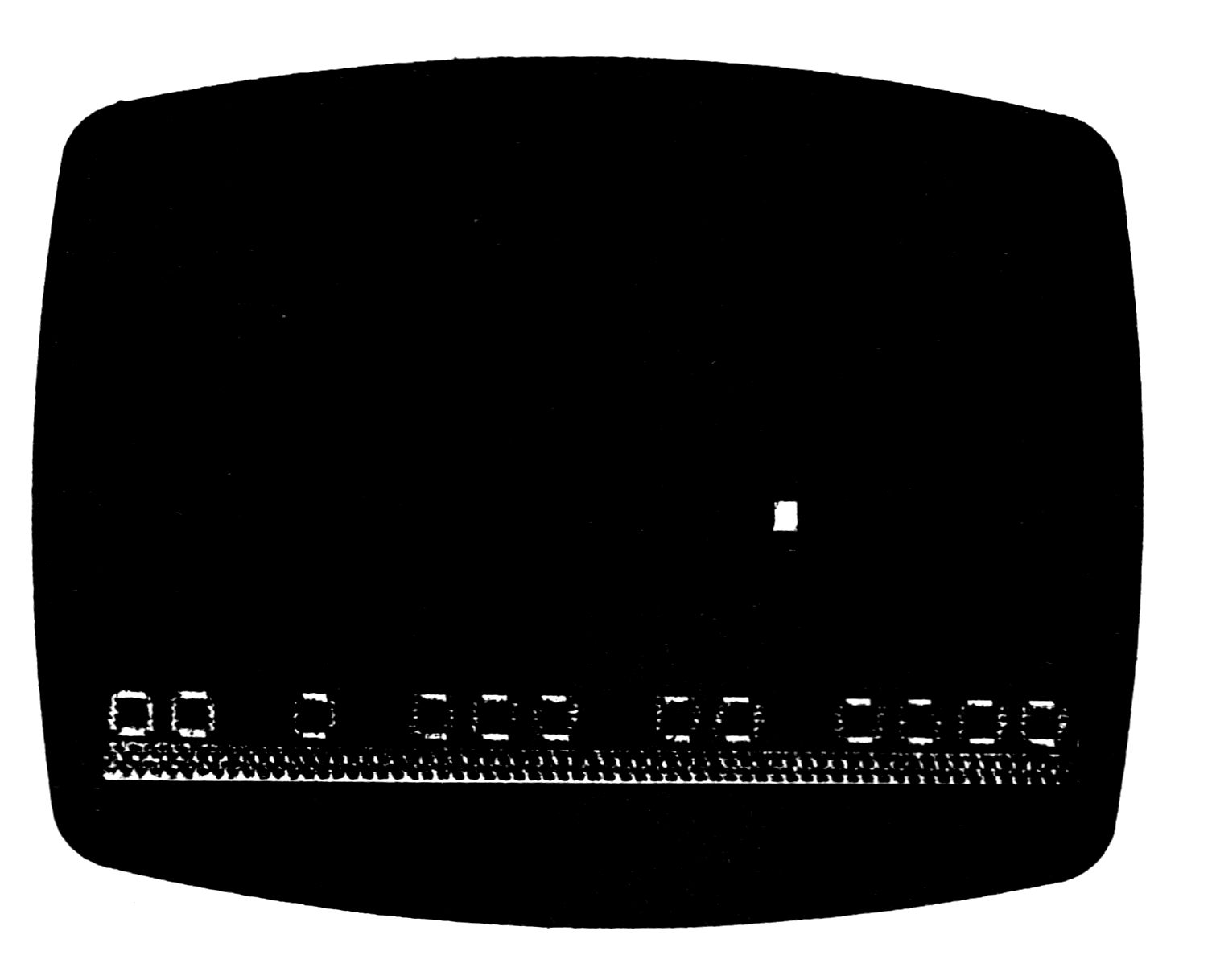
Your high speed bomber appears at the top of the display as the inverse and moves from left to right. Your targets appear at the bottom of the display as inverse O’s. Press any key to drop a bomb at any time. Each time the plane makes a pass over the target area, it drops down closer to the targets. The aim of the game is to hit all the O’s before the plane gets too low to make another pass.
Enter the program, put your computer in SLOW mode, press RUN and ENTER.
Graphics notes:
6: inverse space (16).
10: inverse O (16); S (16).
120, 310: inverse
140, 280, 400: inverse spaces.
145: Q.
   5 FOR Z=VAL "1" TO VAL "8"
   6 PRINT "[inv space x16]"
   7 NEXT Z
   8 CLEAR
   9 LET B=VAL "0"
  10 PRINT "[inv O x16]","[gS x16]"
 100 FOR P=VAL "0" TO VAL "7"
 110 FOR Q=0 TO 15
 120 PRINT AT P,Q;"[inv ?]"
 125 IF B THEN GOTO 140
 130 IF INKEY$="" OR P=7 THEN GO
TO 150
 131 LET R=P
 132 LET S=Q
 133 LET B=1
 140 PRINT AT R,S;"█"
 141 LET R=R+1
 142 LET S=S+1
 143 IF S>15 THEN LET S=0
 145 PRINT AT R,S;"[gQ]"
 146 IF R=8 THEN GOSUB 400
 280 PRINT AT P,Q;"█"
 290 NEXT Q
 299 NEXT P
 300 FOR Q=0 TO 15
 310 PRINT AT P,Q;"[inv ?]"
 320 IF 128<>PEEK (PEEK 16398+25
6*PEEK 16399) THEN STOP
 330 NEXT Q
 340 STOP
 400 PRINT AT R,S;"█"
 410 LET B=0
 420 RETURN
Grand Prix
Neil Dewhurst
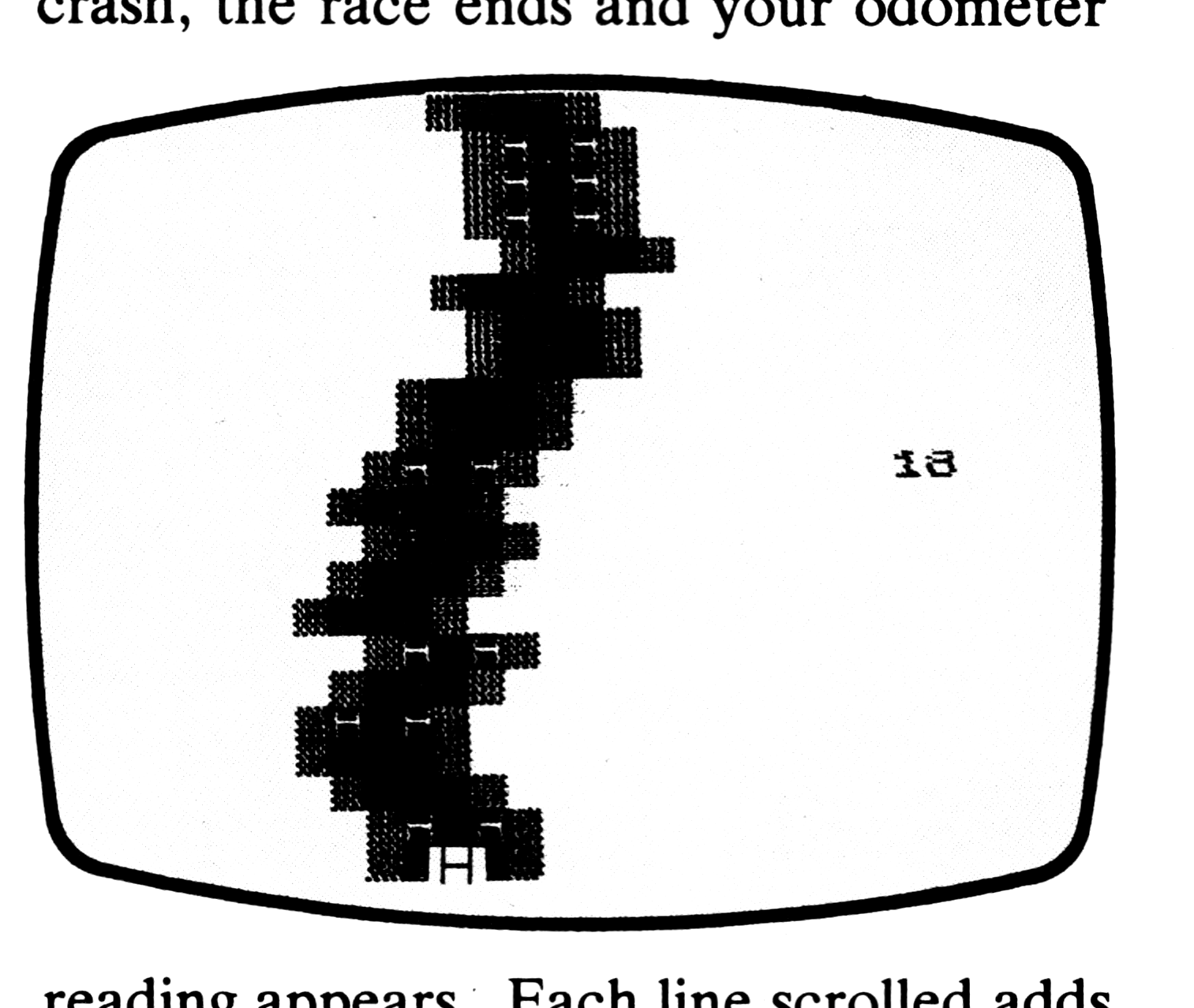
You have just entered the 1K Grand Prix. The black-topped track scrolls as you drive your white “H” car toward the finish line. You steer by the Z and M keys. You must avoid hitting the parked cars and running off the road. If you do crash, the race ends and your odometer reading appears. Each line scrolled adds one to your reading. The aim of the race is to drive as many miles as possible.
Enter the program, put your computer in SLOW mode, press RUN and ENTER
Graphics notes:
Line 40: Inverse H.
Line 50: Inverse space.
Line 60: A; inverse space; A; inverse space.
   5 LET F=VAL "-12"
  10 LET P=VAL "10"
  20 LET R=VAL "7"
  30 PRINT AT 10,P;"H"
  40 LET G$="[inv H]"
  45 LET F=F+1
  50 IF RND>.3 THEN LET G$="█"
  55 SCROLL
  60 PRINT TAB R;"[gA]";G$;"█";G$;"
[gA]";AT 9,P;" " AND F<=0;"█" AND F
>0;AT 10,P;
  70 IF R>2 THEN LET R=R-2*RND
  80 IF R<10 THEN LET R=R+2*RND
  90 LET P=P-(INKEY$="Z")+(INKEY
$="M")
 100 IF PEEK (PEEK 16398+256*PEE
K 16399)=128 OR F<0 THEN GOTO 30
 110 PRINT TAB 20;F
M. Hampson, [address omitted], U.K. Reprinted from The Ultimate Magazine with permission.
Neil Dewhurst, [address omitted], U.K. Reprinted from The Ultimate Magazine with permission.
Note: Type-in program listings on this website use ZMAKEBAS notation for graphics characters.