
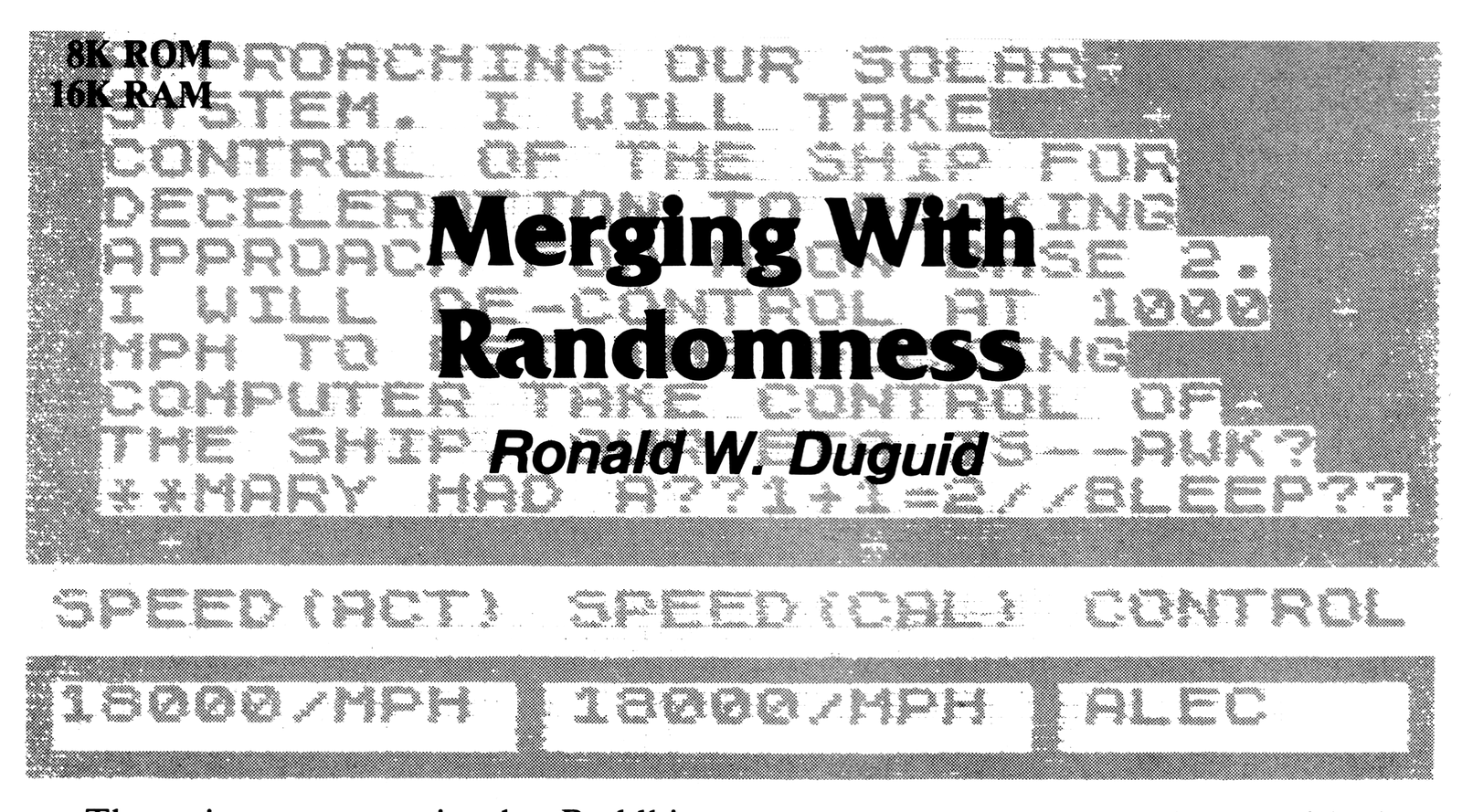
There is a precept in the Buddhist philosophy which states that for a person to truly understand any thing, the person must merge with that thing and become one with it. I have not reached the state where I can merge with anything, let alone an abstract concept such as “randomness,” but I was reminded of this precept when I tried to apply the RND function to a program that I was developing.
The program was in the form of a quiz game, and I wanted to use the RND function to select the questions. I had chosen to go this way so that the questions would not appear in sequence. This would prevent the player from memorizing the answers in sequence. Never knowing which question would be coming up next, the player would have to think in terms of relating the answer to the question. He would not be able to respond in the manner: The answer to question number 5 is apples; the answer to question number 6 is beans, etc.
I was using a random statement in the form:
10 LET A=INT(RND*10)+1which allowed me to select randomly from a set of ten questions.
This seemed to work well with one exception. Every so often, the same question would immediately repeat. So I pressed a friend into service as an objective player to help me debug the program. After the same question had repeated several times in a row, he turned to me with a raised eyebrow and asked, dryly, “What’s the matter—is it broken?”
I realized that I had a situation that could cause some embarrassment, so I decided to dig deeper into the RND function to see if there was anything that could be done to solve the problem.
The RND Function
Obviously the starting point was to get out the ZX81 handbook and look up the RND function.
Then I began to experiment with the RND function by using the program:
10 FOR C=1 TO 10
20 LET A=INT(RND*10)+1
30 PRINT C;".#";A
40 NEXT C
50 STOP
This program selects a number between 1 and 10 and prints it. Several test runs are shown below (read down):
 1.   8   7   1
 2.  10   1   2
 3.   2   1   6
 4.   2   8   6
 5.   2   4   7
 6.   1   4   4
 7.  10  10   5
 8.   7   7   5
 9.   2  10  10
10.   4   3   2
This was definitely not what I wanted.
The handbook says that the RND function is not truly random, but is pseudorandom, being based on a fixed sequence of 65536 numbers. The RND function has a control called RAND which, when followed by a number other than 0, will cause the RND function to start at the same point each time the RND statement is executed. If RAND is followed by 0 (or no number, at all), then the RND function is controlled by a variable called FRAMES.
An initial control number, which is another variable appropriately called SEED, is used to generate the RND number. SEED is controlled by both RAND and FRAMES. So the next step was to dig deeper by examining FRAMES, SEED, and RAND.
FRAMES
FRAMES acts like a 16 bit down counter which is located at addresses 16436 and 16437. Address 16436 contains the LSB (least significant byte) of the count number, and address 16437 contains the MSB (most significant byte) of the count number.
The count begins at 65536 and counts down to 0. When it reaches 0, it resets to 65536 and starts to count back to 0 again.
FRAMES can be PEEKed by using the program in Listing 1. It will sample the FRAMES counter (both bytes), and then print out the value. SAVE this program. It can be used later in the article.
Each time you run this program, you will get a different series of numbers because the FRAMES counter is continuously counting. If you add the following statements:
25 POKE 16437,0
27 POKE 16436,0
you will cause the FRAMES counter to reset to 0 at the start of every run, and the next number will always be 65531.
The FRAMES counter is also used by PAUSE. When PAUSE is executed, bit 15 of the FRAMES counter is set to 0 and the time of the pause is entered into the FRAMES counter. The FRAMES counter then counts down from this value to 0. FRAMES is clocked at the rate of approximately 60 counts per second, so a PAUSE 60 will cause the program to pause for approximately 1 second. With bit 15 being set to 0, the maximum count (2**15-1) for PAUSE is 32767. At 60 counts per second, this amounts to a little over 9 minutes at the maximum count. The pulse that causes FRAMES to decrement (count down) comes from the computer sync generator that controls the vertical sweep of the TV set that is being used as a video monitor.
Listing 1. RANDOM.
 10 REM "RANDOM"
 20 DIM A(20)
 30 FOR N=1 TO 20
 40 LET A(N)=PEEK 16436+256*PEEK 16437
 50 NEXT N
 60 FOR M=1 TO 20
150 PRINT AT M,1;M;". ";A(M)
160 NEXT M

 25 POKE 16437,0
 27 POKE 16436,0
SEED
SEED also acts like a 16 bit down counter. It occupies the two memory locations with addresses 16434 and 16435. Like FRAMES, the lower number address contains the LSB and the higher address contains the MSB of the count number. Since each memory location can hold only an 8 bit number, two locations are needed for the 16 bit numbers of FRAMES and SEED.
SEED can also be PEEKed. Change Listing 1 as follows:
LET A(N)=PEEK 16434+256*PEEK 16435Add:
45 RAND 0If the RAND statement is not added, SEED will not start decrementing.
SEED does not act quite like FRAMES. The first count will be the last count recorded in any previous run. This seems to indicate that SEED is not counting continuously, but is switched on and off by the RAND statement.
SEED can be POKEd by using lines 25 and 27 given above, as was done with FRAMES. The first count will be 0, but the next count begins with the current count in FRAMES. SEED does not start at 65531 after being POKEd to 0.
Both SEED and FRAMES are SAVEd when you SAVE a program on tape. The numbers are re-enteered on LOAD, and the new count is started with these values.
RAND
RAND is used as a control for SEED. If RAND is given the value of 0, then SEED will take on the decrementing values of the FRAMES counter. If RAND is given any number from 1 to 65535, then SEED takes this value only. The output number from RND will always have the same value, no matter how many times it is run. You can test the effect of values of RAND other than 0 by using the same program that was used for SEED. Just change the value for RAND in line 45. For example: 45 RAND 100; 45 RAND 250; etc. You will see that SEED will always have the RAND value in it.
The Mersenne Prime
As I continued to probe deeper into the subject of RND, I evenually came to the information entitled, “For mathematicians only.” I read through this quickly, until I came to the statement, “65537 is a Mersenne prime, 2**16-1.” Wait a minute—not on my calculator!
My curiosity aroused, I pursued this further and discovered that 65537 is not a Mersenne prime at all. It is instead a Fermat prime based on Pierre De Fermat’s equation:
Fn = 2^(2^n) + 1
for n = 1, 2, 3,…, (try n = 4). De Fermat and Mersenne, at the same time (early 17th Century), were both trying to establish a method of solving for prime numbers. De Fermat’s effort (one of many in the field of mathematics) is expressed in the equation previously mentioned. Mersenne’s equation
Mp = 2^p – 1
(where p is any prime) has been found flawed, and is no longer considered valid.
At that point, I prudently withdrew. Perhaps someone with greater mathematical expertise than I will clear this matter up.
The Revelation
After looking through the explanations for RND and its accessory controls, I had not found any way to solve my initial problem. Then, in a flash of insight (perhaps another Buddhist principle was at work here: “enlightenment”) I saw what I should have seen before: One of the properties of “randomness” is that the same event can immediately repeat one or more times.
This meant that there was no solution to my problem within the RND function.
An External Solution
Once I realized that I could not alter the RND function, I started looking for other ways to go. Listing 2 was the result.
Listing 2. Inhibiting the RND Function.
10 LET B=0
20 FOR C=1 TO 10
30 LET A=INT (RND*10)+1
40 IF A=B THEN GOTO 30
50 LET B=A
60 PRINT C;". ";A
70 NEXT C
80 STOP
While this is no longer randomness, it does prevent the same number from immediately repeating. Lines 40 and 50 now act to inhibit the RND function by not allowing the same number to repeat. If A equals B, then the program will go back to line 30 to get another number. It will keep doing so until A does not equal B. When this happens, A will pass through and B will change to equal the new value of A.
The Game
Now all that remained was to adapt the game I had been developing with this method. “Space Crisis” in Listing 3 is the result. It uses the RND function in both the free and inhibited modes.
The plot “Space Crisis” revolves around a spaceship that is returning from a mission to a distant galaxy. The game starts with the spaceship in hyper-warp. ALEC, the on-board command computer, announces that the ship will leave hyper-warp and return to normal space. When the ship emerges into normal space (indicated by a star field appearing on the ship’s viewscreen), ALEC begins a routine announcement which includes the fact that he is taking back control of the ship. At this point, the crew begins to suspect that there is something wrong with ALEC. Their suspicions are confirmed as ALEC shows definite signs of trouble when his report breaks up.
ALEC then begins a pseudo-conversation with one of his former programmers, Professor Cypher, which resolves itself into a deadly game of questions and answers on the Solar System as the ship hurtles toward certain destruction on Moonbase 2. The crew must rely on their own memories to answer ALEC’s questions because the ship’s library is locked up in ALEC’s memory banks and is no longer available to them.
When the ship enters normal space, it is traveling at a speed of 18000 mph. A safe speed for approach to docking at Moonbase 2 is 1000 mph, at which time the docking computer takes over from ALEC and docks the ship. Each time the crew answers a question correctly, ALEC reduces the ship’s speed by 1000 mph. A wrong answer does not reduce the speed. Each time a question is asked, the calculated speed is reduced by 500 mph. (The calculated speed is the speed required for a safe docking at Moonbase 2.)
If the calculated speed goes below 1000 mph before the actual speed reaches 1000 mph, the ship will crash. If the actual speed reaches 1000 mph before the calculated speed, the docking computer will take over from ALEC, and the ship can land safely. Only the crew’s knowledge of the Solar System can save them.
The game begins when RUN is ENTERed. After a few seconds, a simulated viewscreen and control panel will appear. The viewscreen is blank since the ship is in hyper-warp. ALEC’s announcement that the ship is leaving hyper-warp appears on the viewscreen. The entire screen will go blank for about 27 seconds (a long time for computer work, I’ll agree). At the end of this period, a star field will appear on the ship’s viewscreen, indicating that the ship is now in normal space. A few seconds later, ALEC begins his routine announcement, and his malfunction appears. This is followed by his conversation with Professor Cypher, which is then followed by ALEC laying down the rules for the game.
A prompt “L” should appear in the lower left-hand corner of the TV screen. This indicates that it is time for the player to enter the game.
The game is played by the player reading the question appearing on the viewscreen, and then ENTERing the name of a planet. (Misspelling the name of the planet is counted as a wrong answer.) When the ENTER key is pressed, the screen will display the player’s answer and the correct answer. At the same time, the computer will adjust the actual speed and the calculated speed to show the correct values.
Win or lose, there will be an “end of game” message. After the message, the player will be asked if he would like to play again. If the answer is “Y”, the game will start with the questions; most of the graphics and all of the instructions are bypassed. If the answer is “N”, the program goes to 1999 which is the end.
The Star Field
I have used a random generator to generate the star field that appears on the ship’s viewscreen. The process could be speeded up by using a fixed star field, but I decided to keep the random generator because it is such a good visual representation of the RND function. I did not use the inhibit instructions with this particular RND statement, so it will run freely, generating what it will.
Some of you may wish to view the generation of the star field in the SLOW mode. To do this, change line 338 FAST to 338 SLOW, and add 392 STOP. The program will progress through the star field in SLOW mode, and then STOP. To see it again, just press RUN and ENTER and a new star field will be generated.
The star field random generator is in
342 LET J=INT(RND*10)+1You might want to vary the density of the star field by changing the value of the multiplier. I used a multiplier of 10 because it produced a star field that was pleasing to me. If you decrease the multiplier, the density will increase. If you increase the multiplier, the density will decrease. In any event, I think you will find it as fascinating as I did.
I mentioned before that this RND function was not inhibited. While using a multiplier of 5, the random generator produced 5 stars in a row on one star field. This indicated that the number 1 had repeated immediately five times. This is the highest number I saw. Perhaps you will see more.
The random generator used for the selection of questions is inhibited. This generator is in
1010 LET QR=INT(RND*27)+1The inhibit statements are:
1015 IF QR=K THEN GOTO 1010
1020 LET K=QR
Inhibiting the star field generator would have reduced the realistic look for the star field, but not inhibiting the question generator would have allowed the same question to repeat one or more times with the result that the whole program would have looked silly.
In Closing
I would like to wax philosophical on the subject of “randomness” for a moment, and ask the question: Is it possible to find true randomness in this three-dimensional, two-state universe? It would seem that a tree being struck by lightning would be a truly random event. But, on reflection, a tree standing in the middle of a thunderstorm would have a good chance of being struck, while a tree standing under a sun-bright, cloudless sky would not have any chance at all. So, here too, is a condition—the tree must be standing in a thunderstorm in order to have a chance of being struck by lightning. True randomness may exist, but I believe, now, that it will not be immediately obvious.
Notes:
1) The graphics characters and other elements used in “Space Crisis” are:
350: Inverse asterisk.
355: Inverse space.
1353: Three spaces before “### YOUR…
2030: 29 normal spaces between quotation marks.
2) An underlined word in a program indicates that it is a single-stroke keyword or function.
3) I would recommend that you write the program and, after de-bugging, SAVE it before you do any of the modifications that I suggest in the article.
Ed.—For the convenience of our readers the author will supply Listings 1 and 3 on cassette for $3 including postage. Readers outside the U.S. should include in the payment enough to cover the additional cost of postage for about 2 ounces.
Listing 3. Space Crisis.
  10 REM "SPACE CRISIS"
  12 REM BY:   RONALD W. DUGUID [address omitted]
  13 REM       OCTOBER 30, 1982
  15 REM ZX81     8K ROM/16K RAM
  18 LET P=0
  20 LET A=0
  22 LET G=0
  24 LET H=0
  26 LET J=0
  28 LET K=0
  32 LET M=0
  34 LET N=0
  38 LET Q=0
  40 LET SA=18000
  42 LET SC=18000
  44 LET QR=0
 165 CLS
 170 FAST
 175 FOR A=1 TO 60
 180 PLOT A,41
 185 NEXT A
 190 FOR A=1 TO 60
 195 PLOT A,10
 200 NEXT A
 205 FOR A=1 TO 60
 210 PLOT A,4
 215 NEXT A
 220 FOR A=1 TO 60
 225 PLOT A,0
 230 NEXT A
 235 FOR A=1 TO 4
 240 PLOT 1,A
 245 NEXT A
 250 FOR A=1 TO 4
 255 PLOT 22,A
 260 NEXT A
 265 FOR A=1 TO 4
 270 PLOT 44,A
 275 NEXT A
 280 FOR A=1 TO 4
 285 PLOT 60,A
 290 NEXT A
 295 FOR A=1 TO 31
 300 PLOT 1,10+A
 305 NEXT A
 310 FOR A=1 TO 31
 315 PLOT 60,10+A
 320 NEXT A
 322 PRINT AT 18,1;"SPEED(ACT)";TAB 12;"SPEED(CAL)";TAB 23;"CONTROL"
 323 IF P=1 THEN GOTO 990
 324 PRINT AT 20,1;"HYPER-WARP";TAB 12;"HYPER-WARP";TAB 23;"ALEC"
 325 PAUSE 750
 330 SLOW
 333 PRINT AT 3,2;"ALEC HERE-PREPARE TO LEAVE"
 334 PRINT AT 4,2;"HYPER-WARP. NORMAL SPACE"
 335 PRINT AT 5,2;"IN 27 SECONDS"
 337 PAUSE 350
 338 FAST
 339 LET H=1
 340 FOR G=1 TO 29
 342 LET J=INT (RND*10)+1
 344 IF J=1 THEN GOTO 350
 346 IF J>=2 THEN GOTO 355
 350 PRINT AT H,G;"[inv *]"
 352 GOTO 360
 355 PRINT AT H,G;"[inv  ]"
 360 IF G<=28 THEN GOTO 390
 370 LET H=H+1
 375 IF H>=17 THEN GOTO 392
 380 GOTO 340
 390 NEXT G
 396 LET C$="BRIDGE"
 398 PRINT AT 20,1;SA;TAB 6;"/MPH ";TAB 12;SC;TAB 17;"/MPH ";TAB 23;C$
 400 PAUSE 500
 405 SLOW
 410 PRINT AT 2,2;"ALEC HERE-WE HAVE EMERGED"
 420 PRINT AT 3,2;"FROM HYPER-WARP AND ARE"
 430 PRINT AT 4,2;"NOW MOVING AT A SUB-LIGHT"
 440 PRINT AT 5,2;"SPEED OF 16000/MPH. WE ARE"
 450 PRINT AT 6,2;"APPROACHING OUR SOLAR"
 460 PRINT AT 7,2;"SYSTEM. I WILL TAKE"
 470 PRINT AT 8,2;"CONTROL OF THE SHIP FOR"
 480 PRINT AT 9,2;"DECELERATION TO DOCKING"
 490 PRINT AT 10,2;"APPROACH FOR MOON BASE 2."
 495 PRINT AT 20,23;"ALEC  "
 500 PRINT AT 11,2;"I WILL DE-CONTROL AT 1000"
 510 PRINT AT 12,2;"MPH TO LET THE DOCKING"
 520 PRINT AT 13,2;"COMPUTER TAKE CONTROL OF"
 530 PRINT AT 14,2;"THE SHIP. OUR ETA IS--AWK?"
 540 PRINT AT 15,2;"**MARY HAD A??1+1=2//BLEEP??"
 550 PAUSE 1500
 553 LET H=2
 555 GOSUB 2000
 640 PRINT AT 2,2;"PROFESSOR CYPHER HERE-ALEC."
 650 PRINT AT 3,2;"YOU HAVE NOT BEEN STUDYING"
 660 PRINT AT 4,2;"YOUR INFORMATION TAPES."
 670 PRINT AT 5,2;"YOU HAVE WRONG ANSWERS ON"
 680 PRINT AT 6,2;"ALL THE QUESTIONS ABOUT"
 690 PRINT AT 7,2;"OUR SOLAR SYSTEM. YOU WILL"
 700 PRINT AT 8,2;"HAVE TO DO THEM OVER."
 710 PRINT AT 10,2;"CAN THE CREW HELP ME?"
 720 PRINT AT 12,2;"OF COURSE, THEY CAN. AND,IF"
 730 PRINT AT 13,2;"THE ANSWERS ARE CORRECT, YOU"
 740 PRINT AT 14,2;"CAN CONTROL THE SHIP."
 750 PAUSE 1000
 760 GOSUB 2000
 770 PRINT AT 2,2;"YES, PROFESSOR, AND FOR A"
 780 PRINT AT 3,2;"CORRECT ANSWER, I WILL"
 790 PRINT AT 4,2;"DECELERATE THE SPEED BY"
 800 PRINT AT 5,2;"1000 MPH. THEY MUST REDUCE"
 810 PRINT AT 6,2;"THE SHIP SPEED TO 1000 MPH"
 820 PRINT AT 7,2;"BEFORE THE CALCULATED SPEED"
 830 PRINT AT 8,2;"REACHES 1000 MPH, OR THEY"
 840 PRINT AT 9,2;"WILL CRASH ON MOONBASE 2."
 850 PRINT AT 11,2;"QUESTIONS ARE ANSWERED BY"
 860 PRINT AT 12,2;"ENTERING A PLANET NAME."
 870 PRINT AT 14,2;"ARE YOU READY, CREW? Y OR N"
 880 INPUT B$
 890 IF B$="Y" THEN GOTO 990
 900 IF B$="N" THEN GOTO 940
 920 IF B$<>"N" THEN GOSUB 3000
 930 GOTO 870
 940 GOSUB 2500
 950 GOTO 3500
 990 PRINT AT 20,23;"      "
 992 PRINT AT 20,1;SA;TAB 6;"/MPH ";TAB 12;SC;TAB 17;"/MPH ";TAB 23;"ALEC"
1000 GOSUB 2000
1003 PRINT AT 2,1;"NAME THE PLANET THAT:"
1010 LET QR=INT (RND*27)+1
1015 IF QR=K THEN GOTO 1010
1020 LET K=QR
1025 IF QR<=3 THEN LET Q$="MERCURY"
1030 IF QR>3 AND QR<=6 THEN LET Q$="VENUS"
1035 IF QR>6 AND QR<=9 THEN LET Q$="EARTH"
1040 IF QR>9 AND QR<=12 THEN LET Q$="MARS"
1045 IF QR>12 AND QR<=15 THEN LET Q$="JUPITER"
1050 IF QR>15 AND QR<=18 THEN LET Q$="SATURN"
1055 IF QR>18 AND QR<=21 THEN LET Q$="URANUS"
1060 IF QR>21 AND QR<=24 THEN LET Q$="NEPTUNE"
1065 IF QR>24 AND QR<=27 THEN LET Q$="PLUTO"
1070 LET Q=1200+(QR*4)
1075 GOTO Q
1200 REM SOLAR QUESTIONS
1204 PRINT AT 3,2;"IS FIRST IN LINE FROM THE"
1205 PRINT AT 4,2;"SUN."
1207 GOTO 1350
1208 PRINT AT 3,2;"REVOLVES AROUND THE SUN ONCE"
1209 PRINT AT 4,2;"EVERY 88 DAYS."
1211 GOTO 1350
1212 PRINT AT 3,2;"HAS A SURFACE TEMPERATURE OF"
1213 PRINT AT 4,2;"430 DEG. C ON THE DAY SIDE;"
1214 PRINT AT 5,2;"-170 C ON THE NIGHT SIDE."
1215 GOTO 1350
1216 PRINT AT 3,2;"IS 2ND IN LINE FROM THE SUN."
1219 GOTO 1350
1220 PRINT AT 3,2;"IS COVERED WITH THICK CLOUDS"
1221 PRINT AT 4,2;"OF SULFURIC ACID."
1223 GOTO 1350
1224 PRINT AT 3,2;"REVOLVES AROUND THE SUN ONCE"
1225 PRINT AT 4,2;"EVERY 225 DAYS."
1227 GOTO 1350
1228 PRINT AT 3,2;"IS 3RD IN LINE FROM THE SUN."
1231 GOTO 1350
1232 PRINT AT 3,2;"IS THE ONLY PLANET KNOWN TO"
1233 PRINT AT 4,2;"SUPPORT LIFE."
1235 GOTO 1350
1236 PRINT AT 3,2;"IS 149,600,000 KM FROM THE"
1237 PRINT AT 4,2;"SUN. (APPROX. 93 MILLION"
1238 PRINT AT 5,2;"MILES.)"
1239 GOTO 1350
1240 PRINT AT 3,2;"IS 4TH IN LINE FROM THE SUN."
1243 GOTO 1350
1244 PRINT AT 3,2;"IS KNOWN AS-THE RED PLANET."
1247 GOTO 1350
1248 PRINT AT 3,2;"HAS A VARIABLE SURFACE"
1249 PRINT AT 4,2;"TEMPERATURE AVERAGING MINUS"
1250 PRINT AT 5,2;"50 DEG C."
1251 GOTO 1350
1252 PRINT AT 3,2;"IS 5TH IN LINE FROM THE SUN."
1255 GOTO 1350
1256 PRINT AT 3,2;"REVOLVES AROUND THE SUN ONCE"
1257 PRINT AT 4,2;"EVERY 11.86 YEARS."
1259 GOTO 1350
1260 PRINT AT 3,2;"HAS A MAJOR MOON NAMED-"
1261 PRINT AT 4,2;"EUROPA."
1263 GOTO 1350
1264 PRINT AT 3,2;"IS 6TH IN LINE FROM THE SUN."
1267 GOTO 1350
1268 PRINT AT 3,2;"IS THE 2ND LARGEST PLANET IN"
1269 PRINT AT 4,2;"OUR SOLAR SYSTEM."
1271 GOTO 1350
1272 PRINT AT 3,2;"HAS SEVEN RINGS."
1275 GOTO 1350
1276 PRINT AT 3,2;"IS 7TH IN LINE FROM THE SUN."
1279 GOTO 1350
1280 PRINT AT 3,2;"HAS NINE RINGS."
1283 GOTO 1350
1284 PRINT AT 3,2;"HAS A TEMPERATURE OF -215"
1285 PRINT AT 4,2;"DEG. C AT THE CLOUD TOPS."
1287 GOTO 1350
1288 PRINT AT 3,2;"IS 8TH IN LINE FROM THE SUN."
1291 GOTO 1350
1292 PRINT AT 3,2;"HAS A MOON NAMED-TRITON."
1295 GOTO 1350
1296 PRINT AT 3,2;"REVOLVES AROUND THE SUN ONCE"
1297 PRINT AT 4,2;"EVERY 165 YEARS."
1299 GOTO 1350
1300 PRINT AT 3,2;"IS 9TH IN LINE FROM THE SUN."
1303 GOTO 1350
1304 PRINT AT 3,2;"IS THE SMALLEST PLANET IN"
1305 PRINT AT 4,2;"OUR SOLAR SYSTEM."
1307 GOTO 1350
1308 PRINT AT 3,2;"HAS A MOON NAMED-CHARON."
1350 INPUT A$
1353 PRINT AT 8,2;"   YOUR ANSWER-";A$
1354 PRINT AT 10,2;"CORRECT ANSWER-";Q$
1355 IF A$=Q$ THEN GOTO 1365
1360 IF A$<>Q$ THEN GOTO 1390
1365 LET SA=SA-1000
1375 PRINT AT 20,1;"     "
1385 PRINT AT 20,1;SA
1390 IF SA<=1000 AND SC>=1000 THEN GOTO 1500
1400 LET SC=SC-500
1420 PRINT AT 20,12;"     "
1430 PRINT AT 20,12;SC
1433 PAUSE 500
1435 IF SC>=1000 THEN GOTO 1450
1440 IF SC<1000 THEN GOSUB 2500
1445 GOSUB 3500
1460 GOSUB 2000
1465 GOTO 1003
1500 REM SAFE LANDING
1510 PRINT AT 20,23;"DOCKING"
1520 PAUSE 250
1535 GOSUB 2000
1540 PRINT AT 2,2;"******CONGRATULATIONS******"
1550 PRINT AT 4,2;"YOU HAVE SURVIVED THE"
1560 PRINT AT 5,2;"CRISIS. PREPARE, NOW, FOR A"
1570 PRINT AT 6,2;"SAFE LANDING ON MOONBASE 2."
1580 PAUSE 1000
1590 GOSUB 3500
1998 REM NEXT LINE ENDS PROGRAM
1999 STOP
2000 REM CLEAR SHIP'S SCREEN
2010 FAST
2020 LET H=2
2030 PRINT AT H,1;"                             "
2040 LET H=H+1
2050 IF H>=16 THEN GOTO 2085
2060 GOTO 2030
2085 SLOW
2090 RETURN
2500 REM CRASH MESSAGE
2505 GOSUB 2000
2510 PRINT AT 2,2;"ALL HOPE IS GONE."
2512 PRINT AT 3,2;"PREPARE FOR DISASTER."
2515 PAUSE 100
2520 PRINT AT 6,2;"GOODBY   GOODBY   GOODBY"
2530 PAUSE 500
2540 PRINT AT 14,11;"**CRASH**"
2545 PAUSE 250
2550 RETURN
3000 REM IMPROPER INPUT ROUTINE
3001 GOSUB 2000
3010 PRINT AT 2,2;"*IMPROPER INPUT-PLEASE WAIT*"
3020 PAUSE 500
3030 GOSUB 2000
3040 RETURN
3500 CLS
3510 PRINT "DO YOU WISH TO PLAY AGAIN?"
3515 PRINT "Y OR N"
3520 INPUT B$
3530 IF B$="Y" THEN GOTO 3570
3540 IF B$="N" THEN GOTO 1999
3550 IF B$<>"N" THEN GOSUB 3000
3560 GOTO 3500
3570 LET P=1
3580 GOTO 20
Media
Note: Type-in program listings on this website use ZMAKEBAS notation for graphics characters.