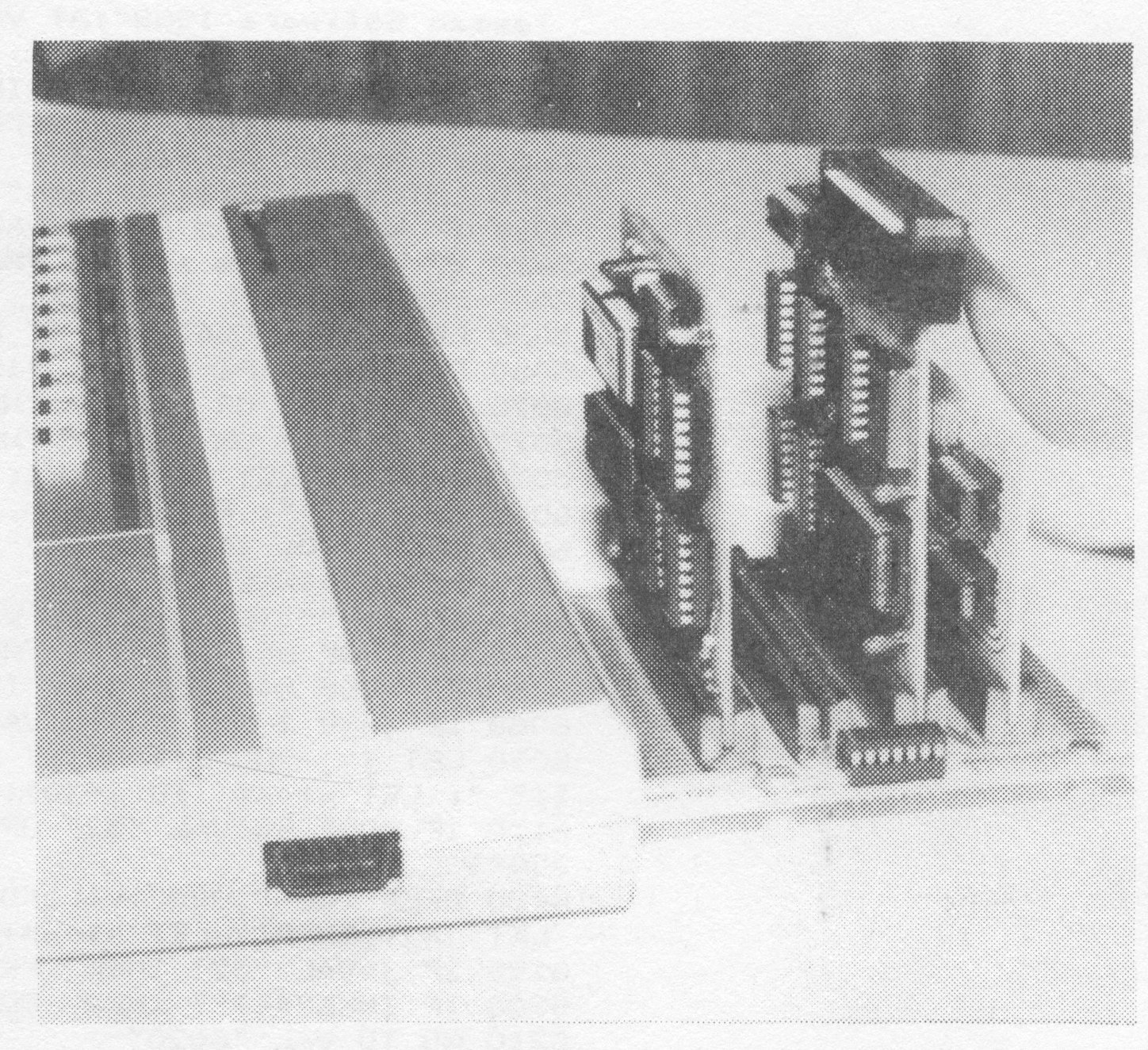
The John Oliger Company is now delivering their V2.1 EPROM for the SAFE disk system. There have been quite a few reviews of the original V1.1 DOS including the mother board, board “A” and “B”, and NMI (non-maskable interupt) switch add-on used for state-of-computer saves. There has been an improvement in the NMI switch part of board “B” and it is now part of the unit. A disable switch is also added to this board. I added this switch because of a problem experienced in making cassette saves when an A&J I/F was in place. This switch solved it. This review is intended to bring information to the reader about the new V2.1 DOS EPROM commands.
The new EPROM V2.1 is available for $20 ppd. or the user can send in the V1.a EPROM for $15 ppd. and get it re-programmed.
I must say that John has not let the V1.1 user down in the least as it is possible to use ALL of those old files. We can continue to use the old commands for loading old files, but new commands are required to SAVE to new FORMAT and to LOAD those saves. An old disk cannot be saved on by this new system without proper formatting.
The Following list of commands shows the degree of file storage capability now built into SAFE DOS. It is nice not to have to learn a whole new series of strange commands as most of these are duplicate in action to the cassette commands.
LET /S=n                      LET /T=n
LET /D=n                      LET /H=n
LET /P=0 & LET /P=T           LET /P=0/B & LET /P=T/B
FORMAT /"FILENAME"            SAVE /"FILENAME"
SAVE /"FILENAME" LINE n       LOAD /"FILENAME"
SAVE/0                        LOAD or LOAD/0
SAVE /"FILENAME" CODE n,m     LOAD /"FILENAME" CODE n,m
LOAD /"FILENAME" CODE n       LOAD /"FILENAME" CODE
SAVE /"FILENAME" SCREEN$      LOAD /"FILENAME" SCREEN$
SAVE /"FILENAME" DATA X()     LOAD /"FILENAME" DATA X()
SAVE /"FILENAME" DATA X$()    LOAD /"FILENAME" DATA X$
SAVE /"FILENAME" VAL          LOAD /"FILENAME" VAL
SAVE /"FILENAME" ABS          LOAD /"FILENAME" ABS
LOAD /n                       CAT
MOVE /                        COPY/
NMI (pushbutton save)    RESTORE /"OLDNAME" TO "NEWNAME"
Several JLO commands have been added by using keywords. For instance, the VAL command saves and loads the BASIC program variables only. Thus, those variables are not cleared on loading. Using ABS in the command, saves everything as the old SAVE /n or NMI save does. These files are retrieved by LOAD /”n” ABS where “n” is the number selected for the save ID.
CAT is the catalog system used by V2.1 and is simple to use. The user can call up CAT on a disk with a program in the computer without loss. CAT displays the disk name (it must have a name, even ” “). FORMATTED shows the number of tracks, the total capacity in cylinders, and bytes. FREE shows the number of cylinders left. Cylinders are 5k blocks of storage. Also the display shows the file name, the basis the storage was made on (STATE, BASIC, BYTES), the number of cylinders used and the number of bytes in each file.
Some interesting operations are possible. File names can be changed so NMI saves by number can be changed to words later. NMI saves are memory hungry (at least 49664 bytes). After a NMI save has been made the file can be LOADed and then saved again as DATA, VAL, SCREEN$, and CODE desired. This may or may not save cylinders of space, depending upon program length. Overwriting is interesting as the first time a name is used, the space in cylinders for that name is established. Overwriting with a changed program may require more space than first established. If so, you get a report “FILE TOO LARGE”. The old file is not lost nor do you loose the new program. This requires a save under a new name and if the disk lacks enough space a “DISK FULL” report is shown. If a program is to be saved with an identical name of a program already on that disk a TOOT is given as a warning, and there is 5 seconds to cancel the instructions with ENTER.
SAVE/0 is still available and can be used to show information not shown in CAT, such as 2068 or Spectrum systems (works with both), special disk use such as TASWORD, MSCRIPT, arcade games, utilities, ect. This file will hold 1 1/2k of information.
This system is a pleasure to use and it overcomes the major complaint about V1.1 system-limited number of files. I have no experience with other DOS, so I can’t really make a comparison this way. John entered into the development of V2 after extensive delays ocurred in obtaining the Ray Kingsley DOS. Ray has a preliminary DOS operating and rumor has it, that the final system will not be found wanting in features available to other makes of computers. I was in hopes of obtaining Ray Kingsley’s system but felt that John’s SAFE improvements would do what I wanted with the drives I am now using.
One improvement I would like to see, is an ERASE command to delete a file from disk. I tried saving an empty file with an identical name/save basis. The file appeared to be deleted, but the number of bytes was not changed. Even an empty file must have an identical save basis if this method is use.
For further information on the Oliger SAFE V2.1, write to: The John Oliger Company, 11601 Whidbey Dr., Cumberland, IN 46229. Include a legal size S.A.S.E.