
We’ve published several “one-chip mods” in past issues; one added chip allows your ZX81/TS1000 to run machine-code in high memory, one chip decodes the TS2068 EXROM bank. One single TTL chip can greatly expand your machine’s capabilities with little effort; for this reason, we’re starting a semi-regular column called “ONE-CHIP MODS,” dedicated (you guessed it) to those simple but powerful additions.
Decoding Your Byte Back
If you have a Byte-Back RS232 interface, MD-2 modem, or BB-1 control module, you probably know that these devices are memory-mapped at 16382 (3FFEh) and 16383 (3FFFh). This is at the top of the “user-RAM” space from 8-16K, which is very useful for storing and running machine-code, and for storing BASIC and data.
Unfortunately, these two memory addresses are not fully decoded, so with some RAMs you might find that the ports don’t work if this region of RAM is enabled. The good news is that one IC can be wired into these Byte-Back devices to effectively isolate the port addresses from the RAM. You’ll therefore be able to use your Byte-Back device with the full 8-16K range enabled, regardless of which particular 64K pack you happen to have.
Theory
Byte-Back’s memory mapped devices have full decoding for the two port addresses, but the decoding is not passed on to MREQ NOT. As a result, when these addresses are paged, both the Byte-Back device and the RAM (or NVM) are energized. With some RAMs (Memotech, JLO, Hunter board) the signal from (or to) the Byte-Back overrides the signal generated by the RAM. In these cases, there’s no problem. Some other RAMs, however, override the port module. The result is that addressing the ports has no (or the wrong) effect.
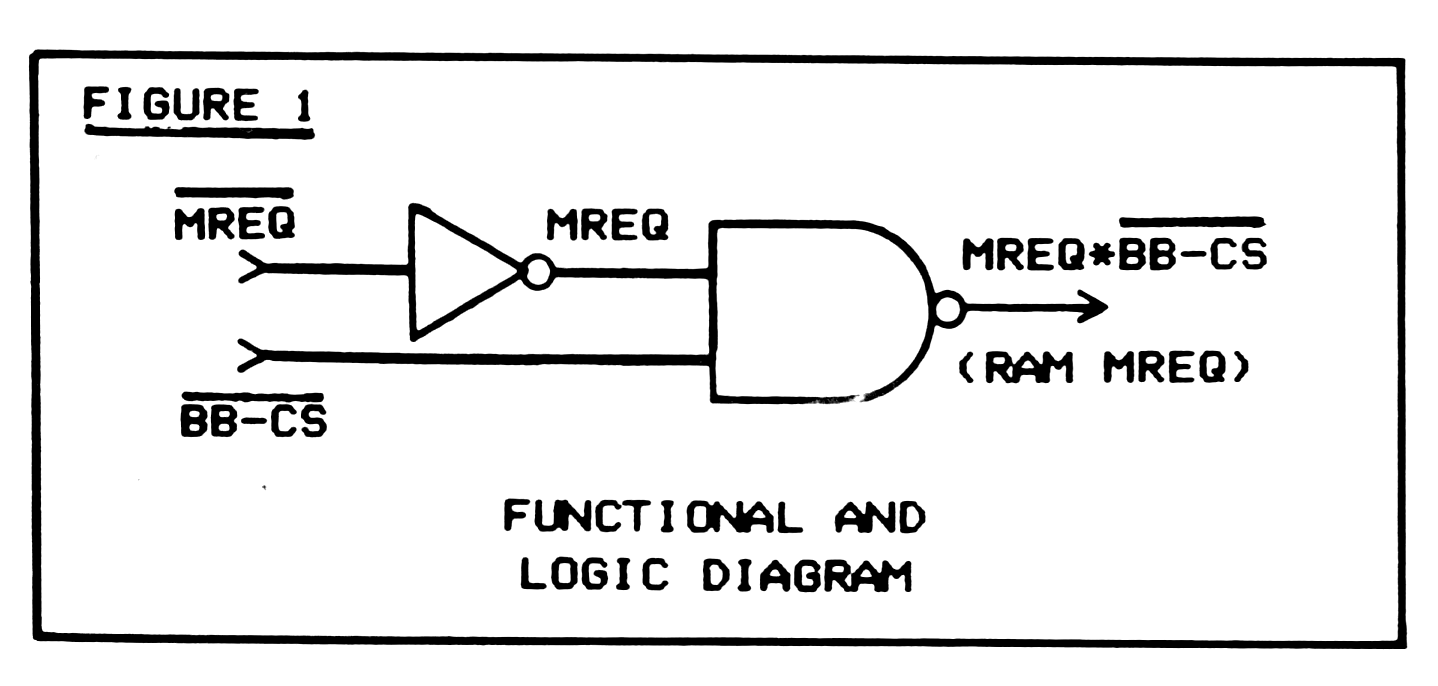
By using the decoding already included on the Byte-Back board to disable MREQ NOT, any possible conflicts are prevented. This is as simple as NANDing MREQ (inverted MREQ NOT) and BB-CS NOT (Byte-Back chip select NOT) to give (MREQ AND BB-CS NOT) NOT, or RAM MREQ NOT. Thereby, when the port addresses are paged (BB-CS NOT goes low), the MREQ NOT line to the RAM is inhibited (remains high). Figure 1 shows a functional diagram.
How to Do it
Start by disconnecting the edge-connector MREQ NOT pin from the “finger board” extension on the Byte-Back board. This is pin 14A, the 11th pin from the slot on the top side. Clip it off or bend it upward to prevent accidental contact with the finger-board. Wire up a 74LS00 (Fig. 2) or 74LS10 (Figure 3) and mount it at a convenient place near the 74LS133 13-input NAND gate. The MREQ NOT input goes to the MREQ NOT edge connector line (to computer), and the RAM MREQ NOT output goes to the MREQ NOT finger-board trace (to RAM).
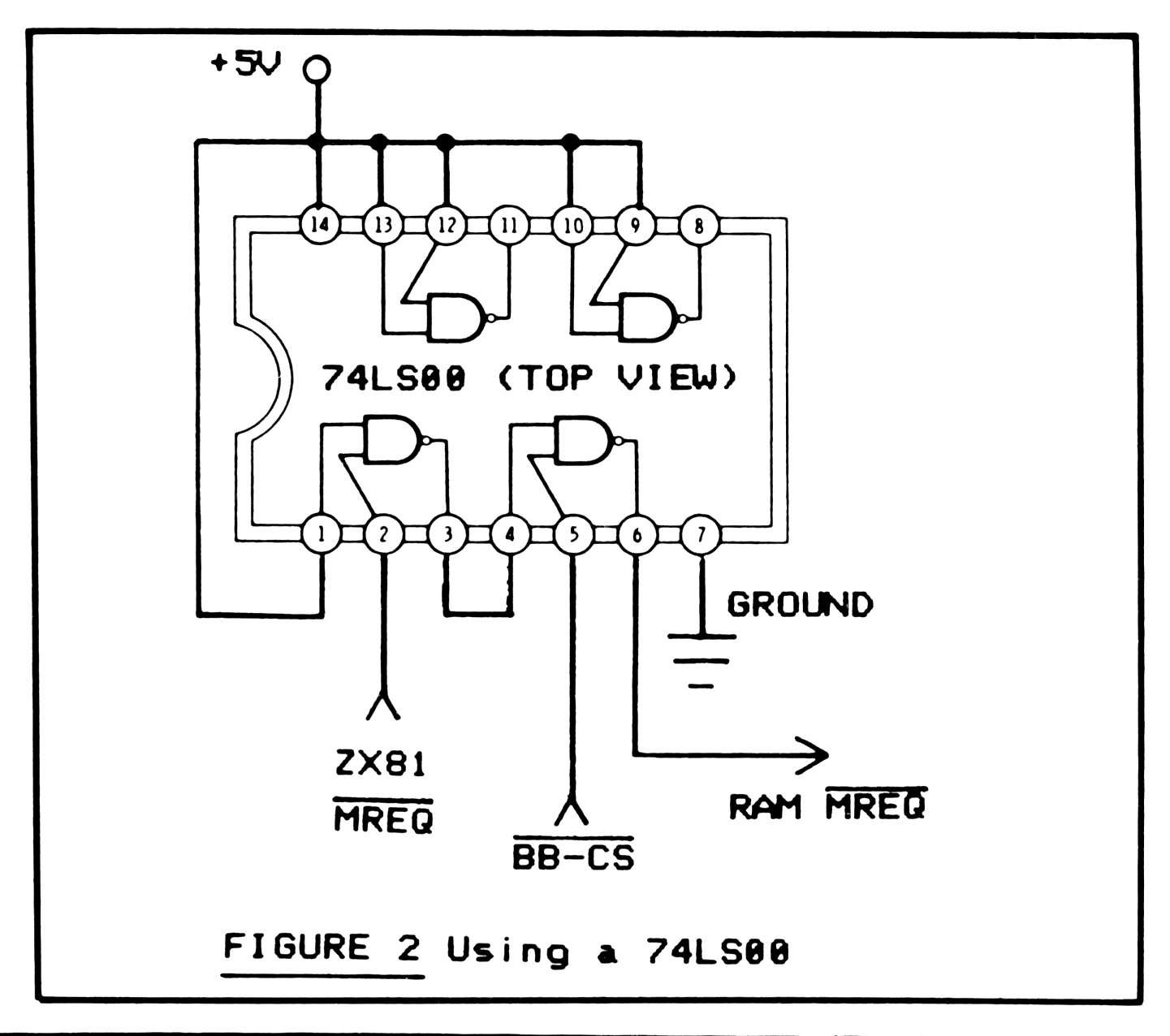
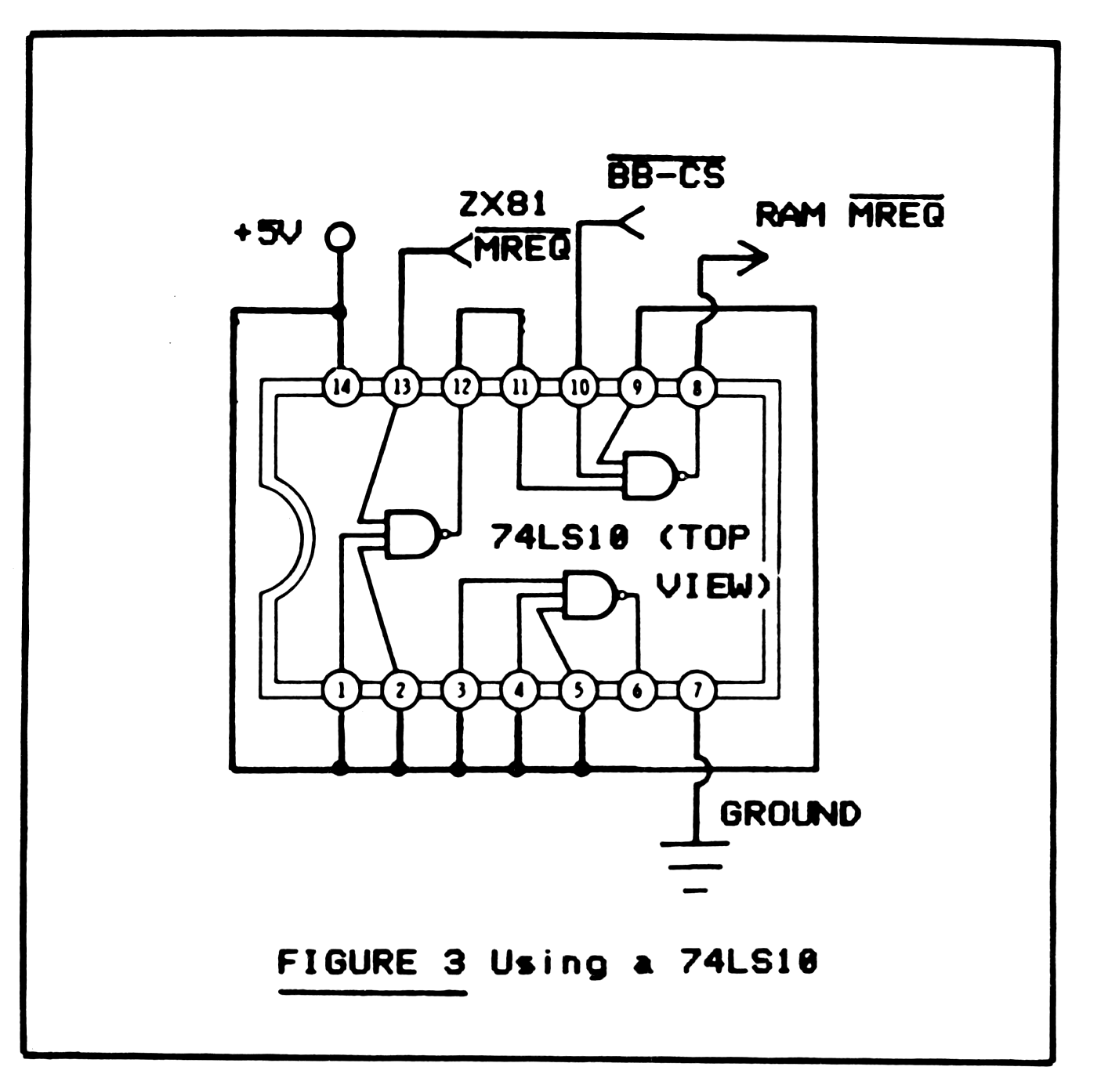
The BB-CS NOT input goes to the output of the on-board decoding circuit. On the MD-2 modem and the RS232 IF, this is pin 11 of the 8251 USART chip (IC8 on the modem). On the BB-1 module, this point is at pin 12 of IC4 (74LS27), or at pin 13 of IC2.
Then, all that remains is the +5V and ground connections, which can be picked up at the nearest convenient point.
Test it
Hook up your system, with the Byte-Back device BEFORE the RAM or NVM. (If you place the RAM first, the whole purpose of this exercise will be defeated.) Try addressing the memory-mapped I/O ports with simple PEEKs and POKEs; the device should work even though RAM is enabled in the 8-16K range. Now try POKEing and PEEKing other addresses between 8192 and 16381. If you get back the same number you POKEd, without interfering with the port module, then all is well. You have just regained your 8K (less two bytes) of user-transparent RAM.
*COMING SOON- recycle that 16K RAM pack to give you two banks of 8-16K memory in the next ONE-CHIP MODS.