
Publication: Time Designs Magazine
Pub Details: Time Designs Magazine v1 n2 (Volume 1, Issue 2)
Date: January/February 1985
Pages: 22
PIE CHART For the TS 2068
The author states that “I think it would be nice if it were possible to somehow label each section of the pie chart.” Does anyone have any ideas?
   1 REM        *************
   2 REM        * PIE CHART *
   3 REM        * by BILLY  *
   4 REM        *************
   5 DIM n(15)
   6 GO SUB 200
   7 BORDER 6: PAPER 6: INK 0: CLS
  10 LET x=180: LET y=87: LET z=50
  15 FOR i=3 TO 18: PAPER 1: PRINT AT i,14;"               ": NEXT i
  17 INK 7
  20 CIRCLE x,y,z
  30 PLOT x,y: DRAW z,0
  35 PAPER 6: INK 0
  40 PRINT AT 0,0;"enter number of items"
  50 INPUT t
  60 PRINT AT 0,0;"enter value each item- "
  65>LET s=0
  70 FOR i=1 TO t
  80 INPUT n(i)
  82 PRINT AT 0,24;n(i);"    "
  85 LET s=s+n(i)
  90 NEXT i
  92 PRINT AT 0,0;"       BILLY'S PIE CHART       "
  95 LET j=0
 100 FOR i=1 TO t
 110 LET d=s/(n(i)+j)
 115 LET j=j+n(i)
 120 LET d=(2*PI)/d
 130 LET a=COS d*z: LET b=SIN d*z
 135 INK 7
 140 PLOT x,y: DRAW a,b
 145 INK 0
 150 PRINT AT i+3,0;i
 151 PRINT AT i+3,3;n(i)
 152 PRINT AT 2,0;"#  value    %"
 153>PRINT AT i+3,11;INT ((n(i)/s)*100)
 160 NEXT i
 165 PRINT AT 21,5;"TO CONTINUE PRESS ""c"""
 170 IF INKEY$="c" THEN GO TO 7
 180 GO TO 170
 200 BORDER 1: PAPER 1: INK 7
 205 CLS
 210 PRINT AT 10,11;"PIE CHART"
 220 PRINT AT 11,14;"by"
 230 PRINT AT 12,12;"BILLY"
 240 PRINT AT 21,25;"7/18/84"
 250 PAUSE 100: CLS : RETURN
BOXES For the TS 1000/ZX81
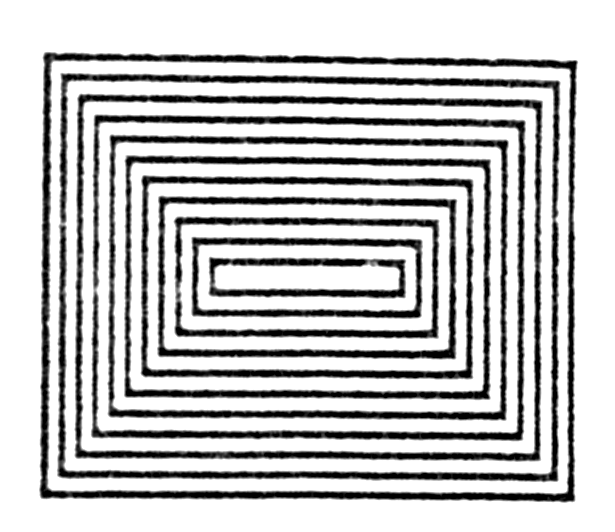
 10 REM "BOXES"
 20 REM
 30 REM BY, STEPHEN BROTHERS
 40 SLOW
 50 LET G=0
 60 LET J=43
 70 LET H=63
 80 FOR F=G TO H
 90 PLOT F,J
100 PLOT F,G
110 NEXT F
120 FOR K=G TO J
130 PLOT H,K
140 PLOT G,K
150 NEXT K
160 LET J=J-2
170 IF J=21 THEN STOP
180 LET H=H-2
190 LET G=G+2
200 GOTO 80
Note: Type-in program listings on this website use ZMAKEBAS notation for graphics characters.