
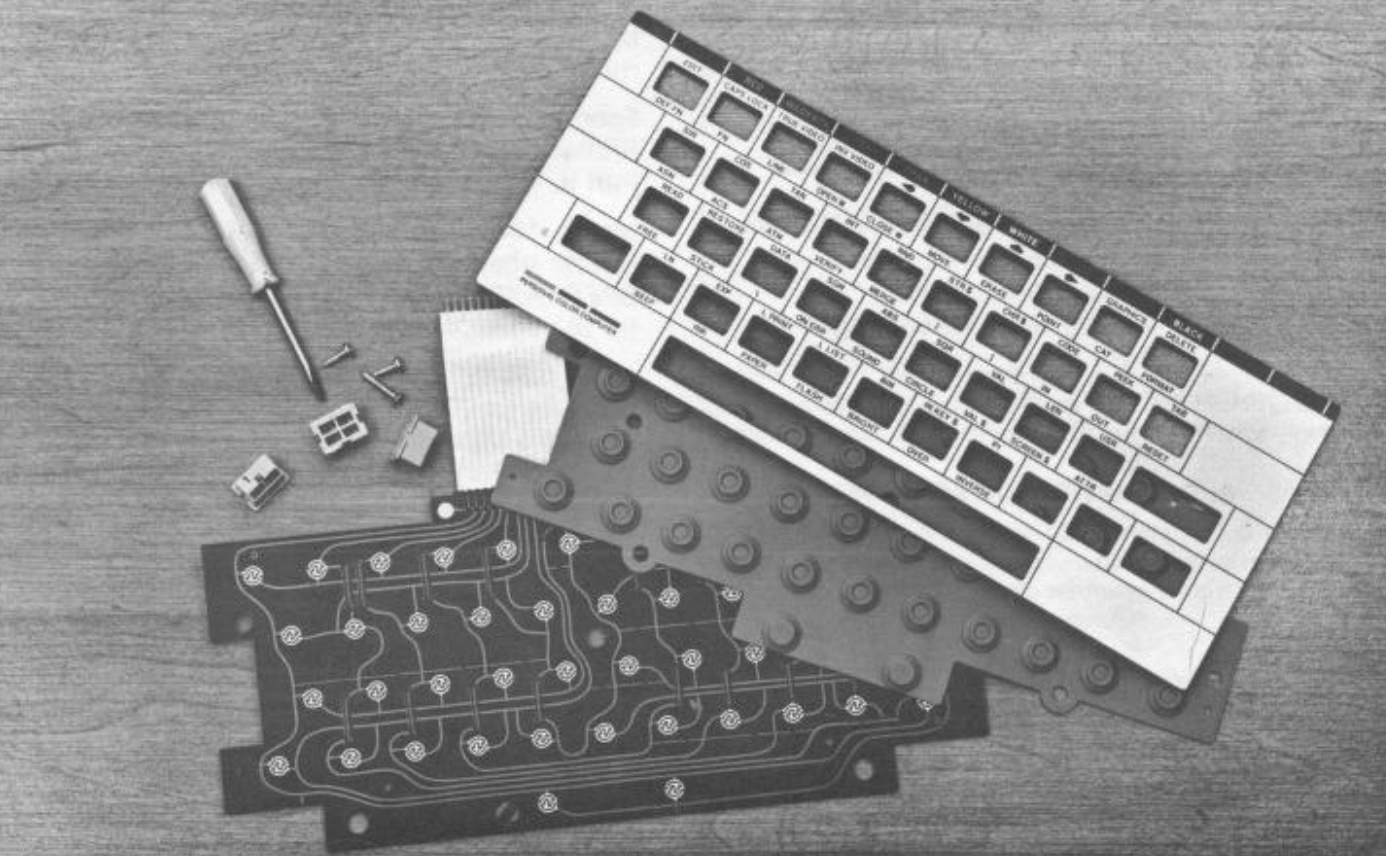
One of the complaints most often heard about the Timex 2068 and its keyboard is the “dead” keys and/or spacebar that so often develops. Here is a procedure that will often solve the problem.
An understanding of how the 2068 keyboard is made reveals the solution. The accompanying photo shows the constituent parts. When viewing the 2068 only the overlay and the keys are visible. In fact, under the overlay is a hard plastic sheet with all the keys mounted through it. Under this sheet is a rubber membrane with a convex “bubble” formed precisely under each key in the layer above it. Mounted to the underside of each bubble or dome is a small conductive button. The bottom layer of the keyboard consists of the printed circuit board laid out as a matrix. Consulting a circuit diagram of the 2068 shows that the computer reads the keyboard by checking each vertical and horizontal line on the circuit board for a completed circuit. A closed circuit is made as the key presses the dome which presses the button across the two lines unique to that character on the keyboard.
The major problem with this arrangement is the build up of a resistive corrosion on the contacts of the circuit board. Lessening or remedying the problem is possible without opening your computer. Here are the steps:
- Carefully lift one corner of the keyboard overlay and gently lift off the complete overlay and lay it aside. You will find it stuck down with something akin to contact cement and will lift up without bending if you are careful.
- Unscrew the hard plastic sheet holding the keys in place. Turn the computer over while holding this sheet in place with your hand. The sheet will come out in your hand with all keys in place. Lay the sheet aside face down so the keys will not get out of place.
- Lift off the rubber sheet to reveal the circuit board beneath.
- Obtain some color TV tuner contact cleaner from Radio Shack along with some cotton tipped plastic swabs (Q-tips). Scrub each circular contact point on the circuit board giving special attention to the keys which were giving trouble and the space bar contacts.
- Reassemble your keyboard. Use contact cement to help re-stick your overlay. Now try it out. I found that all my “dead” keys but one, and my space bar, had their old life back. Only the “1” key still has a little difficulty contacting.