
Even though you might have the very best graphics programs for the TS2068, it still takes a lot of time and talent to create anything that remotely resembles art. Wouldn’t it be nice to get copies of computer graphics that…”more talented” people created for their computers?
Well, there is! COMPUSERVE (for example) has libraries of computer graphics that you can “download” to your computer and enjoy…with a minimal amount of effort! What you need is a modem, a subscription to CompuServe (for example), and the following RLE decoder program. RLE graphic files are hi-resolution graphic pictures that follow a “standardized” format compatible with just about any computer supporting high resolution graphics. The TS2068 will support RLE Decoded graphics in the 32 column video mode.
John Ryan has supplied to CompuServe subscribers, several files related to the subject of RLE graphics: an ENCODE program used to take TS2068 graphics files (like those of the Pixel Sketch and Graphics Editor–for example) and convert them to the RLE format to upload to CompuServe. There is a DECODE program to convert an RLE download picture to the TS2068 format; and there is an information file that goes into detail concerning RLE format structures. For now, we will only be concerned with the DECODE program.
The following program is a modification of the one supplied by John Ryan. The program performs thousands of calculations in the conversion process (RLE to TS2068) and is very time-consuming in BASIC. It will work as is, but very, very slowly. For all practical purposes, one really needs to compile it. LISTING #1 presents the program as used directly from BASIC. Simply type in the program, SAVE it to tape by typing: RUN 9999 [ENTER]. When you LOAD the program it will auto-run and begin prompting you to PLAY the tape holding an RLE coded file.
LISTING #2 presents a copy of the program as I use it…part A is BASIC and does the LOAD (RLE file) and SAVE (TS2068 SCREEN$) functions, part B is the basic basic code as prepared for the TIMACHINE BASIC COMPILER (from Novelsoft), part C is the output from the TIMACHINE compiler when I compiled part B (this way you will know if you typed part B of the program in correctly). Type and save part A, type-save-and compile part B (SAVEing as directed). LOAD part A, LOAD the compiled code at location 30000 (LOAD “” CODE 30000 [ENTER], and SAVE this all to tape by typing RUN 9999 [ENTER].
Once you have “downloaded” an RLE file from CompuServe (for example), save this to tape for RLE decoding. (Use GO PICS on CompuServe to get to the RLE liabrary. I use MTERM II with [none] conversion and the DC2/DC4 download protocol from CompuServe. Save the RLE code using : SAVE “RLE.PIC” CODE 26710, xxxxx where xxxxx is the bytes-used parameter from the buffer). NOTE: CompuServe DC2/DC4 will automatically open your buffer and transmit the file when transmission stops, press ENTER. The RLE file will appear to be random letters and characters on your screen…an ASCII equivalent of the graphic code
To run the RLE decoder program, LOAD the program. It will auto-run. “Play tape to LOAD the RLE file” will be displayed. Play the downloaded RLE file. Immediately the picture will begin to form (somewhat slower in BASIC). The RLE conversion process will take a few seconds (15-20) compiled, 20-30+ minutes in BASIC! All 24 lines of the picture are shown on the screen. The last 2 lines take a few seconds to develop in the compiled program (you will think that the computer has died in the BASIC version, but be patient…once the picture is completed, a series of BEEPs will signal that the picture is done. Now you have a few options available to you at the press of a key:
PRESS C to send a COPY of the screen to the TS2040 printer.
PRESS I to invert (exchange paper and ink)*
PRESS S to SAVE the picture to tape**
*Note: RLE pictures use white ink on black paper, the 2040 printer will print ink black and paper white. So you must use the INVERT function to switch these before printing. Try printing both images.
**Note: When you SAVE the screen/picture, a copy of the screen is copied into high memory. This takes about one second in the compiled program, but much, much longer in BASIC. When transfer is complete, you will be asked for a file name. Then this high memory version is SAVEd; this is done to SAVE the entire picture. When you SAVE anything, the system destroys the bottom 2 lines of the screen with the SAVE messages. This process preserves these lines, and restores them to the screen when the SAVE is completed.
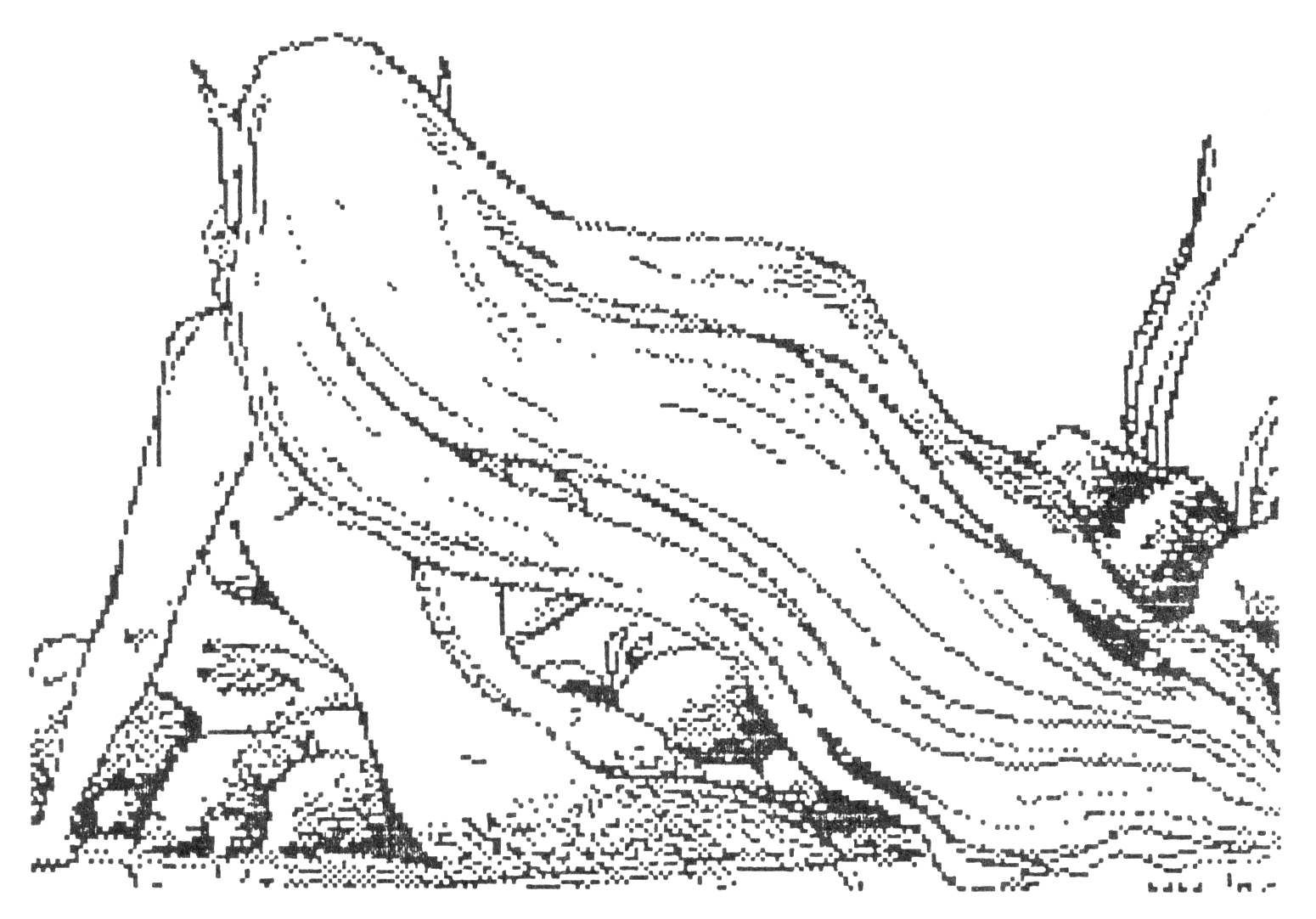
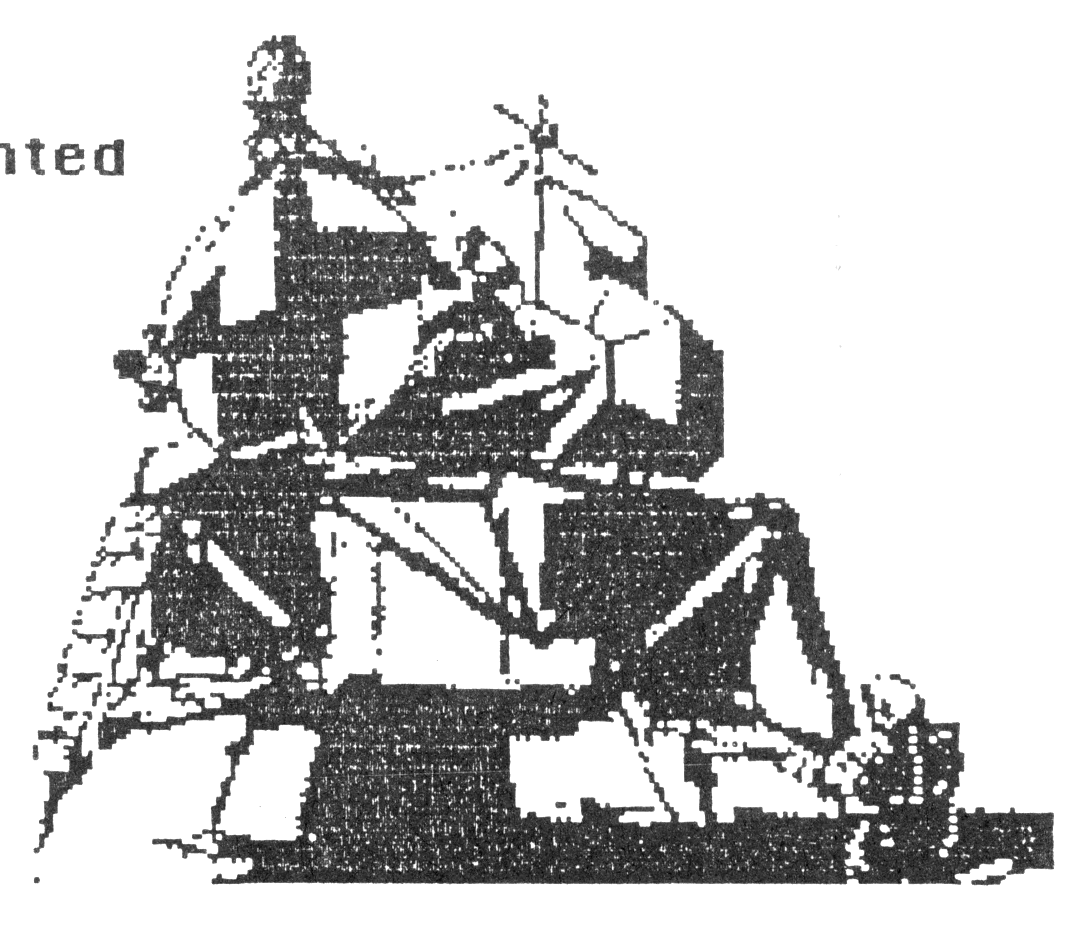
CompuServe has a wide variety of RLE files in their libraries. These include: New RLE uploads, Art Exhibition, Popular Faces, Sci-fi, Fantasy, Cartoons, Animal Kingdom, Japanimation, RLE Greetings, Fish and Fowl, Potpourri, and the Sysop’s Favorites! The enclosed pictures were downloaded from CompuServe and are presented here with their permission: The Mermaid is an RLE copy of an art work by Maryiln Morey; the Augmented Lunar Module was provided by the Picture Support Forum. They were Decoded, then printed with the Pixel Sketch and Graphics Editor (large size mode) with an SG-10 printer.
In addition to the many RLE file libraries, CompuServe has a Picture Support Forum dedicated to online computer graphics. The forum will keep you up-to-date with bulletins, message boards, and courteous help from the system operators (sysops). In this regard, I would like to thank CompuServe and Larry Wood for the help and cooperation I got in putting this article together. Thanks Larry! Also, I would like to thank John Ryan for the use of his RLE decoder program. Now we can all enjoy with anticipation the downloading of RLE graphics, the magic of decoding the file, and watching as a work of art is painted on our computer screens! It only takes a few minutes to turn any day into Christmas again.
Listing #1
   1 REM ***********************

            RLE  BASIC
  Run Length Encoded Graphics

Original program by    John Ryan
 presented with author's consent

Modified by    S D Lemke
    Lemke Software Development
         2144 White Oak
    Wichita,  Ks.    67207

********************************
  50 DIM L$(4096): GO TO 400
 100 LET D=0
 110 IF X>255 THEN LET X=X-256: LET Y=Y-1
 120 IF Y<0 AND Y>-17 THEN LET L$(((ABS Y)-1)*256+X+1)="1": GO TO 140
 125 IF Y<=-17 THEN RETURN
 130 PLOT X,Y
 140 LET D=D+1: LET X=X+1
 150 IF D=C THEN RETURN
 160 GO TO 110
 200 LET C=PEEK A-32
 210 IF C<=0 THEN RETURN
 230 RETURN
 300 LET C=PEEK A-32
 310 IF C<=0 THEN RETURN
 330 LET X=X+C: IF X>255 THEN LET X=X-256: LET Y=Y-1
 340 RETURN
 400 RESTORE : FOR N=24500 TO 24505: READ X: POKE N,X: NEXT N
 410 DATA 243,6,192,195,5,10:    REM Full Screen Copy
 420 LET P=0: LET I=7: BORDER P:PAPER P: INK I: CLS
 430 LET A=40000: LET X=0: LET Y=175
 440 IF PEEK A<>71 THEN LET A=A+1: GO TO 440
 450 IF PEEK A<>72 THEN LET A=A+1: GO TO 450
 540 LET A=A+1
 550 GO SUB 300
 555 IF C<0 THEN GO TO 620
 560 LET A=A+1
 570 GO SUB 200
 575 IF C<0 THEN GO TO 620
 580 LET A=A+1
 590 IF C=0 THEN GO TO 550
 600 GO SUB 100
 605 IF Y<=-17 THEN GO TO 620
 610 GO TO 550
 620 PRINT #1;AT 0,0;: FOR Z=0 TO 1
 630 FOR Y=1 TO 256 STEP 8
 640 FOR X=Z*8+1 TO Z*8+8
 650 LET D=0
 660 FOR N=0 TO 7: IF L$((X-1)*256+Y+N)="1" THEN GO SUB 850
 670 NEXT N
 680 POKE USR "▒"+X-1-(Z*8),D
 690 NEXT X
 700 PRINT #1; PAPER P; INK I;"▒";
 710 NEXT Y
 720 NEXT Z
 730 FOR Z=1 TO 5: BEEP .1,2: BEEP .1,1: NEXT Z: PAUSE 0: LET I$=INKEY$
 740 IF I$="c" OR I$="C" THEN RANDOMIZE USR 24500: LPRINT
 750 IF INKEY$="I" OR I$="i" THEN FOR N=16384 TO 22527: LET X=PEEK N: POKE N,255-X: NEXT N
 760 IF I$="s" OR I$="S" THEN PRINT #1;AT 0,0;: FOR M=0 TO 6911: POKE (50000+M),PEEK (16384+M):NEXT M: GO TO 930
 800 GO TO 730
 820 FOR M=0 TO 6911: POKE (16384+M),PEEK (50000+M): NEXT M: GOTO 730
 850 IF N=7 THEN LET D=D+1: RETURN
 860 IF N=6 THEN LET D=D+2: RETURN
 870 IF N=5 THEN LET D=D+4: RETURN
 880 IF N=4 THEN LET D=D+8: RETURN
 890 IF N=3 THEN LET D=D+16: RETURN
 900 IF N=2 THEN LET D=D+32: RETURN
 910 IF N=1 THEN LET D=D+64: RETURN
 920 IF N=0 THEN LET D=D+128: RETURN
 930 GO TO 1200
 940 STOP
1010 REM       DECODE.RLE
1020 CLEAR 39999
1090 REM       LOAD
1100 CLS : PRINT "Play your TAPE to LOAD RLE file.": LOAD ""CODE 40000
1110 GO TO 50
1190 REM       SAVE
1200 INPUT #0;AT 0,0;"File Name = "; LINE n$: SAVE n$CODE 50000,6912
1210 GO TO 820
9999 SAVE "RLE.DECODE" LINE 1020
NOTE: Lines 680 and 700, the “A” is UDG A, GRAPHICS A.
Listing #2-A
1005 REM ***********************

           RLE -- DECODER

RLE SAVE/LOAD program...
used with the RLE Compiled BASIC

********************************
1010 REM       DECODE.RLE
1020 CLEAR 39999: LOAD "RLE.DECODE"CODE 30000
1090 REM       LOAD
1100 CLS : PRINT "Play your TAPE to LOAD RLE file.": LOAD ""CODE 40000
1110 RANDOMIZE USR 30000
1190 REM       SAVE
1200 INPUT #0;AT 0,0;"File Name = "; LINE n$: SAVE n$CODE 50000,6912
1210 RANDOMIZE USR 31265
1220 GO TO 1200
9999 SAVE "RLE.DECODE" LINE 1020: SAVE "RLE.DECODE"CODE 30000,1970
Listing #2-B
   1 REM ***********************

       Compiled RLE  BASIC
  Run Length Encoded Graphics

Original program by    John Ryan
 presented with author's consent

Modified by    S D Lemke
    Lemke Software Development
         2144 White Oak
    Wichita,  Ks.    67207

********************************
   5 REM !USR 30000
  10 REM !INT C,X,Y
  20 REM !INT +A,D,I,N,P,Z,M
  25 REM !LEN I$<=1
  30 REM ! LPRINT
  35 REM ! LIST
  40 REM ! OPEN #
  50 DIM L$(4096): GO TO 400
 100 LET D=0
 110 IF X>255 THEN LET X=X-256: LET Y=Y-1
 120 IF Y<0 AND Y>-17 THEN LET L$(((ABS Y)-1)*256+X+1)="1": GO TO 140
 125 IF Y<=-17 THEN RETURN
 130 PLOT X,Y
 140 LET D=D+1: LET X=X+1
 150 IF D=C THEN RETURN
 160 GO TO 110
 200 LET C=PEEK A-32
 210 IF C<=0 THEN RETURN
 230 RETURN
 300 LET C=PEEK A-32
 310 IF C<=0 THEN RETURN
 330 LET X=X+C: IF X>255 THEN LET X=X-256: LET Y=Y-1
 340 RETURN
 400 RESTORE : FOR N=24500 TO 24505: READ X: POKE N,X: NEXT N
 410 DATA INT 243,6,192,195,5,10:    REM Full Screen Copy
 420 LET P=0: LET I=7: BORDER P:PAPER P: INK I: CLS
 430 LET A=40000: LET X=0: LET Y=175
 440 IF PEEK A<>71 THEN LET A=A+1: GO TO 440
 450 IF PEEK A<>72 THEN LET A=A+1: GO TO 450
 540 LET A=A+1
 550 GO SUB 300
 555 IF C<0 THEN GO TO 620
 560 LET A=A+1
 570 GO SUB 200
 575 IF C<0 THEN GO TO 620
 580 LET A=A+1
 590 IF C=0 THEN GO TO 550
 600 GO SUB 100
 605 IF Y<=-17 THEN GO TO 620
 610 GO TO 550
 620 PRINT #1;AT 0,0;: FOR Z=0 TO 1
 630 FOR Y=1 TO 256 STEP 8
 640 FOR X=Z*8+1 TO Z*8+8
 650 LET D=0
 660 FOR N=0 TO 7: IF L$((X-1)*256+Y+N)="1" THEN GO SUB 850
 670 NEXT N
 680 POKE USR "A"+X-1-(Z*8),D
 690 NEXT X
 700 PRINT #1; PAPER P; INK I;"A";
 710 NEXT Y
 720 NEXT Z
 730 FOR Z=1 TO 5: BEEP .1,2: BEEP .1,1: NEXT Z: PAUSE 0: LET I$=INKEY$
 740 IF I$="c" OR I$="C" THEN RANDOMIZE USR 24500: LPRINT
 750 IF INKEY$="I" OR I$="i" THEN FOR N=16384 TO 22527: LET X=PEEK N: POKE N,255-X: NEXT N
 760 IF I$="s" OR I$="S" THEN PRINT #1;AT 0,0;: FOR M=0 TO 6911: POKE (50000+M),PEEK (16384+M):NEXT M: GO TO 930
 800 GO TO 730
 810 REM ! OPEN #
 820 FOR M=0 TO 6911: POKE (16384+M),PEEK (50000+M): NEXT M: GOTO 730
 850 IF N=7 THEN LET D=D+1: RETURN
 860 IF N=6 THEN LET D=D+2: RETURN
 870 IF N=5 THEN LET D=D+4: RETURN
 880 IF N=4 THEN LET D=D+8: RETURN
 890 IF N=3 THEN LET D=D+16: RETURN
 900 IF N=2 THEN LET D=D+32: RETURN
 910 IF N=1 THEN LET D=D+64: RETURN
 920 IF N=0 THEN LET D=D+128: RETURN
 930 REM ! CLOSE #
 940 STOP
NOTE: Lines 680 and 700, the “A” is UDG A, GRAPHICS A.
Listing #2-C
    LINE 40:  +0
    LINE 810: +1265
    LINE 40:  30000 #7530
    LINE 810: 31265 #7A21

RT1      31535 #7B2F
RT2      31536 #7B30
RT4      31545 #7B39
RT8      31554 #7B42
RT9      31555 #7B43
RT10     31564 #7B4C
RT11     31573 #7B55
RT12     31574 #7B56
RT13     31583 #7B5F
RT14     31589 #7B65
RT15     31590 #7B66
RT16     31599 #7B6F
RT20     31605 #7B75
RT21     31613 #7B7D
RT22     31621 #7B85
RT28     31629 #7B8D
RT29     31631 #7B8F
RT33     31691 #7BCB
RT48     31704 #7BD8
RT50     31716 #7BE4
RT55     31728 #7BF0
RT61     31737 #7BF9
RT62     31781 #7C25
RT63     31792 #7C30
RT69     31809 #7C41
RT70     31825 #7C51
RT71     31833 #7C59
RT89     31839 #7C5F
RT93     31850 #7C6A
RT105    31856 #7C70
RT110    31866 #7C7A
RT111    31871 #7C7F
RT114    31879 #7C87
RT116    31890 #7C92
RT117    31896 #7C98
RT122    31902 #7C9E
RT124    31910 #7CA6
RT125    31915 #7CAB
RT126    31920 #7CB0
RT128    31927 #7CB7
c.......... INTEG    31970 #7CE2
x.......... INTEG    31972 #7CE4
y.......... INTEG    31974 #7CE6
a.......... POSINT   31976 #7CE8
d.......... POSINT   31978 #7CEA
i.......... POSINT   31980 #7CEC
n.......... POSINT   31982 #7CEE
p.......... POSINT   31984 #7CF0
z.......... POSINT   31986 #7CF2
m.......... POSINT   31988 #7CF4
i$          STR(1)   32010 #7D0A
l$(4096)    STR      32013 #7D0D

TIME MACHINE ©1986 Cameron Hayne

M/C: 1970 BYTES
+ 4141 BYTES FOR M/C VARIABLES
(BASIC WAS 2380 BYTES)

SAVE "m/c"CODE 59257,1970
LOAD "m/c"CODE 30000
Note: Type-in program listings on this website use ZMAKEBAS notation for graphics characters.