
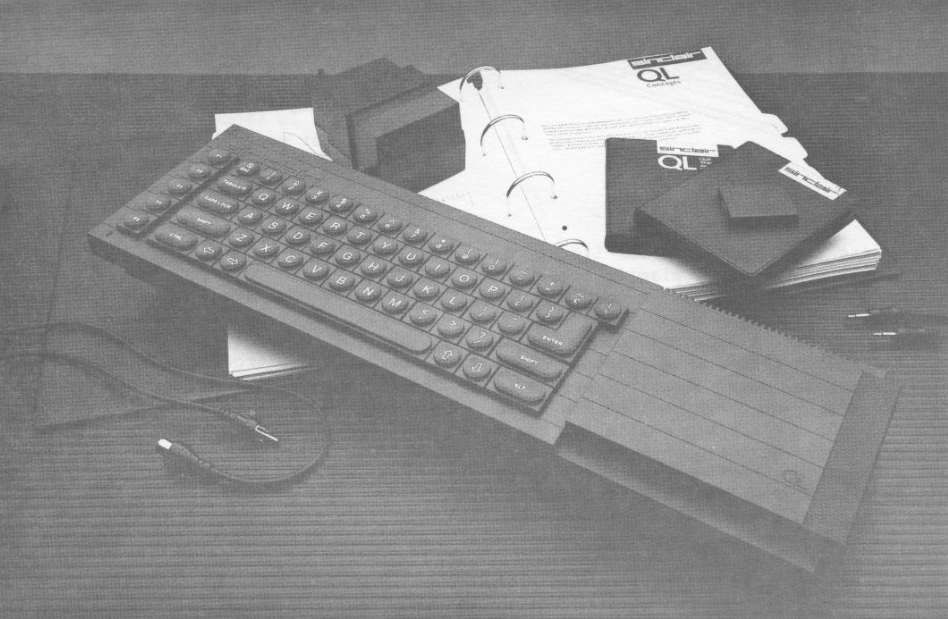
The Sinclair QL was first announced in Great Britain in January 1984. Sinclair was not able to begin delivery for about 5 months after that, but did manage to obtain about 15,000 back orders for the com puter during that time. Early production models suffered all sorts of problems, including software that crashed, dead-onarrival machines, and an operating system that would not fit on the motherboard, part of it being included on a ROM cartridge inserted on the back of the machine. Since then, the QL has undergone a lot of maturing. It was first offered to the American public through a mailing done by American Express (as had been done several years before with the ZX-81). Again shipments were not actually made for several months after the advertising began.
Original price of the QL in England was #399. In America it was originally offered for $499. September 1, 1985 the English machine was re-priced at #199. November 1, the U.S. version was lowered to $299. Such price cuts were probably designed to move stock faster and create a greater interest in the home computer market.’ No doubt it also upset owners who purchased just a few days before the price adjustments and who received no rebate!
SUM Magazine purchased its QL from the English Micro Connection company, one of a number of new dealers Sinclair has for their computer in America. A printer and an RGB monitor is also available direct from Sinclair to match the QL.
In the box SUM received was the computer, a power supply, TV switchbox & lead, two small cases containing the microdrive cartridges, and 10” x 12” four-ring black notebook with a 400 page indexed manual inside.
Up and Running
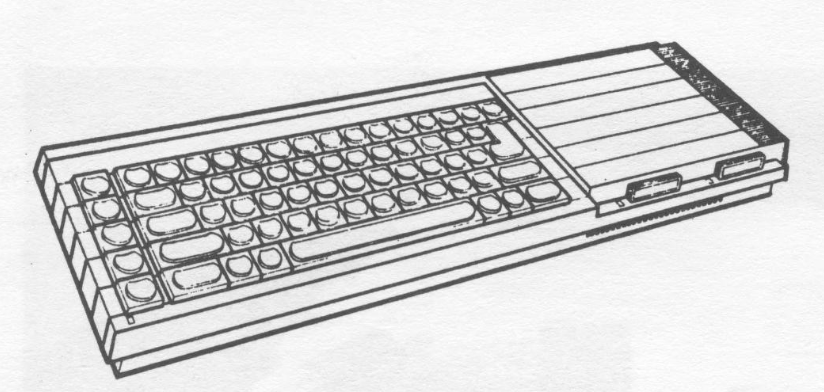
Removing the computer from its styrofoam packing, two small plastic legs were Snapped on underneath and the computer set on the desk. It weighs about twice that of a T/S-2068, and is about 4 inches longer and 2 inches narrower from front to back. Plugging in the power supply reveals a Sinclair trait–no on/off switch. To begin with, no RGB monitor was available, and a TV seemed inappropriate, so a regular composite monochrome monitor was hooked up by cutting the plug off one end of its video cable, the two wires bared, and inserted in pin holes 2 (ground) and 3 (composite mono out) of the QL’s RGB output. A separate set of typed sheets included with the manual has monitor and printer hookup instructions.
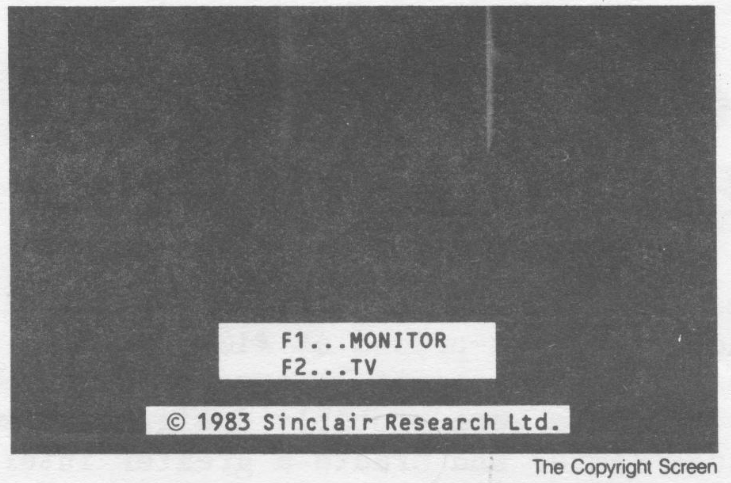
Once on, the screen displays a choice of pressing Function Key 1 for monitor or Function Key 2 for TV. Pressing F1 put the computer in 80 column mode but the screen was unstable due to uncontrollable vertical roll. A RESET button on the right end of the keyboard returns the screen to the opening choices. F2 provides a 40 column display. 80 column mode could now be selected by typing MODE 255 and the screen did not roll at all. Apparently the F1 setting is intended for the RGB monitor Sinclair supplies, as another monitor connected to the QL did not roll as badly when F1 was selected but the edges of the screen were not visible (called overscan). 80 column when accessed via the MODE command did not suffer from overscan on the same monitor.
The SuperBASIC language included in the QL is powerful but confusing to veteran T/S users. To those new to computers in general, it probably is even more confusing as the manual is not designed as a tutorial on BASIC. Keywords must be typed in instead of entered with single keys as on older Sinclair machines. Windows must be created to display to the screen. Enough of the keywords are different to shake the confidence of 2068 owners, but at least the syntax is still checked as each line of BASIC is entered. Full support of the microdrives is implemented in BASIC. More features and the use of the QL SuperBASIC will be covered in future SUN articles.
Microdrives, etc.
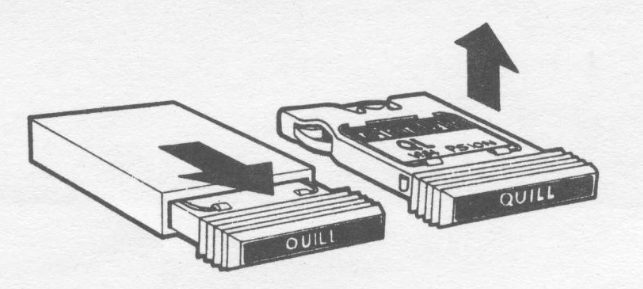
Having never used microdrives before, the usual rule of “if all else fails, read the directions” was resorted to. The software included with the Ql is a word processor (Quill), filer (Archive), spreadsheet (Abacus), and charting and graphics (Easel). These four programs are on four cartridges. An additional four blank cartridges are included. The manual instructs that the blank cartridges must be prepared for use by FORMATting. It is recommended that each cartridge be run through the format routine several times to allow the tape to stretch or otherwise adjust to running in the drives. A simple program I devised to do this is as follows:
10 FOR n=1 TO 6
20 FORMAT mdv1_
30 NEXT n
Placing a blank cartridge in microdrive 1 (mdvi) and running the above program will suitably format each cartridge.
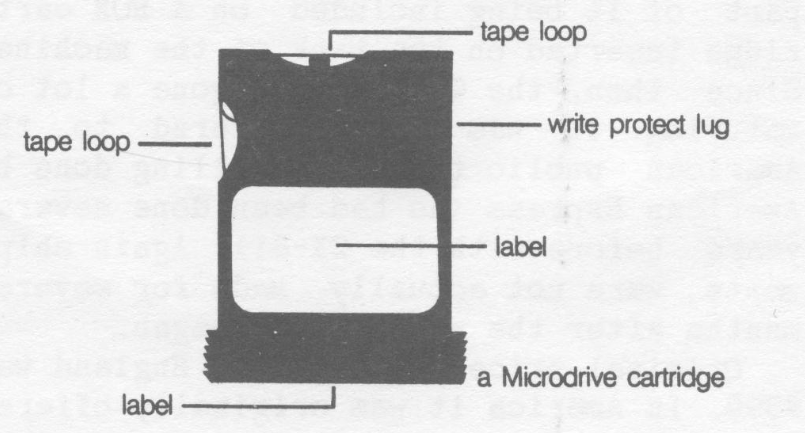
After formatting, backup copies should immediately be made of each program as per the instructions in the manual. CLONEing of the original cartridges takes about 5-6 minutes per cartridge. Afterward, the original should only be used to make other clones, and the copies be used to work and run fron.
Loading software from microdrive is easy. LRUN mdvi BOOT loads and runs each of the included programs. BOOT is actually a short BASIC program on each cartridge that accesses the machine code portion of the appropriate software. BOOT can be loaded and listed to see how it does its work.
Anyone purchasing a QL should note that additional cartridges should be purchased at the time of QL purchase since all four blank cartridges are used to back up software. Cost is about $3 each.
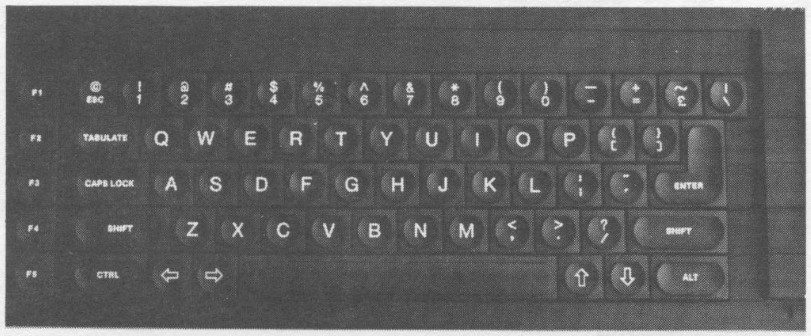
By this time, the QL keyboard had given some indication of its nature. First, it is laid out in the style of a typewriter so typists find the keys in all the right places. The five function keys arranged vertically down the left side are used extensively by the included software but no way to program them for user created software could be found. The keys make a small noise on pressing, but noise alone is not enough to assure that a character was entered. It is friendlier to typists than the 2068 or Spectrum Plus ever were, but occasional duplicate letters or Skipped letters are possible when typing at faster rates. On a scale of 1 to 10 (best), the 2068 gets 5, the Spectrum Plus a 4, and the QL a 7. Any user of the IBM PC keyboard knows that it rates no better, though for different reasons.
Bundled Software
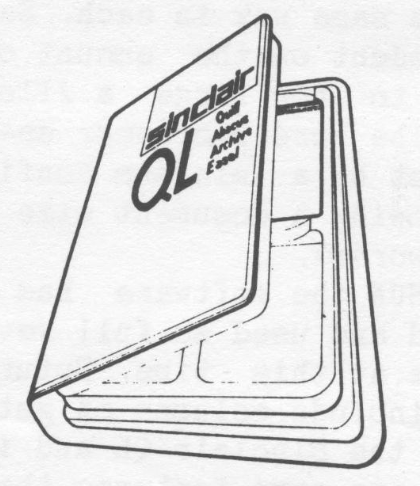
As has already been mentioned, the QL is shipped with four business application programs. While some manufacturers bundle software with their systems because they can purchase it at a very low price, and the user will soon seek other packages more to his liking, not so with the QL. When Apple Computer introduced its Macintosh, it came with two powerful packages called MacWrite and MacPaint. Many Mac Owners have never found the need for another word processor or drawing package as a result! This may well be the case with the software bundled with the QL!
With so much software being written for all the computers on the market, comparisons are natural. Quill word processor would be about equal to packages selling for $100-150 on the IBM PC. It is not as powerful as the newest word processors, but compares favorably to software introduced a year or more ago. It will probably hinder the introduction of other word processors for the QL since it has no glaring faults.
Abacus is certainly no Lotus 1-2-3 but will give Multiplan, a popular package for other machines, a run for; its money. Archive is undoubtedly the most powerful of the four…in fact, so powerful that some users may become discouraged before learning to use it. It certainly would go for $150-250 on the IBM market. Already many “applications” packages are appearing for it which let the user tap its features in specific applications without having to learn how to program it. Easel is a business chart program, and more. Similar software may sell for $200 for the IBM. David Ahl of Creative Computing reviewed an English version of the QL in December 1984. At a time when the QL sold for $499 he enthusiastically stated that Easel by itself would justify the purchase of a QL.
Screen layout on all four programs is similar and the function keys and commands are used the same way in each. Each package is dependent on the amount of memory available as to how large a file it can work with. The word processor seems to be hindered most by a minimum configuration of 128K, allowing. a document size of about 7K (or 1100 words).
Here at SUM the software has not been fully tested and used so full reviews are not possible at this time. Future issues of SUM will include columns on getting the most out of the Sinclair QL and its software, There are some features that can be discussed however to give potential purchasers an idea of each programs power.
Quill
Quill is a very user friendly software package allowing light to medium word processor users to put their QL to work right away. As the QL comes standard with only serial ports, a serial printer must. be used for output or a “serial to parallel” converter be purchased for use with a centronics interface printer. When Quill is loaded from microdrive, it presents an 80 column (characters per line) screen if Fl was selected when the QL was first turned on, or 64 columns if F2 (TY) was chosen. A 38 columm mode can also be selected once in the program. In fact, the user can go back and forth at will between 40, 64, and 80 column. The 64 character display is the most pleasing and recommended for most work. Color of the print on the screen can also be selected between green or white. Green, white, and red are all used effectively to display parameters and commands on screen. Page, line, and word counts are maintained on screen, as well as printer typeface selected (bold, underline, etc.) and mode (Insert, Overwrite, Delete).
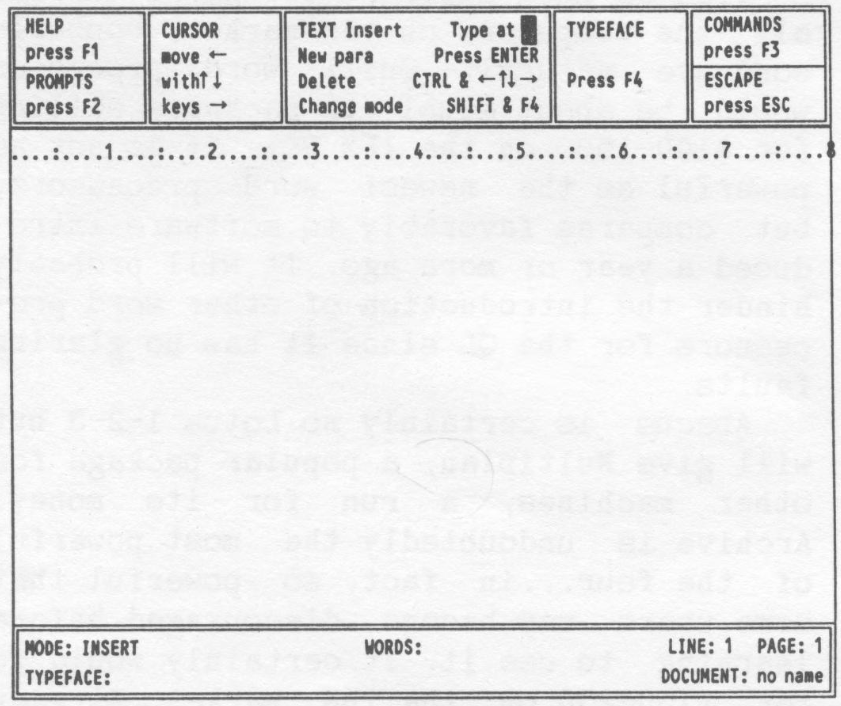
Entering text consists of merely putting the cursor where you wish to type, and beginning. More experienced users can show more lines on screen and turn off the command lines at the top of screen by use of F2. F3 gives access to commands allowing selection of Margin, Header, Footer, Tabs, Justification, Searches, Block Copy or Delete, Save, Load, and File Maintenance. F4 selects typestyle to be output to printer: Normal, Bold, Underline, Superscript or Subscript.
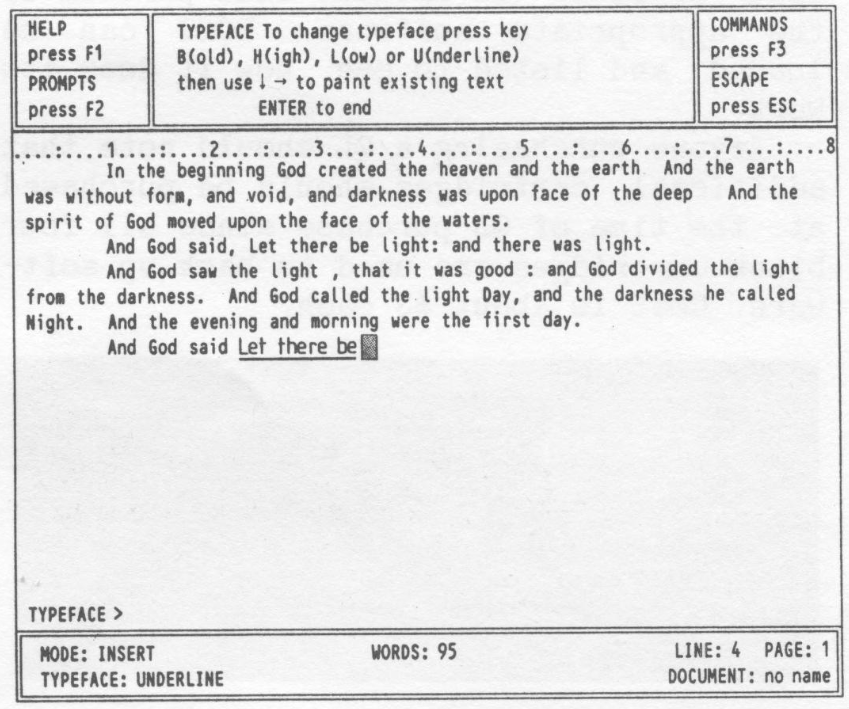
What is displayed on screen accurately reflects the actual printout. Page breaks are shown as well as bold, underline, and super- and subscripts. Files created on the other applications can be IMPORTed or MERGEd into a Quill document. A very useful command is HYPHEN which allows a “hidden hyphen” to be inserted ina long word. This hyphen will be used by Quill if it has to separate the word to get proper word fit ona line; if not used, the hyphen is ignored, but may be used later if that section of text is reformatted and a hyphen becomes necessary. Paragraphs and lines are automatically reformatted as corrections, additions, and deletions are made.
The only real weakness I have found in Quill is the necessity of going into BASIC and the “Install_Bas” program to install the printer of choice. As only normal, bold, underline, and super- and subscript is supported in Quill in its original version, other options like pica or elite, italic, near letter quality, proportional, or other features your printer supports must be programmed in by assigning printer codes to some of the unused characters on the keyboard. Unfortunately this is not explained in the Quill section of the manual but in the very back of the manual under “Information”.
Other Software
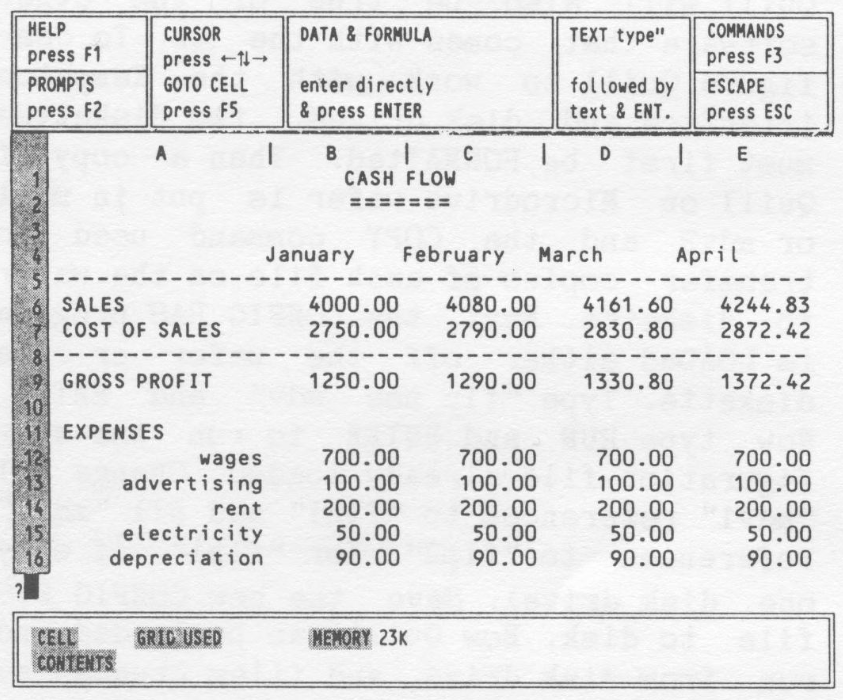
The Abacus spreadsheet and other software have not yet been fully tested. But the following facts have been garnered from the manual. A spreadsheet as large as 256 rows or 64 is possible (but not both with only 128K). Rows, columns and individual cells can be assigned names and then referenced later in formulas by those names. Column widths are variable; spreadsheets can be linked together.
Archive is a database filing system in the style of dBaseII–that is, it has its own programming language to allow accessing its full power and versatility. It is supposed to be fully interactive with the other three software packages in importing and exporting data. Files can be sorted, searched, linked, designed, and printed out in almost any manner. As already mentioned, a number of “templates” or preprogrammed filing frameworks are already available and several usable examples of Simple databases are included in the manual. This is undoubtedly the most powerful of the programs included with the QL and, again, could justify the purchase of the whole system just for it.
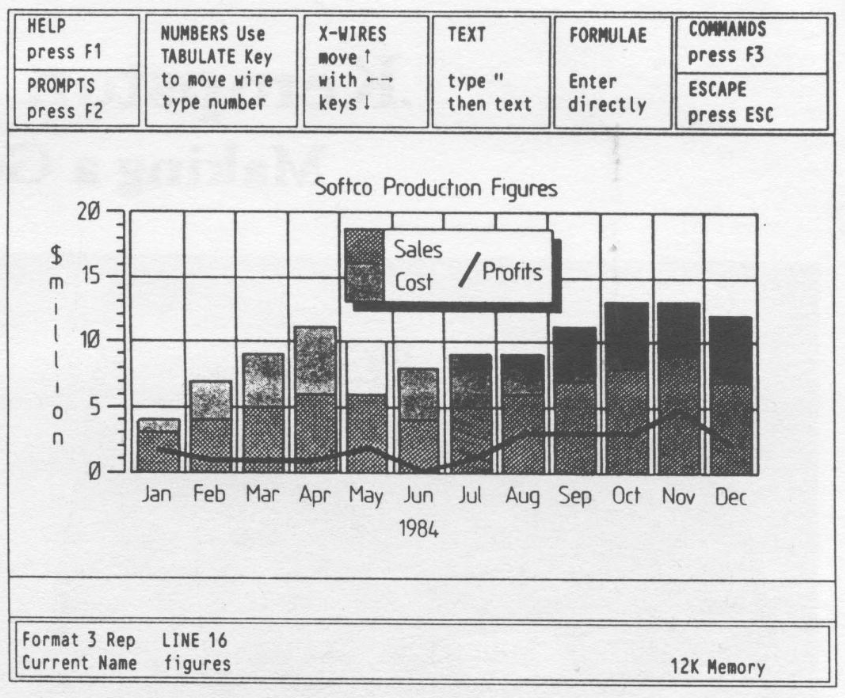
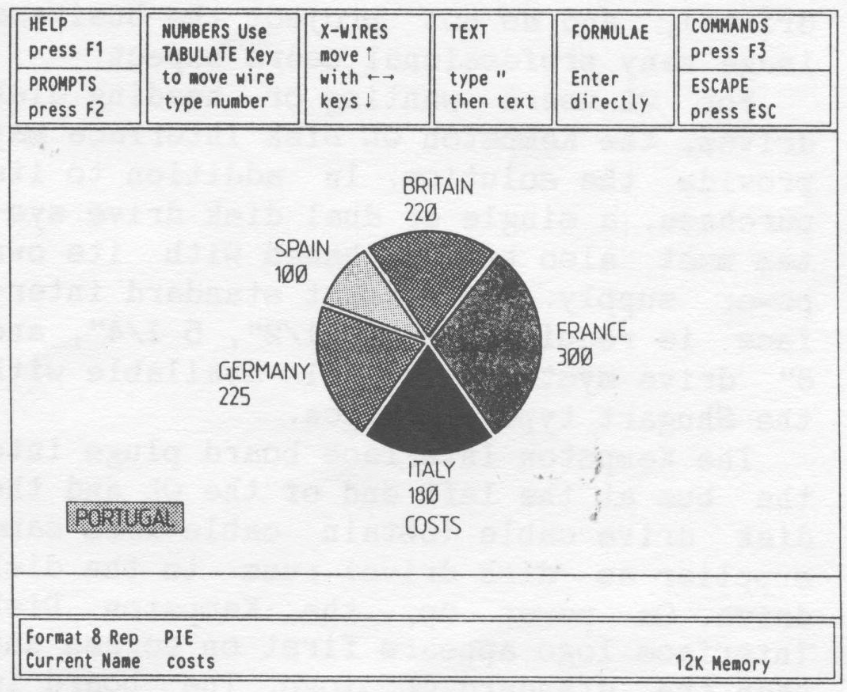
Easel enables the creation of charts: bar, line, pie, mixed lines and bars, horizontally or vertically. And with just a couple of keystrokes the same data can be replotted ina different format and then toggled back to the first. Printout to an Epson printer (and probably others) is outstanding. Text can be entered anywhere on or around the chart. Data can even be defined or manipulated by math functions and formulas and then displayed.
In depth reviews and helpful articles for beginners and more advanced users will be included in future issues. Meanwhile, why not join the revolution and learn what all the excitement is about. A number of QL dealers are regular advertisers in SUM.