
Now that more and more Spectrum+ 128k’s are working their way into this country, (and I happen to own one of them) I think the time has come to take a look at 128 Basic. I know what you’re thinking–just when you thought you had 2068 Basic and Spectrum Basic figured out and separated, along comes something new that makes you consider becoming just a user. Don’t Panic! 128 Basic is a small yet strong step forward in Sinclair programming.
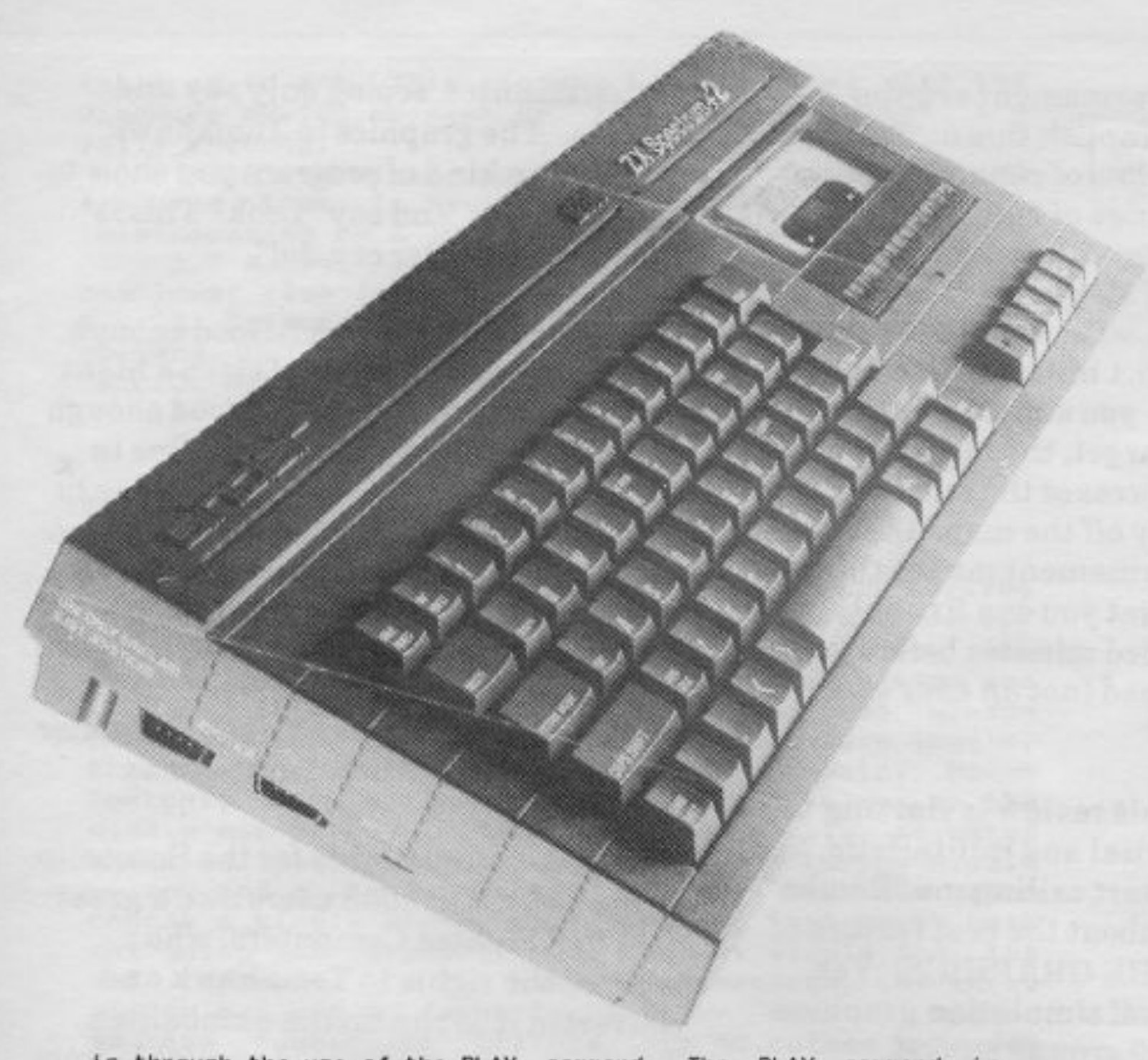
Now for a little background on the Spectrum+ 128K machines. The Spectrum 128K machines come in three versions, The Spectrum +, The +2, and the +3. All three machines operate in a dual mode, either 48 Basic or 128 Basic. An introductory menu is displayed during powerup or reset. This menu asks if you wish to use the tape loader, enter 128 Basic, enter the calculator mode, enter 48 Basic mode, or run the Tape Tester. You select by using the Up and Down arrows to highlight your choice and the Enter key to select it.
Upon choosing 128 Basic mode, the screen is cleared and the Sinclair copyright is displayed at the bottom. 128 Basic is very simular to 48 Basic except that it contains some extra commands. So if you are a wiz at 48 Basic, you should have no trouble writing in 128 Basic. The first thing to know about 128 Basic is that it does not use the famous Sinclair one key for a keyword entry system. Each key word has to be typed in letter by letter. Also noted is that the TRUE VIDEO and INVERSE VIDEO keys are not used in 128 Basic. Inverse effects are obtained by using the 128 keywords INVERSE 1 and INVERSE 0.
In 128 Basic, EXTEND MODE is only used for a few symbols shown above the letters on the keys, such as [. The GRAPHICS mode works the same except that you can not use the cursor control arrows until you leave the GRAPHICS mode. In addition, color control codes can not be used as in 48 Basic. This means that you can not type EXTEND MODE + CAPS SHIFT and a numeric key to change the color of text or graphics in the middle of composing a line of 128 Basic code. Instead you must use the color keywords. Let it also be noted that some PEEKs and POKEs may not work the same in 128 Basic as in 48 Basic.
128 Basic allows the programmer to enter program lines in either upper case or lower case letters. Syntax checking is done in the same manner as in 48 Basic. Editing program lines is quite simple and is done using the cursor keys for movement. If you have the optional Keypad there are several additional cursor operations available. These additional operations are, move cursor right to the begining of the next word, move cursor up ten lines of the program, move to the end of a program line, etc.
The EDIT key brings up an Options menu that offers the following commands; return to 128 Basic, Renumber, Screen, Print, and Exit. ‘128 Basic’ returns you to the program listing. ‘Renumber’ alters the line numbers of the current Basic program starting at line ten and incrementing by ten keeping in mind the GOTOs and GOSUBs. ‘Screen’ causes your Basic program to be displayed on the bottom two lines instead of the whole screen. This can be useful when you are trying to retain a screen display and view code at the same time. As of yet, I have not found a need for this function. ‘Print’ is used to dump the program listing to an external printer via the RS232 port within the Spectrum. Note that the ZX Printer or TS2040 is not supported. ‘Exit’ will return you to the startup menu. Your current program is then stored and can be recalled by reentering 128 Basic. Selecting 48 Basic or pressing the reset button will cause the program to be lost.
The additional memory in the Spectrum+ 128k can be used for storing large machine language programs or as a RAM disk. Of course all of the programs or data stored are lost on power off. The data stored, however is not lost upon execution of the NEW command. The RAM disk commands are the same as cassette commands except that the RAM disk commands must contain an ! after the cassette commands. For example to save a program enter the command, SAVE!”program” LINE 10 . VERIFY is the only keyword not available with the RAM disk. You can get a catalog of all the programs or data files stored in the RAM disk with CAT!. Programs and files may also be erased using the ERASE!”filename” command.
There are two different ways to make music and sound effects in 128 Basic. The first is using the BEEP command. The BEEP command is used in the same way as in 48 Basic. The second way is through the use of the PLAY command. The PLAY command is simular to the SOUND command on the TS2068 except that the syntax is a bit different. The PLAY command has the following syntax: PLAY a$,b$,c$ . The strings contain the commands/notes that are to be played. Since the 128 has a three channel sound synthesizer, up to three strings can be PLAYed as in the example. In addition to this, the Spectrum+ 128K is MIDI (Musical Instrument Digital Interface) compatible. This means that you can connect the 128 to an electronic keyboard that is also MIDI compatible with the proper cable. Thus you can control external devices through the interface using the proper commands within a PLAY command string. The following is a PLAY command summary courtesy of Sinclair Research‘s ZX Spectrum 128 Introduction guide:
String entry:     Function:

c-b or C-B        Gives pitch of note within current octive
                  range.
$                 Flattens note following it.
#                 Sharpens note following it.
O                 Followed by number0 to 8 sets current octive
                  range.
1-12              Set length of notes.
&                 Denotes a rest.
N                 Seperates two numbers.
V                 Followed by a number 0 to 15, sets volume of
                  notes.
W                 Followed by a number 0 to 7 sets volume effect.
U                 Turns on volume effect in any string.
X                 Followed by a number 0 to 65535, sets duration
                  of volume effect.
T                 Followed by a number from 60 to 240 sets tempo
                  of music.
( )               Enclose repeated phrase.
! !               Enclose a comment.
H                 Stops a PLAY command.
M                 Followed by a number 1 to 63 selects channel.
Y                 Followed by a number from 1 to 16 turns on a
                  MIDI channel.
Z                 Followed bay a number sends that number as a
                  MIDI programming code.
A typical string may look like this: 10 LET a$=”M56W2O1N8C”: PLAY a$: PAUSE 25 . To a programmer, the TS2068 SOUND command may seem less complicated. To a musician, the 128 PLAY command may make more sense. In any case, the major strength for the Spectrum+ 128k is the MIDI interface.
After playing with the 128 Basic, I have found it to be a fine forward step in Sinclair computing. I recommend to anyone that has the opportunity to try some serious 128 programming to do so, and if your not careful, you might just get the itch to purchase a Spectrum+ 128k to complete your collection.