
“White Lightning is a high level graphics development system for the Spectrum 48k.” (This program can be used with the TS 2068, with Russell’s ROMSWITCH or other Spectrum ROM add-ons.)
You want to create some exciting arcade game, but have realized the limitations of speed in BASIC, or have encountered the need for a mastery of machine code you know is still months away. Maybe you have a short movie running through your head that you would like to produce. Then White Lightning is for you.
White lightning comes in a library case with two cassettes (4 seperate programs), one manual (131 pages, and a “cheat sheet” which contains a sample Lunar Lander game, and useful subroutines. Two of the programs are demonstrations of the possibilities using White Lightning. One is about 20 minutes of 16 different animated programs. The other displays 167 arcade sprites included with the software; (i.e. Asteroids, Pac-Man, Defender, Frogger, Donkey Kong, and many more). The other cassette contains the Sprite Development Package and White Lightning proper.
SPRITE DEVELOPMENT PACKAGE
A sprite is a defined picture or graphic element which is stored in memory to be called up and put onto the screen when needed. The sprite is placed whole on the screen, not plotted or drawn. Some computers limit the size or amount of sprites that can be developed. The Commodore 64 allows only eight sprites per program. The TI/99 allows 32 sprites, but they can only be 8 pixels by 8. With White Lightning, one can have 255 sprites of any size (within memory limitations). They can even be larger than the screen.
Sprites are generated using the Sprite Development Package (SDP) by defining each 8×8 pixels grid to be incorporated into the sprite. One plots out each pixel to be set, paper and ink colors and other attribute assignments (see fig. 1). These grids are then pieced together like tile on the larger screen to the right, making up the sprite. The completed sprite is then given a number and stored in memory. Within the SDP, the largest sprite possible is 15×15 characters, but these can be joined later in White Lightning to create large sprites.
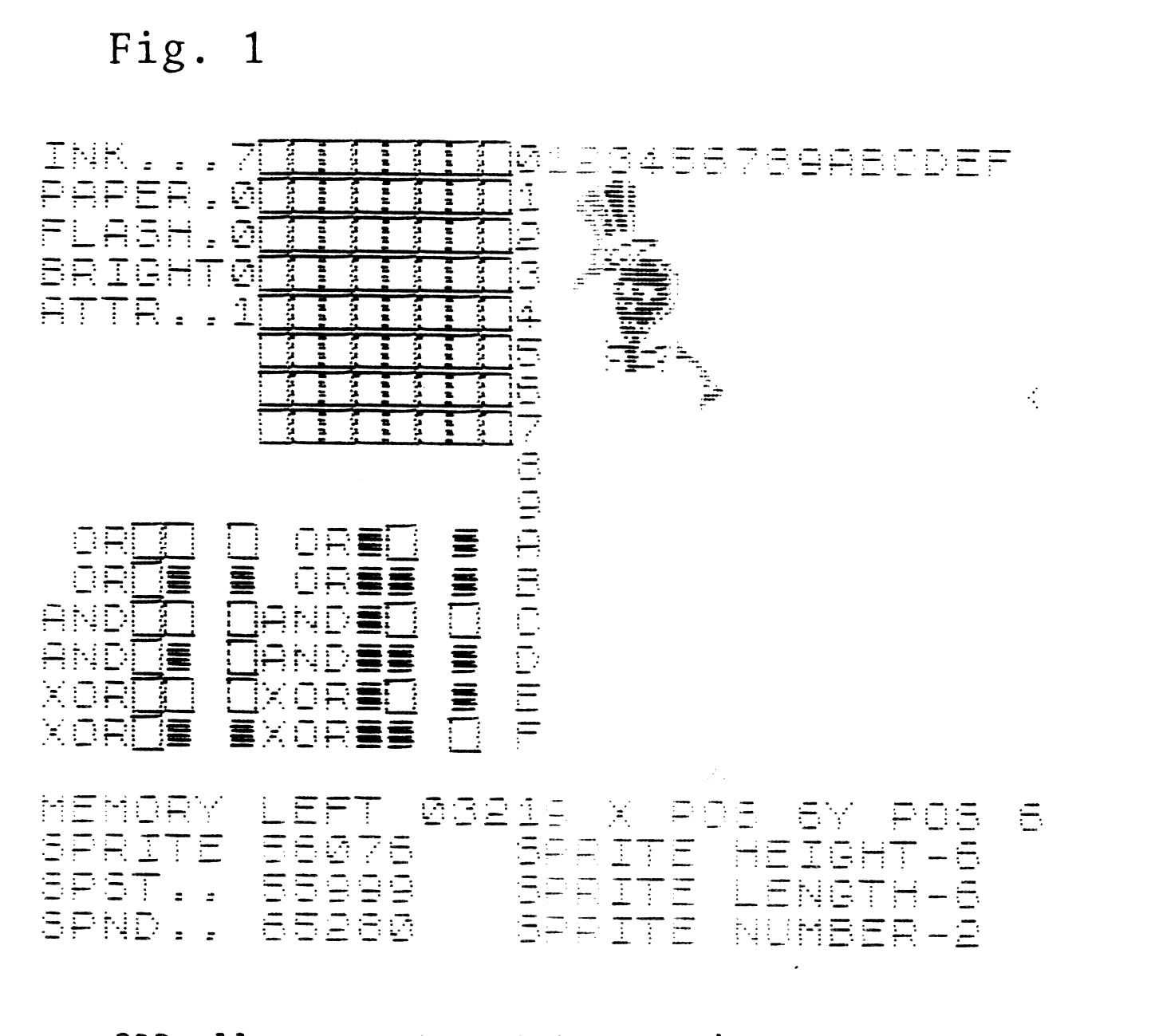
SPD allows one to rotate a sprite 90 degrees, invert the colors, mirror the sprite, even put a sprite inside another sprite. Also included is an arcade sprite library (the 167 sprites shown in the demo tape). After the sprites have been defined, they are stored on tape to be loaded into White Lightning for manipulation.
WHITE LIGHTNING
BASIC is limited in flexibility and speed. Machine Code is fast and compact, yet it is difficult to learn and master. Development of Machine Code programs is tedious and is easy to crash. Also a working knowledge of the computer’s mechanics is required. Enter White Lightning!
White Lightning (WL) incorporates a standard Fig-Forth language and has speed very close to Machine Code. Forth is a simple high level language that is fast and expandable. Forth is an easy language to learn. If you already know BASIC, you will pick up Forth quickly and within a few hours should be able to write simple programs. One of the useful features of Forth is that it grows as one programs. If a routine or manipulation is needed but does not exist, you take parts of Forth and create a new command or routine, which then becomes part of Forth. In this manner, Forth expands to meet your computing needs. Forth code is easier to read, edit, and is harder to crash than Machine Code.
Added onto the Forth language in WL, is IDEAL (Interrupt Driven Extendable Animation Language), with over 100 words or commands. This is the heart and the beauty of WL. One can actually have two programs running at the same time using IDEAL. WL also includes access to many of the Spectrum commands via Forth (i.e. COPY, AT, BORDER, DRAW, CIRCLE, SCREEN$, POINT, TAB, ect.). It is also possible to access the joystick ports, and the sound generator chip on the TS 2068 through the use of IN and OUT, and the BEEP command via BLEEP.
Complete control of sprites and game or animation programs is provided with WL. Sprites can be enlarged, scrolled pixel by pixel (with or without wrap…vertically or horizontally). Collision between sprites can be detected for use in games. One sprite can be printed behind or in front of another, or combined to make a new sprite. Windows can be defined on the screen or inside sprites, giving greater control over the behavior of the sprites. An example in one of their demonstrations, is of a television sprite with various different sprites animated inside it. Using WL, one can freely mix BASIC, Machine Code and White Lightning, passing control easily from one program to the other. (See example 1 for a simple program to animate two sprites.)
Example 1
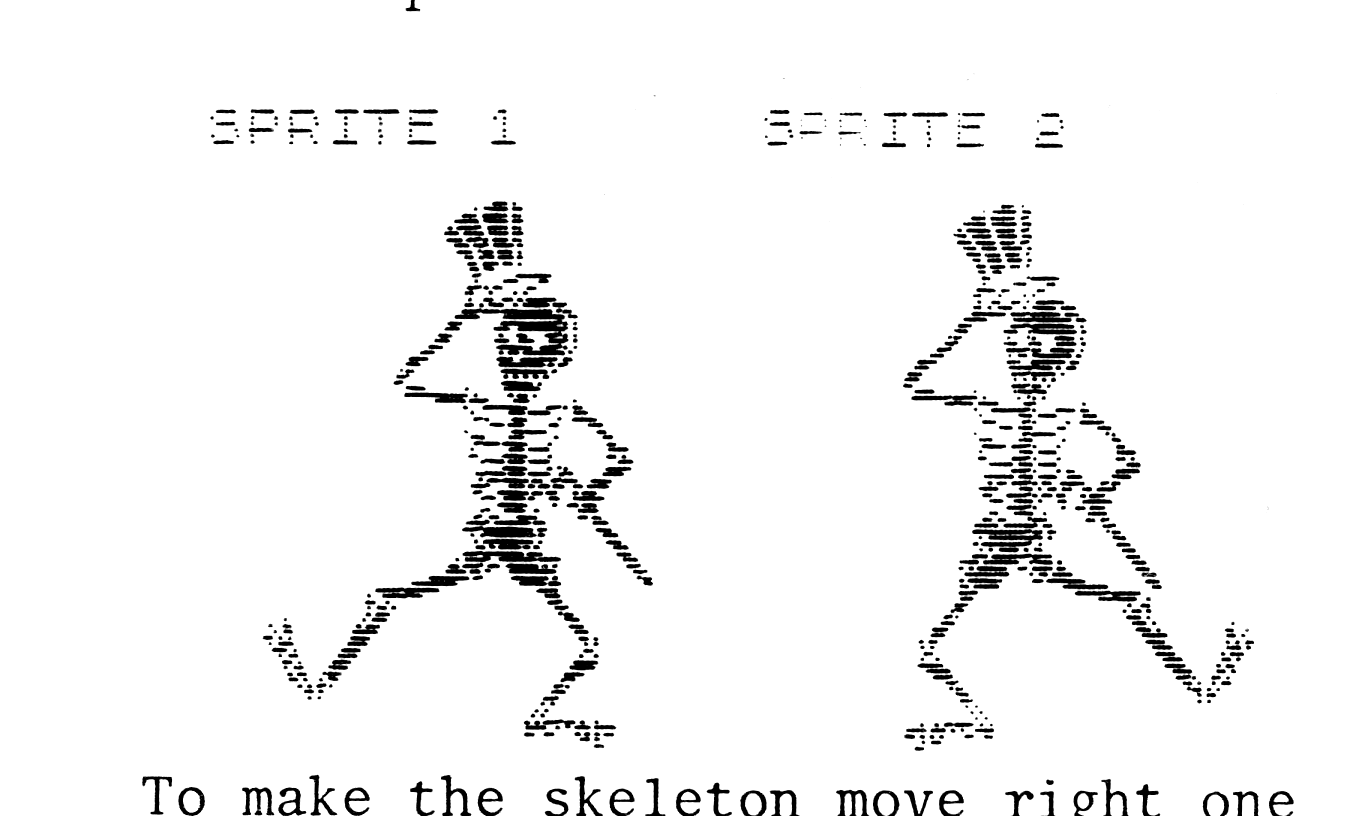
To make the skeleton move right one step, the following FORTH definition is used:
: STEP 1 COL +! 2 SPN ! PUTBLS 1
SPN ! PUTBLS ;
In English: Sprite 1 is on the screen and Sprite 2 is placed on the screen 1 column to the left and over Sprite 1. Sprite 2 is then placed on the screen directly over Sprite 1.
Upon first reading the manual, I was overwhelmed by all of the new languages and commands needed to use this package. After a quick look through the manual, I sat down at the computer with the manual and found the task far less intimaidating than first thought. Each part of the manual is filled with step by step examples to be tried out on the computer. This approach is to be applauded, as it makes learning the ropes less of a challenge, and more of a discovery and adventure. The Forth language’s major commands are shown by example, but for a better understanding of the language, there are many excellent tutorials available and these are listed in the manual. I have two minor complaints about the manual. First, there is no index, though the table of contents is helpful. It is sometimes hard to read the manual without excellent lighting as the print is small, and printed black on a dark green background to prevent photocopies and piracy.
White Lightning is certainly a good buy. Not only does one get the sprite generator program and the ability to animate sprites and design arcade games, but there is also the Forth language, which can be used on its own. If you create a masterpiece, you can sell your program without obtaining special permission, or paying for royalty rights. Oasis Software, the company that publishes WL, is offering to market the “very best”.
You can obtain White Lightning from Software Supermarket for £14.95 plus £1.50 shipping and handling. Their address is 87 Howard’s Lane, London, SW15 6NU, England. Or you may call their 24 hour answering service at 01-789-8546. They accept VISA or MASTERCARD. They usually ship within one to two weeks. If any of your friends own Commodore 64’s…White Lightning is also available for £19.95 cassette, or £29.95 disk. With the pound down to all time low, now is a good time to order from Britain.
Michael Carver is the present Chairman of the Portland Area Timex/Sinclair Users Group in Oregon. He writes for the groups newsletter, and has interests in MC programming and graphics for the TS 2068.