
If you have a very limited work area dedicated to your 2068 computer, or have a small home business, the following product may be of particular interest to you. It is the Rotronics Wafadrive mass-storage system from England. I purchased our unit from Damco Enterprises (67 Bradley Ct., Fall River, MA, 02720), who is the exclusive distributor of the Wafadrive here in the U.S. Damco has put together a special package that allows the Rotronics Wafadrive to operate on the T/S 2068, since the system was originally designed for the Sinclair ZX Spectrum. This package includes all of the “goodies” that come with the stock Wafadrive (which we will discuss shortly) plus a cartridge-style Spectrum emulator, and an adapter for the 2068’s expansion port. The Spectrum and the Timex have different rear-edge ports.
When the Rotronics Wafadrive arrived in the mail, I was first struck by the size of the box it came in. Very small, to say the least. And the unit itself is quite compact. It reminds me of a Tupperware container with a lid (only black). The old saying, “good things come in little packages,” seems to fit here. The Rotronics has not just one drive, but two. They are the “stringy floppy” type, which use special micro-cartridges (or wafers) designed by Entrepo. The Wafadrives are custom manufactured by BSR (the audio company) for Rotronics. Just for your information, A & J Microdrive uses the exact same wafers in their system for the 2068, but the similarity stops there.
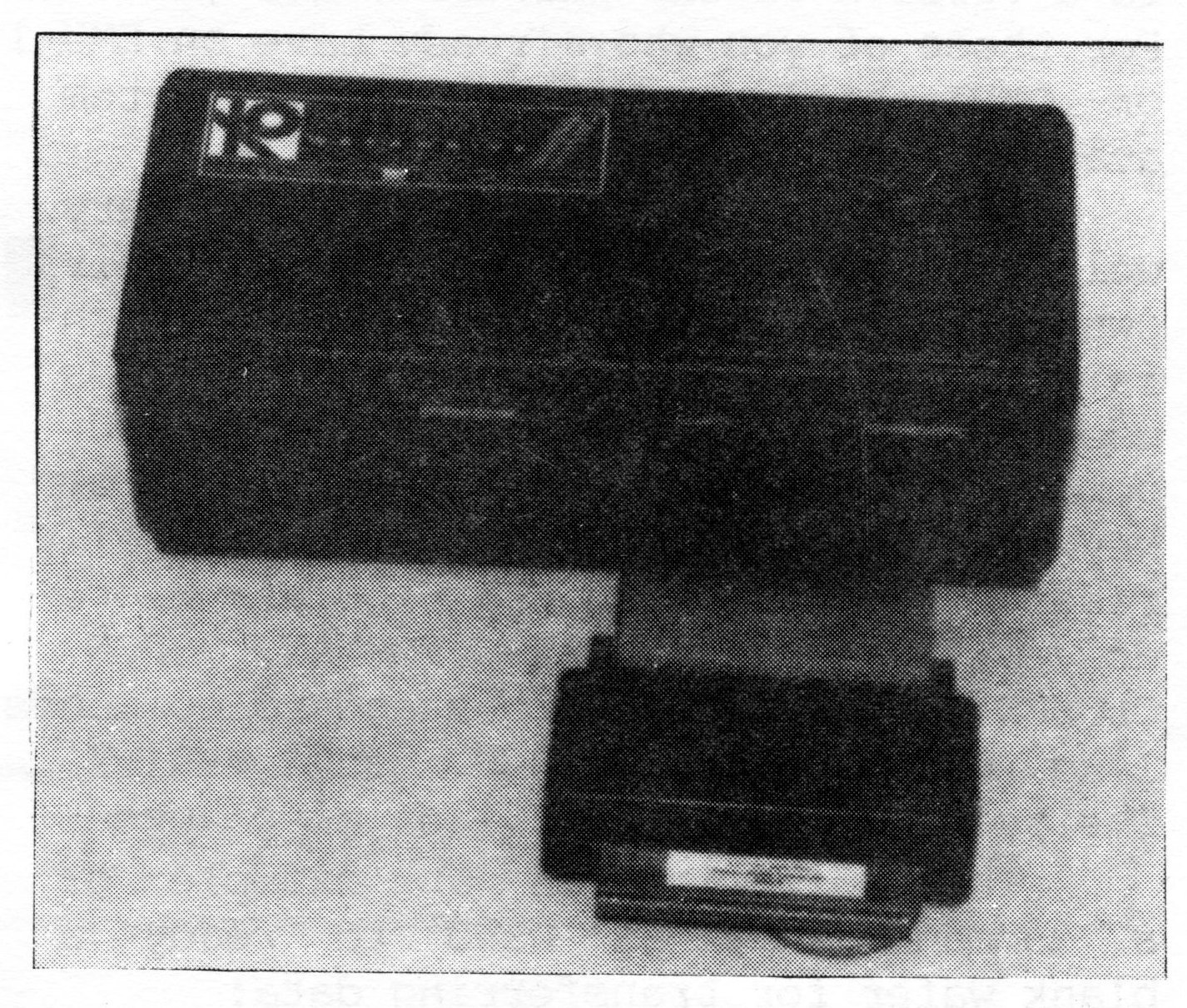
Along with the dual drives, there is also a built in Centronics parallel printer interface and a R232 serial interface. The ports for these interfaces are at the rear of the unit along with a normal Spectrum expansion port, to which a Timex 2040 or ZX Printer can be attached. On the front of the Rotronics are the two Wafadrive slots (drives A and B respectively), along with three LED’s: one for power on, and the other two designating which drive is active. Protruding from the case, just below the drives, is a very short (about four inches) cable with the special adapter already connected to the end. This is what plugs into the rear of the 2068. Placement of the Rotronics Wafadrive is limited to directly behind the computer. For my installation,it posed a slight problem, but shortly corrected by moving the monitor off to one side.
Also in the same little box came two wafers. One is blank, and the other is a free word processor program from Softek, which is cusomized to work with the Rotronics. It is supplied with a 40 page manual, and is fairly comprehensive (ie. 64 col., auto word warap/justification, page numbering, screen editor, block operations, ect.). This is a nice touch, to include a program that can be used right away with the system.
A 68 page manual is provided for the Wafadrive. The manual is spiral bound, and is clearly written and suprisingly detailed…giving some examples as it covers each concept.
You may be wondering what a system like this costs. Especially with all of the extras that are included. It is only $229.95 from Damco, plus $5.00 for postage. I also ordered the optional Centronics cable for $12.95. If you are the owner of a Spectrum, there is a version of the Wafadrive for $169.95. For those of you who already have an EMU-1 or OMNI emulator, there is a sytem available for $199.95.
How does it all stack up? Very well indeed. The Wafadrives have their own operating system (WOS) in ROM, which is similar to disk operating systems used by other computers. Extended BASIC commands are used and typed in from keywords on the 2068 that were originally reserved for use with the Sinclair Microdrives. These are CAT, FORMAT, OPEN, CLOSED, ect., along with standard commands like LOAD, SAVE, MERGE, and VERIFY. The symbols “#” and “*” are also used.
The following is an example of a command that is used to ready a blank wafer for transferring data:
FORMAT*"a:wafername"“a” is used to denote which drive is being activated.
Loading time was fast. Transfer baud rate is rated at 18k. I timed the supplied word processor program, and it loaded in 30 seconds. A comparable cassette program would take three minutes or longer.
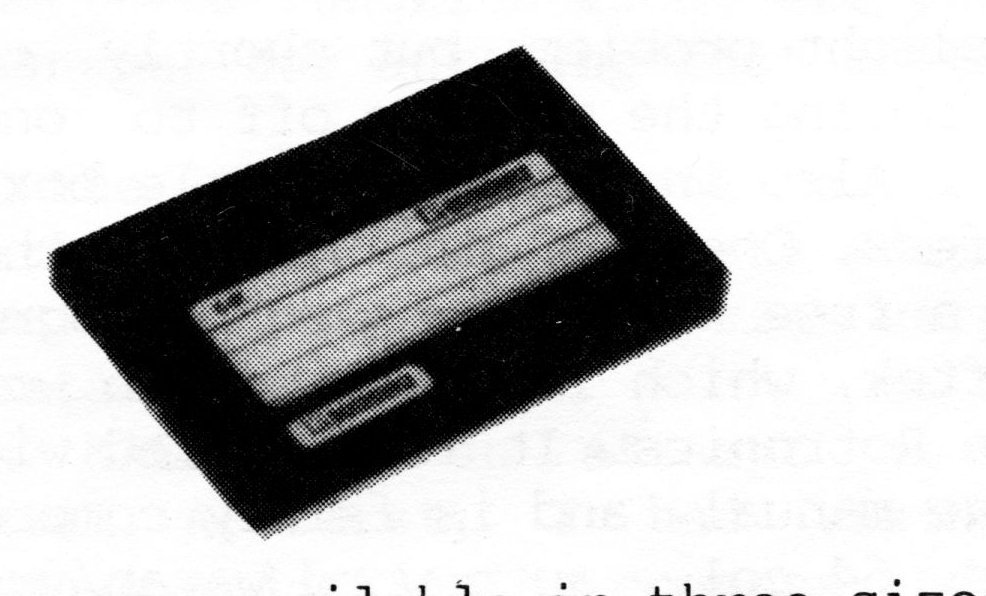
Wafers are available in three sizes (or storage capacities): 16k, 64k, 128k. They appear to be rugged for their tiny size, and have a plastic sliding dust cover. A wafer has a continuous loop of magnetic tape inside, and operates on a principle much like the old eight-track audio tapes. The shorter tapes will load files much faster than say the 128k length.
Using the Centronics interface was a snap. I hooked it up to my TEAL model 270 electronic typewriter/daisy wheel printer via the optional cable. The interface will send standard ASCII codes to the printer using LPRINT, LLIST, some BASIC lines using “stream” channels, or block commands in the supplied word processor software. Since this is a “no-frill” type interface, it doesn’t include smart software (like the Aerco interface), that allows you to execute graphics screen dumps, ect. with dot matrix printers. These functions would have to be developed by further programming and software.
I didn’t give the RS232 interface a try, since I don’t have a compatible peripheral. It should be pointed out that it is a bidirectional type, and baud rate is selectable.
Most prospective buyers would probably be concerned about cassette software compatibility. First of all, take into consideration that this is a Spectrum system. Secondly, commercial programs are usually protected against making back-up copies of any kind (cassette or wafer). You do have the following options:
1. Make wafer copies of Spectrum programs that have the option for making back-ups.
2. Use a “header-reader” type program to help you BREAK and SAVE commercial cassette software for the Spectrum.
3. Any Spectrum program that you can BREAK and SAVE, may be transferred to wafer.
4. Some software for the Timex can be saved on wafer. This includes a few machine code programs, and most all of the BASIC programs. For eample, I made a wafer copy of programs from the “Great Game And Graphics Show” by JRC Software.
You may also make copies from wafer to wafer, simply by using the MOVE command. Commercial software is being developed and sold on Rotronics type wafers now. Damco has a list and prices of several titles that they carry in stock.
Much could be said about the Rotronics Wafadrive. More info than we obviously have space in the magazine for. So, I will close, leaving you with a few thoughts to consider. First, the Rotronics is a little faster and lower in price than the A & J model 2000 (if you were to add an additional drive, printer interface, ect.). The Rotronics is about half the price of a good disk system with only a single drive, but not nearly as fast as floppy disks. It is about the same price as a complete Sinclair Microdrive system, but the Rotronics comes with more features like the built in Centronics interface and free word processor. Also take into consideration that you also receive Spectrum emulation and a Spectrum expansion port…this will open a whole new world of information for the T/S 2068.
Over all, the features that I liked best were the units small (all-in-one) size, and the ease in which the Rotronics filed and retrieved data. The price should also be within reach of most Timex users budgets.
Good work Rotronics and Damco.