
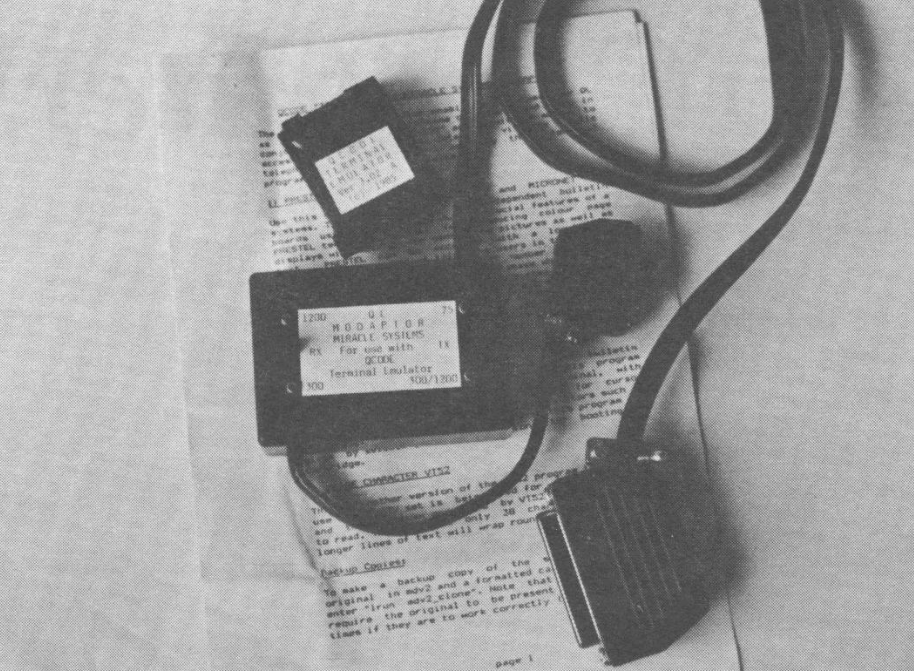
One of the most exciting things that a computer can be used for is telecommunications. The QL is not behind others in this regard. A nifty little device called the “QL MODAPATOR” provides the special cable and software needed to connect the QL to any standard modem. In reviewing the Modadaptor I used a Hayes Smartmoden.
The Modadaptor plugs into SER2 (‘serial port 2) of the QL and into modems with DB-25 serial connectors. The software is on a microdrive cartridge which should immediately be put in MDV2 (microdrive 2) and copied using the “clone” program found on it. Note that the original cartridge will still need to be inserted in MDV2 as one part of the cartridge will not copy and will need to be accessed by the software occasionally ‘this was done for copy protection).
Boot the software with LRUN MDV1 BOOT and wait. An opening menu offers several options including help files, Prestel and Micronet access, and VT52 access. As Prestel and Micronet are English systems, one of the two VT52 selections should be made for accessing American BBSs (Bulletin Board Systems), other modem equipped conmputers, and services like Compuserve or the Source. Two VT52 selections are available to allow for 80 column or 40 column screen display.
As an aside, the software also provides QED, a built-in ”*word processor” allowing the creation of text files which can later be transmitted to other systems.
After selecting VT52, another screen is loaded which allows you to configure your “terminal” (the QL) to the specifications of the BBS or system you are preparing to access. These include baud rate of transmission and reception, handshaking, parity, etc. (information generally available from the system you are going to access). Two switches on the small box in the middle of your RS-232 cable going to the modem should be set to match your software selections. Finally, CTRL 3 (hold down on the CTRL key while pressing 3) should be entered to go into the terminal mode. CTRL 1 returns you to “local” mode if you later discover you need to re-configure your terminal.
Vith the Hayes Smartmodem plugged into the wall where the phone normally goes, commands given in the Hayes manual can be used. (Make sure the modem is turned on.) To call a BBS such as the Zebra BBS, type AT DP17182962229. “AT” signals a command to the modem. “D” is for dial, while ”P” is for pulse (’T” could be used for touchtone phone lines). The long string of numbers is simply the phone number including the “1” the phone system requires for long distance numbers. The commands used by other modems may be different but the basic process will be the same.
Though a long time computer user, this was my first experience with telecommunications. It took a little experimenting as the instructions included with the Modadaptor are not always clear. Experienced users would probably have little trouble. The fact that the Modadaptor was designed for the English market means that much of the 4 pages of instructions are directed at the Prestel and Micronet Systems over there and have little meaning to us unless someone wants to have some LARGE long distance phone bills. Nevertheless, I can highly recommend the Modadaptor to all who wish to “reach out and touch someone” with their new QL.
QL Modadaptor with QCode Terminal Emulation Software is made by Miracle Systems Limited and is available from the English Micro Connection, 15 Kilburn Court, Newport. RI 02840: 401/849-3805. Price: $65.