
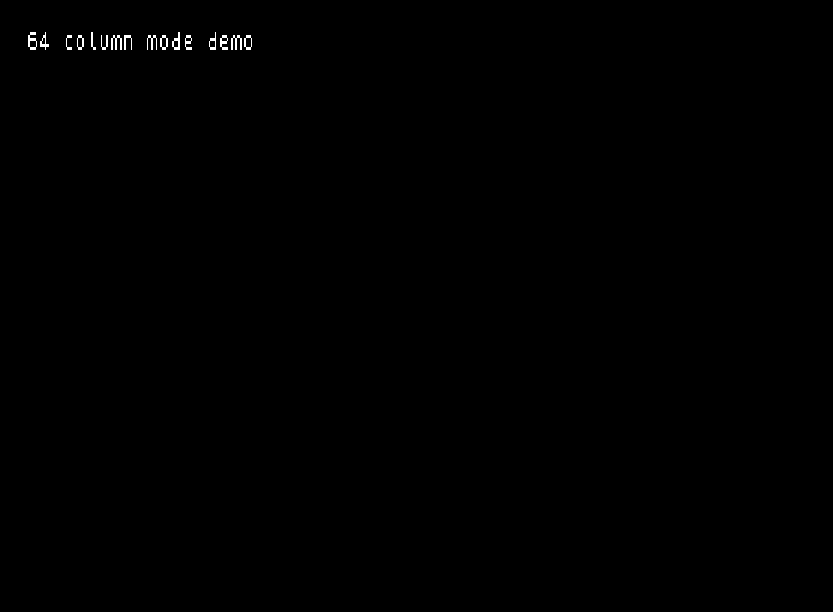
This program demonstrates a 64-column text display mode for the TS2068, achieved by loading and executing machine code routines stored at address 55296. The machine code provides four entry points: a setup routine at 55296, a clear-screen routine at 55338, a character-print routine at 55375, and a hardware scroll routine at 55470. The BASIC shell implements a simple interactive typewriter loop, tracking cursor position in column and row variables (stored as parameters at addresses 23748–23750) and calling the appropriate machine code routine via RANDOMIZE USR. The OUT 255,62 instruction switches the display hardware into the 64-column mode, while OUT 255,0 restores the standard display on exit. The program saves itself along with 306 bytes of machine code starting at 55296.
Program Structure
The program is divided into four logical regions:
- Lines 1–14: REM documentation blocks describing the program’s origin and purpose.
- Lines 20–80: Initialization — sets display attributes, clears memory above 55295, loads machine code from tape, and calls the setup entry point via
RANDOMIZE USR 55296. - Lines 1000–1210: The interactive typewriter loop, reading keystrokes and dispatching to machine code print and scroll routines.
- Lines 2000–2090: A subroutine that initializes named address variables and switches the display hardware into 64-column mode.
- Line 9998: SAVE commands for the BASIC program and the machine code block.
Machine Code Integration
The machine code is loaded from a separate CODE file onto address 55296 (just above the CLEAR boundary at 55295). Four entry points are identified by the subroutine at line 2000 and stored in BASIC variables:
| Variable | Address | Purpose |
|---|---|---|
setup | 55296 | Initialize 64-column display hardware |
clrs | 55338 | Clear the 64-column screen |
print | 55375 | Print one character at (row, col) |
scroll | 55470 | Hardware scroll the 64-column display up one line |
Parameters are passed to the machine code via three fixed RAM locations: col (23748), row (23749), and data (23750). The BASIC program POKEs the desired character code and cursor coordinates into these addresses before each RANDOMIZE USR print call. The total machine code block is 306 bytes, as confirmed by the SAVE statement on line 9998.
Hardware Display Switching
The OUT 255,62 call in line 2080 switches the display hardware into 64-column mode. On exit (when the backtick key is pressed), OUT 255,0 restores the normal display mode before halting. This port-based switching is central to the enhanced display capability being demonstrated.
Typewriter Loop Logic
The main input loop (lines 1020–1210) implements a simple typewriter with the following behavior:
- Waits for a keypress using a busy-poll on
INKEY$(line 1020). - Backtick (
`) exits to normal mode (line 1030). - Enter (code 13) advances to the next row without printing (line 1040 → 1110).
- Characters outside the printable range 32–127 are ignored (line 1050).
- After printing, the column counter increments; wrapping at 64 columns advances the row (lines 1100–1110).
- When row 24 is exceeded, the machine code scroll routine is called and the row is reset to 23 (lines 1120–1140).
- A debounce loop at line 1200 waits for the key to be released before returning for the next keypress, preventing character repetition.
Key BASIC Idioms
RANDOMIZE USRis used throughout as the standard method to call machine code routines from BASIC, discarding the return value safely.- Address variables (
col,row,data,print,scroll, etc.) are initialized once in the subroutine at line 2000 and reused throughout, avoiding repeated numeric literals and making the code easier to maintain. CLEAR 55295both clears variables and raisesRAMTOPto protect the machine code area from being overwritten by the BASIC system.
Notable Anomalies
Line numbers 1000 and 2080 call GO SUB 2000 and OUT 255,62 respectively: the initial call to GO SUB 2000 at line 1000 sets up variables and activates 64-column mode, but a second path exists at line 80 that calls RANDOMIZE USR 55296 (the setup entry point) directly before the subroutine is called, meaning setup is effectively invoked twice on first run. This is harmless but slightly redundant. Additionally, line 14 is a REM crediting the typist, placed among other REM lines but using an out-of-sequence line number, suggesting it was inserted after the original REM block was written.
Image Gallery
Source Code
    1 REM  64-Column Display Mode
    2 REM A program taken from           the June 1984 issue of         'CATS', the newsletter            of the Capitol Area        Timex/Sinclair User's Group.
    3 REM
   10 REM A demonstration of the          enhanced display modes         available on the TS2068.
   11 REM     The routines are               written in M/C for            speed but can be used          with any BASIC program.
   14 REM Retyped by G.F.Chambers
   20 BORDER 0: PAPER 0: INK 7
   30 CLEAR 55295
   40 PRINT AT 10,9;"Loading code"
   50 INK 0
   60 LOAD /"64column C"CODE
   70 BEEP .4,14: CLS : INK 7
   80 RANDOMIZE USR 55296
 1000 GO SUB 2000
 1010 LET c=0: LET r=0
 1020 LET z$=INKEY$: IF z$="" THEN GO TO 1020
 1030 LET d=CODE z$: IF d=CODE "`" THEN OUT 255,0: PRINT ,,,,"goto 1000 to restart....": STOP
 1040 IF d=13 THEN GO TO 1110
 1050 IF d<32 OR d>127 THEN GO TO 1020
 1070 POKE data,d: POKE row,r: POKE col,c
 1080 RANDOMIZE USR print
 1090 LET c=c+1
 1100 IF c<64 THEN GO TO 1200
 1110 LET c=0: LET r=r+1
 1120 IF r<24 THEN GO TO 1200
 1130 RANDOMIZE USR scroll
 1140 LET r=23
 1200 LET z$=INKEY$: IF z$<>"" THEN GO TO 1200
 1210 GO TO 1020
 2000 LET col=23748
 2010 LET row=23749
 2020 LET data=23750
 2030 LET setup=55296
 2040 LET clrs=55338
 2050 LET print=55375
 2060 LET scroll=55470
 2070 RANDOMIZE USR clrs
 2080 OUT 255,62
 2090 RETURN
 9998 SAVE /"64COLUMN" LINE 1: SAVE /"coldemo"CODE 55296,306
Note: Type-in program listings on this website use ZMAKEBAS notation for graphics characters.