
This program performs the four fundamental arithmetic operations on complex numbers in rectangular form (A+JB), converting results to polar form (magnitude and angle in degrees) on request. Each operation — addition, subtraction, multiplication, and division — is handled in its own subroutine block, with the rectangular-to-polar conversion repeating the same quadrant-detection logic using ATN and a 57.2958 radian-to-degree multiplier. The division routine correctly applies the conjugate-multiplication formula, dividing by C²+D². POKEs to system variables at address 23658 and 23609 adjust the display and scroll behavior. A COPY option is offered after addition and subtraction results, and a SAVE/VERIFY routine at line 9998–9999 allows the program to copy itself to tape.
Program Structure
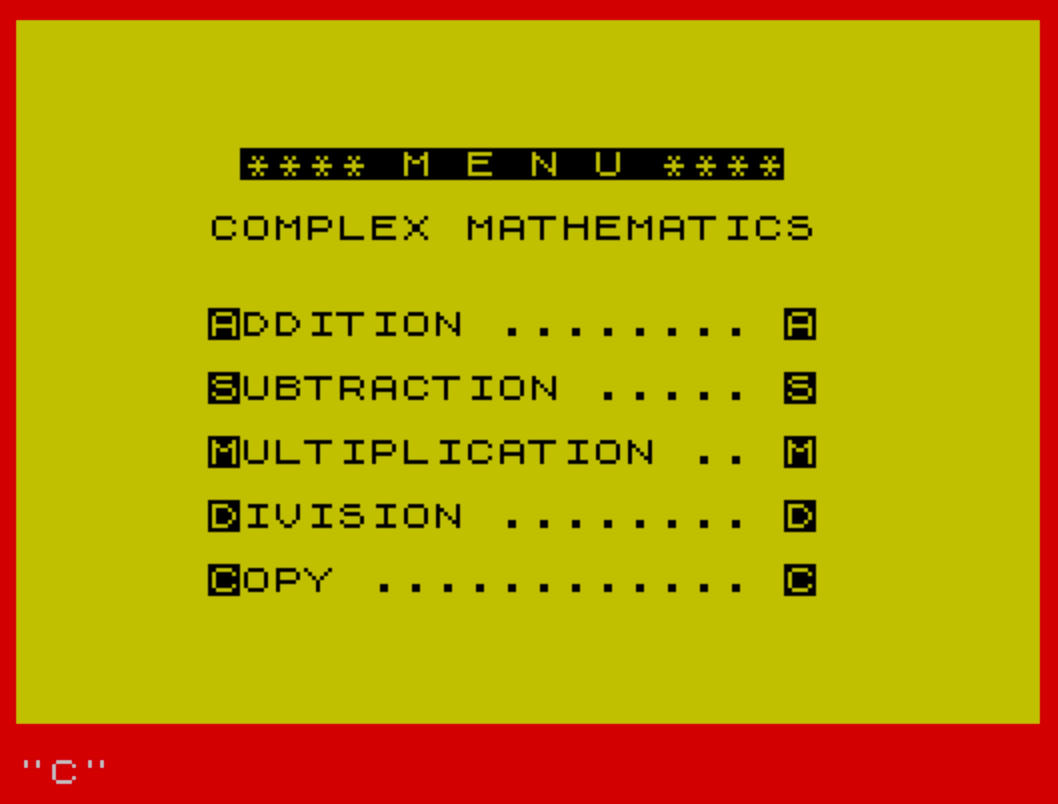
The program is organized as a menu-driven application with five distinct sections:
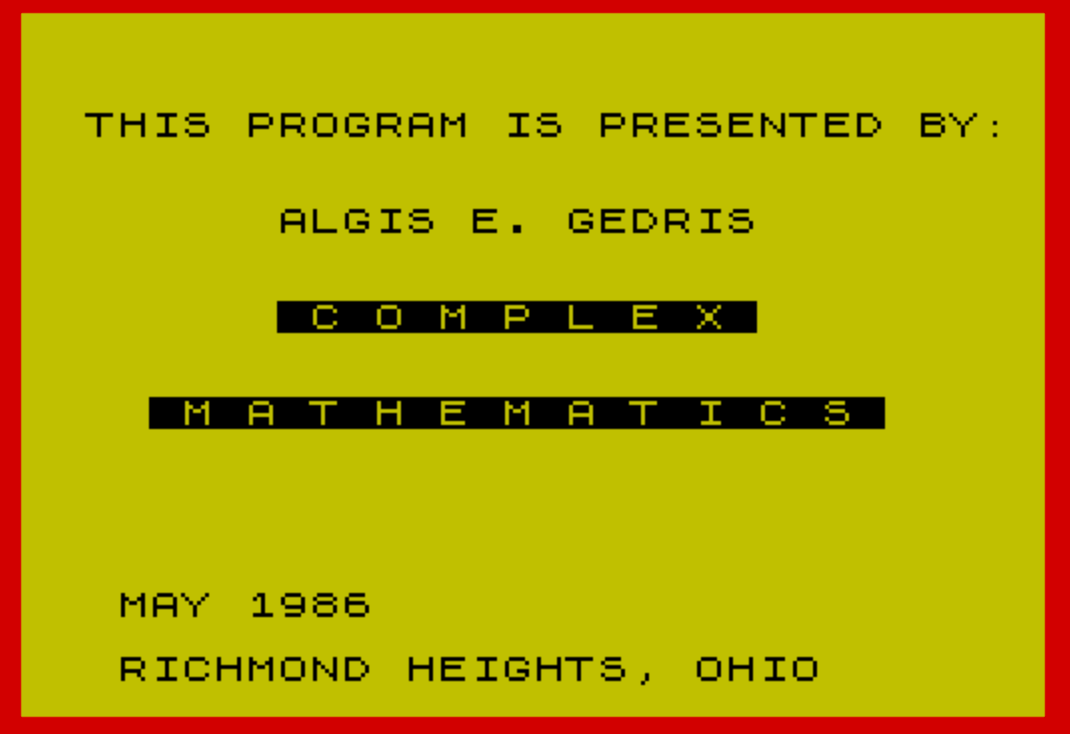
- Lines 1–9: Title/splash screen with BORDER, PAPER, and POKE setup
- Lines 10–480: Menu display (lines 10–40) and complex addition routine (lines 80–480)
- Lines 1010–1480: Complex subtraction routine
- Lines 2010–2900: Complex multiplication routine
- Lines 3010–3350: Complex division routine
- Lines 9998–9999: Tape SAVE/VERIFY copy routine
Navigation is handled by a single-character INPUT at line 30, branching to each section via IF A$=... THEN GO TO. Each operation section loops back to its own entry point if the user has more data, or returns to line 1 (the splash screen) when done.
Rectangular-to-Polar Conversion
Each of the four operation sections contains its own copy of the polar conversion logic. The magnitude is computed as INT(100*SQR(ABS RT^2 + ABS AM^2)+.5)/100, giving two decimal places via the classic rounding trick. The angle is computed using ATN(AM/RT)*57.2958 to convert from radians to degrees, with explicit quadrant checks:
- RT=0 and AM>0 → 90°
- RT=0 and AM<0 → 270°
- RT<0 and AM=0 → 180°
- RT<0 (either sign of AM) → THETA = 180 + THETA (third/second quadrant correction)
Note that 270° is the conventionally reported angle for a purely negative imaginary number, though −90° is equally valid; this is an intentional design choice. The conversion code is copy-pasted across all four sections rather than factored into a subroutine.
Key BASIC Idioms and Techniques
The sign of the imaginary component is tracked using the string variable B$, which is set to "-" by default and changed to "+" if ABS(M)=M (i.e., the value is non-negative). This pattern appears consistently throughout all four operation routines for both input echo and result display.
The POKEs at line 9 — POKE 23658,8 and POKE 23609,40 — modify system variables to enable lowercase input and set the scroll threshold, respectively, which are common techniques for improving interactivity.
The rounding formula INT(X*100+.5)/100 is used to display values to two decimal places without a dedicated formatting function.
Division Formula
The complex division at lines 3120–3130 correctly implements the standard conjugate method:
RT = (R1*R2 + A1*A2) / (ABS R2^2 + ABS A2^2)— real partAM = (A1*R2 - R1*A2) / (ABS R2^2 + ABS A2^2)— imaginary part
The use of ABS R2^2 rather than R2^2 is redundant since squaring always produces a non-negative result, but it is harmless. The formula displayed in line 3011’s PRINT statement contains a typo in the numerator — it reads “(AC+BD)+J(BD-AC)” when the imaginary part should be J(BC-AD) — though the actual computation in lines 3120–3130 is correct.
Bugs and Anomalies
- Line 470 branches to line 50 (
GO TO 50) for “more data” in the addition section, but the addition input loop begins at line 90 (via line 83). Line 50 does not exist; this will cause an error if the user answers “Y”. The subtraction section correctly loops to line 1050, and multiplication to line 2050. - The subtraction polar conversion (lines 1350–1415) omits the check for
RT=0 AND AM<0(which would give 270°), unlike the addition, multiplication, and division sections. If both RT=0 and AM<0 occur in subtraction, the code falls through to theATN(AM/RT)line, causing a division-by-zero error. - Lines 2800 (
STOP) and 2900 (GO TO 1) appear between the multiplication and division sections and are unreachable dead code. - The division prompt at line 3340 loops to line 3040, which does not exist; the nearest valid line is 3050. This is a harmless off-by-one in line numbering rather than a logic error on platforms that find the next available line.
- “DEVIDED” (line 3060) and “COMLEX” (lines 3102, 3112) are spelling errors in prompt strings.
- The multiplication section does not offer a COPY option after the result, whereas addition and subtraction do.
Tape Copy Routine
Lines 9998–9999 implement a self-copy feature accessed by pressing C at the menu. Line 9998 executes SAVE "COMPLEX/No" LINE 1 to write the program to tape with an auto-run start line, then line 9999 prints a rewind prompt, sounds a BEEP, and runs VERIFY "COMPLEX/No" to confirm the save was successful.
Image Gallery
Source Code
    1 CLS :BORDER 2:PAPER 6
    2 CLS :REM                     {20}{1} WHAT ARE YOU DOING TO MINE  {20}{0}          {20}{1} PROGRAM???? {20}{0}
    3 PRINT :PRINT :PRINT :PRINT "  THIS PROGRAM IS PRESENTED BY:":PRINT :PRINT :PRINT "        ALGIS E. GEDRIS":PRINT :PRINT :PRINT "        {20}{1} {20}{1}C O M P L E X {20}{1}{20}{0}":PRINT :PRINT :PRINT "    {20}{1} M A T H E M A T I C S {20}{0}"
    4 PRINT AT 18,3;"MAY 1986"; AT 20,3;"RICHMOND HEIGHTS, OHIO":PAUSE 180
    5 REM  ALGIS E. GEDRIS                 [address removed]
    6 REM                                  [phone removed] HOME             [phone removed] OFFICE
    7 BORDER 2
    8 PAPER 6
    9 POKE 23658,8:POKE 23609,40:CLS
   10 PRINT :PRINT :PRINT :PRINT :PRINT "       {20}{1}**** {20}{1}M E N U ****{20}{0}"
   12 PRINT :PRINT "      COMPLEX MATHEMATICS"
   14 PRINT :PRINT :PRINT "      {20}{1}A{20}{0}DDITION ........ {20}{1}A{20}{1}{20}{0}"
   16 PRINT :PRINT "      {20}{1}S{20}{0}UBTRACTION ..... {20}{1}S{20}{1}{20}{0}"
   18 PRINT :PRINT "      {20}{1}M{20}{0}ULTIPLICATION .. {20}{1}M{20}{1}{20}{0}"
   20 PRINT :PRINT "      {20}{1}D{20}{0}IVISION ........ {20}{1}D{20}{1}{20}{0}"
   22 PRINT :PRINT "      {20}{1}C{20}{0}OPY ............ {20}{1}C{20}{0}{20}{1}{20}{0}"
   30 INPUT A$
   31 CLS
   33 IF A$="A" THEN GO TO 80
   35 IF A$="S" THEN GO TO 1000
   37 IF A$="M" THEN GO TO 2000
   39 IF A$="D" THEN GO TO 3000
   40 IF A$="C" THEN GO TO 9998
   83 PRINT :PRINT :PRINT :PRINT
   84 PRINT TAB 8;"{20}{1}COMPLEX ADDITION{20}{0}"
   85 PRINT :PRINT "  (A+JB)+(C+JD)=(A+C)+J(B+D)"
   87 PRINT :PRINT :PRINT "--------------------------------"
   89 PRINT :PRINT
   90 INPUT "HOW MANY COMPLEX NUMBERS? : ";N
   95 PRINT
  100 PRINT "ENTER REAL AND IMAGINARY PARTS"
  102 PRINT
  105 LET RT=0
  107 LET AM=0
  110 FOR I=1 TO N
  115 LET B$="-"
  120 PRINT "NUMBER ";I;"  ";
  122 INPUT "NUMBER ";R
  123 INPUT "J-NUMBER: ";M
  124 IF ABS (M)=M THEN LET B$="+"
  125 PRINT "Za=";R;" ";B$;" ";"J"; ABS M
  130 LET RT=RT+R
  140 LET AM=AM+M
  141 LET B$="-"
  142 IF ABS (AM)=AM THEN LET B$="+"
  145 NEXT I
  147 PRINT
  148 PRINT "--------------------------------"
  150 PRINT "THE SUM IS = ";RT;" ";B$;" J"; ABS (AM)
  300 PRINT :PRINT "DO YOU WANT IT IN POLAR FORM";
  320 INPUT Z$
  330 PRINT :PRINT
  340 IF Z$="N" THEN GO TO 440
  350 LET MAG= INT (100* SQR (ABS RT^2+ ABS AM^2)+.5)/100
  360 IF RT=0 AND AM<0 THEN GO TO 410
  370 IF RT=0 AND AM>0 THEN GO TO 400
  375 IF RT<0 AND AM=0 THEN GO TO 415
  380 LET THETA= INT (ATN (AM/RT)*57.2958*100+.5)/100
  382 IF RT<0 AND AM>0 THEN LET THETA=180+THETA
  384 IF RT<0 AND AM<0 THEN LET THETA=180+THETA
  390 GO TO 420
  400 LET THETA=90
  405 GO TO 420
  410 LET THETA=270
  412 GO TO 420
  415 LET THETA=180
  420 PRINT "MAGNITUDE = ";MAG
  430 PRINT :PRINT "ANGLE = ";THETA;" DEGREES"
  440 PRINT :PRINT
  441 INPUT " DO YOU WANT A COPY? : ";Z$
  442 IF Z$="Y" THEN COPY
  450 INPUT "DO YOU HAVE MORE DATA? ";Z$
  470 IF Z$="Y" THEN GO TO 50
  480 GO TO 1
 1010 PRINT :PRINT :PRINT "      {20}{1}COMPLEX SUBTRACTION{20}{0}"
 1020 PRINT :PRINT "  (A+JB)-(C+JD)=(A-C)+J(B-D)"
 1022 PRINT :PRINT :PRINT "--------------------------------"
 1030 PRINT :PRINT
 1050 LET B$="-"
 1100 PRINT "WHAT ARE THE NUMBERS TO BE      SUBTRACTED"
 1130 INPUT "FROM THIS NUMBER: ";R1
 1131 INPUT "FROM THIS COMPLEX NUMBER: ";A1
 1132 IF ABS (A1)=A1 THEN LET B$="+"
 1139 PRINT "FROM THIS No.  Za=";R1;" ";B$;" ";"J"; ABS A1
 1140 INPUT "SUBTRACT THIS NUMBER: ";R2
 1141 INPUT "SUBTRACT THIS COMPLEX NUMBER: ";A2
 1142 LET B$="-"
 1148 IF ABS (A2)=A2 THEN LET B$="+"
 1149 PRINT "SUBTRACT       Za=";R2;" ";B$;" ";"J"; ABS A2
 1150 LET RT=R1-R2
 1160 LET AM=A1-A2
 1162 PRINT :LET B$="-"
 1165 IF ABS (AM)=AM THEN LET B$="+"
 1167 PRINT "--------------------------------"
 1170 PRINT "THE DIFFERENCE IS ";RT;" ";B$;" J"; ABS (AM)
 1200 PRINT :PRINT "DO YOU WANT IT IN POLAR FORM";
 1210 INPUT Z$
 1220 PRINT :PRINT
 1230 IF Z$="N" THEN GO TO 1440
 1350 LET MAG= INT (100* SQR (ABS RT^2+ ABS AM^2)+.5)/100
 1360 IF RT=0 AND AM>0 THEN GO TO 1400
 1375 IF RT<0 AND AM=0 THEN GO TO 1415
 1380 LET THETA= INT (ATN (AM/RT)*57.2958*100+.5)/100
 1382 IF RT<0 AND AM>0 THEN LET THETA=180+THETA
 1384 IF RT<0 AND AM<0 THEN LET THETA=180+THETA
 1390 GO TO 1420
 1400 LET THETA=90
 1405 GO TO 1420
 1410 LET THETA=270
 1412 GO TO 1420
 1415 LET THETA=180
 1420 PRINT "MAGNITUDE = ";MAG
 1430 PRINT :PRINT "ANGLE = ";THETA;" DEGREES"
 1432 INPUT "DO YOU WANT A COPY? ";Z$
 1433 IF Z$="Y" THEN COPY
 1440 PRINT :PRINT
 1450 INPUT "DO YOU HAVE MORE DATA? ";Z$
 1460 PRINT :PRINT
 1470 IF Z$="Y" THEN GO TO 1050
 1480 GO TO 1
 2010 PRINT :PRINT :PRINT "     {20}{1}COMPLEX MULTIPLICATION{20}{0}{20}{0}"
 2020 PRINT :PRINT " (A+JB)*(C+JD)=(AC-BD)+J(BC+AD)"
 2022 PRINT :PRINT :PRINT "--------------------------------"
 2050 LET B$="-"
 2060 PRINT :PRINT :PRINT " LIST NUMBERS TO BE MULTIPLIED: "
 2070 PRINT :PRINT
 2090 INPUT "REAL NUMBER: ";R1
 2092 INPUT "COMPLEX NUMBER: ";A1
 2093 LET B$="-":IF ABS (A1)=A1 THEN LET B$="+"
 2094 PRINT " MULTIPLY  Za=";R1;" ";B$;" ";"J"; ABS A1
 2100 PRINT
 2101 INPUT "REAL NUMBER: ";R2
 2102 INPUT "COMPLEX NUMBER: ";A2
 2103 LET B$="-":IF ABS (A2)=A2 THEN LET B$="+"
 2104 PRINT " BY        Za=";R2;" ";B$;" ";"J"; ABS A2
 2110 LET RT=R1*R2-(A1*A2)
 2120 LET AM=A1*R2+R1*A2
 2122 LET B$="-"
 2130 IF ABS (AM)=AM THEN LET B$="+"
 2133 PRINT "--------------------------------"
 2140 PRINT :PRINT "THE PRODUCT IS ";RT;" ";B$;" J"; ABS (AM)
 2160 PRINT :PRINT "DO YOU WANT IT IN POLAR FORM";
 2180 INPUT Z$
 2190 PRINT :PRINT
 2200 IF Z$="N" THEN GO TO 2320
 2210 LET MAG= INT (100* SQR (ABS RT^2+ ABS AM^2)+.5)/100
 2220 IF RT=0 AND AM<0 THEN GO TO 2270
 2230 IF RT=0 AND AM>0 THEN GO TO 2260
 2235 IF RT<0 AND AM=0 THEN GO TO 2280
 2240 LET THETA= INT (ATN (AM/RT)*57.2958*100+.5)/100
 2242 IF RT<0 AND AM>0 THEN LET THETA=180+THETA
 2245 IF RT<0 AND AM<0 THEN LET THETA=180+THETA
 2250 GO TO 2300
 2260 LET THETA=90
 2265 GO TO 2300
 2270 LET THETA=270
 2275 GO TO 2300
 2280 LET THETA=180
 2285 GO TO 2300
 2300 PRINT " MAGNITUDE = ";MAG
 2310 PRINT :PRINT " ANGLE = ";THETA;" DEGREES"
 2320 PRINT :PRINT
 2330 INPUT "DO YOU HAVE MORE DATA? ";Z$
 2340 PRINT :PRINT
 2350 IF Z$="Y" THEN GO TO 2050
 2360 GO TO 1
 2800 STOP
 2900 GO TO 1
 3010 PRINT :PRINT :PRINT "        {20}{1}COMPLEX DIVISION{20}{0}{20}{0}"
 3011 PRINT :PRINT "                     2         2              (AC+BD) +J(BD-AC) (A+JB)/(C+JD)=------------------                  C^2 + D^2"
 3015 PRINT :PRINT :PRINT "--------------------------------"
 3050 LET B$="-"
 3060 PRINT :PRINT " ENTER NUMBERS TO BE DEVIDED:"
 3100 INPUT "ENTER REAL NUMBER: ";R1
 3102 INPUT "ENTER COMLEX NUMBER: ";A1
 3103 IF ABS (A1)=A1 THEN LET B$="+"
 3104 PRINT :PRINT " DEVIDE  Za=";R1;" ";B$;" ";"J"; ABS A1
 3105 LET B$="-"
 3110 INPUT "ENTER REAL NUMBER: ";R2
 3112 INPUT "ENTER COMLEX NUMBER: ";A2
 3113 IF ABS (A2)=A2 THEN LET B$="+"
 3114 PRINT :PRINT " BY      Za=";R2;" ";B$;" ";"J"; ABS A2
 3115 LET B$="-"
 3116 PRINT :PRINT "--------------------------------"
 3117 PRINT
 3120 LET RT=(R1*R2+A1*A2)/(ABS R2^2+ ABS A2^2)
 3130 LET AM=(A1*R2-R1*A2)/(ABS R2^2+ ABS A2^2)
 3150 IF ABS (AM)=AM THEN LET B$="+"
 3160 PRINT " THE ANSWER IS:                                                  Zt = ";RT;" ";B$;" J"; ABS (AM)
 3170 PRINT :PRINT " DO YOU WANT IT IN POLAR FORM?"
 3190 INPUT Z$
 3200 PRINT :PRINT
 3210 IF Z$="N" THEN GO TO 3310
 3220 LET MAG= INT (100* SQR (ABS RT^2+ ABS AM^2)+.5)/100
 3230 IF RT=0 AND AM<0 THEN GO TO 3280
 3240 IF RT=0 AND AM>0 THEN GO TO 3270
 3245 IF RT<0 AND AM=0 THEN GO TO 3285
 3250 LET THETA= INT (ATN (AM/RT)*57.2958*100+.5)/100
 3252 IF RT<0 AND AM<0 THEN LET THETA=180+THETA
 3255 IF RT<0 AND AM>0 THEN LET THETA=180+THETA
 3260 GO TO 3290
 3270 LET THETA=90:GO TO 3290
 3280 LET THETA=270
 3283 GO TO 3290
 3285 LET THETA=180
 3290 PRINT " MAGNITUDE = ";MAG
 3300 PRINT :PRINT " ANGLE     = ";THETA;" DEGREES"
 3310 PRINT :PRINT
 3320 INPUT "DO YOU HAVE MORE DATA? ";Z$
 3330 PRINT :PRINT
 3340 IF Z$="Y" THEN GO TO 3040
 3350 GO TO 1
 9998 SAVE "COMPLEX/No" LINE 1
 9999 PRINT #1; AT 0,4;"****REWIND THE TAPE****            **** AND PLAY ***":BEEP .7,8:VERIFY "COMPLEX/No"
Note: Type-in program listings on this website use ZMAKEBAS notation for graphics characters.