
Copies a block of screen lines to the ZX printer: give the number of lines and the start line, and a 12-byte routine sets the ROM’s COPY going from that line for that many lines. The start offset is passed through SEED with RAND, the trick the article uses instead of POKEing it from BASIC.
In the article you make a 1 REM with 12 bytes, RUN 110 and type the code, then delete lines 110-140. The download is that finished program with the code already in a line 1 REM (the listing does not print line 1); the full printed listing is in the .txt. Start line 1 does not work as printed: it gives RAND 0, which seeds from the clock, so start from line 2 or later.
Published in Sinc-Link March-April 1991 (Another Printer Tip: ZX81/TS 1000).
Image Gallery
Source Code
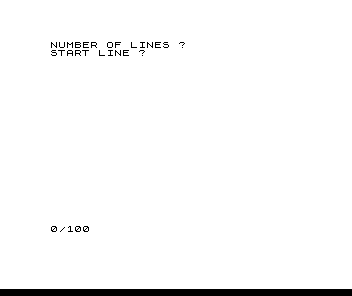
 10 PRINT "NUMBER OF LINES ?"
 20 INPUT A
 30 POKE 16515,A
 40 PRINT "START LINE ?"
 50 INPUT A
 60 LET A=(A-1)*33
 70 RAND A
 80 POKE 16520,PEEK 16434
 90 POKE 16521,PEEK 16435
100 RAND USR 16514
110 FOR F=16514 TO 16525
120 INPUT A
130 POKE F,A
140 NEXT F

The code: 22,0,42,12,64,1,0,0,9,195,110,8
Note: Type-in program listings on this website use ZMAKEBAS notation for graphics characters.