
Will teach you how to put other symbols inside the 2068 flashing cursor.
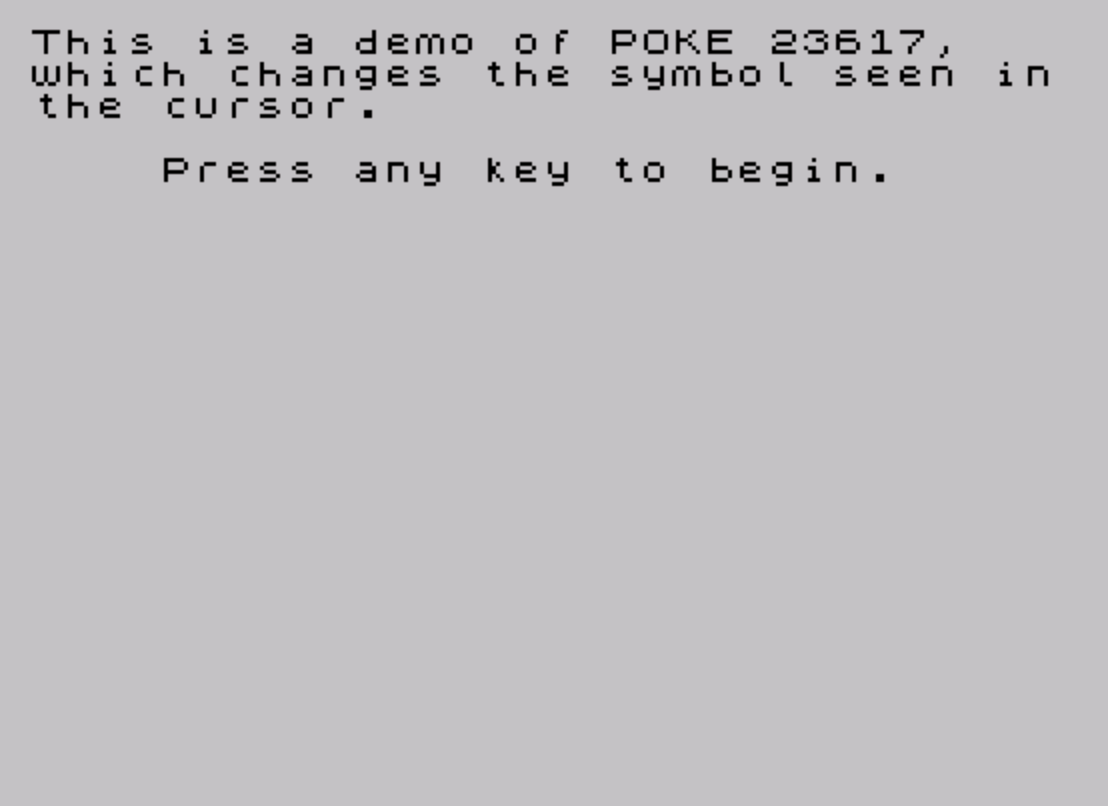
This program demonstrates the effect of POKE 23617 on the input cursor appearance. System variable 23617 (ATTR P) controls the current paper and ink attributes, and by poking different values into it the cursor character displayed during INPUT changes its visual style. The program cycles through seven attribute values — 142, 158, 160, 164, 224, 240, and 254 — reading them from a DATA statement and using an INPUT prompt to pause so the user can observe each cursor variant. The INPUT line uses a suppressed variable trick with an empty string literal and a dummy string variable to hold keystrokes without acting on them meaningfully.
Program Analysis
Program Structure
The program is short and linear, falling into three logical phases:
- Lines 1–2: Display an introductory message and wait for a keypress using the
IF INKEY$="" THEN GO TO 2polling idiom. - Lines 3–30: Clear the screen, then loop seven times, each iteration poking a new value into address 23617 and pausing via
INPUTso the user can observe the cursor. - Line 40: A
DATAstatement holding the seven attribute byte values to be demonstrated.
System Variable 23617 (ATTR P)
Address 23617 is the system variable ATTR P, which holds the current permanent paper/ink/bright/flash attribute byte used for PRINT and INPUT operations. Changing it before an INPUT statement causes the cursor displayed during input to take on a different color combination or flash state, which is the visual effect this program illustrates.
The seven values used and their decoded attributes are:
| Value | Binary | Flash | Bright | Paper | Ink |
|---|---|---|---|---|---|
| 142 | 10001110 | 1 | 0 | 001 | 110 |
| 158 | 10011110 | 1 | 0 | 011 | 110 |
| 160 | 10100000 | 1 | 0 | 100 | 000 |
| 164 | 10100100 | 1 | 0 | 100 | 100 |
| 224 | 11100000 | 1 | 1 | 100 | 000 |
| 240 | 11110000 | 1 | 1 | 110 | 000 |
| 254 | 11111110 | 1 | 1 | 111 | 110 |
All seven values have the flash bit set (bit 7 = 1), meaning all demonstrated cursors will flash. The selection covers a range of paper and ink color combinations, with the final value 254 giving white paper, yellow ink, bright, and flash.
Key BASIC Idioms
- Keypress wait: Line 2 uses
IF INKEY$="" THEN GO TO 2, a standard busy-loop polling technique to wait for any key before proceeding. - READ/DATA loop: Lines 10–30 use
FOR/NEXTwithREAD ato consume successive values from theDATAstatement at line 40, a compact way to iterate over a fixed list. - INPUT with displayed expression: The prompt
INPUT "The value is ";(a);"";a$uses the(a)form inside anINPUTstatement to print the current numeric value ofaas part of the prompt, then collects a keypress into the dummy string variablea$. The empty string literal""between the expression and the variable is syntactically required to separate the displayed items from the input variable.
Notable Techniques
Reusing the variable name a both as the READ target and as the displayed value inside the INPUT prompt is economical. Because (a) is evaluated before the cursor appears, the poked attribute is already in effect when the cursor is drawn, correctly demonstrating the new cursor style. After the user types and presses Enter, a is overwritten by the READ on the next iteration, so the dummy a$ is used to absorb the actual keypress without interfering with the loop variable.
Potential Anomalies
- After the loop ends,
ATTR P(23617) is left set to 254 (white/yellow/bright/flash), which will affect any subsequentPRINTorINPUToutput in the same session. The program makes no attempt to restore the original attribute value. - The
INPUTaccepts any string (including multi-character input), but sincea$is simply discarded, this has no adverse effect beyond cosmetics. - Line 5 is a
REMstatement placed between line 3 (CLS) and line 10 (FOR), which is harmless but slightly unusual ordering (the title REM appears after execution has already begun rather than at the top of the program).
Content
Image Gallery
Source Code
    1 PRINT "This is a demo of POKE 23617,   which changes the symbol seen inthe cursor.": PRINT : PRINT "    Press any key to begin."
    2 IF INKEY$="" THEN GO TO 2
    3 CLS
    5 REM CURSOR CHANGER
   10 FOR f=1 TO 7: READ a
   20 POKE 23617,a: INPUT "The value is ";(a);"";a$
   30 NEXT f
   40 DATA 142,158,160,164,224,240,254
Note: Type-in program listings on this website use ZMAKEBAS notation for graphics characters.