
This program implements a “Day Sheet Calculator” for tracking medical or professional office accounts receivable using the Colwell bookkeeping system. It manages monthly charges (column A), payments (B1), adjustments (B2), old balances (D), and new balances (C), cross-checking entries for arithmetic consistency and alerting the user with a BEEP on any discrepancy of 0.01 or greater. A reusable INPUT subroutine at line 570 reads DATA labels for prompts and performs character substitution so users can type “v” for “/”, “m” for “.”, and “j” for “-” instead of using Symbol Shift. The program also includes a standalone column-adder mode (“add” command) and prints formatted reports to both screen and printer via LPRINT with TAB-aligned columns.
Program Analysis
Program Structure
The program is organized into several functional regions:
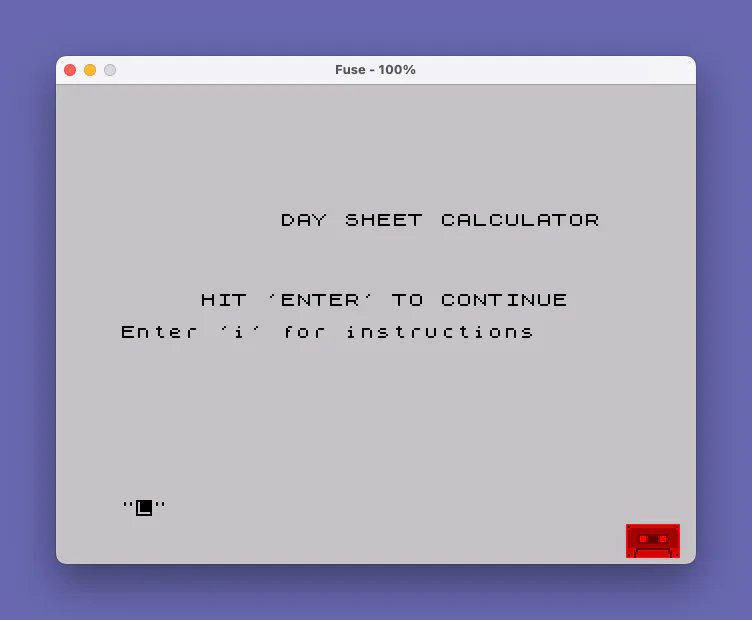
- Lines 1–55: Title screen, optional instructions display via
LIST 9000. - Lines 60–140: Initialization — restores DATA from line 910 and reads starting balances (AR at first of month, previous day’s total AR, and month-to-date columns AM, BM1, BM2) using the shared INPUT subroutine.
- Lines 150–560: Main daily entry loop — reads a date, processes daily figures via
GO SUB 210, checks for errors, accumulates running month totals, and prints/lprints a formatted report. - Lines 570–700: Shared INPUT subroutine — reads a DATA label as a prompt, accepts user input with character substitution and validation, returns a numeric value in the variable
data. - Lines 710–890: “Addem” add-column utility, accessible by typing
addat the date prompt, with optional printing and a cross-check mode. - Lines 910–920: DATA blocks providing column labels for the two RESTORE/READ cycles.
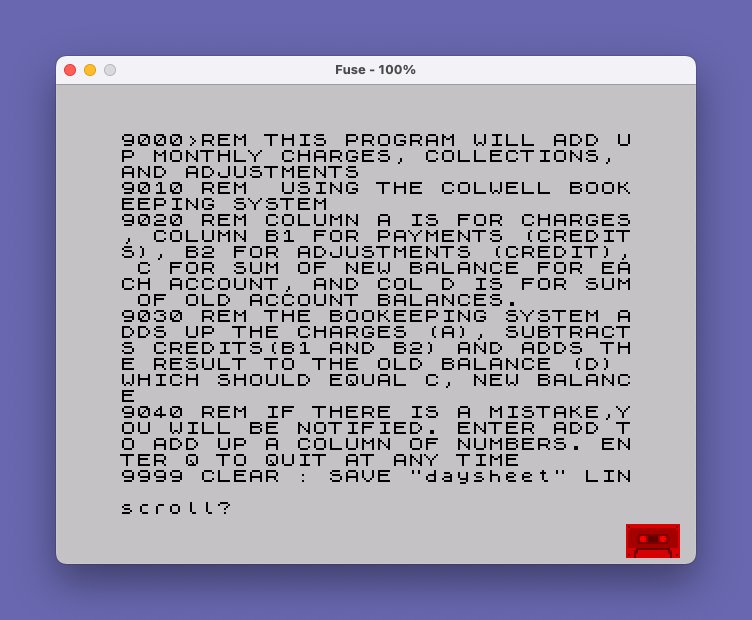
- Lines 9000–9040: REM-only instructions block, displayed with
LIST 9000. - Lines 930 / 9999: Two SAVE statements — one with
CLEARand channel#syntax, one standard — both saving withLINE 10for auto-run.
DATA-Driven Prompting
The subroutine at line 570 uses a clever DATA-driven prompting pattern. It reads a string from the current DATA pointer into P$; if that string equals "END" it jumps to line 150 (the date input loop), acting as a sentinel terminator. Otherwise it prints P$ as the input prompt on line 21. This means the same single subroutine handles every labeled field, driven entirely by the DATA statements at lines 910 and 920. The two separate RESTORE targets (line 910 for initialization, line 920 for daily entry) allow the same subroutine to serve two different sets of fields.
Character Substitution for Keypad Convenience
A notable usability feature substitutes easier-to-type characters for Symbol-Shift punctuation:
"v"or"V"→"/"(in date strings, lines 160–170)"m"or"M"→"."(decimal point, line 650)"j"or"J"→"-"(minus/negative, line 630)
This lets the operator enter long columns of numeric data without constantly reaching for Symbol Shift, a real productivity gain during extended data entry sessions.
Bookkeeping Logic
The accounting cross-check at line 260 verifies the Colwell identity: old balance (D) plus charges (A) minus credits (B1+B2) should equal new balance (C). The test uses ABS(fst1-c)>=.01 rather than exact equality, correctly handling floating-point rounding. A similar cross-check appears at line 530 comparing the per-day running target against the month-to-date target. The month-to-date accumulators am, bm1, bm2 are updated at line 290, and previous-day snapshots amo, bm1o, bm2o are preserved for the printed report.
Variable Usage
| Variable | Purpose |
|---|---|
arm1 | AR at start of month |
pdt | Previous day’s total AR (updated each cycle to tar) |
am/bm1/bm2 | Month-to-date column accumulators |
amo/bm1o/bm2o | Previous day’s month-to-date values (for printed report) |
a/b1/b2/c/d | Today’s charges, credits, adjustments, new balance total, old balance total |
bt | Total credits for the day (b1+b2) |
fst/fst1 | Intermediate balance calculations |
tar/tar1 | Calculated new AR targets (daily and monthly) |
data | Numeric result returned by the INPUT subroutine |
eflg | Error flag: 1 if cross-check fails, causes re-entry of the date |
P$ | Current DATA label / prompt string |
LPRINT Reporting
Every display PRINT statement in the main report section (lines 340–520) is mirrored by a corresponding LPRINT, producing a hard-copy printout in the same columnar format. TAB 10 and TAB 20 are used to align three columns of figures. The LPRINT at line 433 outputs the running totals row (D, previous day total AR, and ARM1) with the same spacing.
Addem Utility (Lines 710–890)
Typing add (or ADD) at the date prompt branches to a standalone column-totaling routine. It uses POKE 23692,255 to suppress the “scroll?” prompt, allowing long lists to scroll freely. The user enters numbers one per line; an empty entry ends the session and prints the total. An optional print mode sends each entry and running total to the printer. Entering "d" instead of repeating routes through the bookkeeping cross-check (GO SUB 210) before returning.
Notable Anomalies and Observations
- Line 90 uses the bare word
DATAas a variable name (the numeric value returned by the subroutine). This is valid BASIC but visually confusing alongside theREAD/DATAkeyword usage elsewhere. - Line 55 calls
LIST 9000to display instructions, an unconventional but practical approach that avoids storing instruction text in string variables or additional DATA blocks. - Line 760 calls
GO SUB 630, branching into the middle of the INPUT subroutine (the character-substitution section) rather than its entry point at 570, reusing just the substitution/conversion logic without re-prompting. - The two SAVE statements (lines 930 and 9999) differ: line 930 uses
SAVE #"daysheet"(channel syntax suggesting a specific device) while line 9999 uses plainSAVE "daysheet". Both specifyLINE 10. - Line 710 has a space within the variable name
f $in the INPUT statement, which some interpreters would reject; this may be a listing artifact.
Image Gallery
Source Code
    1 REM Charles A. Judge July 1986
   10 REM DAYSHEET  pretty input screen  takes v for / in date, m for . and j for -
   11 REM avoids need to hit symbol shift when entering long strings of numbers
   20 LET M$="HIT 'ENTER' TO CONTINUE"
   30 CLS
   40 PRINT AT 5,9;" DAY SHEET CALCULATOR";AT 10,5;M$
   41 PRINT '"Enter 'i' for instructions"
   50 INPUT Q$
   55 IF q$="i" THEN LIST 9000: PRINT m$: INPUT o$
   60 CLS
   70 RESTORE 910
   80 GO SUB 570
   90 PRINT AT 0,0;P$;"  ";DATA: LET ARM1=DATA
  100 GO SUB 570
  110 PRINT AT 2,0;P$;"  ";DATA: LET pdt=DATA
  120 GO SUB 570
  130 LET am=data: PRINT AT 4,0;am: GO SUB 570: LET bm1=data: PRINT AT 4,10;bm1: GO SUB 570: LET bm2=data: PRINT AT 4,20;bm2
  140 LET amo=am: LET bm1o=bm1: LET bm2o=bm2
  150 INPUT "DATE",d$: CLS
  160 FOR i=1 TO LEN d$: IF d$(i)="v" OR d$(i)="V" THEN LET d$(i)="/"
  170 NEXT i
  180 IF d$="add" OR D$="ADD" THEN GO TO 710
  190 PRINT AT 1,0;d$
  200 GO SUB 210: GO TO 280
  210 RESTORE 920
  220 GO SUB 570: LET a=data: PRINT AT 3,0;a;: GO SUB 570: LET b1=data: PRINT AT 3,10;b1;: GO SUB 570: LET b2=data: PRINT AT 3,20;b2
  230 GO SUB 570: LET c=data: PRINT AT 0,23;c;: GO SUB 570: LET d=data: PRINT AT 1,23;d
  240 LET bt=b1+b2
  250 LET fst=d+a: LET fst1=fst-bt
  260 LET eflg=0: IF ABS (fst1-c)>=.01 THEN LET eflg=1: PRINT AT 10,10;"ERROR";AT 16,0;"C    = ";c;AT 18,0;"calc = ";fst1: BEEP .1,1: PRINT AT 21,0;M$: INPUT Q$
  270 RETURN
  280 IF eflg=1 THEN GO TO 150
  290 LET am=am+a: LET bm1=bm1+b1: LET bm2=bm2+b2
  300 LET btm=bm1+bm2
  310 LET st1=pdt+a: LET tar=st1-bt
  320 LET st3=arm1+am: LET bmt=bm1+bm2: LET tar1=st3-bmt
  330 CLS
  340 PRINT d$: LPRINT d$: LPRINT
  350 PRINT a;TAB 10;b1;TAB 20;b2
  360 LPRINT a;TAB 10;b1;TAB 20;b2
  370 PRINT amo;TAB 10;bm1o;TAB 20;bm2o
  380 LPRINT amo;TAB 10;bm1o;TAB 20;bm2o
  390 PRINT am;TAB 10;bm1;TAB 20;bm2
  400 LPRINT am;TAB 10;bm1;TAB 20;bm2
  410 LET amo=am: LET bm1o=bm1: LET bm2o=bm2
  420 PRINT : PRINT : LPRINT ''
  430 LPRINT d;TAB 10;pdt;TAB 20;arm1
  440 PRINT d;TAB 10;pdt;TAB 20;arm1
  450 PRINT a;TAB 10;a;TAB 20;am
  460 LPRINT a;TAB 10;a;TAB 20;am
  470 PRINT fst;TAB 10;st1;TAB 20;st3
  480 LPRINT fst;TAB 10;st1;TAB 20;st3
  490 PRINT bt;TAB 10;bt;TAB 20;btm
  500 LPRINT bt;TAB 10;bt;TAB 20;btm
  510 PRINT c;TAB 10;tar;TAB 20;tar1
  520 LPRINT c;TAB 10;tar;TAB 20;tar1
  530 IF ABS (tar-tar1)>=.01 THEN PRINT "error": LPRINT "error": BEEP 1,1: STOP
  540 LPRINT
  550 LET pdt=tar
  560 GO TO 150
  570 READ P$: IF P$="END" THEN GO TO 150
  580 REM INPUT sub
  590 PRINT AT 21,0;"                              "
  600 PRINT AT 21,0;p$,
  610 INPUT i$
  620 IF i$="" THEN LET data=0: RETURN
  630 IF i$(1)="J" OR i$(1)="j" THEN LET i$(1)="-"
  640 FOR i=1 TO LEN i$
  650 IF i$(i)="m" OR i$(i)="M" THEN LET i$(i)="."
  660 IF i$(i)>"9" AND i$(i)<>"." THEN BEEP .1,.1: GO TO 690
  670 NEXT i
  680 LET data=VAL i$: RETURN
  690 IF i$(i)="q" OR i$(i)="Q" THEN STOP
  700 GO TO 610
  710 CLS : INPUT "Addem: Print ?";f $
  720 LET tot=0
  730 INPUT I$
  740 POKE 23692,255
  750 IF I$="" THEN GO TO 810
  760 GO SUB 630
  770 LET n=DATA
  780 LET tot=tot+n
  790 IF f$="y" THEN LPRINT n,tot
  800 PRINT n,tot: GO TO 730
  810 PRINT "_______",,tot: IF f$="y" THEN LPRINT "______",,tot
  820 INPUT "again ? ";q$
  830 IF q$="n" THEN CLS : GO TO 150
  840 IF q$="d" THEN GO TO 870
  850 CLS
  860 GO TO 720
  870 CLS : PRINT "Test Daily Balance": GO SUB 210
  880 IF eflg=1 THEN GO TO 710
  890 GO TO 150
  900 STOP
  910 DATA "AR at first of month","Prev. Days Total AR","AM","BM1","BM2","END"
  920 DATA "A","B1","B2","C","D","END"
  930 CLEAR : SAVE #"daysheet" LINE 10
 9000 REM THIS PROGRAM WILL ADD UP MONTHLY CHARGES, COLLECTIONS, AND ADJUSTMENTS
 9010 REM  USING THE COLWELL BOOKEEPING SYSTEM
 9020 REM COLUMN A IS FOR CHARGES, COLUMN B1 FOR PAYMENTS (CREDITS), B2 FOR ADJUSTMENTS (CREDIT), C FOR SUM OF NEW BALANCE FOR EACH ACCOUNT, AND COL D IS FOR SUM OF OLD ACCOUNT BALANCES.
 9030 REM THE BOOKEEPING SYSTEM ADDS UP THE CHARGES (A), SUBTRACTS CREDITS(B1 AND B2) AND ADDS THE RESULT TO THE OLD BALANCE (D) WHICH SHOULD EQUAL C, NEW BALANCE
 9040 REM IF THERE IS A MISTAKE,YOU WILL BE NOTIFIED. ENTER ADD TO ADD UP A COLUMN OF NUMBERS. ENTER Q TO QUIT AT ANY TIME
 9999 CLEAR : SAVE "daysheet" LINE 10
Note: Type-in program listings on this website use ZMAKEBAS notation for graphics characters.