
ECMViewer is a TS2068 program designed to display Timex Extended Color Mode images, as saved from David Anderson’s Retro Pixel Converter.
TSPico owners should start with the TSPico specific viewer / slideshow program, ecmvpico.tap / ecmvpico.bas.
This will display a number of colorful images in a slide show, and it shows them one by one in a loop. There are options in the listing to loop images.
Shift-break will interrupt the program and return to a normal screen with command line.
To run, copy the ecmview directory to your TSPico’s microSD card and execute the following:
- SAVE “tpi:cd ecmview”
- LOAD “tpi:ecmvpico.tap”
- LOAD “”
- RUN
Procedure for loading an ECM image in Fuse:
- Start Fuse
- Select: Machine/Select/Timex TS2068
- Select: Media/Tape/Open
- Pick ‘ecmview.tap’
- LOAD “”
- Now select an image file: Media/Tape/Open (for example ferrari.tap)
- RUN
The image should display for ~10 sec, or you can hit a key early to return to basic. You can open a different .TAP file and repeat the RUN without reloading the program.
A few technical notes: The assembly source is in ecmroutine.asm. To minimize artifacts and display a complete image when ready, the attributes are initially kept to all black, and the attribute file is loaded into a RAM buffer near the top of memory. The color attributes remain black while the image pixels are loaded into the image display file area. This allows for implementing a few animated wipes, as the attributes can be copied from temporary storage into the extended color mode attribute area using some animation routines- a direct copy, sideways wipes in both directions, curtain opening, or blinds opening. More could certainly be implemented without much trouble- these were quickly implemented with a brief description to Claude.
The programs load the ECM attribute file (6144 bytes, $6000-$77FF – a second full bitmap for color, NOT the standard 768-byte attribute area) into an off-screen buffer instead of straight into the visible attribute area, so no stray colors from the previous image ever show on screen. The real attribute area is blanked to black first, pixels load in directly (as a black silhouette while loading), and the color is revealed only after the full image is on screen. POKE 49235 (WIPE_MODE) selects how that reveal happens:
0 = instant (default, no visible effect) 1 = left-to-right wipe 2 = right-to-left wipe 3 = curtain opening from center 4 = blinds / shutter
POKE 49236 (WIPE_SPEED) tunes how slow the wipe animates (0=fastest, 255=slowest). These are just POKEs near the top of ecmvpico.bas – edit and rebuild to change the defaults.
This is easily done with ZMakebas or the excellent ZMakebas+.
Some improvements are obviously possible. I would love to see some fast image data streaming continuously from the TSPico to the 2068.
Notes on the Timex Extended Color Mode
For the end of 1983, this extended color mode was one of the most colorful modes available on any microcomputer of the time. Beating the Spectrum, C64, Atari 8-bit, Apple, BBC Micro, and IBM PC. Competitors with modes that were close were the MSX1 and TI-99/4A which had 2 colors per 8×1 pixel block possible. Unfortunately virtually no software took advantage of it.
Acknowledgements
With help from ChatGPT/Claude and Lloyd Dreger’s Introduction to 2068 Machine Code 1986, as reprinted in David Anderson’s Machine Language Programing for the Timex/Sinclair 2068 with corrections from the original archive.org version and the TS2068 Technical Manual.
Thanks to Ryan Gray for suggestions and David Anderson for help in getting hardware/firmware issues with my TSPico resolved (including upgrading to a newer version that supports extended color mode on the TS Pico).
Note that for a while ChatGPT was my assembler(!), in this case it could just assemble Z80 code directly without the use of an external assembler. Claude preferred to find and use the pasmo assembler.
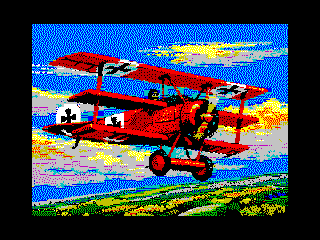
Images are AI generated / creative commons images (as well as a couple of recognizable images from Amiga history with well known origins, acknowledgements due but currently sorely lacking).
Image Gallery
Note: Type-in program listings on this website use ZMAKEBAS notation for graphics characters.