
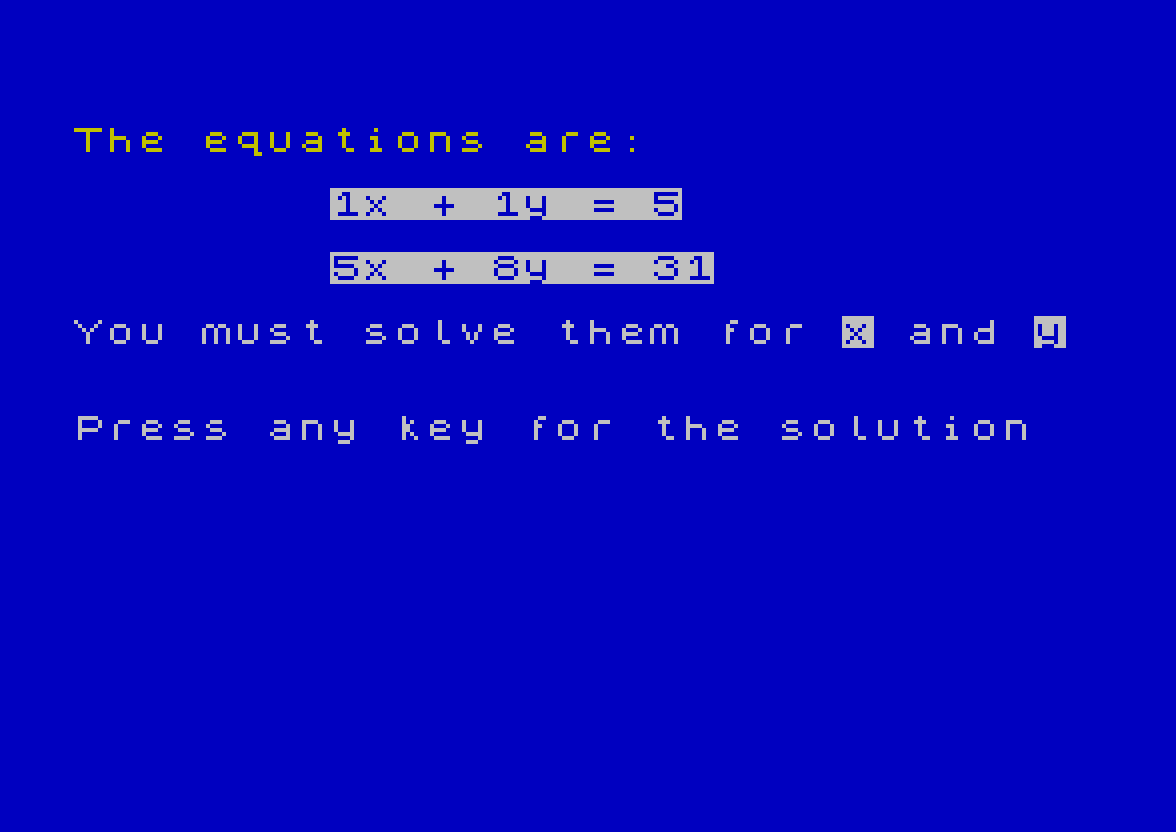
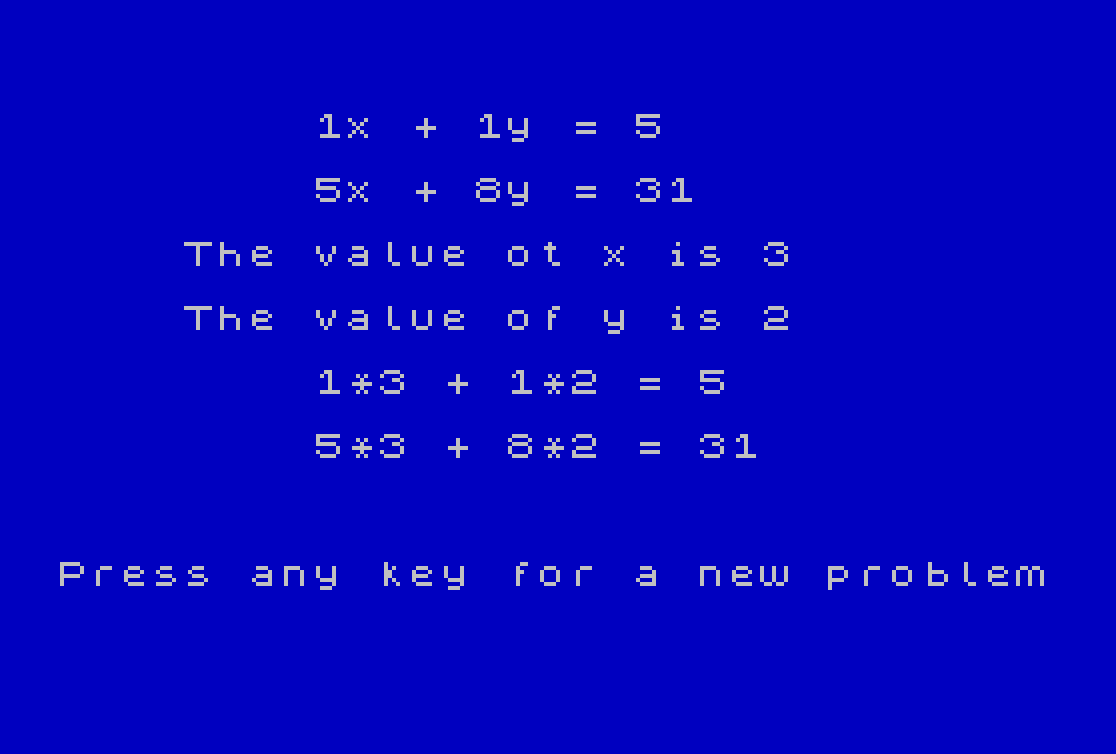
This program generates random simultaneous linear equations in two unknowns and challenges the user to solve them mentally before revealing the answer. It randomly selects integer coefficients A, B, C, D and solutions X, Y (each in the range 1–10) using a user-defined function, then constructs the constant terms E and F by back-calculation, guaranteeing whole-number solutions. The solution display uses FLASH 1 to highlight the values of x and y, and verification lines show the arithmetic check for each equation.
Program Structure
The program is divided into three logical phases, looping indefinitely via RUN at line 280:
- Initialisation (lines 10–30): Sets display attributes (white ink on blue paper/border) and defines the random helper function.
- Problem generation (lines 40–120): Picks random values and computes the equation constants.
- Presentation and solution (lines 130–270): Displays the equations, waits for a keypress, then reveals the solution with verification.
Variable and Function Usage
| Name | Role |
|---|---|
FN M(N) | Returns a random integer in the range 1–N inclusive |
A, B, C, D | Randomly chosen coefficients (1–10) |
X, Y | Randomly chosen solution values (1–10) |
E, F | Right-hand-side constants, computed as A*X+B*Y and C*X+D*Y |
Notable Techniques
- Back-calculation for integer solutions: Rather than generating equations and solving them, the program picks the answer first (
X,Y) and derives the constantsEandF. This guarantees the simultaneous equations always have whole-number solutions in the range displayed. - User-defined function:
DEF FN M(N)=INT (RND*N)+1(line40) is defined once and reused six times, keeping the random-generation code concise. - Attribute highlighting:
INVERSE 1is used in lines140–160to draw attention to the equation terms during the puzzle phase, andFLASH 1in lines220–230emphasises the revealed answers. - Keypress wait idiom:
PAUSE 0at lines180and270halts execution until any key is pressed, a standard Spectrum technique. - Verification output: Lines
240–250print the substituted arithmetic (e.g.3*7 + 2*5 = 31) as an explicit check, useful for educational purposes. - Infinite loop via
RUN: Line280restarts the entire program rather than usingGO TO 50, which also re-applies the display setup lines and re-evaluates theDEF FN.
Image Gallery
Source Code
   10 REM EQUATIONS
   20 INK 7: PAPER 1
   30 BORDER 1: CLS
   40 DEF FN M(N)=INT (RND*N)+1
   50 LET A=FN M(10)
   60 LET B=FN M(10)
   70 LET C=FN M(10)
   80 LET D=FN M(10)
   90 LET X=FN M(10)
  100 LET Y=FN M(10)
  110 LET E=A*X+B*Y
  120 LET F=C*X+D*Y
  130 PRINT ''' INK 6;"The equations are:"
  140 PRINT 'TAB 8; INVERSE 1;A;"x + ";B;"y = ";E
  150 PRINT 'TAB 8; INVERSE 1;C;"x + ";D;"y = ";F
  160 PRINT '"You must solve them for "; INVERSE 1;"x"; INVERSE 0;" and "; INVERSE 1;"y"
  170 PRINT ''"Press any key for the solution"
  180 PAUSE 0
  190 CLS
  200 PRINT ''''TAB 8;A;"x + ";B;"y = ";E
  210 PRINT 'TAB 8;C;"x + ";D;"y = ";F
  220 PRINT 'TAB 4;"The value ot x is "; FLASH 1;x
  230 PRINT 'TAB 4;"The value of y is "; FLASH 1;Y
  240 PRINT 'TAB 8;A;"*";X;" + ";B;"*";Y;" = ";E
  250 PRINT 'TAB 8;C;"*";X;" + ";D;"*";Y;" = ";F
  260 PRINT '''"Press any key for a new problem"
  270 PAUSE 0
  280 RUN
 9997 STOP
 9998 SAVE "EQUATIONS" LINE 1
Note: Type-in program listings on this website use ZMAKEBAS notation for graphics characters.