
This program implements the mathematical strategy game of Nim, where a player and the computer alternately remove sticks from a shared pile until the last stick is taken. The game offers two difficulty levels: a Novice mode using random computer moves and an Expert mode that calculates the optimal move using the formula `(y-1)/(mm+1)`, exploiting the classic Nim winning strategy based on modular arithmetic. The maximum number of sticks removable per turn (`mm`) and the initial pile size (`y`) are both randomized at the start of each game. A string array `z$` of length 30 is used to render the current stick count visually as a row of “I” characters on screen. The program uses FLASH, BEEP, BORDER, PAPER, INK, and DRAW statements to provide a polished user interface including a decorative border drawn with PLOT/DRAW.
Program Analysis
Program Structure
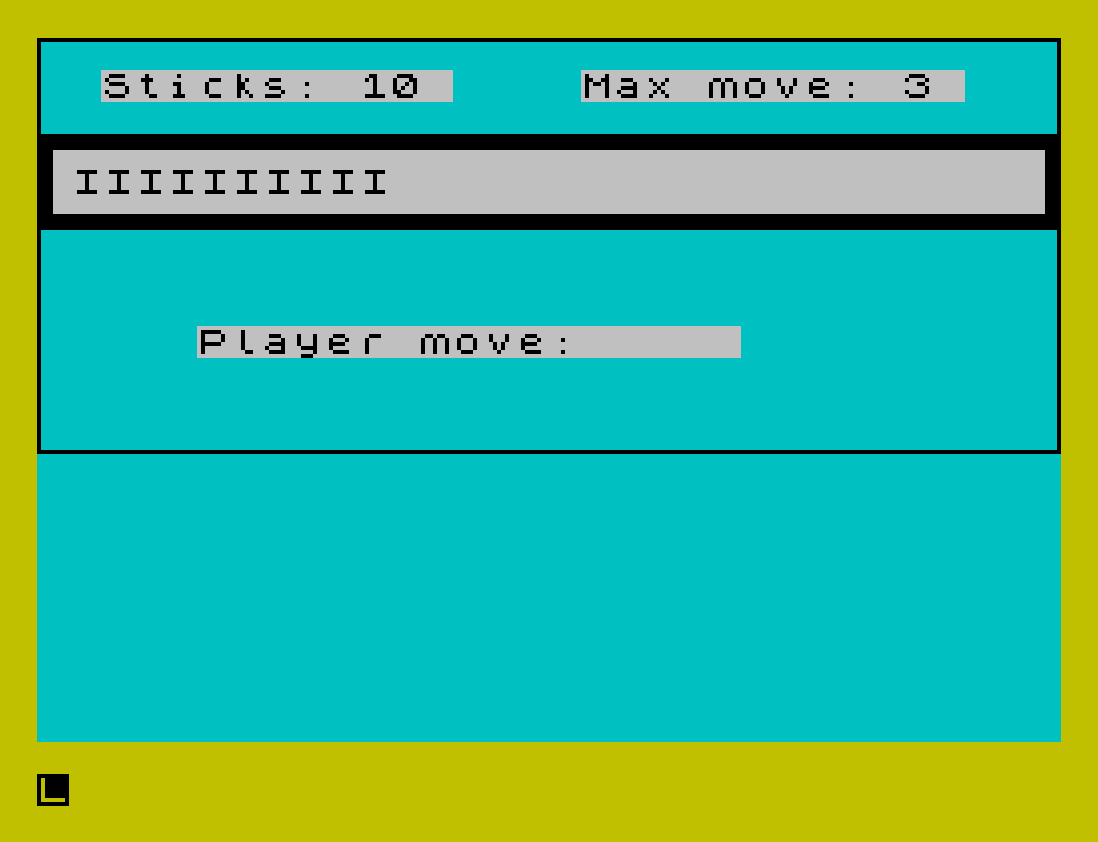
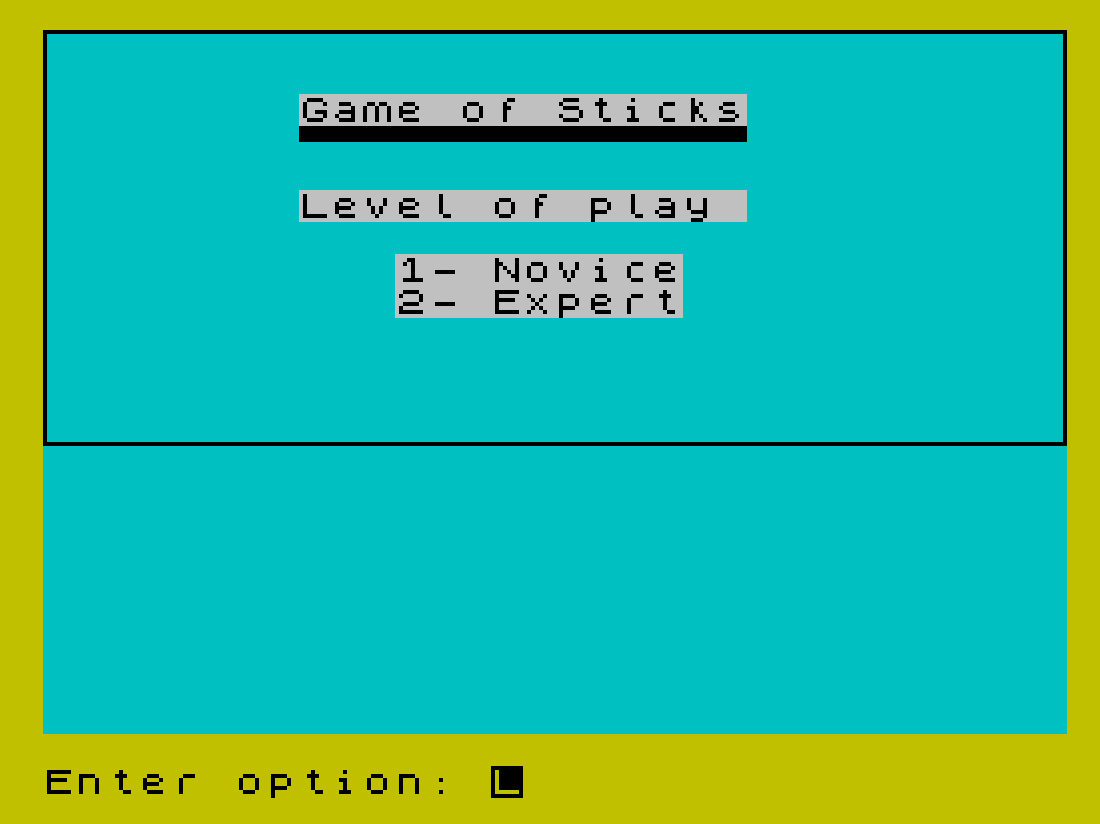
The program is organized into a main flow with two subroutines. Lines 6–20 handle setup and level selection. Lines 25–50 manage the player’s turn, and lines 85–170 handle the computer’s response and loop back for the next player move. Subroutine at line 300 renders the stick display, and the subroutine at line 400 draws a decorative border using PLOT/DRAW.
- Lines 2–20: Title screen, level selection (
d=1Novice,d=2Expert) - Lines 25–35: Randomize pile size
y(10–30) and max movemm(3–8), display board - Lines 40–70: Player input, validation, win/loss check for player taking last stick
- Lines 85–170: Computer move calculation, display, win/loss check, loop
- Line 300: Stick display subroutine using
DIM z$and aFORloop - Line 400: Border drawing subroutine
Nim Strategy Implementation
The core of the Expert mode is at line 95:
LET z=(y-1)/(mm+1): LET cm=(mm+1)*(z-INT z)+.01
This computes the remainder of (y-1) divided by (mm+1), which is the classical optimal Nim move: always leave the opponent facing a position where y ≡ 1 (mod mm+1). The +.01 offset avoids a zero result when the position is already a losing one for the computer, in which case line 135 forces cm=1.
Computer Move Logic
| Condition | Action |
|---|---|
Novice mode (d<>2) | Random move: INT(RND*mm)+1 |
y=1 | Take the last stick (forced loss for computer? No — computer takes it, player loses) |
y<=mm | Take all but one: cm=y-1 |
| Expert optimal | cm=(mm+1)*FRAC((y-1)/(mm+1)) |
cm=0 after calculation | Force cm=1 (line 135) |
Note that in Novice mode, lines 115–130 still apply special-case logic for y=1 and y<=mm, meaning the Novice AI is not purely random — it will always take the winning move when able.
Stick Display Subroutine (Line 300)
The subroutine at line 300 re-dimensions z$ as a 30-character string on every call, effectively clearing it. It then fills the first y characters with "I" using a FOR loop and prints the whole string at a fixed screen position. This provides a simple bar-graph visualization of the remaining sticks. Re-dimensioning inside the subroutine also serves as a reset, since DIM fills the array with spaces.
Variable Reuse Anomaly
The variable z is used for two distinct purposes: as an intermediate floating-point value in the Expert strategy formula at line 95 (LET z=(y-1)/(mm+1)), and as the loop counter in the subroutine at line 300 (FOR z=1 TO y). Additionally, z$ is the display string array. Since the subroutine is called after line 95 (at line 85 via GO SUB 300), the value of z from the formula is overwritten. This is not a bug in practice because z is only needed transiently before cm is computed at line 95, and GO SUB 300 is not called between lines 95 and the use of cm.
Input Validation
Player input at line 40 uses the compound condition (pm<=0)+(pm>mm)+(pm>y), a standard BASIC idiom where boolean expressions evaluate to 1 (true) or 0 (false) and are summed. If any condition is true, the sum is nonzero and the player is prompted again with a double BEEP penalty. Level selection at line 14 uses the same pattern: (d<1)+(d>2).
Win/Loss Display
Line 70 handles the player taking the last stick (a loss for the player), printing FLASH 1; " You lose, SUCKER!! " and calling STOP. Line 160 handles the computer taking the last stick (a win for the player), printing FLASH 1; ".....YOU WIN....." and calling STOP. Neither branch offers a replay option; the program must be restarted manually.
Notable Techniques
- Block graphics characters are used in
PRINTstatements at lines 32 and 35 to draw a decorative box border around the stick display area. PAPERandINKattribute controls are embedded inline withinPRINTstatements throughout, giving each UI region a distinct color.- The
GO SUB 400border-draw routine usesPLOT/DRAWrather than character graphics for the outer window border, giving pixel-precise placement. PAUSE 100calls provide brief delays for readability without requiring a keypress.- The
LINE 6in theSAVEcommand at line 999 causes the program to auto-start at line 6, skipping theREMheaders.
Image Gallery
Source Code
    2 REM  Game of Sticks  (NIM)
    4 REM  \* 1985 I. Auersbacher
    6 BORDER 6: PAPER 5: CLS
   10 PRINT PAPER 7;AT 2,8;"Game of Sticks"; PAPER 5;AT 3,8;"\''\''\''\''\''\''\''\''\''\''\''\''\''\''"; PAPER 7;AT 5,8;"Level of play ";AT 7,11;"1- Novice";AT 8,11;"2- Expert": GO SUB 400
   12 INPUT "Enter option: ";d
   14 LET d=INT d: IF (d<1)+(d>2) THEN BEEP 1,-20: GO TO 12
   20 PRINT PAPER 3;AT 6+d,8;">>"
   25 DIM z$(30): LET y=INT (RND*21)+10: LET mm=INT (RND*6)+3
   30 PAUSE 100: CLS : BEEP .1,20
   32 PRINT PAPER 7;AT 3,0;"\:'\''\''\''\''\''\''\''\''\''\''\''\''\''\''\''\''\''\''\''\''\''\''\''\''\''\''\''\''\''\''\':";AT 4,0;"\: ";AT 4,31;"\ :";AT 5,0;"\:.\..\..\..\..\..\..\..\..\..\..\..\..\..\..\..\..\..\..\..\..\..\..\..\..\..\..\..\..\..\..\.:"
   35 PRINT PAPER 7;AT 1,2;"Sticks: ";y;" ";AT 1,17;"Max move: ";mm;" ": GO SUB 300: GO SUB 400
   40 PRINT PAPER 7;AT 9,5;"Player move:     ": INPUT pm: IF (pm<=0)+(pm>mm)+(pm>y) THEN BEEP 0.5,-16: BEEP 0.7,-20: GO TO 40
   50 PRINT PAPER 7;AT 9,18;pm: LET y=y-pm: IF y>0 THEN GO TO 85
   70 PRINT PAPER 7;AT 4,1;"          ";AT 1,10;"0"; FLASH 1;AT 9,5;" You lose, SUCKER!! ": STOP
   85 GO SUB 300: PRINT PAPER 7;AT 1,2;"Sticks: ";y;" ": PAUSE 100: IF d<>2 THEN GO TO 110
   95 LET z=(y-1)/(mm+1): LET cm=(mm+1)*(z-INT z)+.01: GO TO 135
  110 LET cm=INT (RND*mm)+1
  115 IF y<>1 THEN GO TO 130
  120 LET cm=1: GO TO 140
  130 IF y<=mm THEN LET cm=y-1
  135 IF INT cm=0 THEN LET cm=1
  140 LET cm=INT cm: PRINT PAPER 7;AT 9,5;"Computer takes: ";cm: LET y=y-cm: PAUSE 100
  155 IF y<>0 THEN GO TO 170
  160 PRINT PAPER 7;AT 4,1;" ";AT 1,10;"0"; FLASH 1;AT 9,5;".....YOU WIN.....": STOP
  170 GO SUB 300: PRINT PAPER 7;AT 1,2;"Sticks: ";y;" ": PAUSE 100: GO TO 40
  300 DIM z$(30): FOR z=1 TO y: LET z$(z)="I": NEXT z: PRINT PAPER 7; INK 0;AT 4,1;z$: RETURN
  400 INK 0: PLOT 0,72: DRAW 255,0: DRAW 0,103: DRAW -255,0: DRAW 0,-103: INK 0: RETURN
  999 SAVE "sticks" LINE 6
Note: Type-in program listings on this website use ZMAKEBAS notation for graphics characters.