
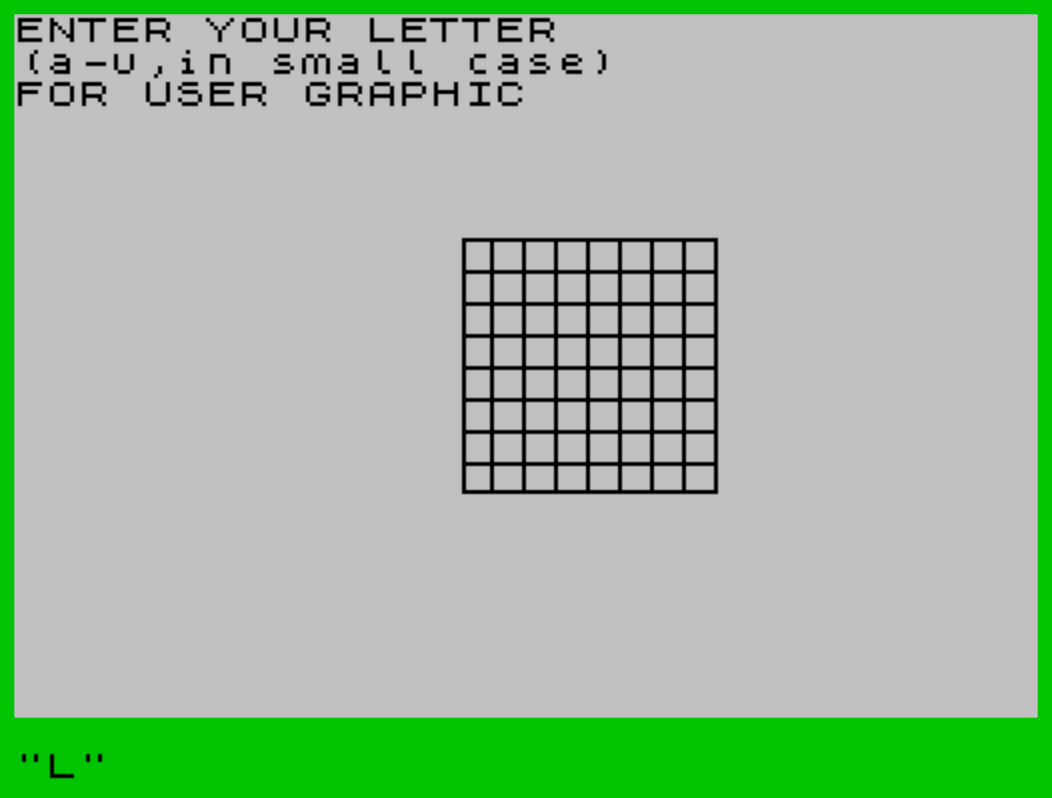
This program is an interactive user-defined graphic (UDG) editor that lets the user design a custom character by entering binary pixel data row by row. It first draws a bordered graph grid using PLOT and DRAW commands, then prompts the user to select which UDG letter (a–u) they want to define. For each of the eight rows of the 8×8 character, the user inputs eight bits (0 or 1) one keypress at a time, with a “2” option to restart the current row; the program converts each row’s binary sequence to a decimal value using powers of 2 and writes it directly to UDG memory with POKE USR. After all eight rows are entered, the finished character is displayed on screen, and the user can either send output to a printer with COPY or restart to define another UDG.
Program Structure
The program divides into four logical phases:
- Grid drawing (lines 10–95): Uses
PLOTandDRAWto construct a bordered graph grid on the lower portion of the screen, with vertical and horizontal divider lines drawn using nestedFORloops. - UDG selection (lines 140–188): Prompts the user — with
FLASH 1— to type the letter (a–u) of the UDG slot to define, then clears the top lines. - Pixel entry loop (lines 190–420): The main editor. For each of the 8 rows (
FOR a=0 TO 7) and each of the 8 bit columns (FOR b=0 TO 7), the program reads a keypress of 0, 1, or 2, accumulates a binary-to-decimal value, displays the pixel state, then POKEs the result into UDG memory. - Output and restart (lines 424–490): Clears the status area, displays the finished UDG character, offers a
COPYto printer orRUNto restart.
Key BASIC Idioms
- INKEY$ debounce pair (lines 223–224):
IF INKEY$ <>"" THEN GO TO 223waits for any held key to be released, thenIF INKEY$="" THEN GO TO 224waits for a new keypress — a classic reliable single-keypress capture idiom. - Binary-to-decimal conversion (lines 240–260): Each bit’s contribution is computed as
c * 2↑(7-b)and accumulated inf, correctly building the byte value with the most-significant bit first. - POKE USR (line 415):
POKE USR a$+a,fwrites each computed row byte directly to the UDG definition table in RAM, which is the standard method for defining custom characters at runtime. - Row restart (line 235): Entering “2” branches back to
GO TO 210, resettingf=0and re-running the inner bit loop for that row, allowing corrections.
Variable Usage
| Variable | Purpose |
|---|---|
a$ | UDG letter chosen by user (a–u) |
a | Current row index (0–7) |
b | Current bit/column index within row (0–7) |
c | Current bit value (0 or 1) from keypress |
d | Place value: 2↑(7-b) |
e | Bit contribution: c*d |
f | Accumulated byte value for the current row |
g, h | Loop counters for grid drawing and screen clearing |
c$ | User’s choice at end: copy or new |
Notable Techniques
- The grid is drawn entirely with
PLOT/DRAWprimitives rather thanPRINT, giving pixel-precise placement independent of the character grid. - The pixel preview at line 270–280 uses
PRINT AT 7+a,14+bto display a filled block or space in the correct screen position as each bit is entered, giving real-time visual feedback. - Line 290 additionally prints the numeric bit value (
c) at columnb, and line 410 prints the running decimal totalfat column 27, so the user can verify the conversion.
Bugs and Anomalies
- Variable
hreused as loop variable:his used as the outer loop counter in multiple independentFOR/NEXTblocks (lines 97, 424), and also as the inner loop counter at line 105 while still nominally active at line 97. This works only because the outerhloop at line 97 is effectively replaced, but it is fragile and non-standard. - Case inconsistency (line 430): The program instructs the user to enter lowercase letters, stores the input in
a$, but displaysA$(uppercase variable name) at line 430. In Sinclair BASIC,a$andA$are the same variable, so this works correctly but is stylistically inconsistent with the rest of the program. - INKEY$ race at lines 225–235: The three consecutive
IF INKEY$=...tests each independently read the keyboard. If the key is released between tests, only the first matching condition fires; if held, all three are evaluated. For keys “0” and “1” this is harmless, but pressing “2” could theoretically also pass the “0” or “1” tests if the key state changes between lines — in practice the fast sequential execution makes this unlikely. - No input validation: If the user enters a character outside the 0/1/2 set, the variable
cretains its previous value and the row silently accumulates a repeated bit, with no error message.
Image Gallery
Source Code
   5 REM USER DEFINED GRAPHIC
   8 BORDER 4
  10 PLOT 112 ,119
  20 DRAW 63,0
  30 DRAW 0,-63
  40 DRAW -63,0
  50 DRAW 0,63
  60 DRAW 7,0
  65 FOR g=1 TO 6
  70 DRAW 0,-63
  80 DRAW 8,0
  90 DRAW 0,63
  92 NEXT g
  95 DRAW 8,0
  97 FOR h=1 TO 4
 100 DRAW 0,-8
 105 FOR h=1 TO 6
 110 DRAW -63,0
 120 DRAW 0,-8
 130 DRAW 63,0
 135 NEXT h
 140 FLASH 1:PRINT "ENTER YOUR LETTER ":FLASH 0
 150 PRINT "(a-u,in small case)"
 160 PRINT "FOR USER GRAPHIC"
 170 INPUT a$
 180 FOR h=0 TO 2
 185 FOR g=0 TO 31:PRINT AT h,g;" ":NEXT g
 188 NEXT h
 190 PRINT ; AT 0,0;"ENTER EITHER 0 FOR BLANK"
 193 PRINT "             1 FOR █"
 195 PRINT "             2 TO REWRITE LINE"
 200 FOR a=0 TO 7
 210 LET f=0
 220 FOR b=0 TO 7
 223 IF INKEY$ <>"" THEN GO TO 223
 224 IF INKEY$="" THEN GO TO 224
 225 IF INKEY$="1" THEN LET c=1
 230 IF INKEY$="0" THEN LET c=0
 235 IF INKEY$="2" THEN GO TO 210
 237 REM  Bin to Dec
 240 LET d=2↑(7-b)
 250 LET e=c*d
 260 LET f=e+f
 270 IF c=1 THEN PRINT AT 7+a,14+b;"█"
 280 IF c=0 THEN PRINT AT 7+a,14+b;" "
 290 PRINT AT 7+a,b;c
 400 NEXT b
 410 PRINT AT 7+a,27;f
 415 POKE USR a$+a,f
 417 BEEP 0.25,0
 420 NEXT a
 424 FOR h=0 TO 2
 425 FOR g=0 TO 31:PRINT AT h,g;" ":NEXT g
 426 NEXT h
 430 PRINT AT 4,16;A$;"= "; CHR$ (CODE A$+47)
 450 BEEP 1,3
 460 REM COPY
 470 INPUT "Press (c) for COPY---(n) for new";c$
 480 IF c$="c" THEN COPY
 490 IF c$="n" THEN RUN
Note: Type-in program listings on this website use ZMAKEBAS notation for graphics characters.