
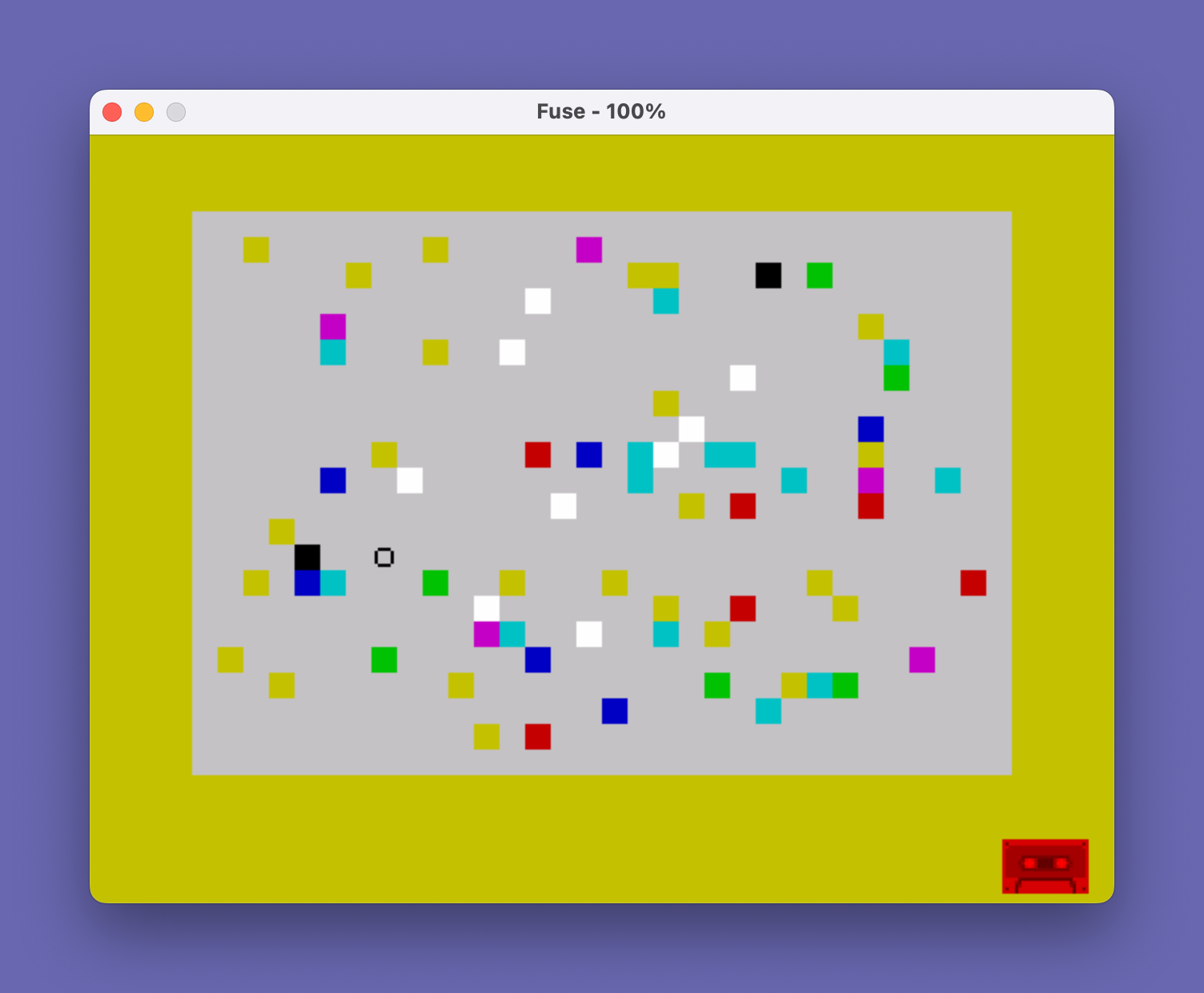
Lollipops is an arcade-style game where the player guides a lollipop sprite horizontally sweeping back and forth across a colorful field, using Q/Z keys or a joystick to move it up and down and collect flavored candies. The program uses ATTR to read the paper color of cells the lollipop passes through, mapping each color to a candy flavor and score value (licorice scores 49, down to lemon at 1), while a white/bright cell acts as a peppermint that ends the game. STICK(1,1) and STICK(2,1) calls provide joystick support alongside keyboard input. The field is populated by PAPER-colored spaces printed with a skewed RND*RND distribution to bias toward lower-numbered colors, plus a set of bright white spaces representing peppermints. The game tracks 300 sweep steps before forcing game over, and scoring uses the formula (7-1)^2 applied uniformly rather than per-flavor, suggesting a placeholder or simplified scoring scheme.
Program Analysis
Program Structure
The program is organized into several functional blocks:
- Lines 5–10: Title REM and initialization jump to subroutine 300 (banner) then randomize and jump to instructions at 420.
- Lines 30–60: Field setup — clears screen, places bright white peppermint cells, then floods the field with colored candy cells.
- Lines 70–190: Main game loop — moves the lollipop, detects collisions via ATTR, updates score, enforces timer.
- Lines 200–240: Game-over display and replay prompt.
- Line 300: Title banner subroutine.
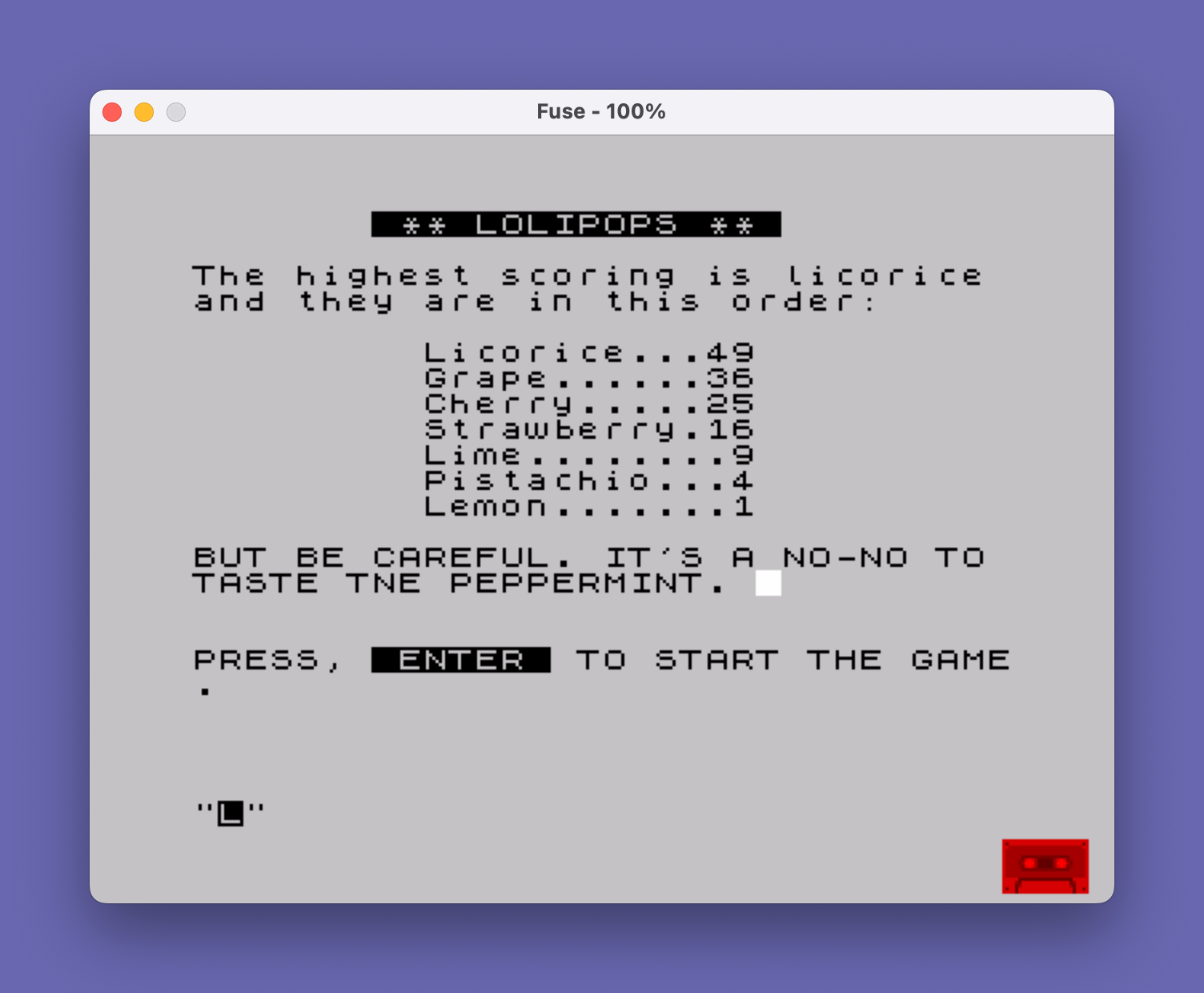
- Lines 420–510: Instruction screens with flavor score table.
- Lines 8999–9000: STOP and SAVE/VERIFY.
Field Generation
The candy field is built in two passes. First, lines 35 places 10 bright white spaces (PAPER 7, BRIGHT 1) at random positions — these are the peppermints. Then line 50 prints 75 colored spaces using PAPER 6-INT(7*RND*RND), which uses a squared RND to bias the distribution toward higher paper colors (i.e., lighter flavors are more common than licorice/black).
Lollipop Movement and Direction
The lollipop bounces horizontally: variable k holds the direction (+1 or -1). Line 100 reverses k when column c goes out of bounds. The sprite is drawn as the string "--O" (moving right) or "O--" (moving left) using Boolean string multiplication, a common Sinclair BASIC idiom. The previous position stored in ll/cc is erased with three spaces each frame.
ATTR-Based Collision Detection
Line 130 reads the screen attribute at the leading edge of the lollipop using ATTR(l, ...). The column expression ((c+2) AND k=1)+(c AND k=-1) selects the tip of the lollipop depending on travel direction. The raw ATTR value is divided by 8 to extract the paper color (bits 3–5). A value ≤ 6 indicates a colored candy; a value of 15 indicates a bright white peppermint (ATTR = 15×8 = 120… actually PAPER 7 + BRIGHT = attribute byte with paper=7 and bright=1, giving value 7 + 8×7 = 63; divided by 8 = 7, not 15 — see anomaly note below).
Scoring Anomaly
Line 140 adds to score s using (7-1)^2, which always equals 36 regardless of candy color. The instructions describe a flavor-dependent scoring table (licorice 49, grape 36, cherry 25, etc.) suggesting the score should use (7-a)^2 where a is the paper color, but the variable a is not used in the formula. This is a bug — the intended expression was almost certainly (7-a)^2.
Peppermint Detection Anomaly
Line 145 checks a=15 to detect the peppermint. Since a = ATTR(l,col)/8, a value of 15 would require ATTR = 120, corresponding to PAPER 7 + BRIGHT 1 (paper=7, bright set, ink=0). The ATTR byte for PAPER 7 BRIGHT 1 is indeed 7*8 + 64 = 120, and 120/8 = 15, so this check is mathematically correct despite the use of integer division.
Input Handling
Both keyboard and joystick are supported simultaneously. STICK(1,1) reads the left joystick port. Vertical movement (line 110) uses Boolean arithmetic: the lollipop moves down if Z is pressed or joystick returns 2, and up if Q is pressed or joystick returns 1, with boundary clamping to rows 1–20. POKE 23658,8 at line 95 enables CAPS SHIFT + symbol shift behavior (caps lock) so that lowercase Z input is handled correctly each loop iteration.
Key Variables
| Variable | Purpose |
|---|---|
l, c | Current row and column of lollipop |
ll, cc | Previous position (for erasing) |
k | Horizontal direction (+1 right, -1 left) |
p | Pop count (number of candies tasted) |
s | Score (bugged — always adds 36) |
t | Timer (game ends at 300) |
a | Detected paper color at lollipop tip |
Notable Techniques
- Boolean string selection:
("--O" AND k=1)+("O--" AND k=-1)cleanly selects the directional sprite without an IF statement. - Squared RND distribution (
RND*RND) for biased random field coloring. - ATTR read divided by 8 to isolate paper color is a well-known Sinclair idiom for color-based collision detection.
- The title subroutine at line 300 is reused between the instruction screens for consistent presentation.
- The typo “LOLIPOPS” (one L) in the line 300 banner versus “LOLLIPOPS” in the line 5 REM and the filename is a minor inconsistency, as is “TNE” instead of “THE” in line 495.
Image Gallery

Source Code
    5 REM  ** LOLLIPOPS **                        by                        Warren Fricke
   10 GO SUB 300
   20 RANDOMIZE : GO TO 420
   30 BORDER 6: PAPER 7: CLS
   35 FOR n=1 TO 10: PRINT BRIGHT 1; PAPER 7;AT 19*RND+1,15*RND+8;" ": NEXT n
   40 FOR N=1 TO 75
   50 PRINT PAPER 6-INT (7*RND*RND);AT 19*RND+1,29*RND+1;" "
   60 NEXT N
   70 LET l=11: LET c=1: LET k=1
   80 LET p=0: LET s=0: LET t=0
   90 LET ll=l: LET cc=c
   95 POKE 23658,8
  100 IF c<1 OR c>28 THEN LET k=-k
  105 LET a$=INKEY$: LET st=STICK(1,1)
  110 LET l=l+((a$="Z" OR st=2) AND l<20)-((a$="Q" OR st=1) AND l>1)
  120 LET c=c+k
  130 LET a=ATTR (l,((c+2) AND k=1)+(c AND k=-1))/8
  140 IF a<=6 THEN BEEP .05,25: LET p=p+1: LET s=s+(7-1)^2
  145 IF a=15 THEN BEEP .5,-35: GO TO 200
  150 PRINT PAPER 7;AT l,c;("--O" AND k=1)+("O--" AND k=-1)
  160 PAUSE 5
  170 PRINT PAPER 7;AT ll,cc;"   "
  180 LET t=t+1: IF t>=300 THEN GO TO 200
  190 GO TO 90
  200 PRINT FLASH 1;AT 0,9;" GAME IS OVER ": PAUSE 120
  210 PRINT AT 0,2;"Press C-key or FIRE button,           to play again."
  220 PRINT AT 21,0;"You got ";p;" pops.";AT 21,20;"Score = ";s
  230 IF STICK(2,1)=1 OR INKEY$="C" THEN GO TO 30
  240 GO TO 230
  300 PRINT FLASH 1;AT 0,7;" ** LOLIPOPS ** ": RETURN
  420 PRINT AT 2,0;"Your lollipop sweeps left and   right, back and forth about 10  times thru a field of assorted  flavors."
  430 PRINT '"The Q and Z keys control the up and down position of the lolli- pop. You may also use a joy     stick plugged into the port on  your left."
  440 PRINT '"You get credit for each flavor  you try, but the score depends  upon the flavor itself."
  450 PRINT '"Press "; FLASH 1;" ENTER "; FLASH 0;" to continue."
  460 INPUT z$: CLS
  470 GO SUB 300
  480 PRINT AT 2,0;"The highest scoring is licorice and they are in this order:"
  490 PRINT AT 5,9;"Licorice...49";TAB 9;"Grape......36";TAB 9;"Cherry.....25";TAB 9;"Strawberry.16";TAB 9;"Lime........9";TAB 9;"Pistachio...4";TAB 9;"Lemon.......1"
  495 PRINT AT 13,0;"BUT BE CAREFUL. IT'S A NO-NO TO TASTE TNE PEPPERMINT. "; BRIGHT 1; PAPER 7;" "
  500 PRINT AT 17,0;"PRESS, "; FLASH 1;" ENTER "; FLASH 0;" TO START THE GAME."
  510 INPUT Z$: GO TO 30
 8999 STOP
 9000 SAVE "Lollipops": PRINT "Rewind & key ENTER to Verify.": PAUSE 0: VERIFY "Lollipops"
Note: Type-in program listings on this website use ZMAKEBAS notation for graphics characters.