
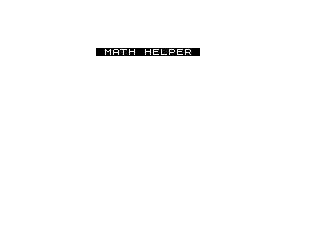
This program implements a simple two-operand calculator called “MATH HELPER” that supports addition, subtraction, multiplication, division, and exponentiation. The user builds numeric operands character by character using keyboard input, switching between them by pressing operator keys (K=+, J=−, B=×, V=÷, H=**), then pressing L to compute and display the result. The program uses a two-element string array B$(2,9) to hold the two operands, each up to 9 characters wide. A backspace-style delete function is implemented via the Z key, which trims the last character from the current entry using a string slice.
Program Analysis
Program Structure
The program is organized into a main input loop and a set of subroutine-like blocks reached via GOTO. The blocks are:
- Lines 10–210: Initialization, main keyboard polling loop, character accumulation, and display refresh.
- Lines 1000–5010: Operator selection handlers, one per operator key.
- Lines 6000–6040: Result calculation and display, branching on the stored operator string.
- Lines 6997–6999: Post-result pause, then
CLEARandRUNto restart. - Lines 9998–9999:
SAVEandRUN— a save/autorun footer.
Data Representation
DIM B$(2,9) allocates a two-row string array, each element 9 characters long, to hold the two numeric operands. The variable B tracks which operand (1 or 2) is being entered, and D$ accumulates the current keystroke string before being assigned into B$(B). The operator is stored as a display string in C$, which also doubles as the branch condition in lines 6000–6040.
Key Input and Character Filtering
The main loop polls INKEY$ continuously at line 100. Accepted numeric characters are filtered at line 180:
CODE A$ > 27 AND CODE A$ < 38— this accepts characters with codes 28–37, which correspond to the ZX81/TS1000 digit characters 0–9 (codes 28–37). The dot (".") is also accepted explicitly for decimal input.- Operator keys K, J, B, V, H redirect to their respective handler blocks.
- L triggers the calculation display at line 6000.
- Z acts as a backspace.
Backspace Implementation
Line 205 implements deletion: if A$="Z", the current display string D$ is truncated by one character using the slice D$(TO LEN D$-1). Note that line 200 has already appended A$ to D$ when a “Z” arrives via line 110’s GOTO 205, which skips line 200 — so the Z character itself is never added. The slice correctly removes the last real character entered.
Live Expression Display
Line 500 prints the current state of the expression on screen at every keypress cycle:
PRINT AT 10,0;B$(1);" ";C$;" ";B$(2)
This gives the user continuous feedback of the form 12.5 + 7 as they type. Since B$(1) and B$(2) are fixed-width (9 chars) string array elements, trailing spaces are inherent and act as natural padding/clearing.
Calculation and Result Display
Lines 6000–6040 perform one IF check per operator. Each prints the full expression and result using VAL B$(1) and VAL B$(2) to convert the stored strings to numbers. The double-comma in each PRINT statement (e.g. ,,,) produces blank lines between the expression and the equals line. Exponentiation uses the ** operator.
Operator Key Mapping
| Key | Operator | C$ value |
|---|---|---|
| K | Addition | + |
| J | Subtraction | - |
| B | Multiplication | X |
| V | Division | / |
| H | Exponentiation | ** |
| L | Calculate / show result | (reads C$) |
| Z | Backspace / delete | — |
Notable Techniques and Anomalies
- The title line 70 uses inverse-video characters (
%escapes) to render “MATH HELPER” in a highlighted block, a common ZX81/TS1000 display technique. PAUSE 40000at line 6997 provides an effectively indefinite pause (about 10 minutes at 50Hz) before auto-restarting — a common “press any key” substitute without explicit key detection.- After displaying the result,
CLEARfollowed byRUNresets all variables and restarts the program cleanly. - There is no guard against pressing L before entering both operands or an operator —
VALof a blank or space-padded string would produce 0 or a BASIC error. - The multiplication operator is stored and displayed as
XinC$but the actual BASIC operation uses*, keeping display friendly without special characters. - All operator handlers (lines 1000–5010) converge at a shared continuation block via
GOTO 1010/GOTO 500, reducing code duplication.
Image Gallery
Source Code
  10 DIM B$(2,9)
  20 LET C$=""
  30 LET B=1
  40 CLS
  50 LET D$=""
  70 PRINT AT 3,8;"% %M%A%T%H% %H%E%L%P%E%R% "
 100 LET A$=INKEY$
 110 IF A$="Z" THEN GOTO 205
 120 IF A$="K" THEN GOTO 1000
 130 IF A$="J" THEN GOTO 2000
 140 IF A$="B" THEN GOTO 3000
 150 IF A$="V" THEN GOTO 4000
 160 IF A$="H" THEN GOTO 5000
 170 IF A$="L" THEN GOTO 6000
 180 IF (CODE A$>27 AND CODE A$<38) OR A$="." THEN GOTO 200
 190 GOTO 100
 200 LET D$=D$+A$
 205 IF A$="Z" THEN LET D$=D$( TO LEN D$-1)
 210 LET B$(B)=D$
 500 PRINT AT 10,0;B$(1);" ";C$;" ";B$(2)
 510 GOTO 100
 1000 LET C$="+"
 1010 LET B=2
 1020 LET D$=""
 1100 GOTO 500
 2000 LET C$="-"
 2010 GOTO 1010
 3000 LET C$="X"
 3010 GOTO 1010
 4000 LET C$="/"
 4010 GOTO 1010
 5000 LET C$="**"
 5010 GOTO 1010
 6000 IF C$="+" THEN PRINT AT 10,0;B$(1);" + ";B$(2),,," = ";VAL B$(1)+VAL B$(2)
 6010 IF C$="-" THEN PRINT AT 10,0;B$(1);" - ";B$(2),,," = ";VAL B$(1)-VAL B$(2)
 6020 IF C$="X" THEN PRINT AT 10,0;B$(1);" X ";B$(2),,," = ";VAL B$(1)*VAL B$(2)
 6030 IF C$="/" THEN PRINT AT 10,0;B$(1);" / ";B$(2),,," = ";VAL B$(1)/VAL B$(2)
 6040 IF C$="**" THEN PRINT AT 10,0;B$(1);" ** ";B$(2),,," = ";VAL B$(1)**VAL B$(2)
 6997 PAUSE 40000
 6998 CLEAR
 6999 RUN
 9998 SAVE "MATH-HELPE%R"
 9999 RUN
Note: Type-in program listings on this website use ZMAKEBAS notation for graphics characters.