
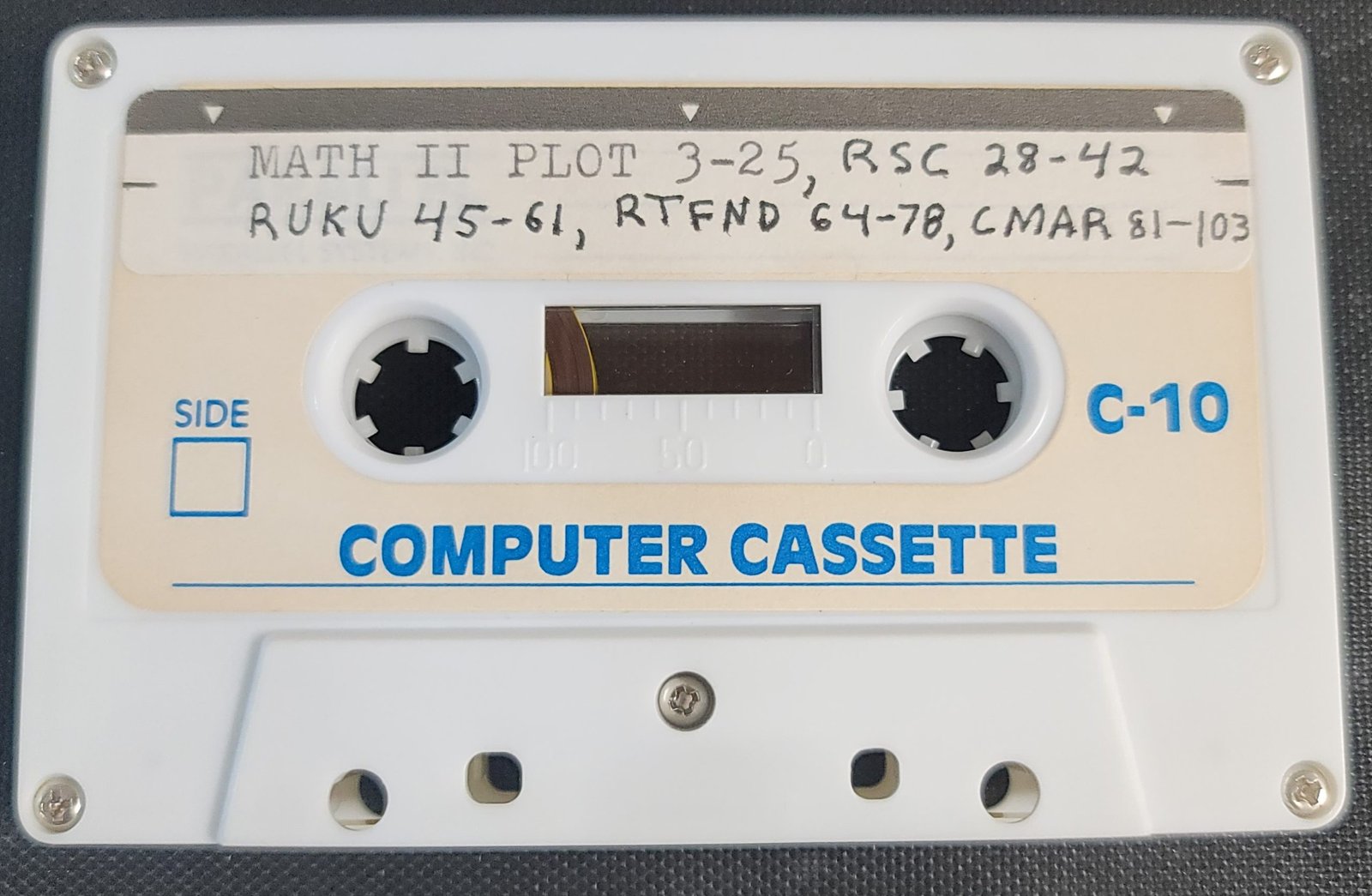
Multiple math routines.
- Plot = Super Function Plot – See REMs for instructions
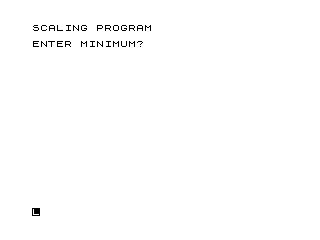
- RSC = Scaling Program
- RUKU = 4th Order Runge Kutta
- RTFND = Transcendental Equation Solution
- CMAR = Doesn’t run
Math II is a collection of five mathematical routines for the ZX81/TS1000: a complex number calculator (CMAR), a function plotter (Super Function Plot), a scale-interval calculator (RSC), a fourth-order Runge-Kutta ODE integrator (RUKU), and a transcendental equation solver (RTFND). The function plotter compiles a 386-byte machine code routine into RAM starting at address 16514, allowing subsequent plotting via RAND USR 16514 without re-running the BASIC. RUKU implements the classical four-stage Runge-Kutta method, accepting the derivative function as a string evaluated with VAL R$ at runtime. The complex number calculator (CMAR) stores a history of operands in array X(8) and supports 12 operations (selected by jumping to line 50*F) including addition, subtraction, multiplication, division, reciprocal, and square root of complex numbers, though the routine is noted as non-functional.
Program Analysis
Program Structure
The listing contains five independent programs loaded separately. Each is identified by a REM label at its start. The five components are:
- CMAR — Complex number calculator (noted as non-functional)
- Super Function Plot — Graphing utility with machine code compilation
- RSC — Axis scaling calculator
- RUKU — Fourth-order Runge-Kutta ODE integrator
- RTFND — Transcendental equation solver (listing not included)
CMAR — Complex Number Calculator
CMAR uses a single array X(8) as a register stack, storing the current complex number in X(1)/X(2) and history entries in higher slots. The operation selector at line 20 accepts an integer F from 1 to 12, then dispatches via GOTO 50*F, placing each operation’s code at line multiples of 50. This is a compact computed-GOTO idiom that avoids a long IF-THEN chain.
The 12 operations mapped to line numbers are:
| Line | Operation |
|---|---|
| 50 | Enter R, I (input new complex number) |
| 100 | Push history (shift X array up by 2) |
| 150 | Swap X and Y registers |
| 200 | Store to K, M memory |
| 250 | Recall from K, M memory |
| 300 | Add: (R+X(3), J+X(4)) |
| 350 | Subtract: (X(3)−R, X(4)−J) |
| 400 | Multiply: (R·X(3)−J·X(4), R·X(4)+J·X(3)) |
| 450 | Divide: uses D=R²+J² as denominator |
| 500 | Reciprocal: (R/D, −J/D) |
| 550 | Square root: principal square root formula |
| 600 | Real part of square (R²−J²) |
Line 74 computes D=R*R+J*J (the modulus squared) immediately after each entry, making it available for division and reciprocal operations. The subroutine at line 1000 shifts the result array down by 2 positions after binary operations, maintaining register-stack semantics. The square root at line 554 uses the standard formula SQR((R+|Z|)/2) with the imaginary part derived as J/(2·re); special-casing for zero is handled at lines 550–553.
Super Function Plot — Machine Code Compilation
This is the most technically sophisticated component. Line 0 contains a long REM statement that encodes a 386-byte machine code routine as character data within the REM body. Lines 2–5 fill the screen rapidly in FAST mode as a side-effect of the initialization. The program then accepts three inputs: a function expression string (e.g., SIN X), a lower X limit, and an upper X limit.
The plotting proceeds in two passes. The first pass (lines 70–110) scans all 64 X values to find the function’s minimum L and maximum H, enabling auto-scaling. The second pass (lines 130–150) uses POKE to write the machine code plot data into RAM starting at address N=16514. Each iteration advances N by 6 bytes.
Key idioms used:
SGN PIevaluates to 1 — used as a loop start value to avoid the literal digit1CODE "RND"evaluates to82(ASCII of ‘R’) — used as an upper loop bound of 64 viaCODE "RND"which is actually 82; the loop at line70runsTO CODE "RND"which is 82 steps, matching the 63-step increment from line40(DX=(A-X)/VAL "63")NOT PIevaluates to 0 — used as loop start in the second passCODE "Z"= 90 — used as upper bound for the POKE loopVAL "16514",VAL "2",VAL "43-...",VAL "6"— all useVALof string literals for constants, a memory-saving technique since numeric literals stored in BASIC lines carry a 5-byte floating-point overheadUNPLOT NOT USR VAL "16514",RNDat line500calls the machine code at 16514 viaUSR;NOTof the return value (typically non-zero) yields 0, soUNPLOT 0,RNDis a harmless no-op used purely to trigger the USR callGOTO PI*PIat line600jumps to approximately line 9 (PI²≈9.87), which rounds down to the nearest existing line
Line 133 computes the Y screen coordinate inline within a VAL string: VAL "43-(H-VAL A$)/(H-L)*43", where A$ holds the function expression. This evaluates the user’s function and scales the result to the 44-row display in a single expression.
Lines 9900–9930 provide a self-listing routine that uses LPRINT and LLIST to produce a hard-copy listing on a printer, repeating 20 times. Line 9999 contains the full user instructions as a REM.
RSC — Scaling Program
RSC computes aesthetically “round” axis tick intervals given a data range and a desired number of intervals. It mirrors standard chart-scaling algorithms:
- Compute raw interval
D=(Y-X)/N - Find the order of magnitude
E=INT(LN D/LN 10) - Normalize to
F=D/10^Eand snap to 1, 2, 5, or 10 using square-root thresholds (lines240–260) - Compute rounded minimum and maximum bounds aligned to the chosen tick size
The tolerance variable J=D/1E5 guards against floating-point rounding at lines 290 and 320, adjusting boundary indices when the computed value is within J of an integer. The program loops back to line 40 after each result, allowing repeated scaling queries.
RUKU — Fourth-Order Runge-Kutta Integrator
RUKU numerically integrates a first-order ODE dy/dx = f(x,y) using the classical RK4 algorithm. The derivative function is entered as a string in R$ and evaluated at runtime via LET R=VAL R$ at line 1000. The variables X and Y must appear in the function string — they are set directly by the integrator before each GOSUB 1000 call.
The four RK4 stages are computed at lines 270–460:
K = G·f(F, H)L = G·f(F+G/2, H+K/2)M = G·f(F+G/2, H+L/2)N = G·f(F+G, H+M)- Update:
H = H + K/6 + L/3 + M/3 + N/6
The variable G holds the signed step size (SGN(D-B)*A), allowing integration in either direction. After the main loop, a partial step is taken if the endpoint D is not exactly reached (lines 210–230). A PAUSE 20 at line 450 slows output display between steps. The program loops at line 260 back to the interval prompt, allowing repeated integrations.
Notable Techniques and Anomalies
- The
GOTO 50*Fdispatch in CMAR is a computed-GOTO pattern that keeps the code compact and eliminates a multi-branch IF structure. - Super Function Plot’s use of
VALstrings for numeric constants throughout is a systematic memory optimization, since BASIC stores each unquoted numeric literal with a 5-byte binary float. - The machine code written by Super Function Plot is encoded character-by-character in the line
0REM, a common technique for embedding binary data in BASIC programs. - The
VAL R$trick in RUKU for runtime function evaluation is a powerful but fragile idiom — it works only becauseXandYare simple BASIC variable names accessible in the evaluation context. - RSC’s use of square-root thresholds (
SQR 50,SQR 10,SQR 2) for interval rounding is mathematically elegant: each threshold is the geometric mean of adjacent standard values (5 and 10, 2 and 5, 1 and 2), giving a logarithmically fair rounding rule. - CMAR is explicitly noted as non-functional; inspection of the code does not reveal an obvious syntax error, but the logic at line
73printsX(3)andX(4)before they are initialized on first entry, which would display undefined values.
Image Gallery


Source Code
   5 REM "CMAR"
  10 DIM X(8)
  15 PRINT
  18 PRINT "OPERATION 1-12?";
  20 INPUT F
  25 PRINT F
  27 IF F<>INT F OR F<1 OR F>12 THEN GOTO 18
  40 GOTO 50*F
  50 PRINT "ENTER R,I?";
  55 INPUT X(1)
  60 PRINT X(1);
  65 INPUT X(2)
  67 PRINT ",";X(2)
  70 LET R=X(1)
  72 LET J=X(2)
  73 PRINT "   REAL","IMAGINARY","Y: ";X(3),X(4),"X: ";R,J
  74 LET D=R*R+J*J
  75 GOTO 15
 100 FOR I=8 TO 3 STEP -1
 105 LET X(I)=X(I-2)
 110 NEXT I
 115 GOTO 70
 150 LET X(1)=X(3)
 165 LET X(2)=X(4)
 170 LET X(3)=R
 175 LET X(4)=J
 180 GOTO 70
 200 LET K=R
 205 LET M=J
 210 GOTO 70
 250 LET X(1)=K
 255 LET X(2)=M
 260 GOTO 70
 300 LET X(1)=R+X(3)
 305 LET X(2)=J+X(4)
 310 GOTO 1000
 350 LET X(1)=X(3)-R
 355 LET X(2)=X(4)-J
 360 GOTO 1000
 400 LET X(1)=R*X(3)-J*X(4)
 405 LET X(2)=R*X(4)+J*X(3)
 410 GOTO 1000
 450 LET X(1)=(R*X(3)+J*X(4))/D
 455 LET X(2)=(R*X(4)-J*X(3))/D
 460 GOTO 1000
 500 LET X(1)=R/D
 505 LET X(2)=-J/D
 510 GOTO 1000
 550 IF R<>0 OR J<>0 THEN GOTO 554
 551 LET X(1)=0
 552 LET X(2)=0
 553 GOTO 70
 554 LET X(1)=SQR ((R+SQR (R*R+J*J))/2)
 555 LET X(2)=J/2/X(1)
 560 GOTO 70
 600 LET X(1)=R*R-J*J
 610 GOTO 70
 1000 FOR I=3 TO 6
 1010 LET X(I)=X(I+2)
 1015 NEXT I
 1020 GOTO 70

   0 REM '   LN %M"' ' ''LN %M"'  ': LN %M"' '':'LN %M"' . ,,LN %M"' : "LN %M"' .'£LN %M"' :':LN %M"' ##?LN %M"' ,,(LN %M"' ~~>LN %M"' "<LN %M"' £=LN %M"' $+LN %M"' :-LN %M"' ?*LN %M"' (/LN %M"' )/LN %M"' >;LN %M"' <,LN %M"' =.LN %M"' +0LN %M"' -0LN %M"' *1LN %M"' /2LN %M"' ;2LN %M"' ,3LN %M"' .3LN %M"' 04LN %M"' 15LN %M"' 25LN %M"' 36LN %M"' 46LN %M"' 57LN %M"' 67LN %M"' 78LN %M"' 88LN %M"' 99LN %M"' A9LN %M"' B9LN %M"' CALN %M"' DALN %M"' EBLN %M"' FBLN %M"' GBLN %M"' HCLN %M"' ICLN %M"' JDLN %M"' KDLN %M"' LDLN %M"' MELN %M"' NELN %M"' OELN %M"' PFLN %M"' QFLN %M"' RFLN %M"' SGLN %M"' TGLN %M"' UGLN %M"' VHLN %M"' WHLN %M"' XHLN %M"' YHLN %M"' ZILN %M"TAN AA
   2 FAST
   3 FOR L=SGN PI TO 44
   4 PRINT "% % % % % % % % % % % % % % % % ";
   5 NEXT L
   6 SLOW
  10 INPUT A$
  14 LET N=VAL "16514"
  15 LET T=PI+PI
  20 INPUT X
  25 LET X1=X
  30 INPUT A
  35 FAST
  40 LET DX=(A-X)/VAL "63"
  50 LET H=VAL A$
  60 LET L=H
  70 FOR I=SGN PI TO CODE "RND"
  75 LET Z=VAL A$
  80 IF H<Z THEN LET H=Z
  90 IF L>Z THEN LET L=Z
 100 LET X=X+DX
 110 NEXT I
 120 LET X=X1
 130 FOR I=NOT PI TO CODE "Z"
 132 POKE N+SGN PI,I
 133 POKE N+VAL "2",VAL "43-(H-VAL A$)/(H-L)*43"
 135 LET X=X+DX
 140 LET N=N+VAL "6"
 150 NEXT I
 170 SLOW
 500 UNPLOT NOT USR VAL "16514",RND
 600 GOTO PI*PI
 9900 FOR L=1 TO 20
 9905 LPRINT "      *** SUPER FN PLOT ***",,,
 9910 LLIST
 9920 LPRINT ,,,,,,,,
 9930 NEXT L
 9999 REM  WELCOME  TO  SUPER  FNPLOT.  WHEN YOU RUN THE PROGRAM,THE COMPUTER WILL REQUEST  THREEINPUTS.  ANSWER THE FIRST WITH AFUNCTION, SUCH AS "SIN X" OR "X*X+5*X-3".  THE NEXT  TWO  INPUTSARE THE LOWER AND  UPPER LIMITS,RESPECTIVELY,  ON  "X"  IN   THEFUNCTION.   IF  YOU  WERE  USING"SIN X", THEN YOU MIGHT WANT  TOUSE THE LIMITS OF 0 AND 2*PI. ASAN ADDED CONVEINANCE, THE LETTER"T" CAN BE SUBSTITUTED FOR 2*PI.AFTER PLOTTING THE FIRST FN, TRYTHIS:  STOP THE PROGRAM AND TYPE"RAND USR 16514" AND THE SAME FNWILL BE RAPIDLY PLOTTED. THIS ISBECAUSE THE PROGRAM  COMPILES  AMACHINE CODE  ROUTINE  AT  16514THAT IS 386 BYTES LONG.    THOSEOF YOU WHO  HAVE  EPROM/CMOS/64KMEMORIES MAY  WANT  TO  RELOCATETHE MC TO WHERE IT CAN BE CALLED LATER.

  10 REM "RSC"
  20 CLS
  30 PRINT "SCALING PROGRAM"
  40 PRINT
  45 PRINT "ENTER MINIMUM?";
  50 INPUT X
  60 PRINT X
  70 PRINT "ENTER MAXIMUM?";
  80 INPUT Y
  90 PRINT Y
 100 IF Y>X THEN GOTO 130
 110 PRINT "ERROR, MIN>=MAX"
 120 GOTO 40
 130 PRINT "ENTER APPR. NO. OF INTERVALS?";
 140 INPUT N
 150 PRINT N
 160 IF N>0 AND N=INT ABS N THEN GOTO 190
 170 PRINT "ERROR"
 180 GOTO 130
 190 LET D=(Y-X)/N
 200 LET J=D/1E5
 210 LET E=INT (LN D/LN 10)
 220 LET F=D/10**E
 230 LET V=10
 240 IF F<SQR 50 THEN LET V=5
 250 IF F<SQR 10 THEN LET V=2
 260 IF F<SQR 2 THEN LET V=1
 270 LET C=V*10**E
 280 LET G=INT (X/C)
 290 IF ABS (G+1-X/C)<J THEN LET G=G+1
 300 LET A=C*G
 310 LET H=INT (Y/C)+1
 320 IF ABS (Y/C+1-H)<J THEN LET H=H-1
 330 LET B=C*H
 340 PRINT "NEW MIN=",A,"NEW MAX=",B,"NEW INTERVAL=",
 345 PRINT C,"NO. INTERVALS=",H-G
 360 GOTO 40

  10 REM "RUKU"
  20 PRINT "4-TH ORDER RUNGE KUTTA"
  22 PRINT "ENTER FUNCTION DY/DX=F(X,Y)=?"
  26 INPUT R$
  28 PRINT "DY/DX=";R$
  30 PRINT "INTEGRATION INTERVAL H?";
  40 INPUT A
  50 PRINT A
  60 IF A<=0 THEN GOTO 30
  70 PRINT "ENTER X0,Y0,XLAST?";
  80 INPUT B
  90 PRINT B;
 100 INPUT C
 110 PRINT ",";C;
 120 INPUT D
 130 PRINT ",";D
 135 IF B=D THEN GOTO 70
 140 LET E=INT ABS (D-B)/A
 150 LET F=B
 160 LET G=SGN (D-B)*A
 170 LET H=C
 180 FOR I=1 TO E
 190 GOSUB 270
 200 NEXT I
 210 IF F=D THEN GOTO 240
 220 LET G=D-F
 230 GOSUB 270
 240 PRINT
 245 PRINT "Y(";D;")=";H
 250 PRINT
 260 GOTO 30
 270 LET X=F
 280 LET Y=H
 290 GOSUB 1000
 300 LET K=G*R
 310 LET X=F+G/2
 320 LET Y=H+K/2
 330 GOSUB 1000
 340 LET L=G*R
 350 LET Y=H+L/2
 360 GOSUB 1000
 370 LET M=G*R
 380 LET X=F+G
 390 LET Y=H+M
 400 GOSUB 1000
 410 LET N=G*R
 420 LET H=H+K/6+L/3+M/3+N/6
 430 LET F=F+G
 440 PRINT F;",";
 450 PAUSE 20
 460 RETURN
 1000 LET R=VAL R$
 1010 RETURN
Note: Type-in program listings on this website use ZMAKEBAS notation for graphics characters.