
This program is a home mortgage calculator that offers three analysis modes: computing monthly payments from a home’s purchase price (Option A), finding the maximum affordable home price from a desired monthly payment (Option B), and deriving both figures from gross annual income (Option C). All three paths collect data on the sale price of an existing home, outstanding mortgage balances, and moving expenses to compute an available down payment via a subroutine at line 200. A fixed rate factor of 8.2 per $1,000 borrowed is used throughout to estimate monthly payments, and a rule-of-thumb affordability check compares computed payments against 20% of gross monthly income. The program uses a modular subroutine structure, with shared routines for down payment calculation (line 200), income-based payment limit (line 300), and purchase recommendation (line 400).
Program Analysis
Program Structure
The program is organized into a main menu loop and a set of modular subroutines. Lines 10–95 form the top-level control flow: the screen is cleared, a menu subroutine is called, the user’s choice is dispatched via a chain of IF/GO TO statements, and the selected option’s subroutine is executed before looping back. The shared subroutines are:
- Lines 100–270: Menu display and option input, followed immediately by down payment calculation inputs
- Lines 300–330: Gross income input and affordable monthly payment ceiling (
fr) - Lines 400–460: Purchase recommendation logic comparing computed payment to income limit
- Lines 500–540: Option A — monthly payment from new home price
- Lines 600–670: Option B — maximum home price from desired payment
- Lines 700–750: Option C — maximum home price and payment from income
Key Variables
| Variable | Meaning |
|---|---|
a$ | User’s menu choice (A, B, or C) |
so | Sale price of existing home |
om | Balance on first mortgage |
os | Balance on second mortgage |
me | Moving and improvement expenses |
dp | Computed down payment (so-om-os-me) |
ai | Gross annual income |
fr | Affordable monthly payment (20% of monthly income) |
cn | Cost/price of new home |
mp | Computed monthly payment |
x$ | Dummy variable used at line 95 to pause before restarting |
Mortgage Calculation Method
All three options use a single fixed-rate approximation: monthly payment = 8.2 × (loan amount) / 1000. This corresponds to an approximate 30-year fixed mortgage rate embedded as a constant, meaning the program is not parameterized for different interest rates or loan terms. The loan amount is always cn - dp (new home price minus available down payment).
The affordability threshold at line 320 is computed as ai * 0.2 / 12, implementing the common rule that housing costs should not exceed 20% of gross monthly income.
Control Flow Anomalies
The subroutine starting at line 100 serves a dual purpose: it both displays the menu and prompts for the option choice (line 180), and then immediately falls through to the down payment inputs (lines 210–260) before returning. This means every call to GO SUB 100 (from line 20) re-collects the down payment data along with the menu selection. The Option A subroutine (lines 500–540) calls GO SUB 200 at line 510, and then calls GO SUB 300 at line 540 but has no corresponding call to GO SUB 400 (the recommendation check), so Option A never prints a purchase recommendation — unlike Options B and C.
Line 95 uses INPUT x$ as a press-to-continue pause before looping back to GO TO 10. This is a common BASIC idiom for holding the results on screen.
Notable Bugs and Typos
- Line 130: “Opition” should be “Option”.
- Line 140: “maxium” should be “maximum” (repeated in lines 630, 730, 740).
- Line 460: “Conventioal” should be “Conventional”.
- Line 530: “paymens” should be “payments”.
- Line 650: “pay ments” contains an errant space.
- Option A (lines 500–540): The subroutine ends without a
RETURNstatement. AfterGO SUB 300at line 540, execution falls directly into the Option B subroutine at line 600, causing Option A to run both subroutines unintentionally. - Line 720 in Option C directly sets
mp=frbefore callingGO SUB 200, butGO SUB 200does not use or modifymp, so the order is harmless.
SAVE Statement
Line 800 uses SAVE "mortgage" LINE 100, saving the program with an auto-start at line 100, which is the menu/input subroutine rather than line 10 (the true program start). This means when loaded and auto-run, the menu will display but the program will RETURN without a corresponding GO SUB, causing a RETURN without GO SUB error on first run.
Image Gallery
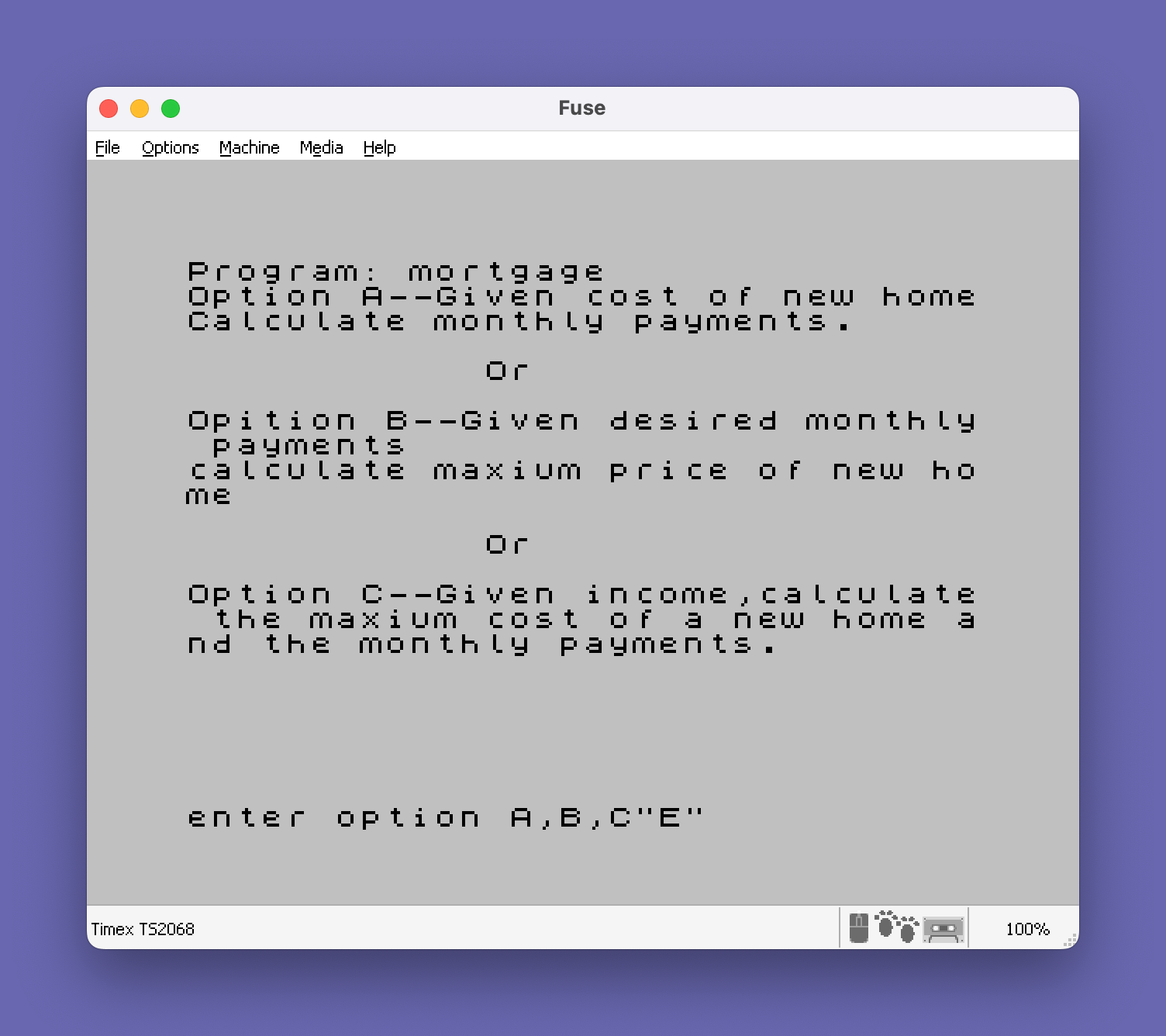
Source Code
   10 CLS
   20 GO SUB 100
   30 IF a$="A" THEN GO TO 50
   35 IF a$="B" THEN GO TO 70
   40 IF a$="C" THEN GO TO 90
   45 PRINT "Error. try again?": GO TO 20
   50 CLS : GO SUB 500
   60 GO TO 95
   70 CLS : GO SUB 600
   80 GO TO 95
   90 CLS : GO SUB 700
   95 INPUT x$: GO TO 10
  100 REM
  110 PRINT "Option A--Given cost of new home"
  120 PRINT "Calculate monthly payments."
  122 PRINT
  125 PRINT TAB 12;"Or"
  126 PRINT
  130 PRINT "Opition B--Given desired monthly payments"
  140 PRINT TAB 0;"calculate maxium price of new home"
  142 PRINT
  145 PRINT TAB 12;"Or"
  146 PRINT
  150 PRINT "Option C--Given income,calculate the maxium cost of a new home and the monthly payments."
  180 PRINT : PRINT : INPUT "enter option A,B,C";a$
  200 REM inputs
  210 INPUT "Sale price of old home $";so
  220 INPUT "Balance on old mortgage $ ";om
  230 INPUT "Balance on second mortgage $";os
  240 INPUT "Expenses for moving and improvements $ ";me
  250 LET dp=so-om-os-me
  260 PRINT : PRINT "Down payment available $ ";dp
  270 RETURN
  300 REM income
  310 INPUT "Gross annual income $ ";ai
  320 LET fr=ai*.2/12
  330 RETURN
  400 REM
  410 IF mp<=fr THEN GO TO 430
  420 PRINT "Purchase not recommended"
  425 PRINT "($";mp-fr;" Short on monthly payments)": RETURN
  430 PRINT "Purchase recommended"
  440 IF dp>=.15*cn THEN GO TO 460
  450 PRINT TAB 5;"By VA or FHA": RETURN
  460 PRINT TAB 5;"By Conventioal loan": RETURN
  500 REM
  510 CLS : GO SUB 200
  515 INPUT "price of new home $ ";cn
  520 LET mp=8.2*(cn-dp)/1000
  530 PRINT "Monthly paymens is $ ";mp
  540 PRINT : GO SUB 300
  600 REM
  610 CLS : GO SUB 200
  615 INPUT "Desired monthly payments $ ";mp
  620 LET cn=1000/8.2*mp+dp
  630 PRINT : PRINT "Maxium cost of new home $ ";cn
  640 GO SUB 300
  650 PRINT "Funds available for monthly pay ments $ ";fr
  660 PRINT : GO SUB 400
  670 RETURN
  700 REM
  710 CLS : GO SUB 300
  720 LET mp=fr: PRINT : GO SUB 200
  730 LET cn=1000/8.2*mp+dp
  740 PRINT "Maxium cost of new home $ ";cn
  750 PRINT : GO SUB 400
  800 SAVE "mortgage" LINE 100
  810 STOP
Note: Type-in program listings on this website use ZMAKEBAS notation for graphics characters.