
A computer version of the classroom dice experiment for radioactive decay. Enter the number of generations (2 for a parent that decays straight to a stable isotope, up to 5 for a chain), the relative half-life of each generation as the number of faces on its die, and the starting number of atoms. Each pass throws a die for every atom and moves the ones that decay to the next generation, then prints the count in each.
Press NEWLINE for the next pass; the program stops with ALL ATOMS STABLE. The article suggests more than 200 atoms for a smooth graph.
Published in Syntax February 1982 (Nuclear Decay Simulation).
Image Gallery
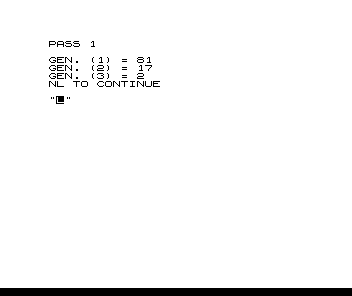
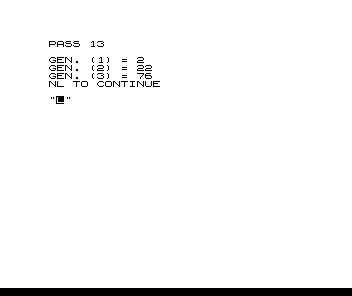
Source Code
  10 DIM H(5)
  20 DIM A(5)
  30 PRINT "NUCLEAR DECAY SIMULATION"
  40 PRINT
  50 PRINT
  60 PRINT "HOW MANY GENERATIONS? (>1)"
  70 INPUT G
  80 PRINT
  90 PRINT "RELATIVE 1/2 LIFE (FACES ON DIE)"
 100 FOR I=1 TO G-1
 110 PRINT "GEN. (";I;") = ";
 120 INPUT H(I)
 130 PRINT H(I)
 140 NEXT I
 150 LET A(G)=0
 160 LET K=0
 170 PRINT "INITIAL NO. OF ATOMS?"
 180 INPUT A
 190 LET A(1)=A
 200 FOR I=1 TO G-1
 210 IF A(I)=0 THEN GO TO 280
 220 LET N=A(I)
 230 FOR J=1 TO N
 240 IF NOT RND(H(I))=1 THEN GO TO 270
 250 LET A(I)=A(I)-1
 260 LET A(I+1)=A(I+1)+1
 270 NEXT J
 280 NEXT I
 290 LET K=K+1
 300 CLS
 310 PRINT "PASS ";K
 320 PRINT
 330 FOR I=1 TO G
 340 PRINT "GEN. (";I;") = ";A(I)
 350 NEXT I
 360 IF A(G)=A THEN GO TO 410
 370 PRINT "NL TO CONTINUE"
 380 INPUT A$
 390 IF A$="" THEN GO TO 200
 400 STOP
 410 PRINT
 420 PRINT "ALL ATOMS STABLE"
Note: Type-in program listings on this website use ZMAKEBAS notation for graphics characters.