
PEEKER is a memory examination utility that displays the contents of a user-specified address range in one of three formats: decimal byte values, hexadecimal, or ASCII characters. In decimal mode, six bytes per row are shown with the starting address; in hex mode, eight bytes per row are displayed using a CHR$(28+…) trick to convert nibbles into hex digits (0–9 and A–F map to ASCII codes 28+0 through 28+15, yielding characters starting at ‘<‘ — this is a known quirk of ZX81 hex-display routines). The program monitors the print position by PEEKing system variable address 16442 to detect when the screen is nearly full, then pauses and optionally sends output to the ZX printer via COPY. After displaying a range, execution loops back to line 10 for a new query.
Program Analysis
Program Structure
The program is organised as a straightforward input–dispatch–display loop. Lines 20–210 collect the start address, end address, display format, and hard-copy preference. Line 220 clears the screen, and lines 230–250 branch to one of three display routines depending on the value of C. After each routine completes, control returns to line 10 for a fresh run.
- Lines 10–210: User input phase — address range, format selection, printer flag.
- Lines 260–335: Decimal display mode (6 bytes per row).
- Lines 340–460: Hexadecimal display mode (8 bytes per row).
- Lines 470–550: Character display mode (3 bytes per row).
- Lines 560–570: SAVE and auto-RUN footer.
Display Modes
| Mode | C value | Bytes/row | Entry line |
|---|---|---|---|
| Decimal | 1 | 6 | 260 |
| Hexadecimal | 2 | 8 | 340 |
| Character (ASCII) | 3 | 3 | 470 |
Hexadecimal Conversion Technique
The hex routine at lines 360–390 converts each byte Z into two hex-digit characters using the expression CHR$ (28+INT (Z/16)) for the high nibble and CHR$ (28+(Z-16*INT (Z/16))) for the low nibble. Character code 28 is the base offset: adding nibble values 0–9 gives codes 28–37, and adding 10–15 gives 38–43. On the ZX81 character set, codes 28–37 map to the digits 0–9 (offset by the difference between CHR$ code and ASCII), but the actual characters produced are not standard hex digits A–F — codes 38–43 correspond to ZX81-specific symbol characters rather than letters. This is a well-known limitation of this nibble-to-character trick on this platform; the display is internally consistent but non-standard for values above 9.
Screen-Full Detection
All three display loops monitor system variable address 16442 (the S_POSN row component, indicating the current print row) with PEEK 16442. When the value exceeds 4 — meaning fewer than about 4 rows remain — the loop skips the pause-and-copy block and continues immediately. When the screen is nearly full (value ≤ 4), the program executes PAUSE 300, optionally prints a hard copy via COPY, and clears the screen with CLS. This is a pragmatic substitute for proper scroll detection.
Hard Copy Logic
The variable A$ holds the user’s “Y/N” response for printer output. In the decimal and hex modes, COPY is conditional on A$="Y". In the character mode (line 510), COPY is called unconditionally inside the loop, with the A$ check only appearing at line 540 after the loop ends — this is a bug: users who answered “N” will still get printer output during the character-mode loop.
Input Validation
Format selection is validated at line 170 with IF C<1 OR C>3 THEN GOTO 160, looping back to re-prompt. No validation is performed on the address inputs A and B, so entering out-of-range or reversed addresses will cause erroneous output or an error.
Notable BASIC Idioms
SLOWat line 30 ensures the display is updated continuously during computation, which is important for a memory-listing tool where output must be readable as it appears.- The
FOR X=A TO B STEP Nloops use different step sizes per mode to control how many bytes are printed per row without needing explicit row counters. - The REM line 10 uses inverse-video characters to create a decorative title banner stored directly in the program listing.
GOTO 10at lines 335, 460, and 550 restarts the whole program cleanly without aRUN, preserving the user experience as a persistent utility.
Image Gallery
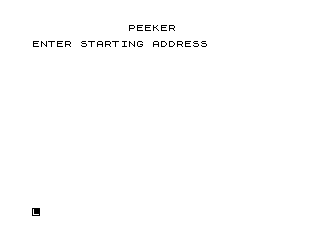
Source Code
  10 REM %P%E%E%K%E%R% % % % % % % % % % % % % % % % %
  20 CLS
  30 SLOW
  40 PRINT AT 0,12;"PEEKER"
  50 PRINT AT 2,0;"ENTER STARTING ADDRESS ";
  60 INPUT A
  70 PRINT A
  80 PRINT "ENTER ENDING ADDRESS   ";
  90 INPUT B
 100 PRINT B
 110 PRINT AT 5,0;"DO YOU WANT LISTING IN..."
 120 PRINT "1)...DECIMAL"
 130 PRINT "2)...HEXADECIMAL"
 140 PRINT "3)...CHARACTER$"
 150 PRINT AT 10,0;"ENTER SELECTION ";
 160 INPUT C
 170 IF C<1 OR C>3 THEN GOTO 160
 180 PRINT C
 190 PRINT AT 12,0;"DO YOU WANT HARD COPY? (Y/N) ";
 200 INPUT A$
 210 PRINT A$
 220 CLS
 230 IF C=1 THEN GOTO 260
 240 IF C=2 THEN GOTO 340
 250 IF C=3 THEN GOTO 470
 260 FOR X=A TO B STEP 6
 270 PRINT X;TAB 7;PEEK X;TAB 11;PEEK (X+1);TAB 15;PEEK (X+2);TAB 19;PEEK (X+3);TAB 23;PEEK (X+4);TAB 27;PEEK (X+5)
 280 IF PEEK 16442>4 THEN GOTO 320
 290 PAUSE 300
 300 IF A$="Y" THEN COPY
 310 CLS
 320 NEXT X
 325 PAUSE 300
 330 IF A$="Y" THEN COPY
 335 GOTO 10
 340 FOR X=A TO B STEP 8
 350 PRINT X;TAB 8;
 360 FOR Y=X TO X+7
 370 LET Z=PEEK Y
 380 PRINT CHR$ (28+INT (Z/16));CHR$ (28+(Z-16*INT (Z/16)));" ";
 390 NEXT Y
 400 IF PEEK 16442>4 THEN GOTO 440
 410 PAUSE 300
 420 IF A$="Y" THEN COPY
 430 CLS
 440 NEXT X
 445 PAUSE 300
 450 IF A$="Y" THEN COPY
 460 GOTO 10
 470 FOR X=A TO B STEP 3
 480 PRINT X;TAB 7;CHR$ PEEK X;TAB 14;CHR$ PEEK (X+1);TAB 21;CHR$ PEEK (X+2)
 490 IF PEEK 16442>4 THEN GOTO 530
 500 PAUSE 300
 510 COPY
 520 CLS
 530 NEXT X
 540 IF A$="Y" THEN COPY
 545 PAUSE 300
 550 GOTO 10
 560 SAVE "1007%6"
 570 RUN
Note: Type-in program listings on this website use ZMAKEBAS notation for graphics characters.