
PHONEDIR is a telephone directory manager that stores up to 200 name-and-number entries in a fixed-length string array, each record occupying 32 characters. Entries are concatenated with a space separator into DIM D$(200,32) and sorted in-place using a selection-sort variant that bubbles the largest unsorted entry to the end of the active range. The search routine uses a BASIC substring slice — D$(A)(TO F) — to match only the name portion of each record against the user’s query. Menu options cover creating a new directory, adding entries, searching, saving to tape, and printing via LPRINT.
Program Structure
The program is organized around a central menu at lines 340–480, branching to four functional regions:
- Initialization / data entry – lines 40–170: dimensions the array, collects name and number, validates with a correction loop, and concatenates into
D$(D). - Sorting – lines 180–330: selection-sort executed after the user signals they have finished entering names.
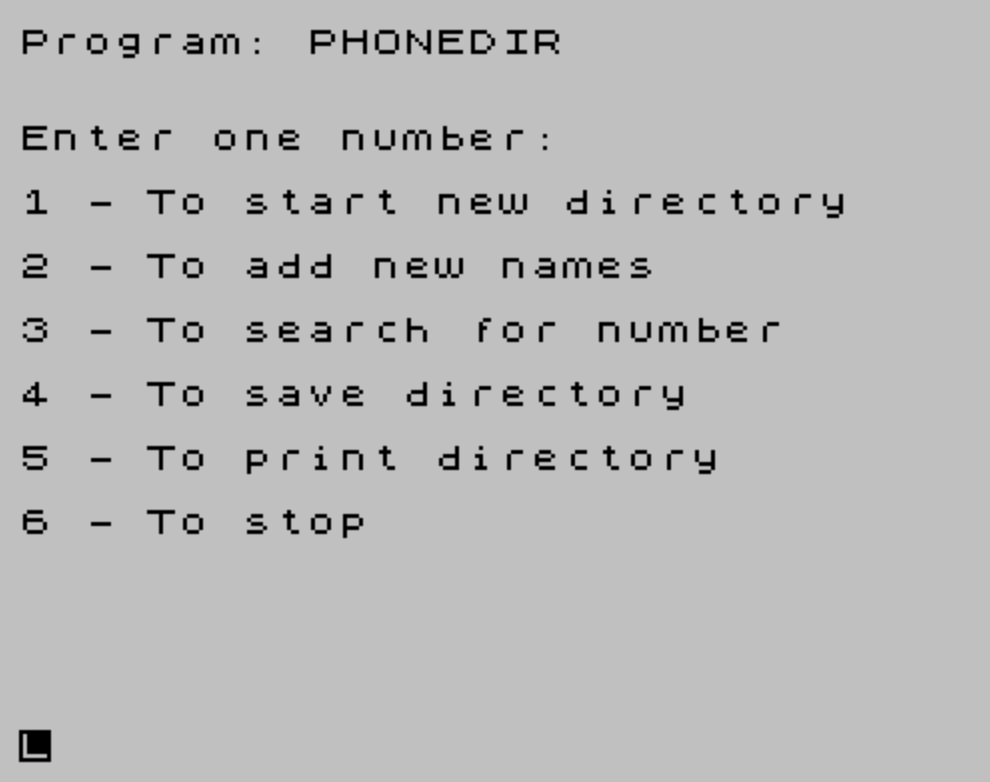
- Main menu – lines 340–480: six-option dispatcher using numeric
INPUT B. - Search – lines 490–560: linear scan with a substring match.
Line 30 (GO TO 340) jumps past the data-entry block on first run so the menu is shown immediately, letting the user choose whether to start a new directory or do something else before any data exists.
Data Storage
All records are held in DIM D$(200,32), a two-dimensional fixed-width string array declared at line 40. Each entry is formed by concatenating the name string, a space, and the phone number string at line 140: LET D$(D)=B$+" "+C$. Because each row is exactly 32 characters, long combined strings are silently truncated and short ones are padded with spaces — a limitation users must manage by keeping entries brief.
The variable D serves dual duty: it is both the FOR loop counter during entry (lines 50–170) and subsequently the high-water mark indicating how many records have been entered. This is referenced during sorting, printing, and searching.
Sorting Algorithm
The sort (lines 200–330) is a selection sort, but implemented in an unusual descending-boundary style. The outer boundary G starts at D (the total record count) and shrinks by one each pass (line 320). Within each pass, Z walks from 1 upward; whenever D$(B) > D$(Z) (i.e., the next element is alphabetically greater than the current), the two are swapped. After each full inner scan the largest remaining element has been moved toward index G, and G is decremented. POKE 23692,0 at line 190 resets the BASIC scroll counter so “scroll?” prompts do not interrupt the sort output of sorted entries at line 310.
Note that line 310 PRINT D$(G) prints each record as it is placed, producing a display of entries in sorted order as the sort completes — a side-effect display rather than a deliberate print routine.
Search Routine
The search (lines 490–560) asks for a name, stores its length in F, then iterates over all records with a substring comparison:
IF D$(A)(TO F)=A$ THEN PRINT ''D$(A)(F+1 TO ):GO TO 340The slice D$(A)(TO F) extracts just the first F characters (the name field) and compares against the input. On a match, D$(A)(F+1 TO) prints the remainder — the space and phone number. This is a clean prefix-match idiom that exploits BASIC string slicing. The search is case-sensitive and only finds exact prefix matches.
Menu and Input Handling
The menu at lines 340–410 uses numeric INPUT B and a chain of independent IF statements (lines 420–470) rather than ON B GO TO. Each condition is tested in sequence; unrecognized input falls through to line 480 which loops back to the menu. Option 2 (“add new names”) executes NEXT D at line 430, resuming the suspended FOR D=1 TO 200 loop — a technique that relies on the loop being left intact in memory.
Option 5 prints the directory in reverse order (FOR A=D TO 1 STEP -1) via LPRINT. Since the sort places the largest (alphabetically last) entries near index D, printing in reverse produces ascending alphabetical output on the printer.
Escape Sequences and Display
Lines 110, 180, 510, and others use embedded control-code escape sequences such as \\{20}\\{1} and \\{18}\\{1} to switch on FLASH and BRIGHT or change INK color inline within string literals, providing highlighted prompts without separate PRINT attribute statements.
Bugs and Anomalies
- The sort at lines 200–330 is triggered only from inside the entry loop (line 180), so if the user returns to the menu and adds more names later, the directory becomes partially unsorted and the sort must be triggered again manually — but there is no menu option to re-sort without re-entering data.
- Option 4 (
SAVE "DIRECTORY"at line 450) saves the program under a different filename than option at line 570 (SAVE "PHONEDIR" LINE 10), and neither save preserves the array data separately — the array is lost if the program is reloaded without a companionLOADfor the data. - If the user selects option 2 (add names) before ever entering the entry loop via option 1,
NEXT Dat line 430 references an uninitializedFORvariable, which will produce a BASIC error. - The search at line 530 exits immediately on the first match (
GO TO 340), so duplicate names will never surface results beyond the first occurrence.
Image Gallery
Source Code
  10  REM TELEPHONE DIRECTORY
  20 REM From Timex Sinclair 2068 explored entered by Izzy Goldsmith LIST Group
  30 GO TO 340
  40 DIM D$(200,32)
  50 FOR D=1 TO 200
  60 INPUT "Enter Name ";B$
  70 PRINT AT 0,0;"Name: ";B$
  80 INPUT "Enter telephone number ";C$
  90 CLS
 100 PRINT AT 0,0;B$;"  ";C$
 110 PRINT ''"If this is correct, press \{20}\{1}ENTER\{20}\{0} If incorrect, press \{18}\{1}'E'\{18}\{0} then    ENTER"
 120 INPUT E$:CLS
 130 IF E$ <>"" THEN GO TO 60
 140 LET D$(D)=B$+" "+C$
 150 PRINT ''"Press \{20}\{1}ENTER\{20}\{0} to enter next item,","or any letter, then ENTER, to","sort directory"
 160 INPUT E$:CLS
 170 IF E$="" THEN NEXT D
 180 PRINT PAPER 2;"\{18}\{1}sorting...\{18}\{0}"
 190 POKE 23692,0
 200 LET B=0
 210 LET G=D
 220 LET Z=1
 230 LET B=Z+1
 240 IF B>G THEN GO TO 310
 250 IF D$(B)>D$(Z) THEN GO TO 270
 260 LET Z=Z+1:GO TO 230
 270 LET Q$=D$(Z)
 280 LET D$(Z)=D$(B)
 290 LET D$(B)=Q$
 300 GO TO 260
 310 PRINT D$(G)
 320 LET G=G-1
 330 IF G>0 THEN GO TO 220
 340 PRINT ''"Enter one number:"
 350 PRINT '"1 - To start new directory"
 360 PRINT '"2 - To add new names"
 370 PRINT '"3 - To search for number"
 380 PRINT '"4 - To save directory"
 390 PRINT '"5 - To print directory"
 400 PRINT '"6 - To stop"
 410 INPUT B:CLS
 420 IF B=1 THEN GO TO 40
 430 IF B =2 THEN NEXT D
 440 IF B=3 THEN GO TO 490
 450 IF B=4 THEN SAVE "DIRECTORY"
 460 IF B=5 THEN FOR A=D TO 1 STEP -1:LPRINT D$(A):NEXT A
 470 IF B=6 THEN STOP
 480 GO TO 340
 490 PRINT ''"ENTER NAME REQUIRED"
 500 INPUT A$:LET F= LEN A$
 510 PRINT INK 1;"\{18}\{1}Searching for  ";A$;"\{18}\{0}"
 520 FOR A=1 TO D
 530 IF D$(A)(  TO F)=A$ THEN PRINT ''D$(A)(F+1 TO ):GO TO 340
 540 NEXT A
 550 PRINT '"Name not found"
 560 GO TO 340
 570 SAVE "PHONEDIR" LINE 10
Note: Type-in program listings on this website use ZMAKEBAS notation for graphics characters.