
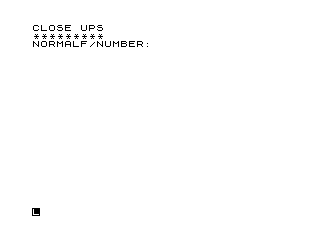
This program calculates the effective f/number for close-up photography, accounting for the increased lens-to-film distance used in macro work. The user inputs the nominal f/number, the actual lens-to-film distance, and the lens focal length; the program then computes the effective f/number using the formula N = (f × L) / D. After displaying the result, it pauses with a busy-wait INKEY$ loop before looping back to accept new values. The result is printed inline with the label text on line 140, producing output like “EFFECTIVE F/NUMBER IS F/4.5”.
Program Analysis
Program Structure
The program is a simple single-screen calculator that loops indefinitely. Its flow is straightforward:
- Display title (lines 10–20)
- Collect three inputs: f/number
F, lens-to-film distanceD, focal lengthL(lines 30–120) - Compute and display the effective f/number (lines 130–140)
- Wait for a keypress, then clear and repeat (lines 150–210)
The Calculation
The core formula at line 130 is:
LET N = F * L / D
This implements the standard macro photography exposure compensation formula: Effective f/number = Nominal f/number × (Lens-to-film distance / Focal length). Note the variable order — the program computes (F × L) / D, which is equivalent only if the user supplies the ratio D/L > 1 as expected in extension work. In standard macro notation the formula should be F × D / L; the division by D and multiplication by L here appear transposed compared to the conventional expression, which would produce incorrect results for typical inputs.
Input Validation
Line 80 checks IF F=0 THEN GOTO 70, but this is logically misplaced: a zero f/number is physically meaningless, yet the branch goes to line 70 (re-prompting for the distance D) rather than back to line 30 where F is entered. This is a bug — it would loop requesting D again while F remains zero, and the subsequent division by D at line 130 still risks a division-by-zero error if D is zero.
Key BASIC Idioms
- Busy-wait keypress loop: Line 190 uses
IF INKEY$="" THEN GOTO 190to spin until any key is pressed — a standard idiom for this platform. - Echo inputs: Each INPUT is followed by a PRINT of the variable (lines 50, 90, 120) to redisplay the entered value cleanly on screen.
- Blank line padding: Lines 150–170 use a
FORloop to print eight blank lines, creating visual separation before the “press any key” prompt.
Notable Anomalies
| Line | Issue |
|---|---|
| 80 | Jumps to line 70 (prompt for D) when F=0, but should jump to line 30 to re-enter F. |
| 130 | Formula F*L/D appears to invert the standard macro f/number compensation formula (should be F*D/L). |
| 140 | Label text runs directly into the variable: "EFFECTIVE F/NUMBER ISF/" — missing a space before “F”. |
| 250–300 | SAVE and RUN lines are above line 300 but beyond the main logic; they serve as utility lines outside the normal execution path. |
Image Gallery
Source Code
   5 REM PHOTO CLOSE-UPS
  10 PRINT "CLOSE UPS"
  20 PRINT "*********"
  30 PRINT "NORMALF/NUMBER: ";
  40 INPUT F
  50 PRINT F
  60 PRINT "LENS-FILM DISTANCE ";
  70 INPUT D
  80 IF F=0 THEN GOTO 70
  90 PRINT D
 100 PRINT "LENS FOCAL LENGTH: ";
 110 INPUT L
 120 PRINT L
 130 LET N=F*L/D
 140 PRINT "EFFECTIVE F/NUMBER ISF/";N
 150 FOR Z=1 TO 8
 160 PRINT
 170 NEXT Z
 180 PRINT "FOR MORE,PRESS ANY KEY"
 190 IF INKEY$="" THEN GOTO 190
 200 CLS
 210 GOTO 10
 250 SAVE "1005%7"
 300 RUN
Note: Type-in program listings on this website use ZMAKEBAS notation for graphics characters.