
Shaded Globe renders a three-dimensional sphere on screen using a mathematical shading algorithm in just three lines of BASIC. The program iterates over a circular region defined by the equation x² + y² ≤ 7744 (a radius of 88 pixels), computing the visible boundary for each column via a square-root calculation. Shading is achieved probabilistically: a point is plotted only when a dot-product-style lighting expression falls below a random threshold, producing a stochastic approximation of diffuse illumination. The light source direction is encoded in the coefficients of the linear terms (x + 2y + 2√(…)), giving the globe a highlighted upper-right appearance.
Program Analysis
Program Structure
The program is entirely self-contained in three executable lines (10, 20, 30) plus two REM statements. A nested loop walks every integer column x from −87.5 to 87.5 (the outer loop) and, for each column, every row y within the circular silhouette (the inner loop). A conditional PLOT statement inside the inner loop handles both the visibility test and the shading decision in a single IF.
Mathematical Basis
The sphere has radius 88, so its equation is x² + y² + z² = 88² = 7744. For a given screen column x and row y, the depth coordinate is z = √(7744 − x² − y²). The loop bound i (line 10) is the half-height of the sphere at column x, computed as INT(√(7744 − x²) − 0.5) + 0.5, which ensures the inner loop stays within the circular silhouette.
The shading expression on line 20 is:
x + 2*y + 2*SQR(7744 - x*x - y*y)
This is the dot product of the surface normal (x, y, z) with a light-direction vector (1, 2, 2), which has magnitude 3 — a near-unit vector pointing toward the upper-right-front. Dividing conceptually by the sphere radius (88) and the light vector magnitude (3) would normalize this to the range [−1, 1], but here the raw value is compared directly against RND * 264. The constant 264 ≈ 88 × 3, effectively normalizing the comparison so that the plot probability ranges from 0 (darkest) to 1 (brightest).
Stochastic Shading Technique
Rather than computing a precise brightness level and mapping it to a dither pattern, the program uses a probabilistic approach: each candidate pixel is plotted with probability proportional to the local illumination intensity. Where the light-facing dot product is high (bright areas), most pixels pass the test; where it is low (shadowed areas), few do. This produces a visually convincing gradient using only the built-in RND function and a single comparison, avoiding any need for lookup tables or multi-pass rendering.
Coordinate Mapping
The plot offsets x + 127.5 and y + 87.5 center the globe on the screen. On a 256×176 display the center is (127.5, 87.5), so these offsets translate the mathematical origin (0, 0) to the screen center.
Key BASIC Idioms
- Multiple statements on one line separated by colons, keeping the program extremely compact.
- Loop bounds expressed as non-integer constants (e.g.,
-87.5 TO 87.5) — valid BASIC that avoids a separate rounding step. - The
INT(SQR(...) - 0.5) + 0.5idiom rounds down to the nearest half-integer, ensuring the inner loop covers exactly the pixels within the circle without overshooting. - Combining the boundary check and the shading decision into a single
IFon line 20 avoids an additional conditional and keeps the critical inner loop tight.
Performance Considerations
The inner loop recalculates SQR(7744 - x*x - y*y) on every iteration of the y loop, which is computationally expensive. The outer loop precomputes the column half-height i (reusing SQR(7744 - x*x) once per column), but the depth term inside the IF is not cached. Given the slow floating-point speed of the interpreter, rendering will take a noticeable amount of time, but the progressive plotting of dots means the image builds up visibly on screen.
This copy was typed in by David Anderson in February 2022.
Image Gallery
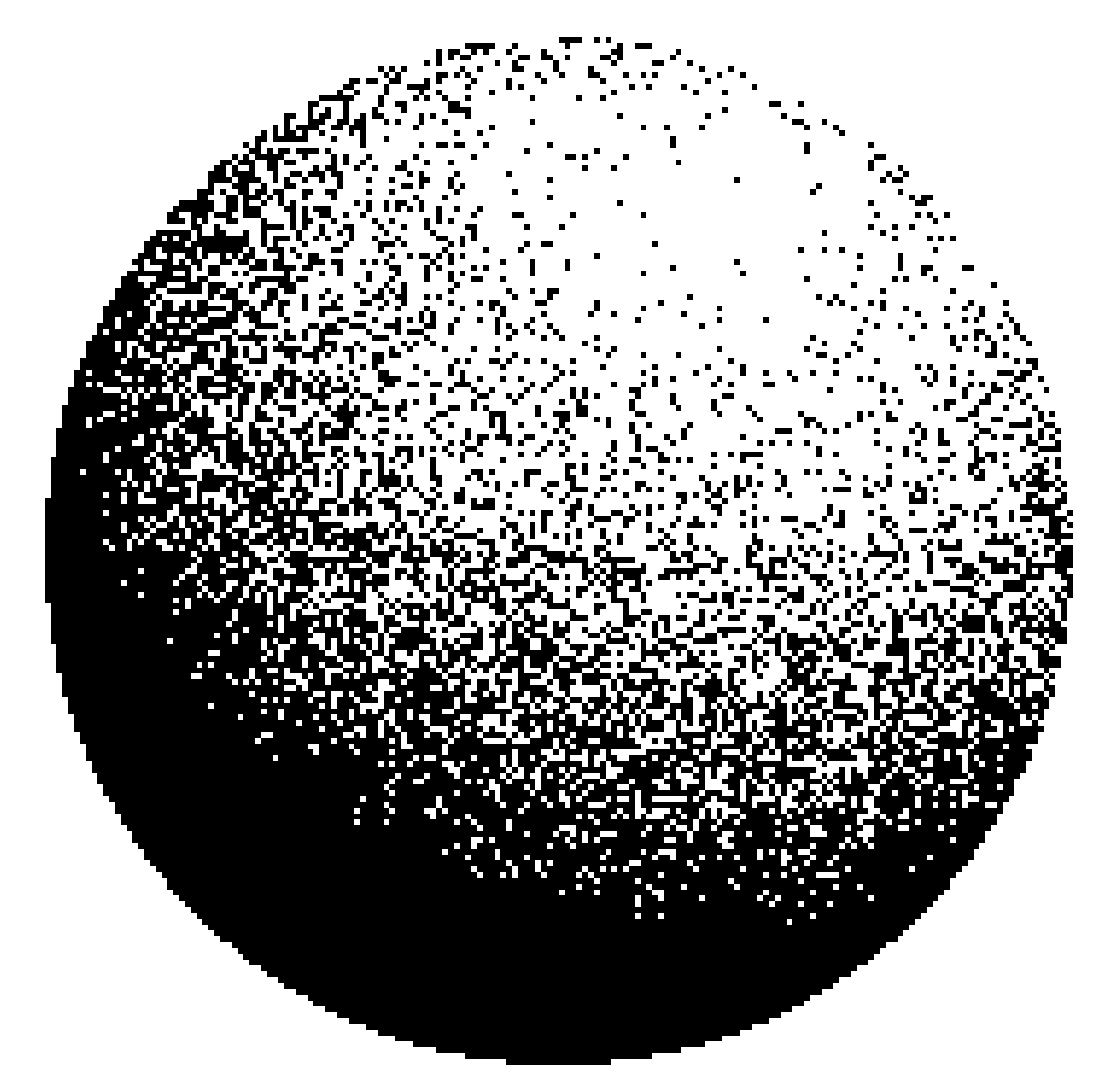
Source Code
    1 REM This program will produce a shaded globe
    2 REM SINC-LINC v9 n2 p6
    3 REM Typed by David Anderson Feb 10, 2022
   10 FOR x=-87.5 TO 87.5: LET i=INT (SQR (7744-x*x)-.5)+.5
   20 FOR y=-i TO i: IF x+2*y+2*SQR (7744-x*x-y*y)<RND*264 THEN PLOT x+127.5,y+87.5
   30 NEXT y: NEXT x
Note: Type-in program listings on this website use ZMAKEBAS notation for graphics characters.