
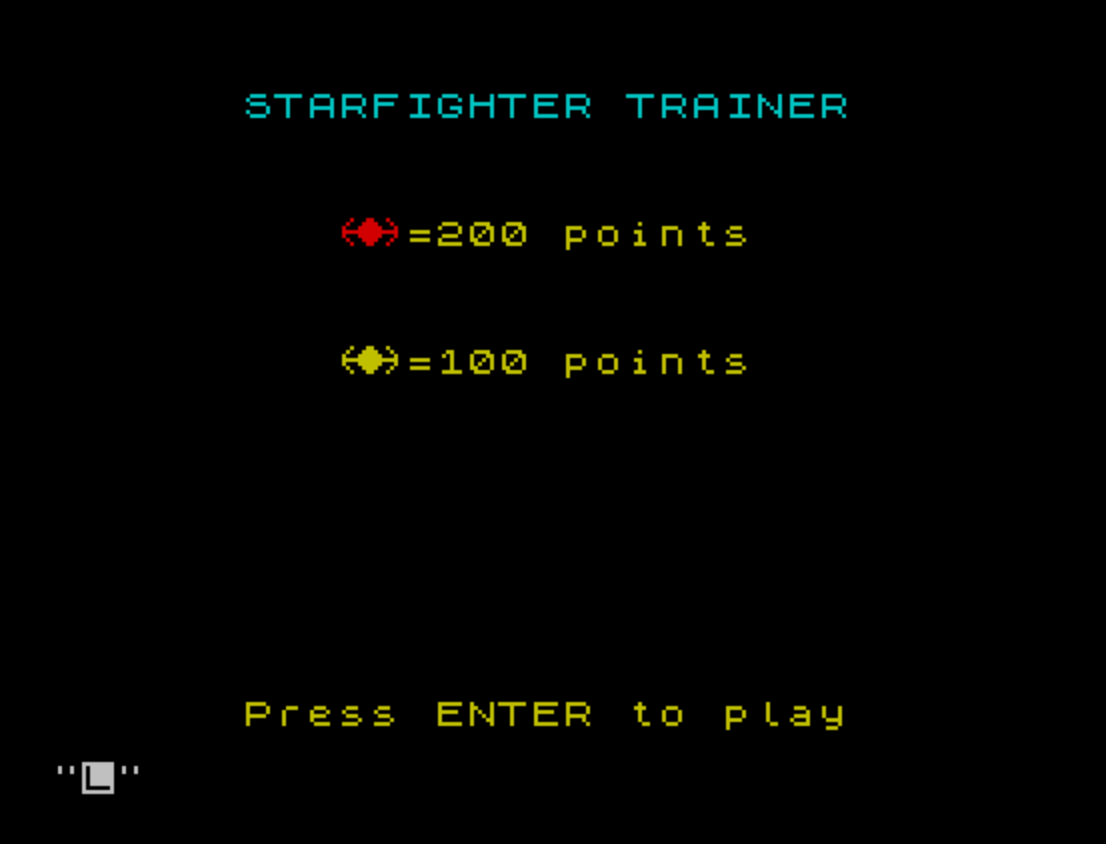
Shoot-em-up game in which the player pilots a ship around the screen using a joystick, firing laser beams at an alien target that wanders randomly within bounds. The game uses eight custom user-defined graphics (UDGs “a” through “h”), loaded via POKE from DATA statements, to draw the player ship, the alien, and the animated laser fire in both directions. Firing is simulated by RESTOREing one of two DATA blocks and rapidly PRINTing successive rows of UDG characters to animate a converging or diverging beam effect. Energy decreases by 15 on each shot, by 5 each time the player moves, and by 100 for an alien escape; the game ends when energy reaches zero, at which point a kill-ratio percentage is computed from shots taken versus scored hits.
Program Structure
The program is organized into a main game loop with several distinct regions:
- Lines 1–15: Initialization, UDG setup (via
GO SUB 9000), and title/menu screen. - Line 20: Calls
GO SUB 7000to reset per-game state (position, energy, score, shot counter). - Lines 25–170: The core game loop, wrapped in
FOR Z=1 TO 20. Each iteration moves the alien randomly, reads the joystick for player movement and firing. - Lines 180–260: Post-loop resolution — checks whether the player fired at the stationary alien (lines 190–210) or let it escape (lines 220–260), applying score or energy penalties accordingly.
- Lines 400–440: Game-over screen showing score, high score, and kill ratio; loops back to
GO SUB 7000for a new game. - Lines 1000–1060: Laser-fire subroutine using PLOT/DRAW to animate crossfire beams.
- Lines 7000–7050: Game reset subroutine (border, HUD, starting variables).
- Lines 8000–8030: DATA blocks for two animated laser beam sequences (player firing and alien firing).
- Lines 9000–9120: UDG loader — POKEs eight characters (“a”–”h”) from DATA into the UDG area.
User-Defined Graphics
Eight UDGs are defined at startup via a FOR loop from USR "a" to USR "h"+7, covering 64 bytes total. Each 8-byte block is read from DATA at lines 9040–9110 and POKEd directly into the UDG table. The comment at line 9120 maps the letters to their roles: \g\h forms the alien sprite, and pairs \a/\b, \c/\d, \e/\f form the three tiers of the laser beam animation (wide, medium, narrow).
Alien Movement
The alien moves stochastically inside the outer FOR Z=1 TO 20 loop. A random integer c in the range 1–4 selects one of four directions (right, left, down, up), with boundary checks clamping the alien to columns 2–29 and rows 2–16. This gives a simple but effective random-walk behavior.
Joystick and Player Movement
STICK is polled twice per loop iteration (lines 100 and 160) to check for fire, and also at lines 107–140 for player movement. The player ship moves two character cells per step (versus one for the alien), giving the player a speed advantage. Each joystick movement costs 5 energy units (line 107). The double STICK poll for firing (lines 100 and 160) means a held fire button triggers the laser subroutine on both halves of a loop iteration.
Laser Animation
The laser subroutine at lines 1000–1060 uses PLOT and DRAW to flash two diagonal lines from screen corners toward a central point, then immediately erases them using DRAW OVER 1 (XOR drawing mode). The actual beam animation for the DATA-driven sequences (lines 8000–8030) is read in lines 220–250, printing successive rows of UDG characters to simulate an expanding or converging beam pattern. Two separate DATA blocks — one for player fire (line 8000) and one for alien fire (line 8030) — allow RESTORE to select which animation plays.
Scoring and Energy
| Event | Effect |
|---|---|
| Player fires (any shot) | −15 energy, +1 to shot counter sh |
| Player moves (joystick active) | −5 energy |
| Direct hit (alien at row 8, columns 14–16) | +100 score |
| Player fires while alien stationary | +200 score |
| Alien escapes (player does not fire in time) | −100 energy |
| Energy ≤ 0 | Game over |
The kill ratio at game over is computed as INT((sc/100) / sh * 100), expressing scored points (in units of 100) as a percentage of total shots fired. The high score hi persists across rounds within the same session.
Notable Techniques
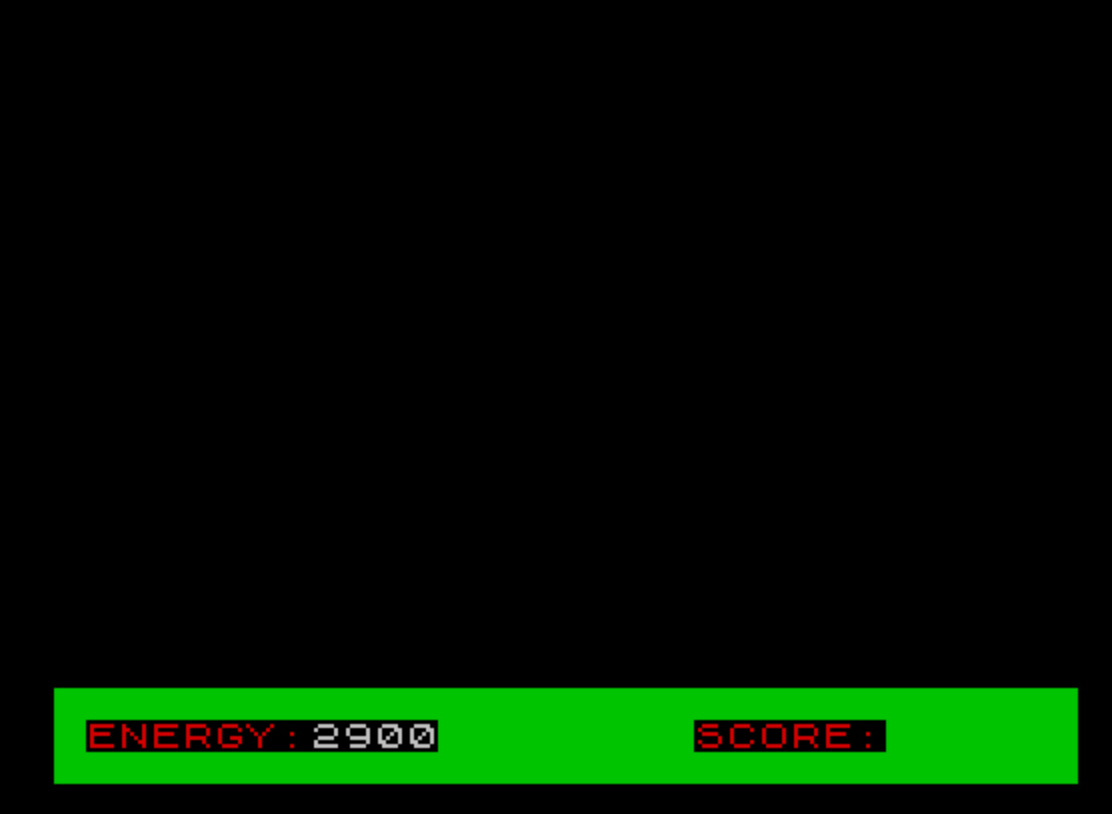
- The HUD energy bar is displayed numerically at
AT 20,8usingPAPER 4to color-code it, and is refreshed each loop iteration at line 25. - The alien is erased by printing two spaces (
" ") at its current position before computing the new position, a standard sprite-erase idiom. - RESTORE targeting specific line numbers (8000 and 8030) is used to switch between the two laser DATA sequences without separate subroutines.
- The outer
FOR Z=1 TO 20loop controls how many moves the alien makes before a firing opportunity is evaluated, acting as a pacing timer without requiring PAUSE.
Bugs and Anomalies
- Line 1060 uses lowercase
yandxto erase the player ship (PRINT AT y,x;" "), but the player coordinates are stored in uppercaseYandXthroughout the rest of the program. On the Spectrum, variable names are case-sensitive, soyandxare distinct uninitialized variables (defaulting to 0), meaning the erase at the end of the fire subroutine always prints to row 0, column 0 rather than the player’s actual position. - In the alien-escape branch (lines 220–250), the DATA loop reads 9 rows but the PRINT and immediate re-PRINT erase (same line 240) means the beam animation is never visibly displayed — each row is printed and immediately overwritten with spaces in the same statement.
- The energy display at line 25 uses
PAPER 4inline but does not reset PAPER afterward, which may cause subsequent PRINT statements to inherit the colored background depending on interpreter state.
Image Gallery
Source Code
    1 REM Starfighter Trainer
    2 REM RESET 1983 Rick Conard
    5 BORDER 0: PAPER 0: CLS : LET hi=0
   10 GO SUB 9000: PRINT AT 2,6; INK 5;"STARFIGHTER TRAINER": PRINT AT 6,9; INK 2;"\g\h"; INK 6;"=200 points";AT 10,9;"\g\h";"=100 points"
   15 PRINT AT 21,6; INK 6;"Press ENTER to play": INPUT a$: CLS
   20 GO SUB 7000
   25 FOR Z=1 TO 20: PRINT AT 20,8;e; PAPER 4;"  ": IF e<=0 THEN GO TO 400
   30 PRINT AT Y,X;"  "
   40 LET c=INT (RND*4)+1
   50 IF c=1 AND X<=29 THEN LET X=X+1
   60 IF c=2 AND X>=2 THEN LET X=X-1
   70 IF c=3 AND Y<=16 THEN LET Y=Y+1
   80 IF c=4 AND Y>=2 THEN LET Y=Y-1
   90 PRINT AT Y,X;"\g\h"
  100 IF STICK (2,1) THEN GO SUB 1000
  105 PRINT AT Y,X;"  "
  107 IF STICK (1,1) THEN LET e=e-5
  110 IF STICK (1,1)=1 AND Y>=2 THEN LET Y=Y-2
  120 IF STICK (1,1)=2 AND Y<=16 THEN LET Y=Y+2
  130 IF STICK (1,1)=4 AND X<=29 THEN LET X=X+2
  140 IF STICK (1,1)=8 AND X>=2 THEN LET X=X-2
  150 PRINT AT Y,X;"\g\h"
  160 IF STICK (2,1) THEN GO SUB 1000
  170 NEXT Z
  180 PRINT AT Y,X;"  ": PRINT AT 8,15; INK 2;"\g\h"
  185 PAUSE 15
  190 IF NOT STICK (2,1) THEN GO TO 220
  200 IF STICK (2,1) THEN INK 7: GO SUB 1000
  205 PRINT AT 8,15;"  ": LET sc=sc+200: GO SUB 1040
  210 GO TO 25
  220 RESTORE 8030
  230 FOR a=9 TO 17
  240 READ b$: PRINT AT a,7;b$: PRINT AT a,7;"                 ": NEXT a
  250 INK 7: LET e=e-100
  260 PRINT AT 8,15;"  ": GO TO 25
  400 PRINT AT 3,11; INK 6;"GAME OVER";AT 6,8; INK 4;"Your Score:";sc
  410 IF sc>hi THEN LET hi=sc
  420 PRINT AT 9,8; INK 4;"High Score:";hi
  430 LET h=sc/100: LET pct=INT (h/sh*100): PRINT AT 12,8; INK 4;"Kill Ratio:";pct;"%"
  440 PRINT AT 16,3; INK 4;"Press ENTER to play again": INPUT a$: CLS : GO TO 20
 1000 INK 7: PLOT 64,24: DRAW 64,83
 1010 INK 7: PLOT 192,24: DRAW -64,83
 1015 INK 0: PLOT 64,24: DRAW OVER 1;64,83
 1020 INK 0: PLOT 192,24: DRAW OVER 1;-64,83
 1030 IF Y=8 AND (X=14 OR X=15 OR X=16) THEN LET sc=sc+100
 1040 INK 7: PRINT AT 20,26;sc
 1050 LET e=e-15: LET sh=sh+1
 1060 PRINT AT y,x;"  ": RETURN
 7000 BORDER 0: INK 4
 7010 FOR a=19 TO 21: PRINT  AT a,0;"████████████████████████████████": NEXT a: INK 2
 7015 PRINT AT 20,1;"ENERGY:";AT 20,20;"SCORE:"
 7020 LET X=15: LET Y=8
 7030 LET e=3000: LET sc=0: LET sh=0: INK 7
 7040 PRINT AT Y,X;"\g\h"
 7050 RETURN
 8000 REM YOU FIRE (DATA)
 8010 DATA "\b                \a"," \b              \a","  \b            \a","   \d          \c","    \d        \c","     \d      \c","      \f    \e","       \f  \e","        \f\e"
 8020 REM ALIEN FIRE (DATA)
 8030 DATA "        \f\e","       \f  \e","      \f    \e","     \d        \c","    \d        \c","   \d          \c","  \b            \a"," \b              \a","\b               \a"
 9000 REM USER GRAPHICS
 9005 RESTORE 9040
 9010 FOR a=USR "a" TO USR "h"+7
 9020 READ user: POKE a,user
 9030 NEXT a: RETURN
 9040 DATA 112,248,252,254,127,63,31,14
 9050 DATA 14,31,63,127,254,252,248,112
 9060 DATA 0,48,120,124,62,30,12,0
 9070 DATA 0,12,30,62,124,120,48,0
 9080 DATA 0,0,16,56,28,8,0,0
 9090 DATA 0,0,8,28,56,16,0,0
 9100 DATA 17,35,71,127,71,35,17,0
 9110 DATA 136,196,226,254,226,196,136,0
 9120 REM a=\a,b=\b,c=\c,d=\d,e=\e,f=\f,g=\g,h=\h
Note: Type-in program listings on this website use ZMAKEBAS notation for graphics characters.