
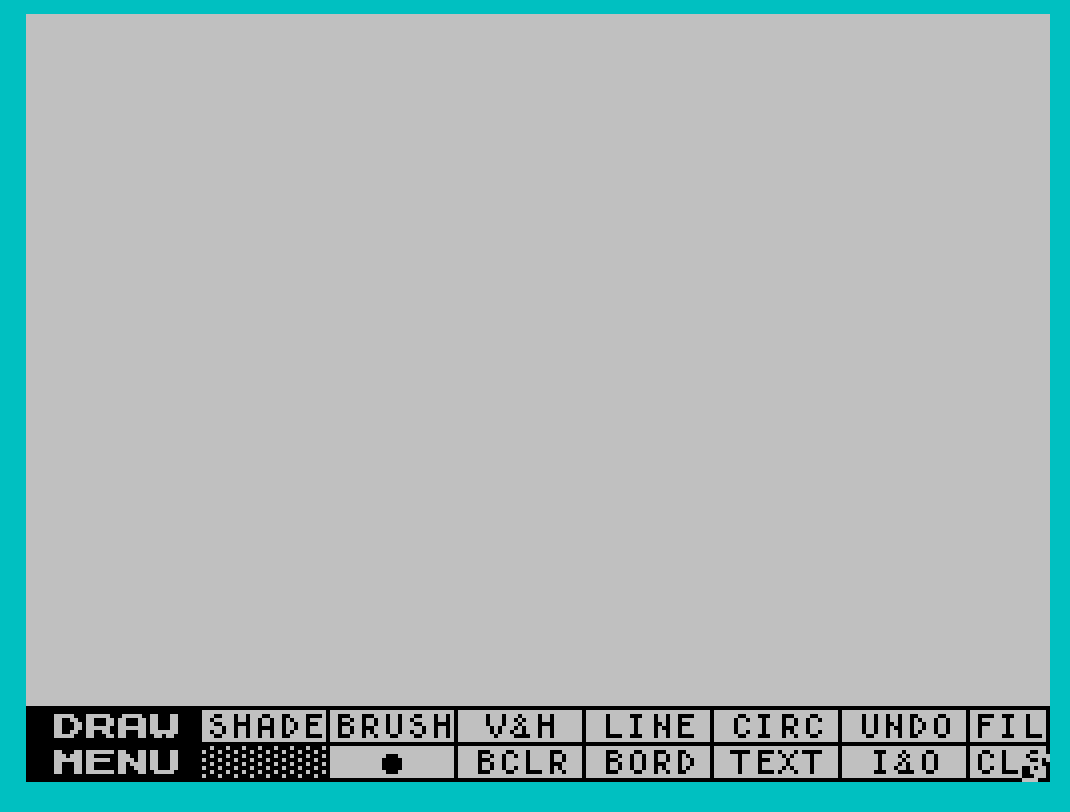
High resolution black and white drawing utility inspired by MacPaint for the Apple Macintosh computer. For use with the Zebra Graphics Interface and Graphics Tablet, Tech-Draw allows for drawing curves and freehand. Supports many popular printers.
Program Analysis
Program Structure
The program is organized into several functional blocks:
- Lines 10–44: Initialization and device detection; loads the machine code drawing engine (
dcode) from the previously selected storage device. - Lines 52–64: Storage device selection menu, allowing the user to choose cassette, A&J Microdrive, or Zebra disk drive.
- Lines 70–99: Main menu offering Run, Customize Printer, or Customized Backup options.
- Lines 202–240: Printer model selection (80-column printers).
- Lines 300–396: Centronics interface selection and linefeed configuration.
- Lines 400–920: Printer-specific machine code dispatch stubs, each calling a RANDOMIZE USR address before jumping to the interface menu at line 300.
- Lines 9910–9932: Customized backup routine, saving both the BASIC loader and CODE block to the active device.
Device Detection and Persistence
A clever technique is used to persist the selected device number across a LOAD operation: POKE 65535,dev writes the device code to the last byte of the 64 KB address space before loading, and LET dev=PEEK 65535 immediately reads it back after the program restarts. This works because a CODE load does not clear that memory location. On first run, dev is uninitialized (defaults to 0), so the PEEK simply recovers whatever was previously written or zero.
Machine Code Usage
The program makes extensive use of RANDOMIZE USR to call machine code routines for several purposes:
- Line 99:
RANDOMIZE USR 50556— launches the main drawing engine loaded at address 30036. - Lines 61–63: Addresses 55265, 55242, 55298 — configure I/O for A&J Microdrive, Zebra disk, and cassette respectively.
- Lines 382–389: Addresses 63012–63042 — configure the active Centronics interface (Aerco, Tasman-b, Tasman-c, A&J, FDD-RS232).
- Lines 410–910: Addresses 63024–63039 — configure the printer model (Epson, Gemini, Panasonic, Seikosha, Prowriter).
The CODE block loaded as dcode occupies addresses 30036 through 65435 (35400 bytes), encompassing all the printer driver and drawing engine machine code.
Printer Configuration Architecture
Configuration is a two-level dispatch: the user selects a printer model first (lines 202–240), which calls a USR routine to set printer-specific parameters and then falls through to the interface menu (line 300). The interface selection (lines 382–389) then calls a second USR routine to set interface-specific parameters. This two-call design allows any printer to be paired with any supported interface, with the machine code routines handling the combination.
FDD-RS232 Special Handling
The FDD-RS232 interface option (line 389) requires additional setup beyond a simple USR call. It uses INVERSE 1 to display a header, manipulates channel 3 with POKE 23729,255, CLOSE #*3, POKE 23729,0, then uses FORMAT *":ch_a" and OPEN #*3;":ch_a";o to establish the RS-232 channel — syntax consistent with a disk-based I/O extension.
Key BASIC Idioms
- Input validation via CODE INKEY$: Lines 57–58 read a keypress as its character code and compare against ASCII values 49, 50, 51 (‘1’, ‘2’, ‘3’), looping until a valid key is pressed.
- Case normalization: Line 82 converts lowercase to uppercase by subtracting 32 when
i>90, allowing either case for the main menu keys. - Polling loop: Line 80 uses
IF i=0 THEN GO TO 80to busy-wait for a keypress, a standard INKEY$ polling idiom. - Comma-only PRINT for spacing: Lines 206 and 330 use multiple commas to advance print position without explicit AT coordinates.
Backup Routine
Lines 9910–9931 save both the BASIC program (with LINE 10 auto-run) and the CODE block (30036, 35400) using whichever device was selected. The dev variable gates which SAVE syntax is used — SAVE * for disk, SAVE "@..." for Microdrive, and plain SAVE for tape. Note that line 9900 is referenced by the main menu (line 90: GO TO 9900) but is absent from the listing; execution falls through to line 9910, which is the intended behavior for the backup branch.
Content
Image Gallery

Source Code
   10 INK 6: PAPER 1: BORDER 1: POKE 65535,dev: CLEAR 30035: LET dev=PEEK 65535
   20 PRINT AT 3,10;"TechDraw 2.1"
   40 PRINT AT 9,8;"Copyright \* 1985";AT 10,7;"ZEBRA SYSTEMS, INC."; FLASH 1;AT 16,10;" NOW LOADING "
   42 IF dev=3 THEN INK 1: LOAD *"dcode"CODE : INK 6: GO TO 52
   43 IF dev=2 THEN INK 1: LOAD "@dcode"CODE : INK 6
   44 IF dev=1 THEN INK 1: LOAD "dcode"CODE : INK 6
   52 CLS : PRINT AT 3,5; FLASH 1;"  SELECT STORAGE DEVICE  "
   54 PRINT ,,,,,,"      1 - Cassette tape deck"
   55 PRINT ,,"      2 - A&J micro drive"
   56 PRINT ,,"      3 - ZEBRA disk drive"
   57 LET k=CODE INKEY$
   58 IF k<>49 AND k<>50 AND k<>51 THEN GO TO 57
   61 IF k=50 THEN RANDOMIZE USR 55265: LET dev=2: REM a&j I/O
   62 IF k=51 THEN RANDOMIZE USR 55242: LET dev=3: REM disk I/O
   63 IF k=49 THEN RANDOMIZE USR 55298: LET dev=1: REM tape I/O
   64 FOR n=1 TO 6: BEEP .1,30: NEXT n: CLS
   70 CLS
   72 PRINT AT 10,4;"""R"" to RUN TechDraw"
   73 PRINT AT 12,4;"""C"" to Customize Printer"
   74 PRINT AT 14,4;"""B"" for Customized Backup"
   80 LET i=CODE INKEY$: IF i=0 THEN GO TO 80
   82 IF i>90 THEN LET i=i-32
   90 IF i=66 THEN GO TO 9900
   94 IF i=67 THEN GO TO 200
   96 IF i<>82 THEN GO TO 80
   98 INK 0: PAPER 7: BORDER 7: CLS : PRINT #0;"                                                                "
   99 RANDOMIZE USR 50556
  202 CLS
  206 PRINT ,,,,,,"  * 80 Column Printer *"
  207 PRINT "  ---------------------"
  208 PRINT ,,
  210 PRINT "Epson RX/FX ...........1"
  212 PRINT "Gemini 10X ............2"
  214 PRINT "Gemini SG10 ...........2"
  216 PRINT "Memotech DMX80 ........3"
  218 PRINT "Panasonic 1090/1091 ...3"
  220 PRINT "Spirit 80 .............3"
  222 PRINT "Seikosha 250 ..........4"
  224 PRINT "Gorrilla Banana .......5"
  226 PRINT "Seikosha 100 ..........5"
  227 PRINT "Prowriter 8510 ........6"
  228 INPUT "Select (1 - 6) ";p
  230 IF p=1 THEN GO TO 400
  232 IF p=2 THEN GO TO 500
  234 IF p=3 THEN GO TO 600
  236 IF p=4 THEN GO TO 700
  238 IF p=5 THEN GO TO 800
  239 IF p=6 THEN GO TO 900
  240 GO TO 228
  300 CLS
  310 PRINT ,,,,,,"* Centronics Interface *"
  320 PRINT "-----------------------"
  330 PRINT ,,
  340 PRINT "Aerco ..........1"
  350 PRINT "Tasman-b .......2"
  360 PRINT "Tasman-c .......3"
  370 PRINT "A & J ..........4"
  372 PRINT "FDD-RS232 ......5"
  380 INPUT "Select (1 - 5) ";p
  381 IF p<1 OR p>5 THEN GO TO 380
  382 IF p=1 THEN RANDOMIZE USR 63018
  384 IF p=2 THEN RANDOMIZE USR 63012
  386 IF p=3 THEN RANDOMIZE USR 63015
  388 IF p=4 THEN RANDOMIZE USR 63021
  389 IF p=5 THEN RANDOMIZE USR 63042: CLS : PRINT AT 0,0; INVERSE 1;" FDD-RS232 PARAMETER SETTINGS  ": POKE 23729,255: CLOSE #*3: POKE 23729,0: FORMAT *":ch_a": OPEN #*3;":ch_a";o
  390 CLS : INPUT "Do you want LineFeed codes sent (Y or N)? ";k$
  392 IF k$="Y" OR k$="y" THEN POKE 63122,10
  394 IF k$="N" OR k$="n" THEN POKE 63122,0
  396 GO TO 70
  400 REM  epson
  410 RANDOMIZE USR 63024
  420 GO TO 300
  500 REM  gem
  510 RANDOMIZE USR 63027
  520 GO TO 300
  600 REM  pan
  610 RANDOMIZE USR 63039
  620 GO TO 300
  700 REM  sk250
  710 RANDOMIZE USR 63033
  720 GO TO 300
  800 REM  sk100
  810 RANDOMIZE USR 63030
  820 GO TO 300
  900 REM  8510
  910 RANDOMIZE USR 63036
  920 GO TO 300
 9910 IF dev=3 THEN SAVE *"draw" LINE 10
 9911 IF dev=3 THEN SAVE *"dcode"CODE 30036,35400
 9920 IF dev=2 THEN SAVE "@1,draw" LINE 10
 9921 IF dev=2 THEN SAVE "@2,dcode"CODE 30036,35400
 9930 IF dev=1 THEN SAVE "draw" LINE 10
 9931 IF dev=1 THEN SAVE "dcode"CODE 30036,35400
 9932 GO TO 70
Note: Type-in program listings on this website use ZMAKEBAS notation for graphics characters.