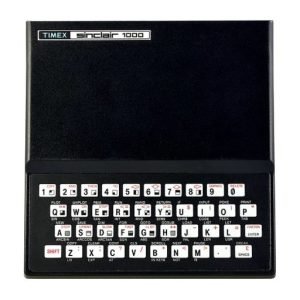
In the May-June ‘86 issue of SyncWare News, I went through several sort routines for the 2068 and 1000 computers. For general use, I decided that the Shell-Faulk was the best all-round choice, but I also asked readers to send in any better ideas. One reader did, Larry Crawford of London Ontario, Canada. He took the Shell-Faulk and converted it to machine code. Between the two of us, we have worked out bugs, shortened it, and made it mare flexible.
This routine will work on both the Spectrum and 2068, but with a little adjustment in the Basic and some relocating, it should also work on the 1000. While you will need to do a little “hacking” to switch it to the 1000, it only requires changing the storage areas the machine code uses and also the POKES made in Basic. All the storage areas used are in the printer buffer. Also, the location of “dest” is different on the 1000.
Let’s get right to the issue of speed. Below is a comparison of the Shell-Faulk in Basic and machine code at sorting files that are each 19 characters long:
| BASIC | Machine Code | |
|---|---|---|
| 50 files | 11.8 seconds | .2 seconds |
| 100 files | 29.9 seconds | .3 seconds |
| 200 files | 74.8 seconds | .7 seconds |
| 400 files | 184 seconds | 1.8 seconds |
| 800 files | 430 seconds | 4.9 seconds |
| 1600 files | 1049 seconds | 15 seconds |
| 3200 files | 2402 seconds | 47 seconds |
I think that is the kind of speed anyone would be happy with! It works with any 2 dimensional string array (this is not for numbers – sorry) with any name and you can change the dimensions at will. A few Basic statements relay certain key bits of information to the machine code before it is called. I should point out that the machine code timings are based on just one test for each set of files. Considering the tremendous speed, I didn’t think it critical to run several tests for an average.
Here is a description of the Basic portion of the program. To use it, first load in the tape and list the program for reference.
Line 110 of the listing just sets up some random files as was done on the Basic version (a Basic listing of the original version found in SyncWare News is printed later in this documentation). One important change is that we DIM N$ with one extra file space. Thus, if X=100 we DIM N$(101,10). The extra file Space is used just to help move the other files around. It serves the same purpose as D$ does in the Basic version. When you press a key to start the sort, line 200 sets up certain machine code pointers. First we POKE 23296 and 23297 with the number of files to be sorted (X) not including the extra file of course. Note that this allows you to sort just part of your files such as the first 50 for example. Whatever number you poke will be all that you sort. Next we POKE the length of each file (L) into 23298 and 23299.
The statement LET N$(X+1)=N$(X-1) is used to make the computer store the address of the extra file in a special place called “dest”. This is found in addresses 23629 and 23630. Therefore we take the contents of those addresses and put them in 23300 and 23301.
I have used N$() for my file storage, but you can use any name as long as you adjust all references to the name in Basic. The same goes for the use of X for the number of files and other variables.
Please note that all these POKEs are made into the printer buffer as are the variables created by the machine code routine itself. This is one reason you can put the machine code any place memory you want.
Line 1000 tells the routine where to find the first file although we don’t POKE this information in, instead the machine code will access “dest” directly. This also allows us to start the sort later than the first file if we wish. LET N$(11)=N$(11) would begin the sort 2+ the 11th file. If you start the sort after the first file, make sure you adjust the number of files to sort accordingly.
After the machine code routine is done, line 9910 prints out the files in order.
RUN 9999 to make a copy and verify it. When reloaded, line 9990 loads the machine code after setting RAMTOP. Finally, it goes to line 1 to start the test procedure. The actual sort routine only needs lines 200 and 1000, the rest is just to set up the files, etc. To use the routine in your own programs, just insert the commands in lines 200 and 1000 into your program (the line numbers make no difference and could all be combined into one line), and load the machine code into any open area above RAMTOP as long as there is room for 249 bytes. Remember that the RANDOMIZE USR address must be 12 bytes past the start of the routine. Thus, if you load in at address 65000, you RANDOMIZE USR 65012.
The machine code routine takes up 249 bytes and since the required Basic is minimal, you get a lot of speed for little memory use.
Since the logic of the machine code closely follows that of the Basic version, I will often refer to it as I explain the machine code routine. Therefore, here is a copy of the important parts of that original to help you follow along.
110 LET X=100: LET L=10: DIM N$(X,L): FOR Z=1 TO X: FOR N=1 TO L: LET N$(Z,N)=CHR$ INT (65+RND*26): NEXT N: NEXT Z: PRINT "READY": BEEP .5,40: PAUSE 0: REM This line just sets up random files. The actual sort starts at 1050
1050 LET M=X: LET S=M
1100 LET S=INT (S/2): IF S<1 THEN GO TO 9900
1115 IF S/2=INT (S/2) THEN LET S=S+1
1120 FOR N=1 TO M-S: LET J=N
1150 IF N$(J)>N$(J+S) THEN LET D$=D$(J): LET N$(J)=N$(J+S): LET N$(J+S)=D$: LET J=J-S: IF J>0 THEN GO TO 1150
1160 NEXT N: GO TO 1100
9910 REM When the sort is done you can set up a printout of the files if you wish
Here is a description of the machine code.
EFCE LD DE,5B00		The start of the code is at 61390
			(bit remember, you can put it anywhere).
			This begins the final part of the sort routine.
			At this point, every thing has been sorted so we
			need to clear the print buffer back to all zeros.
			First put DE at the start of the buffer which is
			also the start of our machine code variables.
EFD1 LD HL,5B16		HL is put at the part of the buffer that
			is not affected by the machine code and thus each
			address from here to the end contains zeros already.
EFD4 LD BC,0015		BC holds the number of bytes affected by the
			machine code routine.
EFD7 LDIR		This command moves whatever is in the address
			represented by HL into DE. HL and DE are automatically
			moved to the next address and BC is reduced by one. Thus
			zeros are placed into the affected parts of the buffer
			so that your next LPRINT command won't 	contain garbage.
EFD9 RET 		Return to Basic when buffer has been cleared.
EFDA LD HL,(5B00)	The actual sort routine starts here from Basic
			(address 61402) and if you relocated the code, remember
			to RANDOMIZE USR 12 bytes past the start of the machine
			code. (We started at 61390, so we RANDOMIZE USR 61402).
			Load HL with total files (X) which was poked from Basic.
EFDD LD (5B0A),HL 	Put X in storage for M. Same as M=X in line 1050.
EFE0 LD (5B0C),HL 	Also put in storage for S. Same as S=M in line 1050.
EFE3 LD HL,(5B0C) 	This starts line 1100. Get value of S.
EFE6 XOR A 		Clear carry flag before RR instruction and zero
			the A register.
EFE7 RR H
EFE9 RR L 		These two instructions get the integer value of HL/2.
			Thus it is the same as INT (S/2) in line 1100.
EFEB LD A,H
EFEC OR L
EFED JR Z,EFCE 		If HL is zero (S=0) then we are done with the
			sort, so jump to clear the printer buffer before returning
			to Basic.

EFEF SET 0,L 		Set bit 0 of L to make sure it is an odd value
			(line 1115).
EFF1 LD (5B0C),HL 	Store new value of S
EFF4 PUSH HL 		Push S on stack
EFF5 EX DE,HL 		Put S value in DE register pair
EFF6 LD HL,(5B0A) 	Get M value
EFF9 XOR A 		Clear Carry flag before subtraction
EFFA SBC HL,DE 		Calculate M-S
EFFC LD (5B0E),HL 	Store M-S
EFFF LD HL,0001 	Prep for FOR-NEXT loop
F002 LD (5B10),HL 	Store in N, thus loop starts at N=1
F005 LD (5B12),HL 	Put in J (J=N). See line 1120
F008 LD HL,(5C4D) 	5C4D is the address for dest, so this shows
			where the first file is. On the 1000, dest is different,
			so see your manual.
F00B LD (5B06),HL 	Store address of first file in N$(J)
F00E LD DE,(5B02) 	Get the length of each file (poked from Basic)
F012 POP BC 		Get value of S
F013 ADD HL,DE
F014 DEC BC
F015 LD A,B
F016 OR C
F017 JR NZ, F013  	The above instructions calculate the address of
			file N$(J+S)
F019 LD (5B08), HL 	The actual sorting starts here by storing N$(j+s).
			This would be line 1150
F01C LD DE, (5B06) 	Get N$(J) address
F020 LD BC, (5B02) 	This is the file length
F024 LD A, (DE)		Get a character from N$(J) file
F025 CP (HL) 		Compare to character in N$(J+S) file
F026 JR C,F033 		Jump if the order is ok to prepare for NEXT N
F028 JR NZ,F068 	Jump to swap routine if order is wrong
F02A DEC BC 		If the characters are the same then we continue to
			compare the two files by first decrementing the number of
			file characters to check
F02B LD A,B
F02C OR C
F02D JR Z,F033 		These lines check to see if BC is zero - thus all
			characters are checked. If it is zero, we jump to prepare
			for NEXT N
F02F INC DE
F030 INC HL
F031 JR F024 		To continue comparing the two files we move HL
			and DE to the next characters and jump back to compare again
F033 LD A, (5B14) 	This starts our preparation for NEXT N. First we
			get the FLAG.
F036 DEC A 		Since the FLAG was either zero or one, this will make
			it zero or carry down to 255
F037 JR NZ,F044 	If it is 255, the flag was not set so jump to NEXT N.
F039 POP HL 		If the FLAG was set, get old N$(J+S) address.
			This is the address before we did LET J=J-S in line 1150
F03A LD (5B08), HL 	Store in N$ (J+S)
F03D POP HL 		Get old N$(J) - what it was before LEI J=J-S
F03E LD (5806), HL 	Store in N$ (J}
F041 LD (5B14),A 	The A register is zero so this clears the FLAG
F044 LD HL, (5810) 	The NEXT N begins here. First we get old N value
F047 INC HL 		Increment to next value of FOR-NEX oop
F048 LD (5B10), HL 	Store new N value.
F04B LD (5B12),HL 	Store in J too (J=N)
F04E EX DE, HL 		Put J value in DE
F04F LD HL, (5B0E) 	Get M-S value
F052 XOR A 		Clear Carry flag
F053 SBC HL, DE 	Subtract: (M-S)-J to see if FOR-NEXT is done
F055 JR C,EFE3 		If J is more than M-S, the loop is dine so jump
			back to the machine code version of line 1100
F057 LD HL, (5B06) 	If loop is not done, get N$ (J) adčress
F05A LD DE. (5B02) 	Get length of file
F05E ADD HL, DE 	Puts HL at next file
F05F LD (5B06),HL 	Store new N$(J) adöress
F062 LD HL, (5B08) 	Get N$(J+S) address
F065 ADD HL, DE 	HL at next file. New N$ (J+S) address
F066 JR F019 		Go back and sort again
F068 LD HL, (5B06) 	Start the file swap here. Get N$ (J) address
F06B LD DE, (5B04) 	Load DE with the extra N$ file address which we use
			as the Basic D$. This was poked from Basic
F06F LD BC, (5B02) 	Get file length so we know how many bytes to move
F073 PUSH DE 		Save D$ address
F074 PUSH BС 		Save file length
F075 PUSH HL 		Save N$ (J) address
F076 LDIR 		Put file N$ (J) in D$
F078 LD HL, (5B08) 	Get N$ (J+S) address
F07B POP DE 		Get N$ (J) address
F07C PОР ВС 		Get length of file
F07D PUSH HL 		Save N$ (J+S)
F07E PUSH BC 		Save length
F07F LDIR 		Put N$(J+S) in N$ (J)
F081 POР ВC 		Get length
F082 POP DE 		Get N$ (J+S) address
F083 POP HL 		Get D$ address
F084 LDIR 		Put D$ in N$ (J+S(
F086 LD HL, (5B12) 	Get J value
F089 LD DE, (5B0C) 	Get S value
F08D XOR A 		Clear Carry flag
F08E SBC HL, DE 	Calculate J-S
F090 LD (5B12), HL 	Store new J value
F093 JR C,F033
F095 JR Z,F033 		If J is less than or equal to zer: than go to
			preparation for NEXT N
F097 LD A, (5B14) 	This starts our preparation to go to line 1150.
			First get flag
F09A CP 00 		Compare flag to zero
F09C JR NZ,F0AA 	Jump if flag is already set
F09E LD HL, (5B06) 	If flag is not set, we must save the present
			address of N$ (J), so first get N$ (J)
F0A1 PUSH HL 		Save this value
F0A2 LD HL, (5B08) 	Get N$ (J+S) address to save too
F0A5 PUSH HL 		Save it
F0A6 INC A 		Make A register hold one
F0A7 LD (5B14),A 	Use it to set Flag
F0AA LD HL, (5B06) 	Get N$ (J) address
F0AD LD (5B08),HL 	Put it in N$ (J+S). This allows for LET J=J-S
F0BO PUSH HL 		Save address of N$ (J+S)
F0B1 LD BC, (5B02) 	Get file length
F0B5 LD DE, (5B0C) 	Get S value
F0B9 XOR A 		Clear Carry flag
F0BA SBC HL, BC
F0BC DEC DE
F0BD LD A,D
F0BE OR E
F0BF JR NZ,F0B9 	These lines make the address of Ns(J adjust
			because of the LET J=J-S command
F0C1 LD (5B06),HL 	Store new N$ (J) address
F0C4 POP HL 		Get N$ (J+S) address
F0C5 JR F066 		We now go back to sort again. The jump is too
			far for a relative jump so it is done in two steps.
			First to F066 which then goes to F019
The storage of variables is all in the printer buffer as follows:
| 5B00-5B01 | 23296-7 | X value from Basic |
| 5B02-5B03 | 23298-9 | Length of file from Basic |
| 5B04-5B05 | 23300-1 | Address of extra file from Basic |
| 5B06-5B07 | 23302-3 | N$(J) address |
| 5B08-5B09 | 23304-5 | N$(J+S) address |
| 5B0A-5B0B | 23306-7 | M value |
| 5B0C-5B0D | 23308-9 | S value |
| 5B0E-5B0F | 23310-1 | M-S value |
| 5B10-5B11 | 23312-3 | N value |
| 5B12-5B13 | 23314-5 | J value |
| 5B14 | 23316 | Flag |
Here are the pokes to make in decimal beginning at 61390. Follow each row from left to right before moving to the next. Remember, you can start anywhere
in protected memory as long as you adjust the Basic SAVE/LOAD routines and the RANDOMIZE address.
17 0 91 33 22 91 1 21 0 237 176 201 42
0 91 34 10 91 34 12 91 42 12 91 175 203
28 203 29 124 181 40 223 203 197 34 12 91 229
235 42 10 91 175 237 82 34 14 91 33 1 0
34 16 91 34 18 91 42 77 92 34 6 91 237
91 2 91 193 25 11 120 177 32 250 34 8 91
237 91 6 91 237 75 2 91 26 190 56 11 32
62 11 120 177 40 4 19 35 24 241 58 20 91
61 32 11 225 34 8 91 225 34 6 91 50 20
91 42 16 91 35 34 16 91 34 18 91 235 42
14 91 175 237 82 56 140 42 6 91 237 91 2
91 25 34 6 91 42 8 91 25 24 177 42 6
91 237 91 4 91 237 75 2 91 213 197 229 237
176 42 8 91 209 193 229 197 237 176 193 209 225
237 176 42 18 91 237 91 12 91 175 237 82 34
18 91 56 158 40 156 58 20 91 254 0 32 12
42 6 91 229 42 8 91 209 60 50 20 91 42
6 91 34 8 91 229 237 75 2 91 237 91 12
91 175 237 66 27 122 179 32 248 34 6 91 225
24 159
Document