
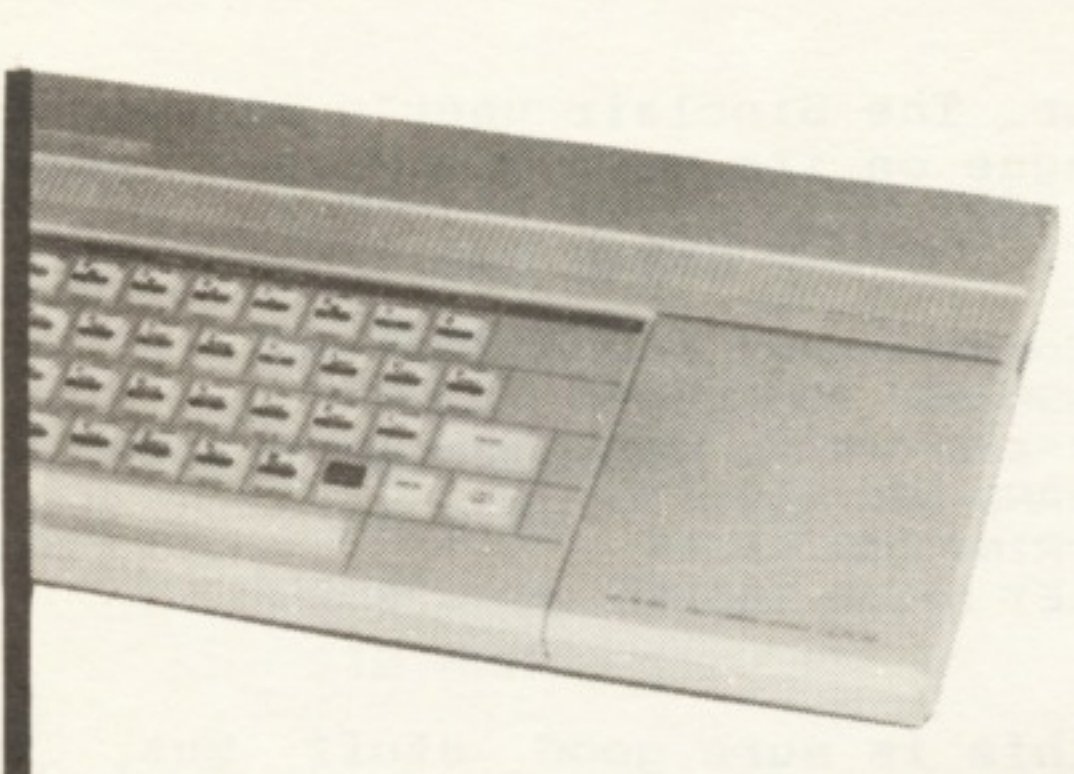
I hope no one out there has the same problem I have. Over the years I have amassed lots of tapes containing saved programs and data for the T/S 2068. Though my intentions have been good, most of these tapes do not have a complete log of their contents. While writing and debugging programs a tape may have various versions and data spread throughout both sides. Enter CASSETTE DIRECTORY…
One of the features of a floppy disc system is a directory containing information about files and programs on the disc (i.e., name, type and size). Many of us are quite content to live with tape storage, but that doesn’t mean we must live with all of its disadvantages! The following program will allow you to play a tape, create a directory of the data stored on it, make hard-copies to your printer, or store to tape for future reference. As written, this program will only run on the T/S 2068, though it will make directories of Spectrum tapes.
USING CASSETTE DIRECTORY
The program is self-prompting and 99% crash-proof. Upon loading the program, you will be presented with a Menu. (see example 1) If you are starting a new directory, choose option 1. You will be asked to provide the name of the tape and the side you wish to “read”. You will then be told to play the tape. You may return to the Menu from almost any point in the program by pressing [BREAK/CAPS SHIFT]. Do not worry, this will not halt execution of the program. As the header information is read, it will be displayed on the screen. (see example 2)
Example 1

        CASSETTE DIRECTORY

CREATE DIRECTORY................1
PRINTER SWITCH..................2
SAVE TO TAPE....................3
CONTINUE DIRECTORY..............4
LOAD FROM TAPE..................5
REVIEW DIRECTORY................6
Option 2, “Printer Switch”, will allow you to toggle on or off output to your T/S 2040 printer. If the printer switch is on, all output concerning the directory will be printed to the printer and the screen. After choosing Option 2, pressing “P” will turn the printer “on” if it is “off”, or “off” if it is “on”. NOTE: During Options 5 and 6, if the printer switch is on, all data from the directory will be sent to the printer before displaying it on the screen. There will be a small delay while the printer prints all of the directory before any screen output appears. You can halt the printer by pressing [BREAK/CAPS SHIFT], which will return you to the Menu. Then turn off the printer by using Option 2.
A record of the directory can be saved or loaded to/from tape by choosing Option 3 or Option 5. You will be prompted by the program on the particular steps to take.
Option 4 will allow you to continue the directory from the last entry made. Choose this option if you have returned to the Menu after starting the directory (Option 1) or have loaded a directory from tape and wish to add new data. The latter is in case you have added new programs or data to your tape.
Reviewing the directory, Option 6, will allow you to display or print the contents of a directory already compiled.
ENTERING THE PROGRAM
The listing in Listing 1 contains the BASIC portion of the program and all of the Machine Code entering routines. Carefully type in the program. Before executing the program, make a back-up copy to tape by entering (as a direct command)–[SAVE “dir.list”]. As an aid to typing this program, I have attempted to leave all variables in lower case letters, thus commands in upper case should be Keyword entries. Letters contained within the ” ” in lines 9000 and 9050 must be in upper case.
After you have made your back-up copy, enter as a direct command, [GO TO 9000]. The machine code is compiled into memory in three steps (lines 9000-9110). While the program compiles the code, checks will be made for possible errors in the lines containing code. If errors are detected, you will be advised where the error occurs and prompted to make corrections.
When the machine code is compiled, the program will delete lines 9000-9988 and proceed to make a working copy of the program. By following the prompts, a copy of the BASIC program and the machine code will be saved and verified. The program will then go directly to the Menu. You are now ready to make order out of chaos!
FOR THE CURIOUS
The machine code routine first makes a copy of the “W_Bord” and “R_Tape” portions of the EXROM. (see listing 2) This routine selects the EXROM and opens the DOCK bank port to read the EXROM. 198 bytes are then copied from the EXROM (starting at 00E5h) to RAM (starting at 80E5h).
Example 2

Directory of Work Tape Side A

BASIC: directory  Bytes: 3521
    Autostart at 9998

Code: directory  Bytes: 222
    Loads at 65253

BASIC: dir_list   Bytes: 4656
    No Autostart

Array: test/A     Bytes: 564
    Variable b$()

Array: data 2     Bytes: 505
    Variable j()

Code: title page Bytes: 6912
    Loads at 16384
The EXROM is then disabled and the DOCK port closed. The routine then copies the code contained at 80E5h to FEE5h. For reasons unknown to the author, attempting to transfer the EXROM routine directly to FEE5h causes a few bytes to be copied as NOP’s (i.e., 00h). In order to obtain a working copy, it is necessary to use this convoluted method.
Line 9040 changes the high byte of all CALL and JP addresses in W_Borad and R_Tape to conform with its new location.
The final section of code (Line 9050) overwrites the previous transfer code with a routine to set up the registers and flags before calling the “R_Tape” routine to read “header” information from the tape.
When either the T/S 2068 or Spectrum records data or programs to tape, a small “header” is recorded first. This header contains information on the program/data being saved. Byte 1 of this header contains the type (0 = BASIC program; 1 = number array; 2 = character string array; and 3 = code or bytes). Bytes 2-11 contain the name of the program saved. Bytes 12 and 13 contain the number of bytes saved. Bytes 14 and 15 contain either the address at which the data is to place in RAM or the Line number for an autostart in BASIC programs.
Before calling R_Tape, the carry flag must be set, signifying LOAD vs. VERIFY. Register A must be zero for header information and FF for program/data. The IX register points to the address in RAM where the data is to be placed and DE contains the number of bytes to be read from the tape. After data has been read from the tape, address FFC3h is checked. If the data was from the header this address will contain a zero. If it doesn’t, another attempt is made.
The BASIC Program
There are a couple of programming tricks in this program of note. The first is the use of ON ERR…To prevent a program from crashing due to operator error or errors from input (i.e., tape), this little gem is of great value. It must be used with care. If no method of breaking out of a program is allowed (i.e., ON ERR RESET) a bug in the program can cause an error, leaving no choice but to turn off the computer and reload the program. If it is an autostart program, one will need to retype it from scratch.
The ON ERR command is activated by use, by the command “ON ERR GO TO x”, where x is a line number. If an error occurs, for which a normal Error Report would be made by the system, the program will branch off to the specified line number. One could set up routines to correct this error (see Line 9990) or one can restart from another point in the program (i.e., ON ERR GO TO 100 – Menu). The ON ERR routines in Directory watch for several “errors”. The R_TAPE routine, borrowed from the ROM, routinely checks the keyboard in case the operator has pressed BREAK to abort read. If a BREAK is detected, operation is directed from R_TAPE to RST 08, thus printing Error Report Code D (see manual Appendix H, pg. 289). If the ON ERR has been initialized, operation will be directed to the specified Line number instead (i.e., 100).
Other errors could be caused by tape reading errors. In some cases commercial software may have “false” headers. These may contain unprintable characters within the name, causing an error. The Directory also watches for tape loading errors while loading or verifying compiled directories. In this case, program execution is directed to Line 9990, informing the user of the problem and allowing a renewed attempt. This is accomplished without halting the execution of the program with Error Report Codes. The ON ERR RESET in Line 120 is needed to allow an escape hatch. Without it, the user would not be able to leave the program to correct any programming/typing errors or make up-dates.
Another programming trick, used by Directory, is the POKEs in line 70 and 600. At address 23692 (in the System Variables) is Scr_Ct. This address contains the number of lines which will be automatically scrolled on the screen before the “scroll?” prompt appears. This number is alway 1 more than the number of lines to be scrolled. If 23692 contains 32, 31 lines will be scrolled before the user is prompted “scroll?” The POKE in 70 will allow the program to continue scrolling the screen as the directory is being displayed. (Since 255 is the largest number one can represent in 8 bits, 0-1 is like saying 256-1.) The POKE in 600 restores the scroll count to 22 lines (1 full screen).
DEBUGGING TIPS
Due to the use of the ON ERR command in this program, debugging can be quite a problem. If upon making a choice from the menu you find yourself right back in the menu, check for an error in lines 120 & 130. If you still find yourself back in the menu, break program execution by [BREAK/CAPS SHIFT] and as a direct command enter [PRINT k$]. If you do not get the results of your last Menu choice, check subroutine 400.
If the above fails, there is probably an error in subroutine you are calling from the menu. While in the Menu, BREAK-out and remove the ON ERR GO TO x, from any lines in the suspected subroutine. Replace with ON ERR RESET. This will allow normal error report codes to appear, giving you the needed debugging clues. Once you have corrected the problem, re-insert the proper ON ERR GOTO x’s.
BONUS NUMBER ONE
We can use the machine code contained in the Directory program, with some minor alterations, to LOAD blocks of data from tape without using the normal LOAD command. Once you have a de-bugged version of Directory up and running and have saved a copy to tape, Break execution of the program and Enter as a direct command, “NEW”. This will remove the BASIC portion of the program, leaving the machine code intact. Enter Listing 4. To use the program, enter the desired address you wish the data to be stored in RAM and how many bytes you want read. Bypass the header on tape, RUN program and start tape. (see Listing 4a)
BONUS NUMBER TWO
I can see the glint in the eyes of the more adventurous hackers. One can transfer all of the EXROM to RAM, allowing a leisured view and disassembledge. Go back to Listing 1 and enter Lines 9000, 9010, 9100, and 9110. Insert Listing 5. This program will automatically transfer and save the EXROM to tape. A copy of the EXROM now starts at 32768.
PROGRAM NOTES
Line 10      Sets up newly created Directory.  See Lines 500 - 510.
Line 15-80   Calls machine code routine to read header information
             from tape.  Reads data stored in memory into string,
             according to type of data.  Displays informatin to
             screen/printer.  NOTE LINE 70:  CHR$ 13 forces a
             line-feed to string.  PRINT #3 = LPRINT.
Line 100-130 Menu
Line 200-240 Printer switch routine.  NOTE LINE 230:  IF print=1
             and "P" was pressed THEN print=0 or IF print=0 THEN
             print=1.
Line 300-360 Saves Directory string to tape.  NOTE:  Since the
             computer will only save DIM'ed variables c$ is DIM'ed
             to length of b$ before saving (see line 330).
Line 400-420 Subroutine to read keyboard for input.
Line 500-510 Allows input of Directory title.  NOTE:  CHR$ 255 is
             marker for end of title.
Line 600-605 Loads a Saved Directory from tape.
Line 610-690 Prints compiled Directory to screen/printer.  Lines
             610-630 searches string for title.
Line 9000-9989 Compiles machine code into memory.  Then deletes
             itself before saving and verifying program.
Line 9990    Subroutine to handle "Tape Loading" errors.
Line 9998    Autostarts and loads machine code from tape.
Line 9999    Saves and verifies program.
VARIABLES
a$    =  Stores translated header information
b$    =  String to hold compiled Directory
c$    =  DIM'ed to hold b$ for saving to tape
k$    =  Receives keyboard input
n$    =  Receives name to be saved or loaded by
z$    =  Contains code = BRIGHT 1 & BRIGHT 0

ix    =  Points to RAM containing header data read from tape
k     =  Length of b$ containing title of directory.
print =  Printer switch flag
s     =  Holds possible autostart from header data
t     =  Holds type # from header data
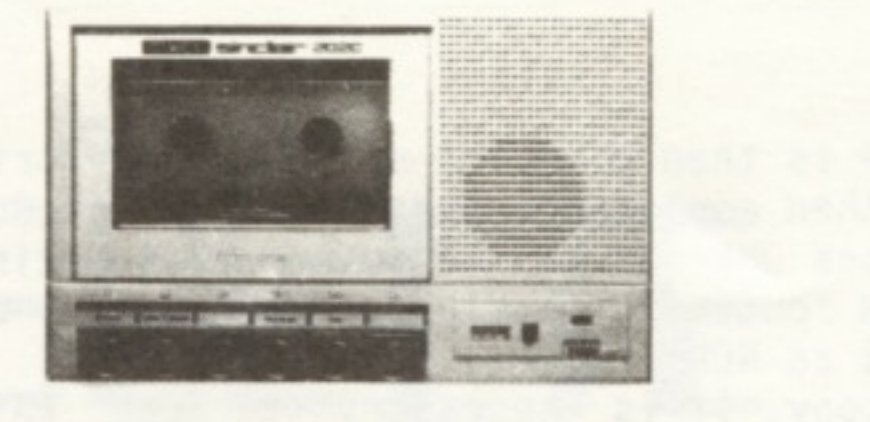
The author will provide a copy of this program on tape for $4.00 (includes shipping). Please send a check or money order to: Michael Carver, 1016 NE Tillamook, Portland, OR 97212. Also available are T/S 2068 or T/S 1000 tapes for PABLO PIXEL-O (see Sept/Oct 1985 Time Designs). Price: $4.00 each or $6.00 for both 2068 and 1000 versions. Please specify program and computer.
LISTING 1
   1 REM ************************
        Cassette Directory
      1986 Michael E. Carver
      ************************
  10 ON ERR  GO TO 100: CLS : GO SUB 500: LET z$=CHR$ 19+CHR$ 1+CHR$ 19+CHR$ 0: CLS : IF print THEN  PRINT #3;"Directory of ";b$( TO k)''
  15 CLS : ON ERR  GO TO 100: PRINT  PAPER 2;AT 2,1;"BREAK/CAPS will return to MENU"; PAPER 1;#1;"Start tape, then press any key.": GO SUB 400: CLS
  20 RANDOMIZE USR 65451: LET ix=65475: LET t=PEEK (ix+1): LET a$=z$( TO 2)+("BASIC"  AND NOT t)+("Array"  AND (t=1 OR t=2))+("Code" AND t=3)+":"+z$(3 TO )+" "
  30 FOR n=ix+2 TO ix+11: LET a$=a$+CHR$ (PEEK n): NEXT n: LET a$=a$+" "+z$( TO 2)+"Bytes:"+z$(3 TO )+" "+STR$ (PEEK (ix+12)+256*PEEK (ix+13))
  40 LET s=(PEEK (ix+14)+256*PEEK (ix+15)): LET a$=a$+CHR$ 13+"    "+(z$( TO 2)+"Loads at"+z$(3 TO )+" "+STR$ s AND t=3)+(z$( TO 2)+("Autostart at"+z$(3 TO )+" "+STR$ s AND (NOT t AND s<=9999)))
  50 IF NOT t AND s>9999 THEN  LET a$=a$+z$( TO 2)+"No Autostart"+z$(3 TO )
  60 IF (t=1 OR t=2) THEN  LET a$=a$+z$( TO 2)+"Variable"+z$(3 TO )+" "+CHR$ (PEEK (ix+15)-(32 AND t=1)-(96 AND t=2))+("$" AND t=2)+"()"
  70 POKE 23692,0: PRINT a$'': LET b$=b$+a$+CHR$ 13+CHR$ 13: IF print THEN  PRINT #3;a$''
  80 GO TO 20
 100 PAPER 1: INK 7: BORDER 1: CLS : PRINT AT 2,6; BRIGHT 1;"CASSETTE DIRECTORY"
 110 PRINT AT 8,0;"CREATE DIRECTORY...............1"''"PRINTER SWITCH.................2"''"SAVE TO TAPE...................3"''"CONTINUE DIRECTORY.............4"''"LOAD FROM TAPE.................5"''"REVIEW DIRECTORY...............6"
 120 GO SUB 400: ON ERR  RESET
 130 GO TO 120-(110 AND k$="1")+(80 AND k$="2")+(180 AND k$="3")-(105 AND k$="4")+(480 AND k$="5")+(490 AND K$="6")
 200 ON ERR  GO TO 100: CLS : PRINT  BRIGHT 1;AT 1,8;"PRINTER SWITCH"
 210 PRINT AT 5,10;"PRINTER "; FLASH 1;;("ON " AND print);("OFF " AND NOT print); FLASH 0;AT 20,0;"Press ""P"" to toggle switch";TAB 6;"""M"" for Menu"
 220 GO SUB 400
 230 IF k$="p" OR k$="P" THEN  LET print=NOT print: GO TO 210
 240 GO TO 220-(120 AND (k$="m" OR k$="M"))
 300 ON ERR  GO TO 100: CLS : PRINT ''"Ready to save Directory: "
 310 PRINT "      "; BRIGHT 1;b$( TO k); BRIGHT 0;'"to tape."
 320 INPUT "Save as? ";n$: IF LEN n$>10 THEN  LET n$=n$( TO 10)
 330 DIM c$(LEN b$): LET c$=b$: PRINT ''"Saving """;n$;"""": SAVE n$ DATA c$()
 340 PRINT #1;"Verify (y or n)?": GO SUB 400
 350 IF k$="n" OR k$="N" THEN  GO TO 100
 360 INPUT INKEY$: PRINT ''"Verifying """;n$;"""";''"Rewind tape";#1;"Start tape, then press any key.": GO SUB 400: INPUT INKEY$: ON ERR  GO TO 9990: VERIFY n$ DATA c$(): GO TO 100
 400 IF INKEY$<>"" THEN  GO TO 400
 410 IF INKEY$="" THEN  GO TO 410
 420 LET k$=INKEY$: RETURN
 500 INPUT "Tape name? ";k$: LET a$=k$: INPUT "Side? ";k$: LET a$=a$+" Side "+k$: LET b$=a$+CHR$ 255: LET k=LEN b$-1
 510 RETURN
 600 POKE 23692,23: CLS : ON ERR  GO TO 100: INPUT "Load name? ";n$: PRINT ''"Loading """;n$;"""";#1;"Start tape, then press any key.": GO SUB 400: INPUT INKEY$: IF LEN n$>10 THEN  LET n$=n$( TO 10)
 605 ON ERR  GO TO 9990: LOAD n$ DATA c$(): LET b$=c$
 610 ON ERR  GO TO 100: CLS : FOR j=1 TO LEN b$: IF b$(j)=CHR$ 255 THEN  GO TO 630
 620 NEXT j
 630 LET k=j-1
 640 IF print THEN  PRINT #3;"Directory of ";b$( TO k);''b$(k+2 TO )
 650 PRINT "Directory of ";b$( TO k);''b$(k+2 TO )
 660 PRINT #1;"Press ""M"" for MENU"
 670 GO SUB 400
 680 IF k$<>"M" AND k$<>"m" THEN  GO TO 670
 690 GO TO 100
9000 CLEAR 65252: LET a$="F33E01D3F4DBFFCBFFD3FF21E50011E58001C600EDB0AFD3FFD3F4FB21E58011E5FE01C600EDB0C9"
9010 GO SUB 9100: IF LEN a$<>80 OR check<>4735 THEN  PRINT  FLASH 1;"Error in a$ Line 9000 -----     Please Correct": STOP
9020 LET address=65451: GO SUB 9110: RANDOMIZE USR 65451
9030 DATA 14,15,7,15,10,47,11,14: RESTORE 9030: LET data=0: FOR x=1 TO 8: READ y: LET data=data+y: NEXT x: IF data<>133 THEN  PRINT  FLASH 1;"Error in Line 9030 -----          Please Correct": STOP
9040 RESTORE 9030: LET address=65286: POKE address,254: FOR x=1 TO 8: READ y: LET address=address+y: POKE address,255: NEXT x
9050 LET a$="AF3700DD21C3FF11150008CDFFFE2AC3FF7DFE00C8C3ABFF"
9060 GO SUB 9100: IF LEN a$<>48 OR check<>2887 THEN  PRINT  FLASH 1;"Error in a$ Line 9040 -----     Please Correct": STOP
9070 LET address=65451: GO SUB 9110
9080 GO TO 9988
9100 LET check=0: FOR x=1 TO LEN a$: LET check=check+CODE a$(x): NEXT X: RETURN
9110 FOR x=1 TO LEN a$-1 STEP 2: POKE address+INT ((x-1)/2),(CODE a$(x)-(48 AND CODE a$(x)<58)-(55 AND CODE a$(x)>64))*16+CODE a$(x+1)-(48 AND CODE a$(x+1)<58)-(55 AND CODE a$(x+1)>64): NEXT x: RETURN
9988 CLEAR : DELETE 9000,9988
9989 GO TO 9999
9990 ON ERR  GO TO 100: CLS : PRINT  FLASH 1;AT 5,8;"Tape Loading Error"; FLASH 0;'''TAB 8;"Please Attempt Again";#1;"Press any key for Menu": GO SUB 400: GO TO 100
9998 CLEAR 65252: LOAD "directory"CODE 65253: LET print=0: GO TO 100
9999 CLS : PRINT "Saving directory": SAVE "directory" LINE 9998: SAVE "directory"CODE 65253,222: CLS : PRINT "Ready to Verify -- Please RewindTape -- Start Tape and Press anyKey": GO SUB 400: CLEAR : VERIFY "directory": VERIFY "directory"CODE : LET print=0: GO TO 100
LISTING 2
ADDRESS  OP CODE   MNEMONICS      NOTES

FFAB     F3        DI
FFAC     3E01      LD A,01
FFAE     D3F4      OUT (F4),A;    Activate chunk 0 of DOCK bank
                                  DKHSPT
FFB0     DBFF      IN A,(FF)
FFB2     CBFF      SET 7,A
FFB4     D3FF      OUT (FF),A;    Select EXROM
FFB6     21E500    LD HL,00E5;    Move from address 00E5 of EXROM
FFB9     11E580    LD DE,80E5;    Move to address 80E5 in RAM
FFBC     01C600    LD BC,00C6;    Move C6 bytes (count)
FFBF     EDB0      LDIR      ;    Execute move and decrement count
FFC1     AF        XOR A
FFC2     D3FF      OUT (FF),A;    Select Home ROM
FFC4     D3F4      OUT (FF),A;    De-Activate DOCK bank
FFC6     FB        EI
FFC7     21E580    LD HL,80E5;    Move from address 80E5
FFCA     11E5FE    LD DE,FEE5;    Move to address FEE5
FFCD     01C600    LD BC,00C6;    Move C6 bytes (count)
FFD0     EDB0      LDIR      ;    Execute move and decrement count
FFD2     C9        RET
LISTING 3
ADDRESS  OP CODE   MNEMONICS      NOTES

FFAB     AF        XOR A       ;  A = 0 & Reset flags -Read header
FFAC     37        SCF         ;  Load not Verify
FFAD     00        NOP         ;  Room for Bonus One
FFAE     DD21C3FF  LD IX,FFC3;    Read to address FFC3
FFB2     111500    LD DE,0015;    Read 15h bytes
FFB5     08        EX AF,AF'   ;  Required by R_Tape
FFB6     CDFFFE    CALL FEFF   ;  "Gosub" R_Tape + 3
FFB9     2AC3FF    LD HL,(FFC3)
FFBC     7D        LD A,L
FFBD     FE00      CP 00       ;  Was data header?
FFBF     C8        RET Z       ;  Return if header data
FFC0     C3ABFF    JP FFAB     ;  Try again if not
LISTING 4a
ADDRESS  OP CODE   MNEMONICS      NOTES

FFAB     37        SCF         ;  Load not Verify
FFAC     3EFF      LD A,FF     ;  Read Data
FFAE     DD21____  LD IX,____  ;  Read to address ____
FFB2     11____    LD DE,____  ;  Read ____ bytes
FFB5     00        NOP         ;  Overwrite
FFB6     CDFCFE    CALL FEFC   ;  Gosub R_Tape
FFB9     C9        RET         ;  Done
Listing 4
NOTE: After typing in program, enter as direct command (GO TO 8). This will save program and code and will autostart after re-loading.
   1 DEF FN l(x)=x-256*INT (x/256): DEF FN h(x)=INT (x/256)
   2 ON ERR  RESET : INPUT "Load to ";add: INPUT "# of bytes ";len: IF len+add>=VAL "65253" THEN  PRINT "Too many bytes -- re-enter": GO TO 2
   3 POKE VAL "65451",VAL "55": POKE VAL "65452",VAL "62": POKE VAL "65453",VAL "255": POKE VAL "65461",NOT PI: POKE VAL "65463",VAL "252": POKE VAL "65465",VAL "201": POKE VAL "65456",FN l(add): POKE VAL "65457",FN h(add): POKE VAL "65459",FN l(len): POKE VAL "65460",FN h(len)
   4 ON ERR  GO TO 6: CLEAR (add-PI/PI): CLS : PRINT "play tape": RANDOMIZE USR VAL "65451"
   5 ON ERR  RESET : STOP
   6 PRINT "Address to low -- re-enter": GO TO 2
   7 LOAD "loader"CODE : GO TO 1
   8 SAVE "loader" LINE 7: SAVE "loader"CODE 65253,222
LISTING 5
NOTE: To use program Enter (RUN)
9015 LET a$(25 TO 26)="00": LET a$(31 TO 32)="00": LET a$(37 TO 40)="0020": LET a$(57 TO 58)="C9": LET a$=a$( TO 58): LET address=65451: GO SUB 9110
9020 CLEAR 32767: RANDOMIZE USR 65451: GO TO 9999
9999 SAVE "exrom"CODE 32768,8192: PRINT "rewind tape to verify": VERIFY "exrom"CODE 32768,8192
Note: Type-in program listings on this website use ZMAKEBAS notation for graphics characters.