If you look up the word GRAPHICS in the dictionary it says that graphics means drawing pictures. When a person uses a COMPUTER to draw pictures it is called COMPUTER GRAPHICS. Every kind of computer has a different way to draw graphics.
The TS1000 or ZX81 computer has a special way to draw graphics, by using little BLOCKS. When you put the blocks together a certain way, you can make pictures. The key called GRAPHICS (which is the key that the number 9 is on), is used to make the BLOCKS.
The easiest way to make a picture with the blocks is to line the blocks up in a row across the screen. For our first picture, let’s try to draw an easy picture of a tooth brush.
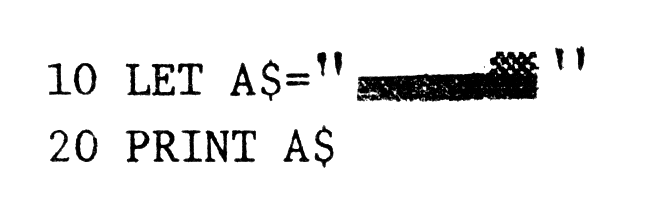
Here’s how to type in the picture in line 10. After you type the quote marks (“) then press SHIFT and GRAPHICS (on the 9-key) at the same time. This makes the computer ready for the graphics blocks. Then press SHIFT and 6, and it will make the following block ▄ . Press SHIFT-6 two more times. Then press SHIFT-F. That will make the following block ▒. Last of all press SHIFT-GRAPHICS again (this tells the computer to QUIT using the graphics blocks). Then type the last quote marks. Now anytime you run this program it will draw a toothbrush with a black handle.
Now I admit that a picture of a tooth brush isn’t all that great. But that’s just the beginning! Another thing we can draw all on one line is a snake! Like in the next program.
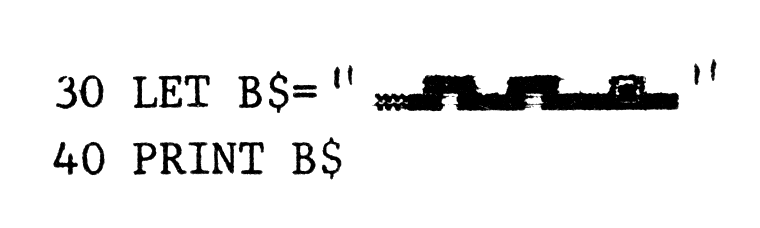
To type in the snake from line 30, press SHIFT-GRAPHICS, then press SHIFT-D, SHIFT-Q, SHIFT-R, SHIFT-6, SHIFT-E, SHIFT-W, SHIFT-6, the letter o (without the SHIFT) and then press SHIFT-6 again. Press SHIFT-GRAPHICS again to go back to regular letters. (Don’t forget to put quotes around the snake.)
Some other one-line pictures you can draw are a caterpillar (SHIFT-GRAPHICS, SHIFT-X, the SHIFT-R five times), or a pencil (SHIFT-GRAPHICS, SPACE (without SHIFT), SHIFT A, SHIFT-L five times, then SHIFT-GRAPHICS again and SHIFT-M).
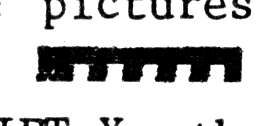
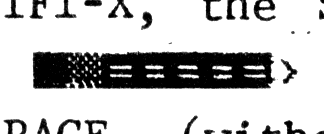
You don’t even need SHIFT-GRAPHICS for some pictures, like this arrow >——>. To make it just type SHIFT-M, SHIFT-J five times, and SHIFT-M again.
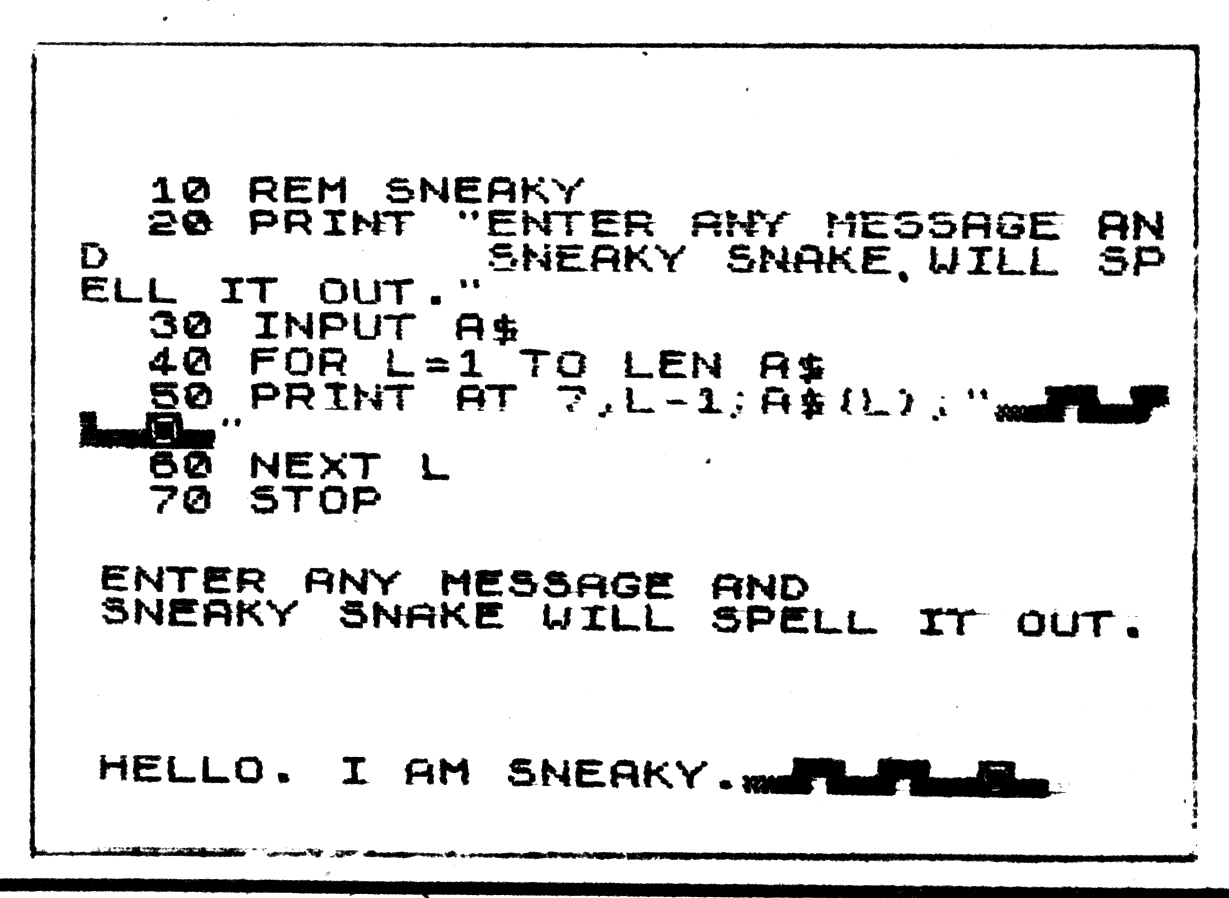
If you use your imagination, you can think of other one-line graphics. If you think of any good ones, you can send them to KIDS’ PAGE, 2002 Summit Street, Portsmouth, Ohio 45662. Next time we will talk about more graphics. Until then here’s a program to use the snake graphics, called SNEAKY SNAKE. Just type in any short message and SNEAKY will spell it with his tail.