
ATTENTION ALL KIDS
T-S Horizons has a special section just for you. KIDS’ PAGE! Every month we print a special story showing how you can have more fun with your TS-1000 computer. These stories will be written by Jason Setters who, at 13 years old, is probably the youngest computer writer in the world. And you can send in your letters and stories, too. (Note to parents: Reviews of programs like “Quest for the Holy Grail,” will be invaluable in helping you find software you and your family can enjoy.)
Plus KIDS’ PAGE will have special programs that you can type in yourself and amaze your fiends and relatives. Even our grown-up readers will like these clever programs. This month we have “The Timex Pumpkin” and a surprise program that you can use on days like Flag Day and the Fourth of July. Don’t forget this page is just for you. If any of our readers have any short, clever programs, you can send them to KIDS’ PAGE, T-S Horizons, 2002 Summit Street, Portsmouth, Ohio 45662.
Now let’s try out these programs.
Patriotic Program
This program is a surprise. Type in all the computer instructions carefully. Then push the RUN key and your computer will draw something that will make you feel like saluting.
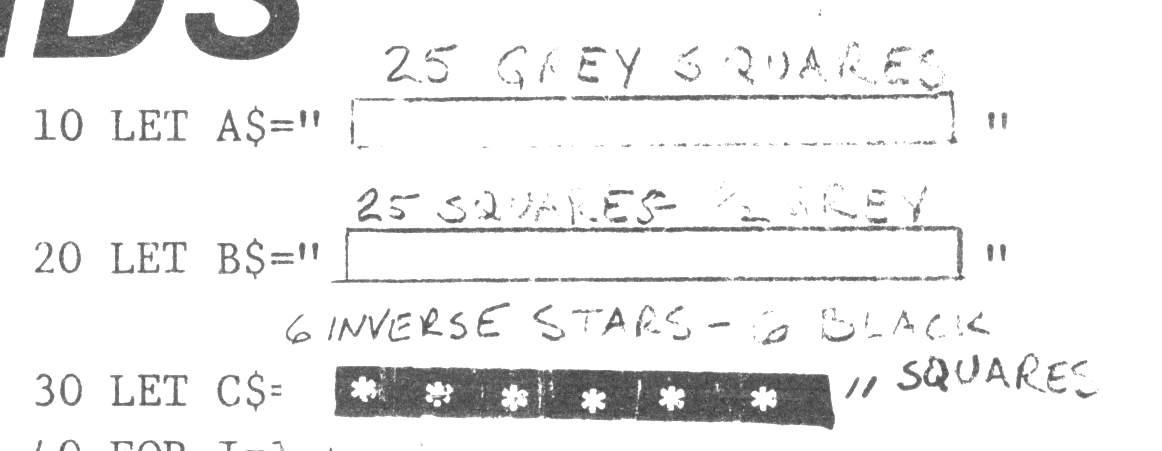
 10 LET A$="[25 GREY SQUARES]"
 20 LET B$="[25 SQUARES-½ GREY]"
 30 LET C$=[6 INVERSE STARS - 6 BLACK SQUARES]"
 40 FOR I=1 to 7
 50 PRINT A$, B$,,,
 60 NEXT I
 70 PRINT AT 0,0:C$(TO 11)
 80 FOR I=1 to 4
 90 PRINT C$(2 TO 12),,C$ (TO
    11),,
100 NEXT I
Line 10:15 grey squares. (Push SHIFT-GRAPHICS then H)
Line 20:15 square grey on top, white on bottom (Push SHIFT-GRAPHICS then S.)
Line 30: To make inverted stars, push SHIFT-GRAPHICS, then SHIFT-B. Then push SPACE to make black square. Then SHIFT-B again, and so on.
TRICK or TREAT
Here’s a real spooky program just in time for Halloween. It was written by Mark Hall, a high school student in Anacortes, Washington. It’s kind of long but it’s a lot of fun. Now you can have a jack-o-lantern without having to buy a pumpkin.
Maybe Mom or Dad can buy some orange cellophane to put over the TV screen to make it look even more scary.
10 FOR D=5 TO 34
15 LET X=VAL "30-20*SIN (D/40*
PI)"
20 FOR X=X TO 63-X
25 PLOT X,D
30 NEXT X
35 NEXT D
45 LET D=15
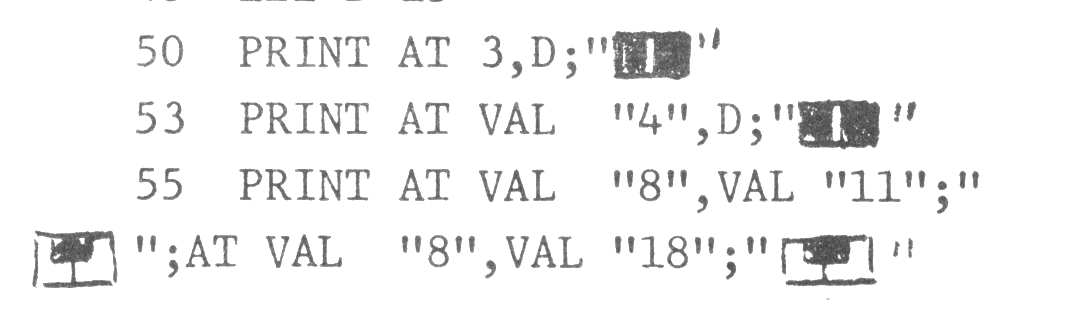
50 PRINT AT 3,D;"▒▒"
53 PRINT AT VAL "4",D;"▒▒"
55 PRINT AT VAL "8",VAL "11";"
▒▒";AT VAL "8",VAL "18";"▒▒"
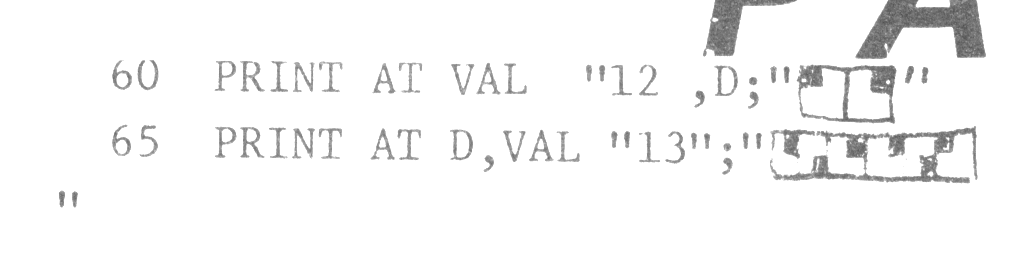
60 PRINT AT VAL "12 ,D;"▒▒"
65 PRINT AT D,VAL "13";"▒▒▒▒▒▒
"
70 RAND EXP RND
80 PRINT AT D,13;"  BOO  "
82 RAND EXP RND
85 GOTO VAL "65"
Graphics Notes:
50:  INVERSE SPACE (2)
53:  INVERSE SPACE (2)
55:  2, 1, 2, 1
60:  1, 2
65:  2, 3, 2, 2, 3, 1
Note: Type-in program listings on this website use ZMAKEBAS notation for graphics characters.