
The LAYOUT program will load a single sheet text file and display it on a scale outline of an 8 1/2″ x 11″ sheet of paper on the monitor screen. After the file is loaded, you can move it on the scale sheet of paper, set the desired margins, select your choice of fonts, and print the file.
The following figure numbers depict what is portrayed in each figure of the LAYOUT program and the related commands and choices.
Figure 1 Displays a scale blank sheet of paper and asks for inputs of device (flp, mdv, etc.) number and file name.
Figure 2 Displays the input file on the scale blank sheet of paper with zero top and left margins. Information is given on how to move margins, spaces in each margin, and which key to press when text location is satisfactory. The file name, total lines, and maximum characters per line are also shown.
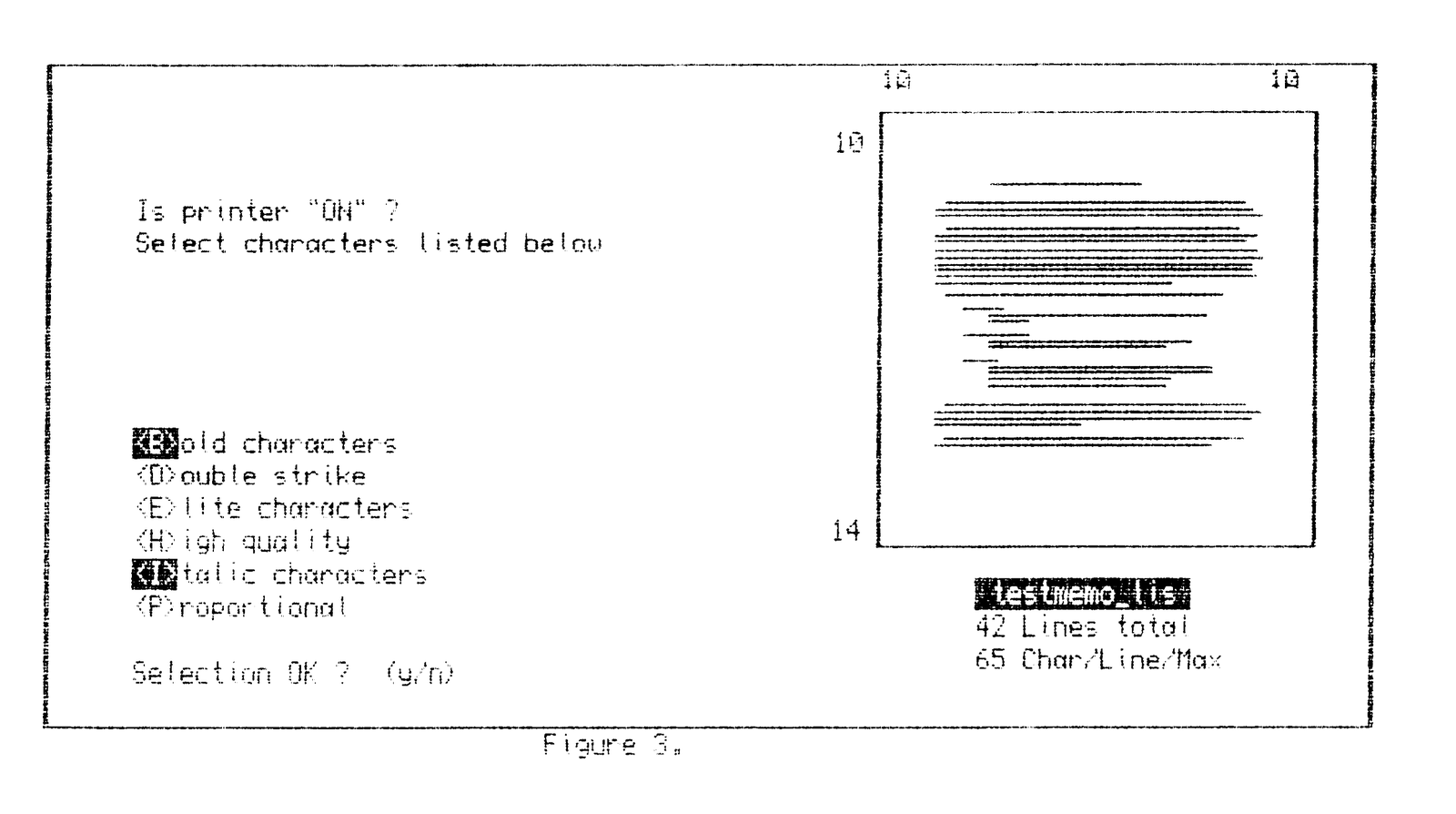
Figure 3 Displays the text properly located on the scale sheet of paper and reminds you to turn the printer ON. You are also given a list of fonts to select from. The selection is highlighted by a change in the paper and ink color on the first letter. You can change the font selection or accept it. If accepted, printing starts.
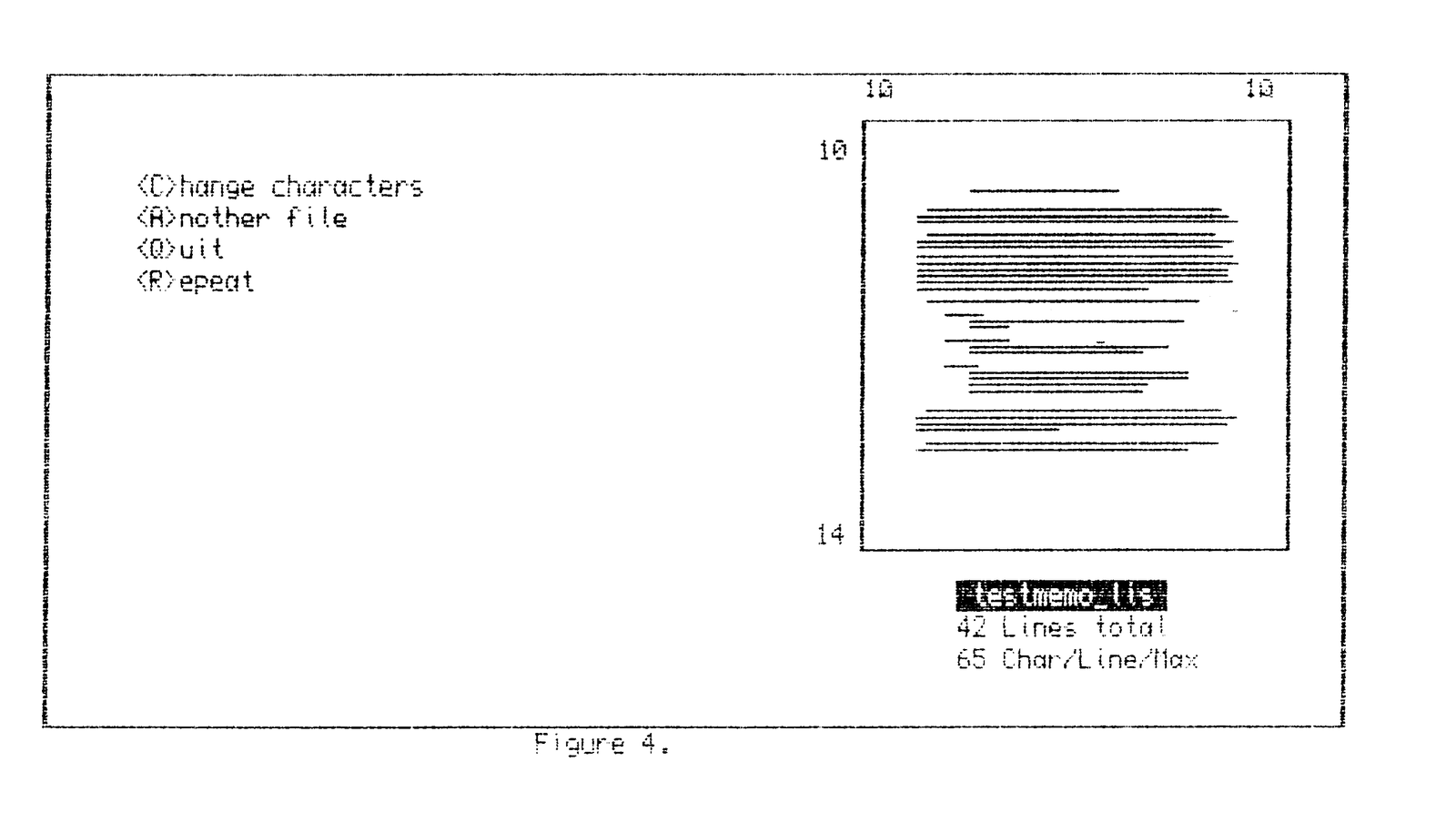
Figure 4 When printing is completed, the same text page is displayed and you may choose to change the fonts, enter a new file, repeat printing of the current file, or quit.
While the text is being printed, the word “PRINTING” will be displayed on the screen.
This LAYOUT program has been found very useful in the positioning of letters and memos. You can type your letter and not be concerned if the margins are suitable. A brief processing of your letter on the LAYOUT program will provide margins to your satisfaction.
10 WINDOW 512,206,0,0: PAPER 0: BORDER 1,6: CLS
20 OPEN #5,con_250x100a4x2: PAPER #5,0: INK #5,6: CLS #5
30 OPEN #6,con_250x100a4x104: PAPER #6,0: INK #6,6: CLS #6
40 OPEN #7,con_161x134a320x16: PAPER #7,6: INK #7,0: CLS #7
50 OPEN #9,con_252x45a256x160: PAPER #9,0: INK #9,6: CLS #9
60 AT #5,4,5: INPUT #5,"Enter device:     ";dev$
65 IF dev$="flp1" OR dev$="flp2" OR dev$="mdv1" OR dev$="mdv2" THEN GO T
O 70: ELSE BEEP 2000,45: AT #5,4,5: PRINT #5,"
": GO TO 60
70 AT #5,5,5: INPUT #5,"Enter file name:  ";fil$
80 LET c=0: LET m=0: LET lm=0: LET rm=85: LET um=0: LET bm=66: LET l=99.
5
90 OPEN #4, dev$&"_"&fil$
110 REPeat loop
115    IF EOF(#4) THEN EXIT loop
120    INPUT#4,a$: LET s=0: LET f=1: LET c=c+1
125    LET t=LEN(a$): IF t>m THEN LET m=t
130    FOR x=1 TO LEN(a$)
140    IF CODE(a$(x))-32 THEN INK #7,0: ELSE INK#7,6
150    LINE#7,s,l TO f,l
160    LET s=s+.85: LET f=f+.85
170    END FOR x: LET l=l-1.51515
190 END REPeat loop: CLOSE #4
200 AT #9,0,17: STRIP #9,6: INK #9,0: PRINT #9;" ";fil$;" "
205 STRIP #9,0: INK #9,6
210 AT #9,1,17: PRINT #9,c;" Lines total"
220 AT #9,2,17: PRINT #9;m;" Char/Line/Max"
230 AT #1,2,50: PRINT #1,um: AT #1,14,50: PRINT #1,bm-(c-um)
240 AT #1,0,53: PRINT #1,lm: AT #1,0,78: PRINT #1,rm-(m+lm)
245 AT #5,4,5: PRINT #5, "- Margins indicated on chart"
250 AT #5,5,5: PRINT #5, "- Move text by arrow keys                    "
260 AT #5,6,5: PRINT #5, "- When location OK, push <F1>"
300 REPeat loop
310 z = CODE(INKEY$(-1)): SELect ON z
320   =208: IF um = 0 THEN SCROLL 0: ELSE : SCROLL #7,-2:
            LET um = um-1: LET bm = bm+1: blink
330   =216: IF bm = 0 THEN SCROLL 0: ELSE : SCROLL #7,2:
            LET um = um+1: LET bm = 66-(c+um): blink
340   =200: IF rm=0 THEN PAN 0: ELSE : PAN #7,2:LET lm=lm+1:
            LET rm=85-(lm+m): blank
350   =192: IF lm=0 THEN PAN 0: ELSE : PAN #7,-2:LET lm=lm-1:
            LET rm=rm+1: blank
360   =232:    CLS #5
362               AT #5,4,5: PRINT #5,'Is printer "ON" ?'
364               AT #5,5,5: PRINT #5,'Select characters listed below'
366               AT #6,1,5: PRINT #6,'<B>old characters'
368               AT #6,2,5: PRINT #6,'<D>ouble strike'
370               AT #6,3,5: PRINT #6,'<E>lite characters'
380               AT #6,4,5: PRINT #6,'<H>igh quality'
382               AT #6,5,5: PRINT #6,'<I>talic characters'
384               AT #6,6,5: PRINT #6,'<P>roportional'
386               AT #6,8,5: PRINT #6,'Selection OK ?  (y/n)'
400 OPEN #3,ser1: PRINT #3,CHR$(27);"l";CHR$(lm);
410   =66,98:   PRINT #3,CHR$(27);"E";
415             AT #6,1,5: flip: PRINT #6;"<B>": flop
420   =68,100:  PRINT #3,CHR$(27);"G";
425             AT #6,2,5: flip: PRINT #6;"<D>": flop
430   =69,101:  PRINT #3,CHR$(27);"<M>";
435             AT #6,3,5: flip: PRINT #6;"<E>": flop
440   =72,104:  PRINT #3,CHR$(27);"x1";
445             AT #6,4,5: flip: PRINT #6;"<H>": flop
450   =73,105:  PRINT #3,CHR$(27);"4";
455             AT #6,5,5: flip: PRINT #6;"<I>": flop
460   =80,112:  PRINT #3,CHR$(27);"p1";
465             AT #6,6,5: flip: PRINT #6;"<P>": flop
500   =78,110:  PRINT #3,CHR$(27)&"@"&CHR$(24);
501             CLS #6: GO TO 366
510   =89,121:  CLS #5: CLS #6: AT #6,4,16: PRINT #6;"PRINTING"
511             FOR lf =0 TO um-1: PRINT #3: END FOR lf: CLOSE #3
515             COPY_N dev$&"_"&fil$ TO ser1
516             OPEN #3,ser: FOR lf=0 TO 65-(um+c): PRINT #3: END FOR lf
517             CLOSE #3: PAUSE 300: CLS #5: CLS #6
520             AT #5,3,5: PRINT #5;"<C>hange characters"
525             AT #5,4,5: PRINT #5;"<A>nother file"
530             AT #5,5,5: PRINT #5;"<Q>uit"
535             AT #5,6,5: PRINT #5;"<R>epeat"
540   =67,99:   CLS #5: CLS #6: GO TO 700
545   =65,97:   CLS: OPEN #3,ser: PRINT #3,CHR$(27)&"@"&CHR$(24);: CLOSE
#3: RUN
550   =81,113:  WINDOW #2,256,202,0,0: PAPER #2,6: INK #2,2
555             BORDER 1,6,0: CLS: WINDOW 256,202,256,0: PAPER 2
560             INK 6: BORDER 1,6,0: CLS: NEW
565   =82,114:  AT #6,4,16: PRINT #6,"PRINTING": OPEN #3,ser: GO TO 511
600 END SELect : END REPeat loop
700 OPEN #3,ser
710 PRINT #3,CHR$(27)&"F"&CHR$(27)&"H"&CHR$(27)&"P"
720 PRINT #3,CHR$(27)&"x0"&CHR$(27)&"5"&CHR$(27)&"p0";
730 GO TO 364
800 DEFine PROCedure blink
805 AT 2,50: PRINT "  ": AT 14, 50: PRINT "  "
810 AT 2,50: PRINT um: AT 14,50: PRINT bm
815 END DEFine
830 DEFine PROCedure blank
835 AT 0,53: PRINT "  ": AT 0,78: PRINT "  "
840 AT 0,53: PRINT lm: AT 0,78: PRINT rm
845 END DEFine
850 DEFine PROCedure flip
855 STRIP #6,6: INK #6,0
860 END DEFine
865 DEFine PROCedure flop
870 STRIP #6,0: INK #6,6
875 END DEFine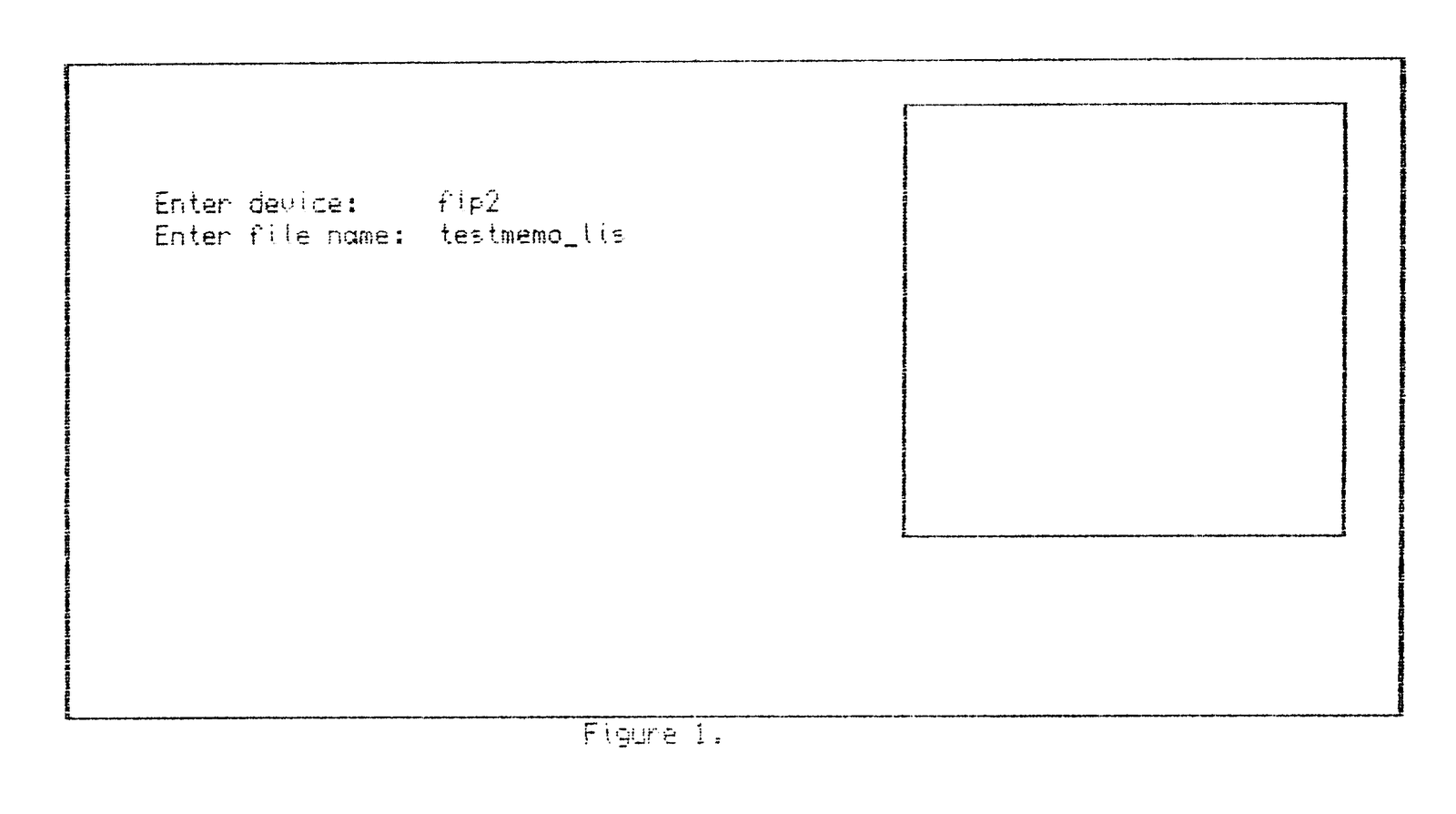

Note: Type-in program listings on this website use ZMAKEBAS notation for graphics characters.