
Publication: Sinc-Link
Pub Details: Sinc-Link v5 n4 (Volume 5, Issue 4)
Date: July/August 1987
Pages: 13
Sound Experimentor
Unlike most home computers the QL has a very limited noise making capability. What there is can only be dragged out by using the enigmatic BEEP command. This has 8 arguments, all of which are obscure. The only way to produce something vaguely melodic is by trial and error. The following quickie allows you to do exactly this.
100 REMark **** QL User -Beep experiment
110 REMark ****  Rob Miles 1985
120 duration=5000:pitch=100:pitch_2=0:grad_x=0:grad_y=0:wrap=0:fuzzy=0:random=0
130 REPeat sounder
140 CLS
150 set "Duration (-32768..32767) ?",duration,2
160 set "Pitch (0..255) ?",pitch,4
170 set "Pitch_2 (0..255) ?",pitch_2,6
180 set "Grad_x (-32768..15) ?",grad_x,8
190 set "Grad_y (-8..7) ?",grad_y,10
200 set "Wrap (0..32767) ?",wrap,12
210 set "Fuzzy (0..15) ?",fuzzy,14
220 set "Random (0..15) ?",random,16
230 AT 18,0:PRINT "Beep ";duration;",";pitch;",";pitch_2;",";grad_x;",";grad_y;",";wrap;",";fuzzy;",";random
240 BEEP duration,pitch,pitch_2,grad_x,grad_y,wrap,fuzzy,random
250 dum$=INKEY$(-1)
260 END REPeat sounder
270 DEFine PROCedure set (name$,var,position)
280 LOCal buf$
290 AT position,0:PRINT name$;" ";var
300 AT position,0:PRINT name$;" ";
310 INPUT buf$
320 IF buf$<>"" THEN var=buf$
330 AT position,0:PRINT name$;" ";var;"          "
340 END DEFine set
Easel Print
The following 7 liner shows exactly how to use the graphics dump provided with EASEL. All you need is an EPSON compatible printer and the EASEL cartridge in mdv2.
120 MODE 8:PAPER 2:CLS
130 FOR n=1 TO 150
140 INK 7:FILL 1:CIRCLE n,50,20,.5,-n/2
150 INK 2:FILL 0:CIRCLE n,50,20,.5,-n/2
160 NEXT n
170 REMark Dump to Epson printer
180 a=RESPR(1024):LBYTES mdv2_gprint_prt,a
190 CALL a:OPEN #3,ser1:LIST #3:CLOSE #3
Shifting Squares
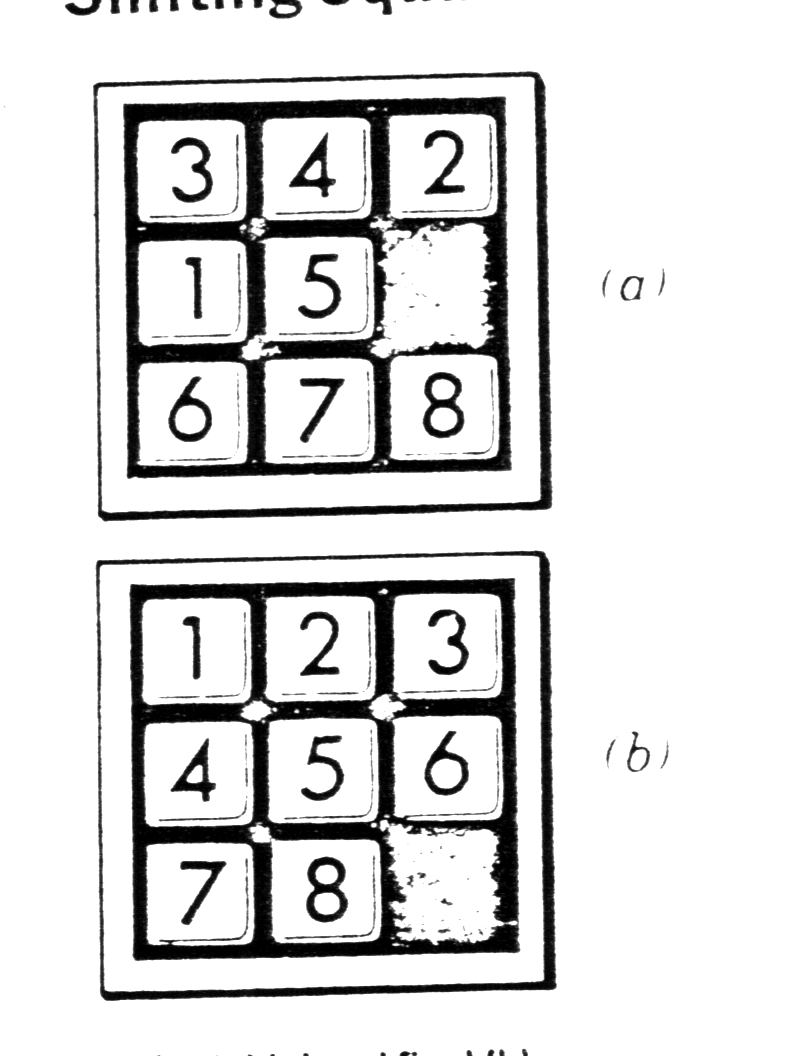
12   WINDOW 452,236,60,20
14   MODE 8
20   init
30   print_board
40   set_shuffle
50   find_space
60   REPeat game
70    win_pos
80    IF S%=0 THEN EXIT game
90    rnd_mve
100   do_move
110   MOVE%=MOVE%+1
120   print_board
130  END REPeat game
140  PRINT "SOLVED IN ";MOVE%
1000 DEFine PROCedure init
1010 DIM B%(9)
1020 DIM M$(9,4)
1030 DIM M%(9)
1040 Q%=0
1050 DATA "24  ","135 ","26  ","157 ","2468"
1060 DATA "359 ","48  ","579 ","68  "
1070 DATA 2,3,2,3,4,3,2,3,2
1080 RESTORE 1050
1090 FOR I=1 TO 9
1100  READ M$(I)
1110 END FOR I
1120 FOR I=1 TO 9
1130  READ M%(I)
1140 END FOR I
1150 MOVE%=0
1499 END DEFine init
1500 DEFine PROCedure print_board
1510 FOR I=1 TO 9
1520  PRINT B%(I);" ";
1530  IF I=INT(I/3)*3 THEN PRINT
1540 END FOR I
1550 PRINT
1560 pause_1
1999 END DEFine print_board
2000 DEFine PROCedure set_shuffle
2010 FOR I=1 TO 9
2020  B%(I)=I
2030 END FOR I
2040 P%=9
2050 N%=RND(25 TO 34)
2060 FOR Z=1 TO N%
2070  rnd_mve
2080  do_move
2090 END FOR Z
2100 Q%=0
2999 END DEFine set_shuffle
3000 DEFine PROCedure find_space
3010 FOR I=1 TO 9
3020  IF B%(I)=9 THEN P%=I
3030 END FOR I
3999 END DEFine find_space
4000 DEFine PROCedure win_pos
4010 S%=0
4020 FOR I=1 TO 9
4030  IF I<>B%(I) THEN S%=1
4040 END FOR I
4999 END DEFine win_pos
5000 DEFine PROCedure pause_1
5010 FOR I=1 TO 500
5020 END FOR I
5999 END DEFine pause_1
6000 DEFine PROCedure rnd_mve
6010 I%=RND(1 TO M%(P%))
6020 J%=M$(P%,I%)
6999 END DEFine rnd_mve
7000 DEFine PROCedure do_move
7010 T%=B%(P%)
7020 B%(P%)=B%(J%)
7030 B%(J%)=T%
7040 Q%=P%
7050 P%=J%
7999 END DEFine do_moveNote: Type-in program listings on this website use ZMAKEBAS notation for graphics characters.