
For the TS 1000, 16 K RAM
FASTBOX + FLASHBOX + DOODLEBOX
This program will put a box outline anywhere on the screen at machine code speed. A machine code subroutine is generated into a REM statement and that relocatable subroutine is called with a RAND USR statement.
Enter the following program as listed (Line 10 contains 71-numbers). Check for errors!
FASTBOX
  10 REM 12345678901234567890123456789012345678901234567890123456789012345678901
 100 REM "FASTBOX"
 102 REM BY: C. VERNON TIDWELL
 104 PRINT AT 3,10;"""FASTBOX""";TAB 40;"(A SUBROUTINE)",,,,,"COLUMN TO START BOX= ?"
 106 INPUT C1
 108 PRINT AT 7,21;C1
 110 PRINT "COLUMN TO END BOX= ?"
 112 INPUT C2
 114 PRINT AT 8,19;C2
 116 PRINT "ROW DOWN TO START BOX= ?"
 118 INPUT R1
 120 PRINT AT 9,23;R1
 122 PRINT "ROW DOWN TO END BOX= ?"
 124 INPUT R2
 126 PRINT AT 10,21;R2
 128 LET A=(33*R1)+C1
 130 LET A1=INT (A/256)
 132 LET A2=INT ((A/256-A1)*256)
 134 LET B=C2-C1-1
 136 LET C=R2-R1
 138 LET D=32-B
 140 LET E=C2-C1
 142 POKE 16519,A2
 144 POKE 16520,A1
 146 POKE 16525,B
 148 POKE 16541,C
 150 POKE 16549,D
 152 POKE 16555,E
 154 POKE 16563,D
 156 POKE 16569,B
 158 CLS
 160 RAND USR 16514
 162 STOP
9000 REM MACHINE CODE LOADER
9001 DIM Z$(3)
9002 FOR N=16514 TO 16584
9003 INPUT Z$
9004 PRINT Z$;" ";
9005 POKE N,VAL Z$
9006 NEXT N
9007 STOP
Do not RUN the program yet. First enter GOTO 9000. Now enter the following machine code from the table of number sets. There are 71-sets of numbers to enter. Starting at the top left, type the first set, “42” then press ENTER and work your way across the table in the same manner. When you are done, your table will look exactly as the following table of number sets. Save a copy of your program now for safety!
42   12   64   35   1    0    0    9
54   7    6    0    167  120  254  1
56   5    35   54   3    16   251  35
54   132  6    0    167  120  254  2
56   14   17   0    0    25   54   5
17   0    0    25   54   133  16   242
1    0    0    9    54   130  6    0
167  120  254  1    56   5    35   54
131  16   251  35   54   129  201
Before running the program, remember that the columns are numbered across the screen from 0 to 31 and rows are numbered down the screen from 0 to 21. (The smallest box 0,1,0,1; and the largest box 0,31,0,21).
Run the program and answer the questions when prompted. Upon completion, the screen will clear and a box will appear. Line 10 is now the completed FASTBOX subroutine. Each time you enter a RAND USR 16514 statement in a program added to this line a box will appear.
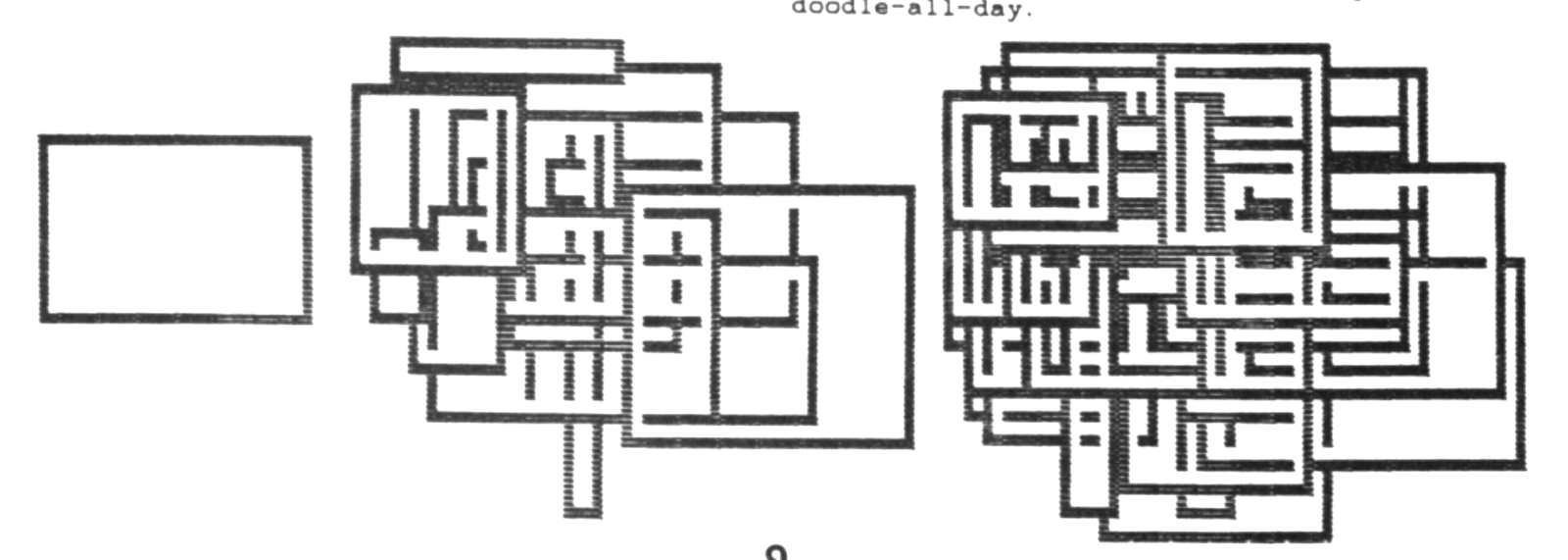
To have some fun with the program after loading the initial machine code, do the next alteration. This new program is called FLASH BOX. Remove Lines 100 through and including Line 126. Add the following lines:
100 RAND 0
102 LET C1=INT (([illegible]D*15)+1)
104 LET C2=C1+INT ((RND*16)+1)
106 LET R1=INT ((RND*10)+1)
108 LET R2=R1+INT ((RND*11)+1)
161 GOTO 100
Check your work and run the program; press BREAK to exit.
If you are a little eccentric and wouldn’t own a pencil but do remember the old days before computers when you liked to doodle, then try this further program alteration to the FLASHBOX program you just created.
Remove Line 158. Run the program. You guessed it, DOODLEBOX! ……and the computer will doodle-all-day.
Note: Type-in program listings on this website use ZMAKEBAS notation for graphics characters.