
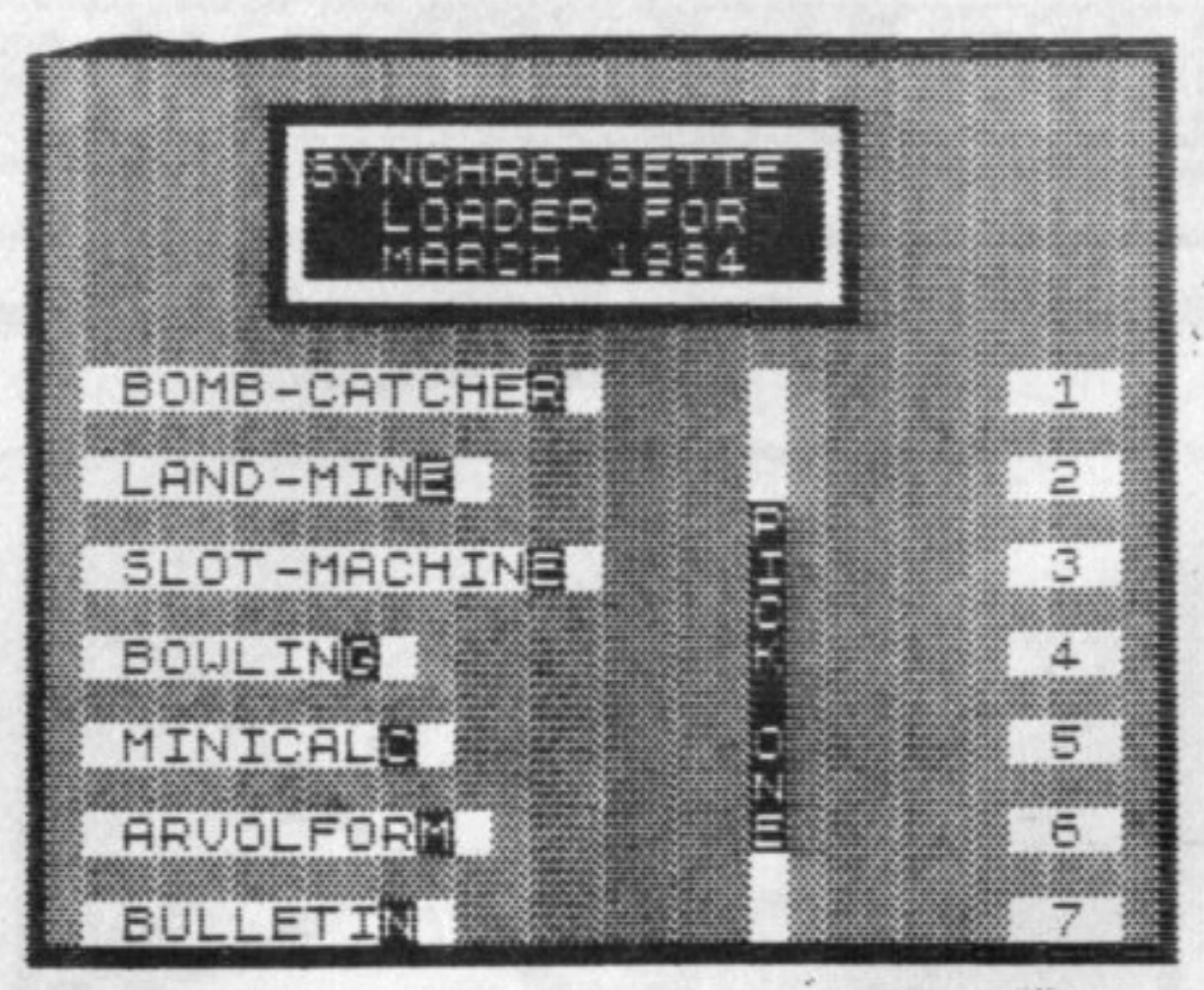
There are 7 programs on this month’s cassette, not counting the LOADER program.
The program names are as they appear on the above menu, which is similar to what will appear on the screen when the LOADER program is running.
Each program is recorded only once on each side of the cassette. The first programs that can be LOADed will be of the small size followed by the larger sized programs. The other side of the cassette is a duplicate of the first side.
For you new subscribers who aren’t familiar with LOADing procedures for cassette programs, follow these directions:
A – Make sure that the volume setting of the recorder is set at about 80 % maximum.
B – If you have a Bass and/or Treble control on the recorder, make sure the Treble is at maximum and the Bass is at minimum.
C – To LOAD the first program, type in LOAD “” and press the ENTER key on the computer. Then press the PLAY button of the recorder. The lead time on the NOV/83 cassette is about 10 seconds until the first program begins.
The time needed to load the LOADER program is 48 seconds. When the program is loaded, a list of this month’s programs will appear automatically.
Shut off the recorder when the LOADER program is loaded. Any of the listed programs can now be loaded into the computer by pressing the appropriate number on the keyboard and then pressing the PLAY key on the recorder. The loader program loads by searching for the name of the program you want and ignoring any of the other programs it may encounter along the way.
If you want to go directly to a program without waiting, we suggest you first find the tape location of the beginning of each of the programs with your recorder counter. This can be done as you go through the programs the first time, noting the tape location on the counter as each one is being loaded.
If you don’t have a counter, approximate the tape position with the fast forward key just before where the program would start, and then LOAD the program with the name of the program using the format LOAD “NAME OF PROGRAM”.
Some of our subscribers have told us that they could not get the programs to load by name but they would load with the double quotes. Others have told us that the loader program wouldn’t load certain programs. Most have told us that all the programs could be loaded either way. Every customer’s cassette is made from the same master tape, so the programs on everyone’s cassettes are identical. We feel it is most probably a problem of volume adjustment or recorder design. We have noticed this situation on some of our recorders.
PROGRAMS (all programs this month are self-running – program’s name has inverse last character if self-running RT = run time/LT = load time)
There is an approximate 7 to 20 second pause between programs
NOTE! These programs, with minor modification, can be typed into the TS-2068. SCROLL, FAST & SLOW would be eliminated and CODEs and numbers following CHR$ would have to be changed as would any numbers following USR, POKE, PEEK, PLOT or UNPLOT.
“BOMB-CATCHER” LT = :53
The “5” and “8” arrow keys control the movement of a pillow in this game that you manuever to catch bombs that are falling.
“LAND-MINE” LT = 1:14
In this game, you try to travel through a minefield without hitting a land mine. The game starts with the minefield shown on the screen. There is a delay as the computer hides the mines under the appropriate co-ordinates. The computer will then ask you how many co-ordinates you want to move. You will be awarded either positive or negative points each time you advance and your position will be marked. If you land on a land mine, you will be sent back to the beginning to start over. The game is over when you reach the end and your score will be determined by the amount of moves versus your total points.
“SLOT-MACHINE” LT = 2:51
Our thanks to Rick Blewitt and his father John for this program. It simulates the play of a one-armed bandit where the user plays with a certain amount of nickels. You tell the computer how many and then sit back.
There was no documentation regarding rules but it does give a lot of play for the money along with good graphics.
“BOWLING” LT = 1:31
Although not a full-blown bowling average program, it can be used as a base to include a whole league. It is designed to keep averages, high game and high series for one team.
Start the program with prompt #1 and enter requested data for how many weeks in the season, how many players and the players’ names.
Prompt #2 allows entry of scores on a week by week basis. Prompt #3 can have the data displayed and prompt #4 will allow players’ names or scores to be edited. Prompt #5 allows the data to be saved on tape with a file name.
“MINICALC” LT = 1:30
Here is a mini-version of the Visi-Calc type programs. The program starts with a 3 by 7 grid with a blinking cursor at the upper left box. The cursor can be moved with the shift/arrow keys to any box. The “B” key brings it to the first box and the “N” key to the last box. The other commands are as follows:
“V” – allows entry of a numeric value
“F” – allows entry of a formula
“D” – displays the formula in the cursor box
“C” – calculates the formula in the cursor box
A simple example for use of this program might be for a simple payroll application. Let us say that we have 2 employees, one makes $4.51 per hour and the other $5.25 per hour. With the cursor in box A1 press the “V” key. Now enter “4.51” and press enter. move the cursor to box A2, press the “V” key again and enter “5.25”. Now move the cursor to the A3 box and using the same value format, enter “40” for 40 hours worked for each employee. Now go to box A4 and press the “F” key. We want to multiply the hourly wage in box A1 times the hours worked in box A3 so enter “A1*A3”.
The box will now contain a graphic “F” in it. If we ever want to check the formula in this box, we need only move the cursor to it and press the “D” key and the formula will be dispayed at the bottom of the screen until we press any key but BREAK (try it now).
Now position the cursor in box A5 and enter the formula “A2*A3” the same way.
You may now calculate either of the formulae by putting the cursor in the appropriate box and pressing the “C” key. The box will then display the appropriate sum until any key (except BREAK) is pressed. Formulae can contain the logical operators <+>, <->, <*>, </> and <**> and be up to 32 characters long. They can be longer but an error will occur if you want to display them.
Even though this program is limited to only 21 boxes and does not have duplication and replication or print-out features (add a COPY command with appropriate input for print-out), it is extremely powerful and easy to use and would make an excellent base for a more sophisticated version.
“BULLETIN”
Our bi-monthly bulletin board program. Pressing “P” pauses the scroll. Pressing any key restarts it. Pressing “B” makes it move backwards and “F” makes it go foward.