
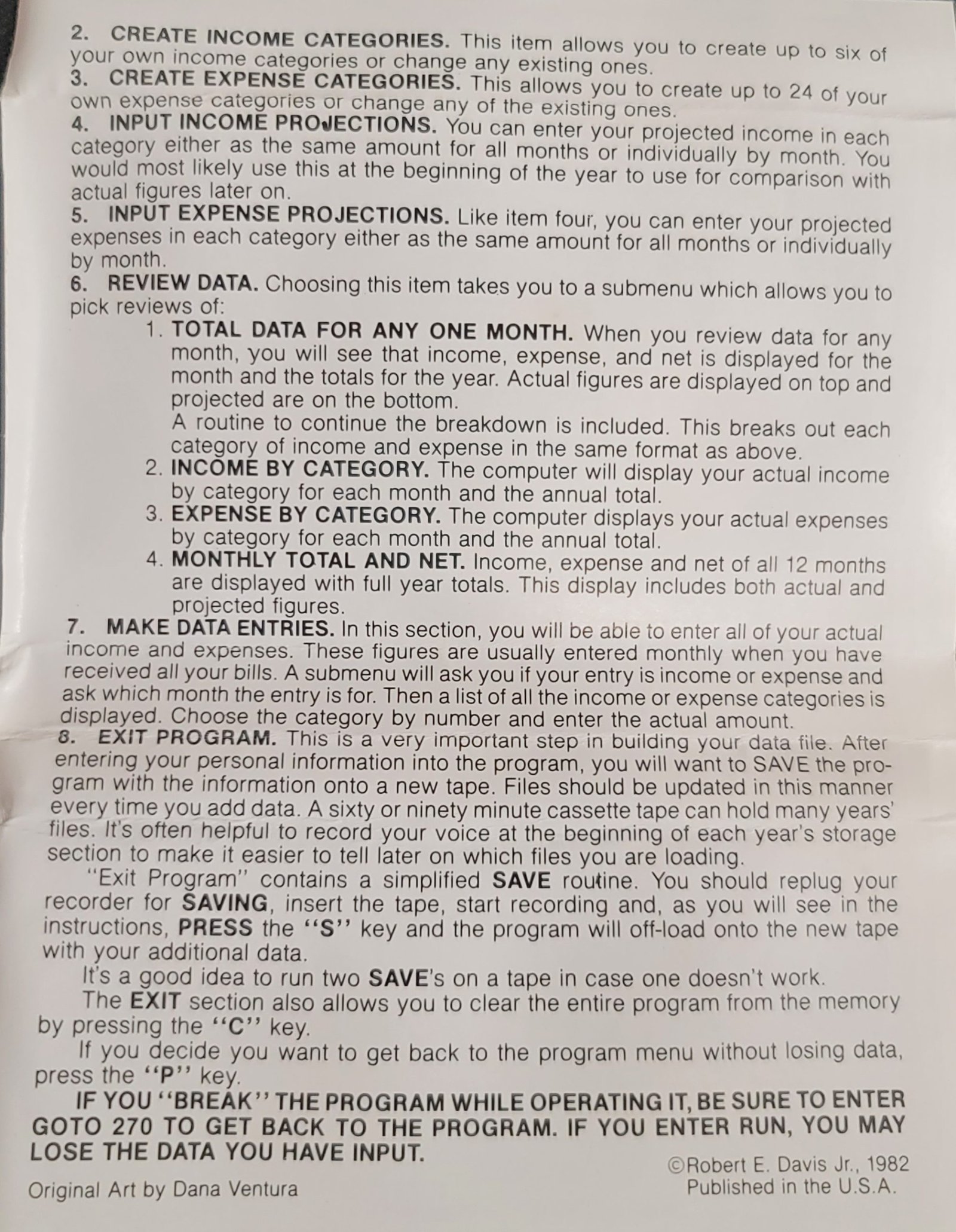
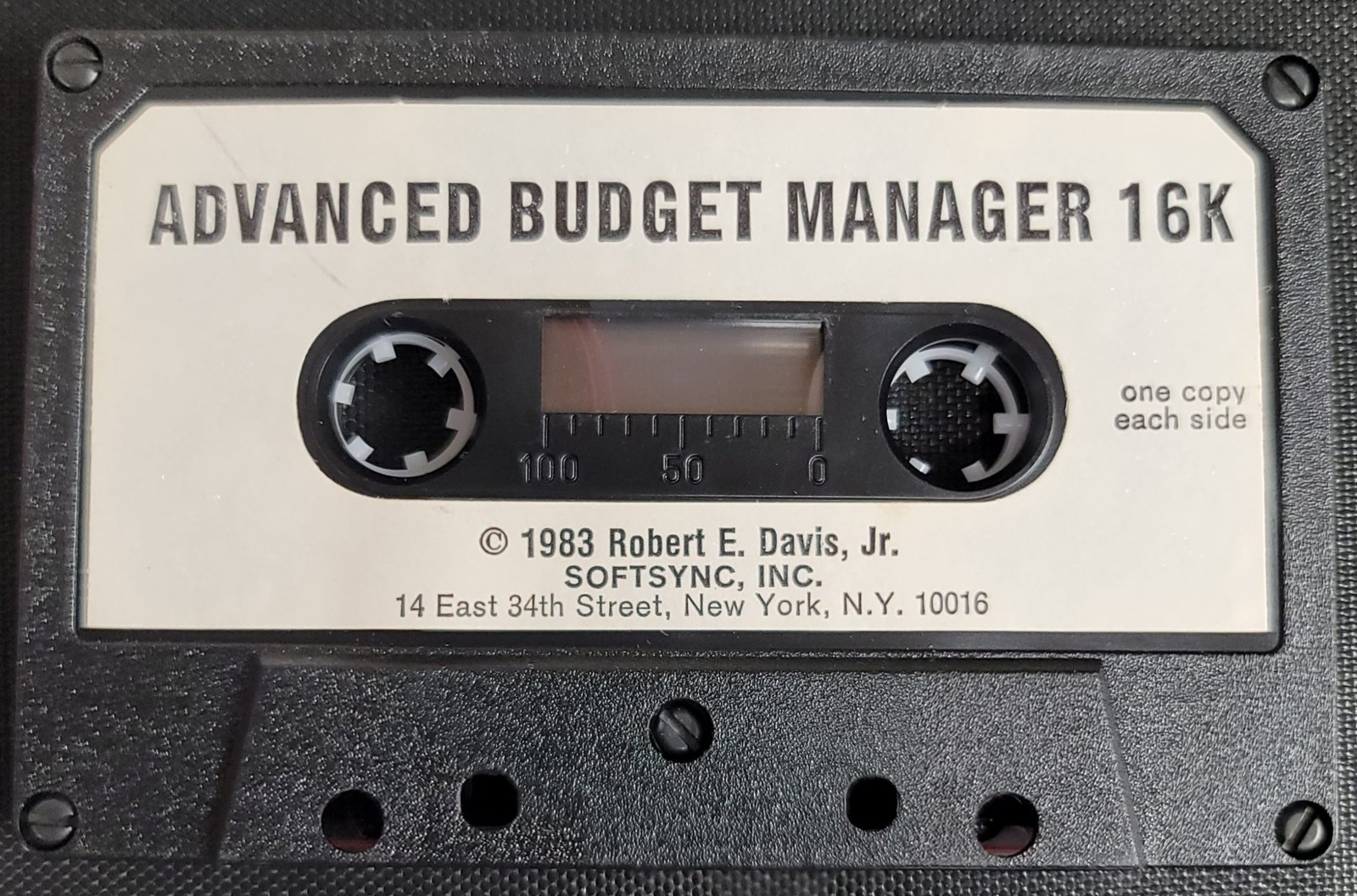
Advanced Financial Manager is a one-year personal budgeting program that tracks up to 6 income categories and 24 expense categories across 12 months, storing both projected and actual figures. It uses large two-dimensional arrays — I(13,6), E(13,24), J(13,6), F(13,24) — where the 13th row accumulates running year-to-date totals alongside the 12 monthly rows. The program supports hardcopy output via LPRINT for formatted reports showing monthly and annual totals against projections. Data can be saved to tape and reloaded, and the interface relies on INKEY$-based menus with SLOW/FAST mode switching to balance display quality against computation speed. Category names are limited to 8 characters, enforced by the DIM I$(6,8) and DIM E$(24,8) declarations.
Program Analysis
Program Structure
The program is organized as a menu-driven application spanning lines 30–3720. After an initial mode-selection screen (new record vs. existing data), control flows to a main menu at line 280 offering eight functions. Subroutines handle display tasks (line 540 for income list display, line 870 for expense list, line 1625 for month input, line 1650 for column headers), while major functional sections are reached via direct GOTO. The overall structure is:
- Lines 70–160: Startup menu (new or existing record)
- Lines 170–185: New record initialization via
GOSUB 3600 - Lines 190–270: Date entry (starting month and year)
- Lines 280–510: Main menu
- Lines 520–850: Income category management
- Lines 860–1220: Expense category management
- Lines 1222–1615: Projection entry (income and expense)
- Lines 1620–2170: Review/report display with optional LPRINT
- Lines 2180–2800: Review sub-menu (monthly totals, by-category views)
- Lines 2810–3430: Actual data entry
- Lines 3440–3570: Exit/save menu
- Lines 3600–3720: Initialization subroutine (DIM statements and defaults)
Array Design
The financial data is stored in several arrays. The 13th index in each time-dimensioned array accumulates year-to-date totals, updated incrementally as entries are made rather than summed at report time.
| Array | Dimensions | Purpose |
|---|---|---|
I$(6,8) | 6 names × 8 chars | Income category names |
E$(24,8) | 24 names × 8 chars | Expense category names |
I(13,6) | 13 months × 6 cats | Actual income by category |
E(13,24) | 13 months × 24 cats | Actual expenses by category |
J(13,6) | 13 months × 6 cats | Projected income by category |
F(13,24) | 13 months × 24 cats | Projected expenses by category |
K(13) | 13 months | Actual income totals |
L(13) | 13 months | Actual expense totals |
M(13) | 13 months | Projected income totals |
N(13) | 13 months | Projected expense totals |
O(13) | 13 months | Actual net (income − expense) |
P(13) | 13 months | Projected net |
Key BASIC Idioms
- INKEY$ polling loops: All menus use a tight
IF INKEY$="x" THEN GOTOpattern with a fall-throughGOTOback to the first test, providing instant response without waiting for Enter. - SLOW/FAST switching:
SLOWis engaged before INKEY$ loops and INPUT statements to ensure the display is stable during user interaction;FASTis restored before computation-heavy sections to speed up array updates. - Shared
Dflag: A single variableD(1=income, 2=expense) gates many conditional branches throughout the projection and data-entry sections, reducing code duplication. - Additive projections: Projections are entered as amounts to add to existing values (prompt says “ADD TO PROJ.”), so they can be adjusted incrementally without resetting all data.
- Negative entry subtraction: Actual data entry explicitly notes “(USE NEG. ENTRY TO SUBRACT [sic])” — the program does not have a separate delete/subtract mode.
- String
A$for max-length hint: Line 275 setsA$=" (MAXIMUM 8 LETTERS)"and this is PRINTed before each category name INPUT as a user prompt, avoiding repetitive string literals.
Expense Category Display
The income list subroutine at line 590 displays categories one per line. The expense subroutine at line 930 uses a two-column layout, printing pairs of entries on the same line with TAB 13 for the second column, accommodating up to 24 categories more compactly on a 22-line display.
Monthly Totals Report (Lines 2570–2800)
The monthly summary view displays six months per screen in two passes (months 1–6, then 7–12), controlled by variable A starting at 1 and then jumping to 7. Each pass also shows full-year totals at the bottom. A COPY command (via subroutine at line 2540) can be triggered after either page to produce a screen dump to a compatible printer.
LPRINT Reporting
Lines 1980–2160 produce a full formatted hardcopy report using LPRINT, listing all income and expense categories with monthly and year-to-date actuals alongside projections, followed by net figures. This is triggered from the “total data for any one month” review path, making it the most comprehensive printed output in the program.
Bugs and Anomalies
- Line 1690 incomplete H loop logic: The review section at line 1690 uses variable
HandQto page through expense categories in groups of 6, but the logic at lines 1800–1820 uses three separateIF H=... THEN FORstatements rather than proper conditional structure. EachIFopens aFORloop but only one will execute, which works but is fragile and unconventional. - Line 1960 exit condition: The review loop exits when
Q>NE, but sinceH=0shows summary totals andH=1shows income categories, the first increment ofQfrom −11 to −5 does not correctly page expense categories — the initialQ=-11at line 1622 appears designed to make the first expense page start at index 1 after two increments of 6, though the flow through H=1 (income) means Q has already been incremented once before expense paging begins. - Typo in line 3230: “SUBRACT” should be “SUBTRACT” — a minor display error only.
- Line 1255:
PRINT AT 3,0;""prints an empty string, likely intended to position the cursor before subsequent subroutine output but has no visible effect. - No input validation on category name length: Users can enter names longer than 8 characters; the string array dimension will silently truncate them, which may surprise users expecting an error.
Save/Load
Line 3560 saves the program (and its variables) to tape with the filename ADMA%N. There is no corresponding explicit LOAD routine in the listing — the user is expected to LOAD from tape normally before running, then select option 2 (“WORK WITH EXISTING DATA”) at the startup menu to bypass the CLEAR and re-initialization at line 170.
Image Gallery


Source Code
  30 REM ****COPYRIGHT******
  40 REM *ROBERT E DAVIS JR*
  50 REM ******1982*********
  70 CLS
  80 PRINT AT 6,2;"DO YOU WISH TO:"
  90 PRINT
 100 PRINT "1 START A NEW RECORD?"
 110 PRINT "2 WORK WITH EXISTING DATA?"
 120 PRINT
 130 PRINT "  %  PRESS NUMBER 1 OR 2"
 140 IF INKEY$="1" THEN GOTO 0170
 150 IF INKEY$="2" THEN GOTO 0190
 160 GOTO 0140
 170 CLEAR
 180 GOSUB 3600
 185 SLOW
 190 CLS
 200 PRINT AT 6,2;"ENTER STARTING MONTH"
 210 PRINT TAB 4;"(1ST 3 LETTERS)"
 220 INPUT S$
 240 CLS
 250 PRINT AT 6,5;"ENTER YEAR:"
 260 INPUT SY
 270 FAST
 275 LET A$="   (MAXIMUM 8 LETTERS)"
 280 CLS
 290 PRINT " :  ADVANCED FINANCIAL MANAGER  :"
 295 PRINT
 310 PRINT "   ONE YEAR BEGINING ";S$;" ";SY
 320 PRINT AT 4,13;"***"
 330 PRINT AT 6,8;"DO YOU WISH TO:"
 340 PRINT AT 8,2;"1 CHANGE THE STARTING DATE"
 345 PRINT TAB 4;" OR START A NEW RECORD?"
 350 PRINT TAB 2;"2 CREATE INCOME CATEGORIES?"
 360 PRINT TAB 2;"3 CREATE EXPENSE CATEGORIES?"
 370 PRINT TAB 2;"4 INPUT INCOME PROJECTIONS?"
 380 PRINT TAB 2;"5 INPUT EXPENSE PROJECTIONS?"
 390 PRINT TAB 2;"6 REVIEW DATA?"
 400 PRINT TAB 2;"7 MAKE DATA ENTRIES?"
 410 PRINT TAB 2;"8 EXIT PROGRAM?"
 420 PRINT AT 20,4;"%  PRESS NUMBER 1-8"
 430 SLOW
 440 IF INKEY$="1" THEN GOTO 0070
 450 IF INKEY$="2" THEN GOTO 0520
 455 IF INKEY$="3" THEN GOTO 0860
 460 IF INKEY$="4" THEN GOTO 1222
 470 IF INKEY$="5" THEN GOTO 1230
 480 IF INKEY$="6" THEN GOTO 2180
 490 IF INKEY$="7" THEN GOTO 2810
 500 IF INKEY$="8" THEN GOTO 3440
 510 GOTO 0440
 520 FAST
 530 CLS
 535 GOSUB 0540
 537 GOTO 0620
 540 FAST
 542 CLS
 545 PRINT AT 14,1;"YOU HAVE ";6-NI;" INCOME"
 550 PRINT " CATEGORIES LEFT"
 560 IF NI>0 THEN PRINT AT 2,1;"CURRENT SELECTIONS ARE:"
 570 PRINT
 590 FOR B=1 TO NI
 600 PRINT TAB 1;B;" ";I$(B)
 610 NEXT B
 615 RETURN
 620 PRINT AT 17,1;"%  PRESS NUMBER"
 630 PRINT " 1 RETURN "
 640 PRINT " 2 CHANGE ENTRY TITLES"
 650 IF NI<6 THEN PRINT " 3 ADD NEW CATEGORY"
 660 SLOW
 670 IF INKEY$="1" THEN GOTO 0270
 680 IF INKEY$="2" THEN GOTO 0720
 690 IF NI<6 AND INKEY$="3" THEN GOTO 0790
 700 GOTO 0670
 720 GOSUB 0540
 730 PRINT AT 17,1;"%  ENTER NBR OF ITEM FOR CHANGE"
 735 SLOW
 740 INPUT A
 750 IF A<1 OR A>NI THEN GOTO 0740
 760 PRINT AT 17,8;" NEW TITLE FOR ";I$(A)
 765 PRINT A$
 770 INPUT I$(A)
 780 GOTO 0520
 790 LET NI=NI+1
 795 GOSUB 0540
 800 PRINT AT 17,1;"%  ENTER NAME FOR NEW CATEGORY"
 810 PRINT A$
 830 SLOW
 840 INPUT I$(NI)
 850 GOTO 0520
 860 GOSUB 0870
 865 GOTO 0980
 870 FAST
 880 CLS
 890 PRINT AT 15,1;"YOU HAVE ";24-NE;" EXPENSE"
 900 PRINT " CATEGORIES LEFT"
 905 PRINT AT 0,1;"CURRENT SELECTIONS ARE:"
 910 PRINT
 920 IF NE=0 THEN GOTO 0980
 930 FOR B=1 TO NE STEP 2
 940 PRINT TAB 1;B;" ";E$(B);
 950 IF B+1<=NE THEN PRINT TAB 13;B+1;" ";E$(B+1)
 960 NEXT B
 970 RETURN
 980 PRINT AT 18,1;"%  PRESS NUMBER"
 990 PRINT " 1 RETURN "
 1000 PRINT " 2 CHANGE ENTRY TITLE"
 1010 IF NE<24 THEN PRINT " 3 ADD NEW CATEGORY"
 1020 SLOW
 1030 IF INKEY$="1" THEN GOTO 0270
 1040 IF INKEY$="2" THEN GOTO 1070
 1050 IF NE<24 AND INKEY$="3" THEN GOTO 1160
 1060 GOTO 1030
 1070 CLS
 1080 GOSUB 0870
 1090 PRINT AT 18,1;"%  ENTER NBR OF ITEM FOR CHANGE"
 1100 SLOW
 1110 INPUT A
 1120 IF A<1 OR A>NE THEN GOTO 1110
 1130 PRINT AT 18,8;" NEW TITLE FOR ";E$(A)
 1135 PRINT A$
 1140 INPUT E$(A)
 1150 GOTO 0860
 1160 LET NE=NE+1
 1165 GOSUB 0870
 1170 PRINT AT 18,1;"%  ENTER NAME FOR NEW CATEGORY"
 1180 PRINT A$
 1200 SLOW
 1210 INPUT E$(NE)
 1220 GOTO 0860
 1222 LET D=1
 1226 GOTO 1240
 1230 LET D=2
 1234 GOTO 1240
 1240 FAST
 1250 CLS
 1255 PRINT AT 3,0;""
 1260 IF D=1 THEN GOSUB 0590
 1265 IF D=2 THEN GOSUB 0930
 1270 PRINT
 1280 PRINT " .  ENTER NBR 0 TO RETURN OR "
 1290 PRINT " .  ENTER NBR FOR ITEM TO PROJECT"
 1300 SLOW
 1310 INPUT A
 1315 IF A<0 THEN GOTO 1310
 1320 IF (D=1 AND A>NI) OR (D=2 AND A>NE) THEN GOTO 1310
 1330 IF A=0 THEN GOTO 0270
 1340 FAST
 1350 CLS
 1360 PRINT AT 8,0;" FOR ";
 1362 IF D=1 THEN PRINT I$(A)
 1364 IF D=2 THEN PRINT E$(A)
 1370 PRINT AT 10,1;"DO YOU WANT PROJCTIONS TO BE:"
 1375 PRINT AT 12,1;"1 THE SAME FOR ALL MONTHS?"
 1380 PRINT " 2 INDIVIDUAL BY MONTH?"
 1390 PRINT AT 15,2;"%  PRESS NUMBER 1 OR 2"
 1400 SLOW
 1410 IF INKEY$="1" THEN GOTO 1440
 1420 IF INKEY$="2" THEN GOTO 1520
 1430 GOTO 1410
 1440 CLS
 1450 PRINT AT 8,0;"%  ADD TO PROJ. FOR ";
 1455 IF D=1 THEN PRINT I$(A)
 1456 IF D=1 THEN PRINT TAB 2;"(CURRENTLY ";J(1,A);")"
 1457 IF D=2 THEN PRINT E$(A)
 1458 IF D=2 THEN PRINT TAB 2;"(CURRENTLY ";F(1,A);")"
 1460 INPUT C
 1470 FAST
 1480 IF D=2 THEN GOTO 1499
 1490 FOR B=1 TO 12
 1491 LET J(B,A)=J(B,A)+C
 1492 LET M(B)=M(B)+C
 1493 LET P(B)=P(B)+C
 1494 NEXT B
 1495 LET J(13,A)=J(13,A)+(C*12)
 1496 LET M(13)=M(13)+(C*12)
 1497 LET P(13)=P(13)+(C*12)
 1498 GOTO 1510
 1499 FOR B=1 TO 12
 1500 LET F(B,A)=F(B,A)+C
 1501 LET N(B)=N(B)+C
 1502 LET P(B)=P(B)-C
 1503 NEXT B
 1504 LET F(13,A)=F(13,A)+(C*12)
 1505 LET N(13)=N(13)+(C*12)
 1506 LET P(13)=P(13)-(C*12)
 1510 GOTO 1240
 1520 FAST
 1522 CLS
 1530 PRINT AT 8,0;"%  ADD TO PROJ. FOR ";
 1535 IF D=1 THEN PRINT I$(A)
 1537 IF D=2 THEN PRINT E$(A)
 1538 PRINT
 1540 PRINT "   FOR MONTH NBR"
 1550 PRINT "  CURRENTLY="
 1552 IF D=2 THEN GOTO 1584
 1554 FOR B=1 TO 12
 1556 PRINT AT 10,16;B
 1558 PRINT AT 11,13;J(B,A)
 1560 SLOW
 1562 INPUT C
 1564 FAST
 1566 IF C=0 THEN NEXT B
 1568 LET J(B,A)=J(B,A)+C
 1570 LET J(13,A)=J(13,A)+C
 1572 LET M(B)=M(B)+C
 1574 LET M(13)=M(13)+C
 1576 LET P(B)=P(B)+C
 1578 LET P(13)=P(13)+C
 1580 NEXT B
 1582 GOTO 1615
 1584 FOR B=1 TO 12
 1586 PRINT AT 10,16;B
 1588 PRINT AT 11,13;F(B,A)
 1590 SLOW
 1592 INPUT C
 1595 FAST
 1596 IF C=0 THEN NEXT B
 1598 LET F(B,A)=F(B,A)+C
 1600 LET F(13,A)=F(13,A)+C
 1602 LET N(B)=N(B)+C
 1604 LET N(13)=N(13)+C
 1606 LET P(B)=P(B)-C
 1608 LET P(13)=P(13)-C
 1610 NEXT B
 1615 GOTO 1240
 1620 LET H=0
 1622 LET Q=-11
 1623 GOSUB 1625
 1624 GOTO 1630
 1625 CLS
 1626 PRINT AT 8,3;"%  ENTER MONTH BY NUMBER"
 1627 INPUT G
 1628 IF G<1 OR G>12 THEN GOTO 1625
 1629 RETURN
 1630 GOSUB 1650
 1640 GOTO 1690
 1650 FAST
 1655 CLS
 1660 PRINT "TITLE    MO. TOTAL  YR. TOTAL"
 1670 PRINT TAB 9;">MO. PROJ. >YR. PROJ."
 1680 PRINT "MONTH ";G
 1685 RETURN
 1690 IF H>0 THEN GOTO 1800
 1695 GOSUB 1700
 1697 GOTO 1890
 1700 PRINT
 1710 PRINT "INCOME   ";K(G);TAB 20;K(13)
 1715 PRINT TAB 9;">";M(G);TAB 20;">";M(13)
 1720 PRINT
 1730 PRINT "EXPENSE  ";L(G);TAB 20;L(13)
 1740 PRINT TAB 9;">";N(G);TAB 20;">";N(13)
 1750 PRINT
 1760 PRINT "NET";TAB 9;O(G);TAB 20;O(13)
 1770 PRINT TAB 9;">";P(G);TAB 20;">";P(13)
 1780 PRINT
 1790 RETURN
 1800 IF H=1 THEN FOR B=1 TO NI
 1810 IF H>1 AND NE>=Q+5 THEN FOR B=Q TO Q+5
 1820 IF H>1 AND NE<Q+5 THEN FOR B=Q TO NE
 1830 IF H=1 THEN PRINT I$(B);TAB 9;I(G,B);TAB 20;I(13,B)
 1840 IF H=1 THEN PRINT TAB 9;">";J(G,B);TAB 20;">";J(13,B)
 1850 IF H>1 THEN PRINT E$(B);TAB 9;E(G,B);TAB 20;E(13,B)
 1860 IF H>1 THEN PRINT TAB 9;">";F(G,B);TAB 20;">";F(13,B)
 1870 PRINT
 1880 NEXT B
 1890 PRINT "%  PRESS <1>CONT <2>PRINT"
 1895 SLOW
 1900 IF INKEY$="1" THEN GOTO 1940
 1910 IF INKEY$="2" THEN GOTO 1980
 1930 GOTO 1900
 1940 FAST
 1945 LET H=H+1
 1950 LET Q=Q+6
 1960 IF Q>NE THEN GOTO 2180
 1970 GOTO 1630
 1980 LPRINT TAB 4;"RECORD STARTING ";S$;" ";SY
 1982 LPRINT TAB 10;"MONTH NBR ";G
 1984 LPRINT
 1986 LPRINT "TITLE     MO. TOTAL  YR. TOTAL"
 1990 LPRINT TAB 9;">MO. PROJ.  >YR. PROJ."
 2000 LPRINT
 2004 LPRINT TAB 13;"INCOME"
 2006 LPRINT
 2010 FOR B=1 TO NI
 2020 LPRINT I$(B);TAB 9;I(G,B);TAB 20;I(13,B)
 2030 LPRINT TAB 9;">";J(G,B);TAB 20;">";J(13,B)
 2040 LPRINT
 2050 NEXT B
 2060 LPRINT TAB 12;"EXPENSES"
 2070 LPRINT
 2080 FOR B=1 TO NE
 2090 LPRINT E$(B);TAB 9;E(G,B);TAB 20;E(13,B)
 2100 LPRINT TAB 9;">";F(G,B);TAB 20;">";F(13,B)
 2110 LPRINT
 2120 NEXT B
 2140 LPRINT TAB 14;"NET"
 2150 LPRINT TAB 9;O(G);TAB 20;O(13)
 2160 LPRINT TAB 9;">";P(G);TAB 20;">";P(13)
 2180 FAST
 2200 CLS
 2210 PRINT AT 6,0;"%  PRESS NUMBER OF YOUR CHOICE"
 2220 PRINT
 2230 PRINT "1 TOTAL DATA FOR ANY ONE MONTH"
 2240 PRINT "2 INCOME BY CATEGORY"
 2250 PRINT "3 EXPENSES BY CATEGORY"
 2260 PRINT "4 MONTHLY TOTALS AND NET"
 2265 PRINT "5 RETURN "
 2270 SLOW
 2280 IF INKEY$="1" THEN GOTO 1620
 2290 IF INKEY$="2" THEN GOTO 2330
 2300 IF INKEY$="3" THEN GOTO 2334
 2310 IF INKEY$="4" THEN GOTO 2570
 2315 IF INKEY$="5" THEN GOTO 0270
 2320 GOTO 2280
 2330 LET D=1
 2332 GOTO 2340
 2334 LET D=2
 2340 FAST
 2345 CLS
 2350 PRINT AT 3,0;""
 2360 IF D=1 THEN GOSUB 0590
 2365 IF D=2 THEN GOSUB 0930
 2370 PRINT
 2380 PRINT "%  ENTER CHOICE"
 2390 SLOW
 2400 INPUT A
 2402 FAST
 2404 CLS
 2405 IF D=1 THEN PRINT AT 3,0;I$(A)
 2407 IF D=2 THEN PRINT AT 3,0;E$(A)
 2408 PRINT
 2410 FOR B=1 TO 12
 2420 IF D=1 THEN PRINT B;" ";I(B,A)
 2430 IF D=2 THEN PRINT B;" ";E(B,A)
 2440 NEXT B
 2450 PRINT
 2460 PRINT TAB 3;"TOTAL    ";
 2465 IF D=1 THEN PRINT I(13,A)
 2470 IF D=2 THEN PRINT E(13,A)
 2480 PRINT
 2490 PRINT AT 21,2;"%  PRESS  <1> RETURN  <2> COPY "
 2500 SLOW
 2510 IF INKEY$="1" THEN GOTO 2180
 2520 IF INKEY$="2" THEN GOTO 2532
 2530 GOTO 2510
 2532 GOSUB 2540
 2533 GOTO 0270
 2540 PRINT AT 21,2;"                             "
 2550 COPY
 2560 RETURN
 2570 LET A=1
 2575 FAST
 2580 CLS
 2590 PRINT " 1ST LINE ACTUAL  2ND LINE PROJ."
 2595 PRINT
 2600 PRINT "MO. INCOME   EXPENSE   NET"
 2610 PRINT
 2620 FOR B=A TO A+5
 2630 PRINT B;TAB 3;K(B);TAB 13;L(B);TAB 23;O(B)
 2640 PRINT TAB 3;M(B);TAB 13;N(B);TAB 23;P(B)
 2650 NEXT B
 2670 PRINT
 2680 PRINT TAB 3;"FULL YEAR TOTALS"
 2690 PRINT TAB 3;K(13);TAB 13;L(13);TAB 23;O(13)
 2700 PRINT TAB 3;M(13);TAB 13;N(13);TAB 23;P(13)
 2710 PRINT AT 21,2;"%  PRESS  <1> CONT  <2> COPY "
 2715 SLOW
 2720 IF INKEY$="1" THEN GOTO 2790
 2730 IF INKEY$="2" THEN GOTO 2770
 2740 GOTO 2720
 2770 GOSUB 2540
 2790 IF A=7 THEN GOTO 2180
 2795 LET A=7
 2800 GOTO 2575
 2810 FAST
 2820 CLS
 2830 PRINT AT 8,0;"1 INCOME ENTRY"
 2840 PRINT "2 EXPENSE ENTRY"
 2850 PRINT "3 RETURN "
 2860 PRINT
 2870 PRINT "%  PRESS NUMBER 1-3"
 2875 SLOW
 2880 IF INKEY$="1" THEN GOTO 3000
 2890 IF INKEY$="2" THEN GOTO 3020
 2900 IF INKEY$="3" THEN GOTO 0270
 2910 GOTO 2880
 3000 LET D=1
 3010 GOTO 3025
 3020 LET D=2
 3025 GOSUB 1625
 3026 FAST
 3027 CLS
 3040 IF D=1 THEN GOSUB 0590
 3050 IF D=2 THEN GOSUB 0930
 3060 PRINT
 3070 PRINT "%  ENTER NUMBER 1-";
 3080 IF D=1 THEN PRINT NI
 3090 IF D=2 THEN PRINT NE
 3100 SLOW
 3110 INPUT A
 3120 IF (D=1 AND A>NI) OR (D=2 AND A>NE) THEN GOTO 3110
 3130 FAST
 3140 CLS
 3145 GOSUB 1650
 3150 IF D=2 THEN GOTO 3190
 3160 PRINT AT 6,0;I$(A);TAB 9;I(G,A);TAB 20;I(13,A)
 3170 PRINT TAB 9;">";J(G,A);TAB 20;">";J(13,A)
 3180 GOTO 3210
 3190 PRINT AT 6,0;E$(A);TAB 9;E(G,A);TAB 20;E(13,A)
 3200 PRINT TAB 9;">";F(G,A);TAB 20;">";F(13,A)
 3210 PRINT
 3220 PRINT "%  ENTER AMOUNT YOU WISH TO ADD"
 3230 PRINT TAB 2;"(USE NEG. ENTRY TO SUBRACT)"
 3232 PRINT
 3235 PRINT "%  ENTER 0 TO RETURN "
 3240 SLOW
 3250 INPUT R
 3255 IF R=0 THEN GOTO 2810
 3260 FAST
 3270 IF D=2 THEN GOTO 3360
 3280 LET I(G,A)=I(G,A)+R
 3290 LET I(13,A)=I(13,A)+R
 3300 LET K(G)=K(G)+R
 3310 LET K(13)=K(13)+R
 3320 LET O(G)=O(G)+R
 3330 LET O(13)=O(13)+R
 3340 FAST
 3350 GOTO 3160
 3360 LET E(G,A)=E(G,A)+R
 3370 LET E(13,A)=E(13,A)+R
 3380 LET L(G)=L(G)+R
 3390 LET L(13)=L(13)+R
 3400 LET O(G)=O(G)-R
 3410 LET O(13)=O(13)-R
 3420 FAST
 3430 GOTO 3190
 3440 FAST
 3450 CLS
 3460 PRINT AT 6,0;". PRESS <S> TO SAVE DATA ON TAPE."
 3462 PRINT "(FIRST LOAD AND START RECORDER.)"
 3480 PRINT
 3485 PRINT ". PRESS <C> TO CLEAR PROGRAM FROM"
 3490 PRINT " MEMORY."
 3500 PRINT
 3510 PRINT ". PRESS <P> TO RUN PROGRAM WITH-"
 3515 PRINT " OUT LOSING DATA."
 3517 SLOW
 3520 IF INKEY$="S" THEN GOTO 3560
 3530 IF INKEY$="C" THEN NEW
 3540 IF INKEY$="P" THEN GOTO 0270
 3550 GOTO 3520
 3560 SAVE "ADMA%N"
 3570 GOTO 0270
 3600 FAST
 3605 DIM I$(6,8)
 3610 DIM E$(24,8)
 3620 DIM I(13,6)
 3630 DIM E(13,24)
 3640 DIM J(13,6)
 3650 DIM F(13,24)
 3660 DIM K(13)
 3670 DIM L(13)
 3680 DIM M(13)
 3690 DIM N(13)
 3700 DIM O(13)
 3710 DIM P(13)
 3715 LET NI=1
 3717 LET NE=1
 3718 LET E$(1)="EXP"
 3719 LET I$(1)="INC"
 3720 RETURN
Note: Type-in program listings on this website use ZMAKEBAS notation for graphics characters.